1. Important Safety Information
Please read all safety instructions carefully before using the BAOFENG BF-T20D radio. Failure to follow these instructions may result in injury or damage to the device.
- Do not operate the radio in explosive atmospheres (e.g., near flammable gas, dust particles, or metallic powders).
- Do not expose the radio to direct sunlight for extended periods or place it near heating appliances.
- Do not disassemble or modify the radio. Repairs should only be performed by authorized personnel.
- Use only BAOFENG approved batteries and chargers.
- Keep the radio away from medical devices to avoid interference.
- Ensure the antenna is properly connected and not damaged during operation.
2. Package Contents
Verify that all items are present in your package:
- 2 x BAOFENG BF-T20D Radios
- 2 x 1500mAh Li-ion Batteries
- 1 x US Power Adapter
- 2 x Belt Clips
- 2 x Hand Straps
- 2 x English User Manuals
- 1 x 2-port USB-C Charging Cable

3. Product Overview
The BAOFENG BF-T20D is a compact and durable two-way radio designed for reliable communication. It features an integrated antenna, USB-C charging, and noise reduction technology.
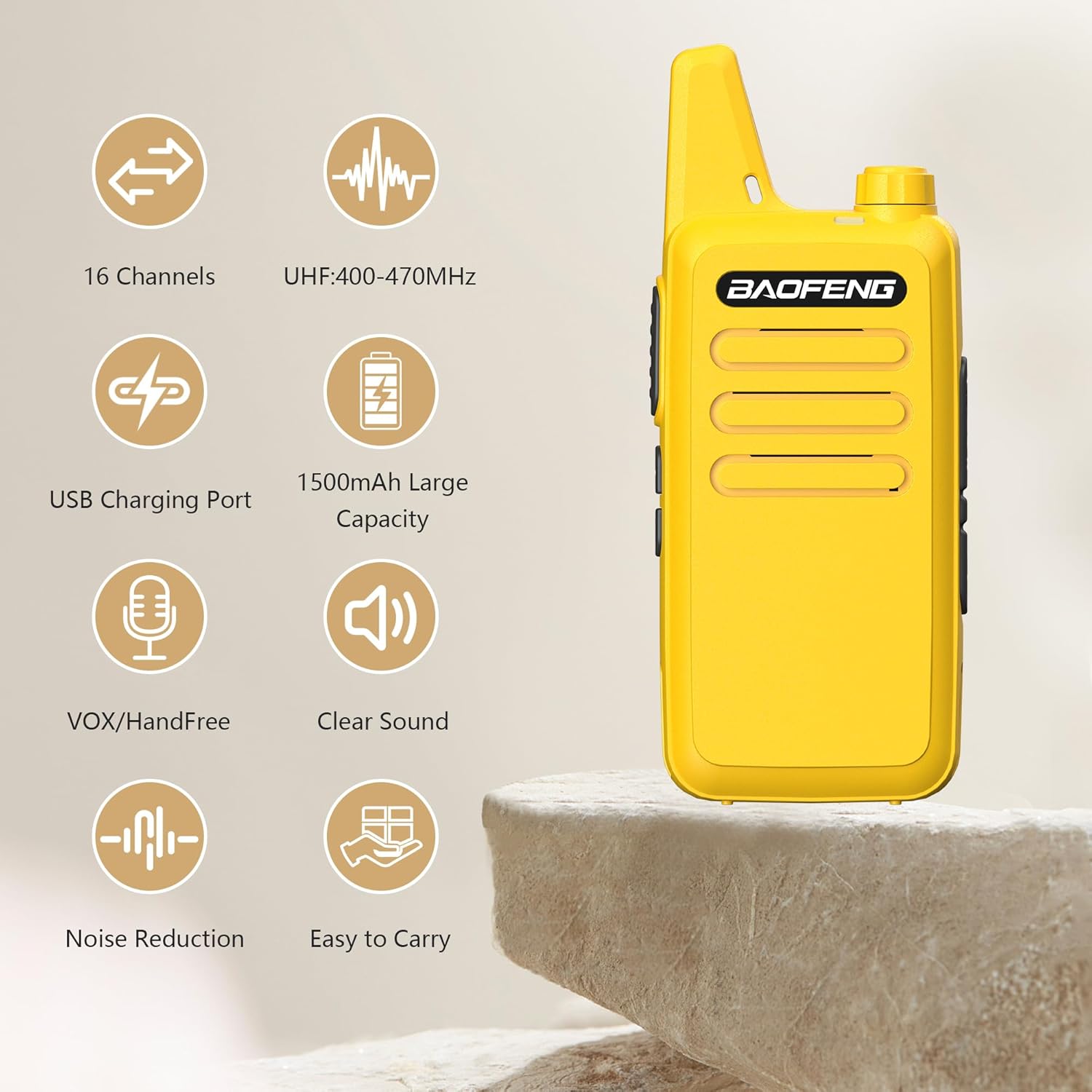
Key features include:
- Integrated Antenna: Designed for durability and long-range transmission.
- Compact and Lightweight: Weighs approximately 4.2oz (113g) with a rugged, splash-proof (IP55) shell.
- 16 Channels: Provides multiple communication options.
- VOX Hands-Free Mode: Allows for voice-activated transmission.
- Noise Reduction: Enhances audio clarity in various environments.
- Durable Belt Clip: Easily attachable to belts, pockets, or backpacks.

4. Setup
4.1 Battery Installation
- Ensure the radio is powered off.
- Locate the battery compartment on the back of the radio.
- Align the 1500mAh Li-ion battery with the compartment contacts.
- Gently push the battery into place until it clicks securely.
4.2 Charging the Battery
The BF-T20D features a convenient USB-C charging port, allowing you to recharge the battery using various power sources.
- Connect the provided USB-C charging cable to the radio's USB-C port.
- Connect the other end of the USB-C cable to a compatible power source, such as:
- The included US power adapter connected to a wall outlet.
- A car charger (not included).
- A power bank (not included).
- A computer's USB port.
- The charging indicator on the radio will illuminate to show charging status.
- Charging is complete when the indicator changes color or turns off (refer to radio's specific indicator behavior).


5. Operating Instructions
5.1 Powering On/Off
To power on the radio, rotate the power/volume knob clockwise until you hear a click. To power off, rotate the knob counter-clockwise until it clicks.
5.2 Adjusting Volume
Rotate the power/volume knob clockwise to increase the volume and counter-clockwise to decrease it.
5.3 Channel Selection
The BF-T20D supports 16 channels. Use the channel selector knob (typically on top of the radio) to choose your desired channel. Ensure all radios in your group are on the same channel for communication.
5.4 Transmitting and Receiving
- To transmit, press and hold the Push-to-Talk (PTT) button on the side of the radio. Speak clearly into the microphone.
- Release the PTT button to stop transmitting and return to receive mode.
- When receiving a transmission, the radio will automatically output the audio.

5.5 VOX (Voice Operated Exchange) Function
The VOX function allows for hands-free operation. When activated, the radio will automatically transmit when it detects your voice, without needing to press the PTT button.
- Refer to the specific programming software or manual for instructions on how to enable and adjust VOX sensitivity.
- VOX is useful in situations where hands-free communication is required.

5.6 Noise Reduction
The BF-T20D incorporates AI noise reduction technology to filter out background noise, providing clearer audio transmissions and reception.
- This feature is typically active by default to improve communication quality.
- It helps in noisy environments like construction sites or busy outdoor areas.

6. Maintenance
6.1 Cleaning the Radio
- Wipe the radio's surface with a soft, damp cloth.
- Do not use harsh chemicals or abrasive cleaners.
- Ensure the charging port is free of dust and debris.
6.2 Battery Care
- Avoid fully discharging the battery frequently to prolong its lifespan.
- Store the battery in a cool, dry place when not in use for extended periods.
- Do not expose the battery to extreme temperatures.
7. Troubleshooting
| Problem | Possible Cause | Solution |
|---|---|---|
| Radio does not power on | Battery is low or not installed correctly | Charge the battery or re-install it properly |
| Cannot transmit or receive | Incorrect channel selected; out of range; low battery | Verify channel; move closer to other radios; charge battery |
| Poor audio quality | Weak signal; interference; microphone/speaker obstruction | Move to a clearer area; check for obstructions; ensure noise reduction is active |
| Battery not charging | Faulty cable/adapter; dirty charging port | Try a different cable/adapter; clean the USB-C port |
8. Specifications
| Feature | Specification |
|---|---|
| Model Number | BF-T20D |
| Frequency Range | UHF 400-470MHz |
| Power Output | ≤5W |
| Channel Capacity | 16 Channels |
| Battery Capacity | Li-ion 1500mAh |
| Working Voltage | DC 3.7V |
| Mic/Speaker/Programming Port | 2 pin plug type |
| Antenna | Integrated antenna |
| Antenna Impedance | 50 Ohm |
| Weight (with battery & antenna) | 3.99oz (113g) |
| Dimensions (not incl. antenna) | 10.5 x 2.5 x 2 cm (4.13 x 0.98 x 0.79 inches) |
| Maximum Deviation | ±5KHz |
| Receiver Sensitivity | ≤0.16µV (12dB SINAD) |
| Squelch Sensitivity | <0.2µV |
| Intermodulation | 50dB |
| Audio Power | ≥300mW |
| Special Features | Noise Reduction, USB-C Charging |
| Talking Range Maximum | 5 Kilometer |
| Water Resistance Level | Not Water Resistant (IP55 splash-proof) |
9. Warranty and Support
9.1 Warranty Information
This product comes with a 1-year warranty. The warranty is provided exclusively through "Shiqun Electronics Co., Ltd". Please retain your proof of purchase for warranty claims.
9.2 Customer Support
For technical assistance, troubleshooting, or warranty inquiries, please contact the seller or refer to the official BAOFENG support channels. Detailed contact information can typically be found on the seller's page or in the included warranty card.


