
Product Overview
The Nerunsa D60 Wireless Earbuds are designed to provide a high-quality audio experience with advanced features for daily use. These earbuds incorporate Bluetooth 5.4 technology for stable connectivity, Environmental Noise Cancelling (ENC) microphones for clear calls, and IP7 waterproofing for durability.
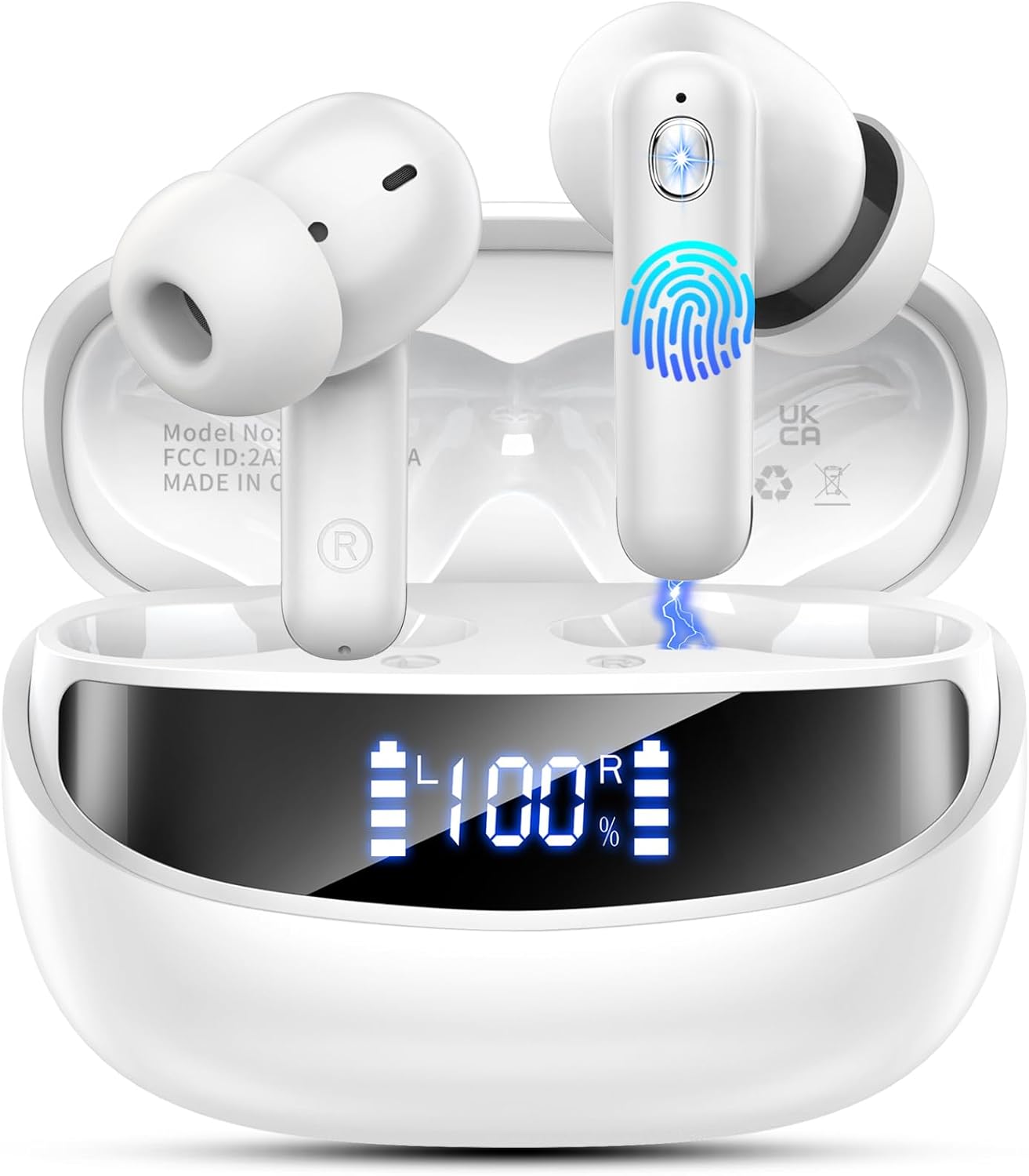
Image: White Nerunsa D60 wireless earbuds in their open charging case, displaying a 100% charge level on the LED screen.
Key Features:
- Advanced Bluetooth 5.4: Ensures stable connectivity, lower latency, and longer transmission distance.
- ENC Noise Cancelling Microphones: Four high-quality microphones provide up to 40dB noise reduction for clear calls.
- HiFi Stereo Sound: Features 13mm dynamic drivers for rich, detailed audio with deep bass.
- Extended Playtime: Up to 8 hours on a single charge, with a total of 45 hours using the charging case.
- IP7 Waterproof: Resistant to dust, rain, and light sweat.
- Smart Touch Control: Intuitive controls for music playback, calls, and voice assistant.
- Ergonomic Design: Lightweight (3.9g per earbud) with three sizes of soft ear tips (S/M/L) for comfortable fit.
Package Contents
Please ensure all items are present upon unboxing:
- Nerunsa D60 Wireless Earbuds (Left and Right)
- Charging Case
- USB Type-C Charging Cable
- Ear Tips (S/M/L sizes)
- Instruction Manual
Charging
Before first use, fully charge the earbuds and charging case.
- Place the earbuds into the charging case. Ensure they are correctly seated.
- Connect the provided USB Type-C charging cable to the charging port on the case and to a compatible USB power source.
- The LED display on the charging case will indicate the charging status and battery level.
- A full charge for both the case and earbuds takes approximately 1.5 hours.
The earbuds provide up to 8 hours of playback on a single charge. The charging case extends the total listening time to approximately 45 hours.
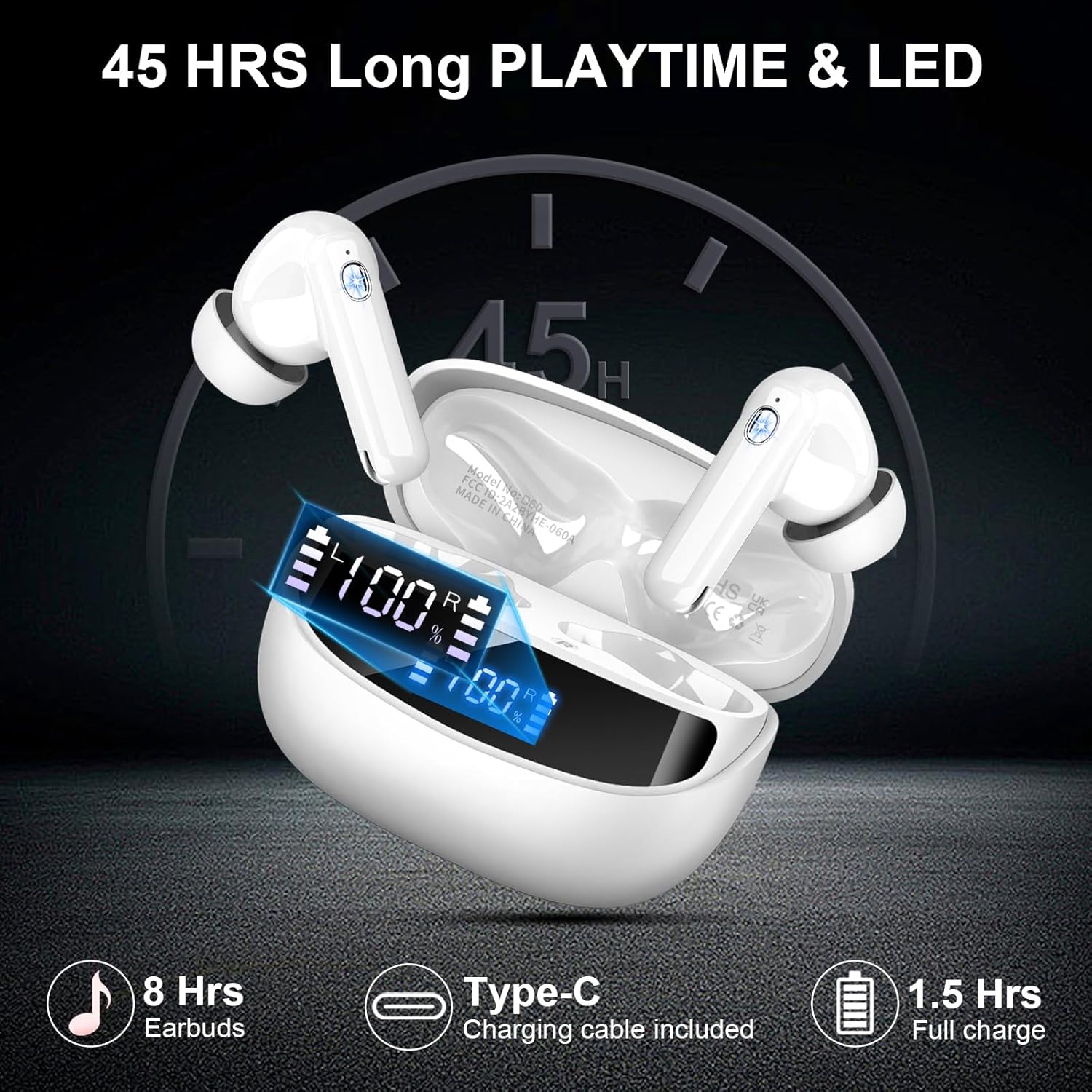
Image: Charging case and earbuds with indicators for 8 hours earbud playtime, 45 hours total playtime with case, and 1.5 hours full charge time via Type-C.
Setup and Pairing
Follow these steps to pair your Nerunsa D60 earbuds with your device:
- Initial Pairing: Open the charging case. The earbuds will automatically enter pairing mode.
- On your device (smartphone, tablet, laptop), enable Bluetooth and search for available devices.
- Select "D60 Pro" from the list of found devices to connect.
- Once connected, the earbuds will automatically pair with this device in the future when removed from the case.
The advanced Bluetooth 5.4 chip ensures a stable and fast connection with lower latency and an extended range of up to 15 meters.
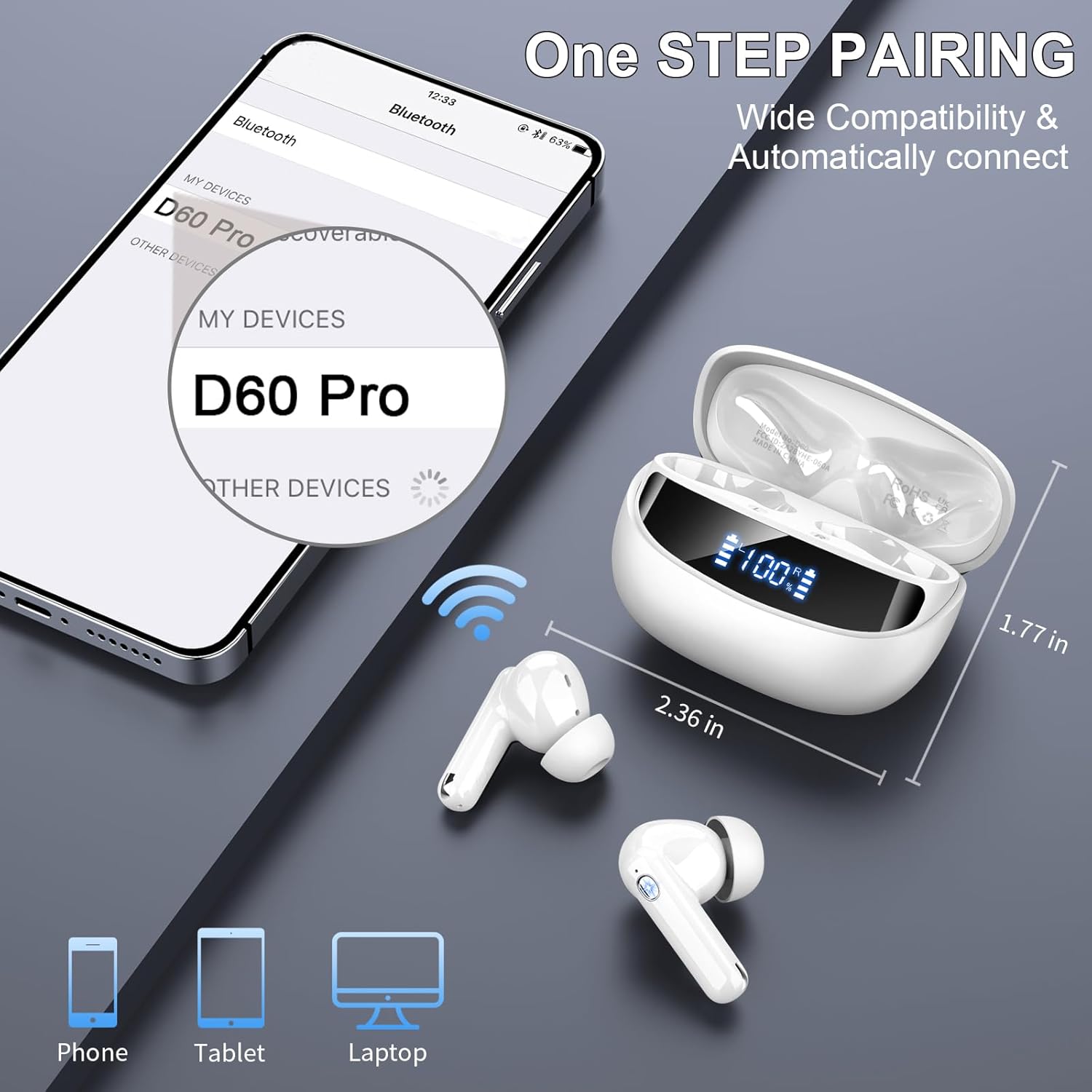
Image: Smartphone displaying 'D60 Pro' in Bluetooth settings, demonstrating one-step pairing with the earbuds and charging case.
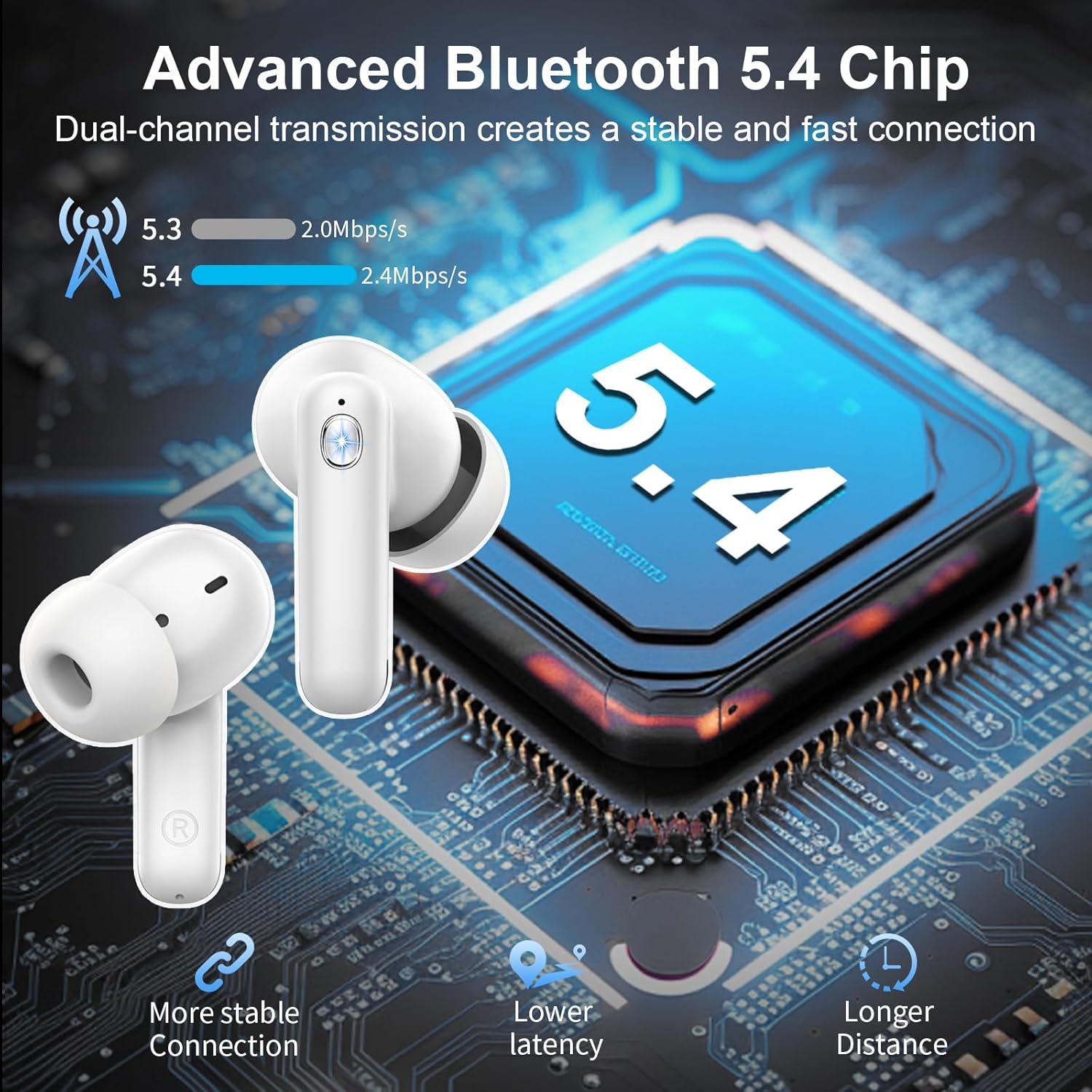
Image: Diagram illustrating the benefits of Bluetooth 5.4 technology, including more stable connection, lower latency, and longer distance.
Operating Controls
The Nerunsa D60 earbuds feature smart touch controls on each earbud for convenient operation:
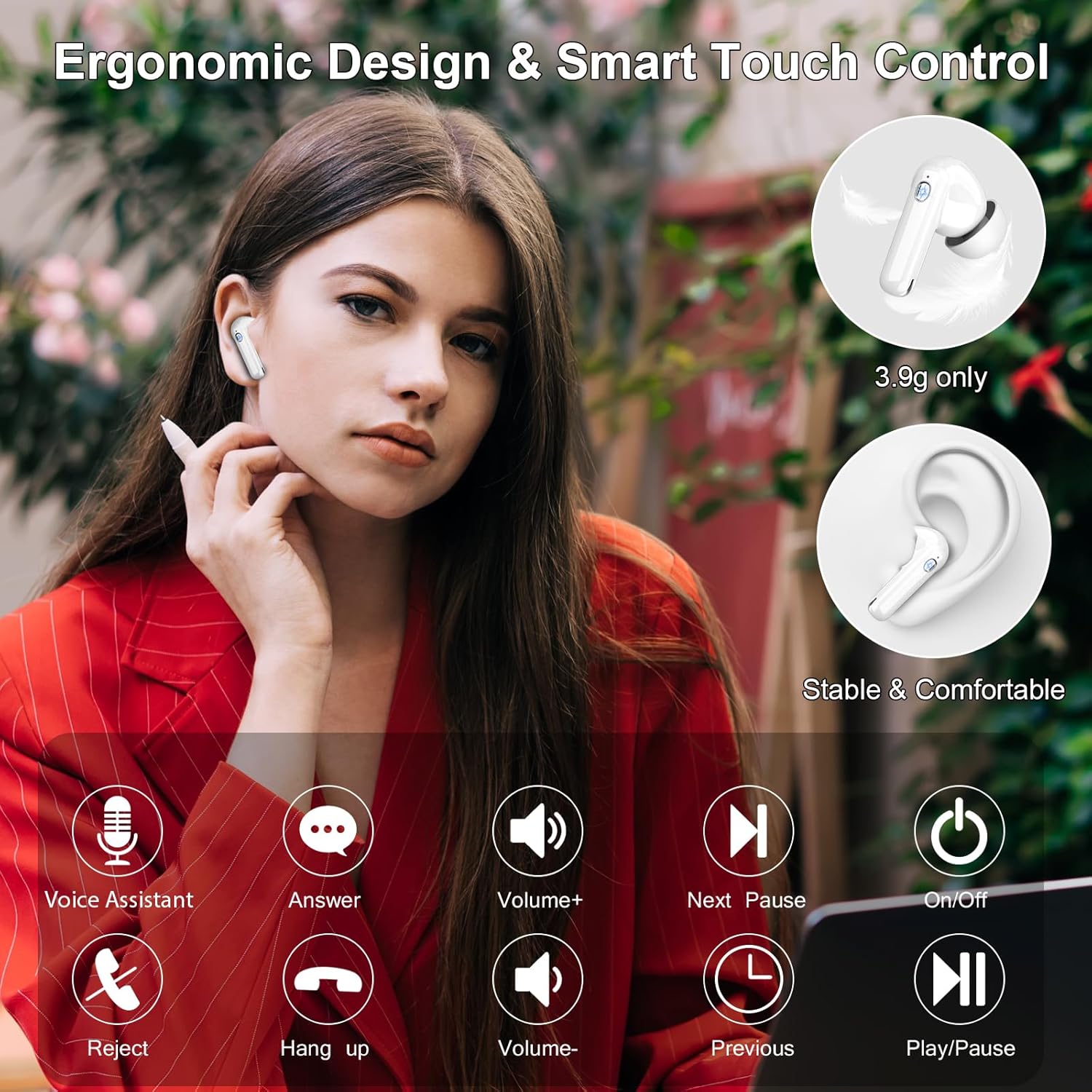
Image: Visual guide to smart touch controls for music, calls, and voice assistant.
| Action | Function |
|---|---|
| Single Tap (Left/Right) | Play/Pause Music, Answer/End Call |
| Double Tap (Left) | Previous Song |
| Double Tap (Right) | Next Song |
| Triple Tap (Left) | Volume Down |
| Triple Tap (Right) | Volume Up |
| Long Press (2 seconds) | Reject Call, Activate Voice Assistant |
Wearing and Comfort
For optimal sound quality and comfort, choose the ear tips that best fit your ears. The earbuds come with S, M, and L sizes.
- Insert the earbud gently into your ear canal.
- Rotate slightly to ensure a secure and comfortable fit.
- The ergonomic design and lightweight construction (3.9g per earbud) are intended for extended wear without discomfort.
Audio and Call Quality
The D60 earbuds are equipped with 13mm dynamic drivers, delivering HiFi stereo sound with clear treble and powerful deep bass. For calls, the integrated 4 ENC (Environmental Noise Cancelling) microphones work to reduce ambient noise by up to 40dB, ensuring your voice is transmitted clearly.
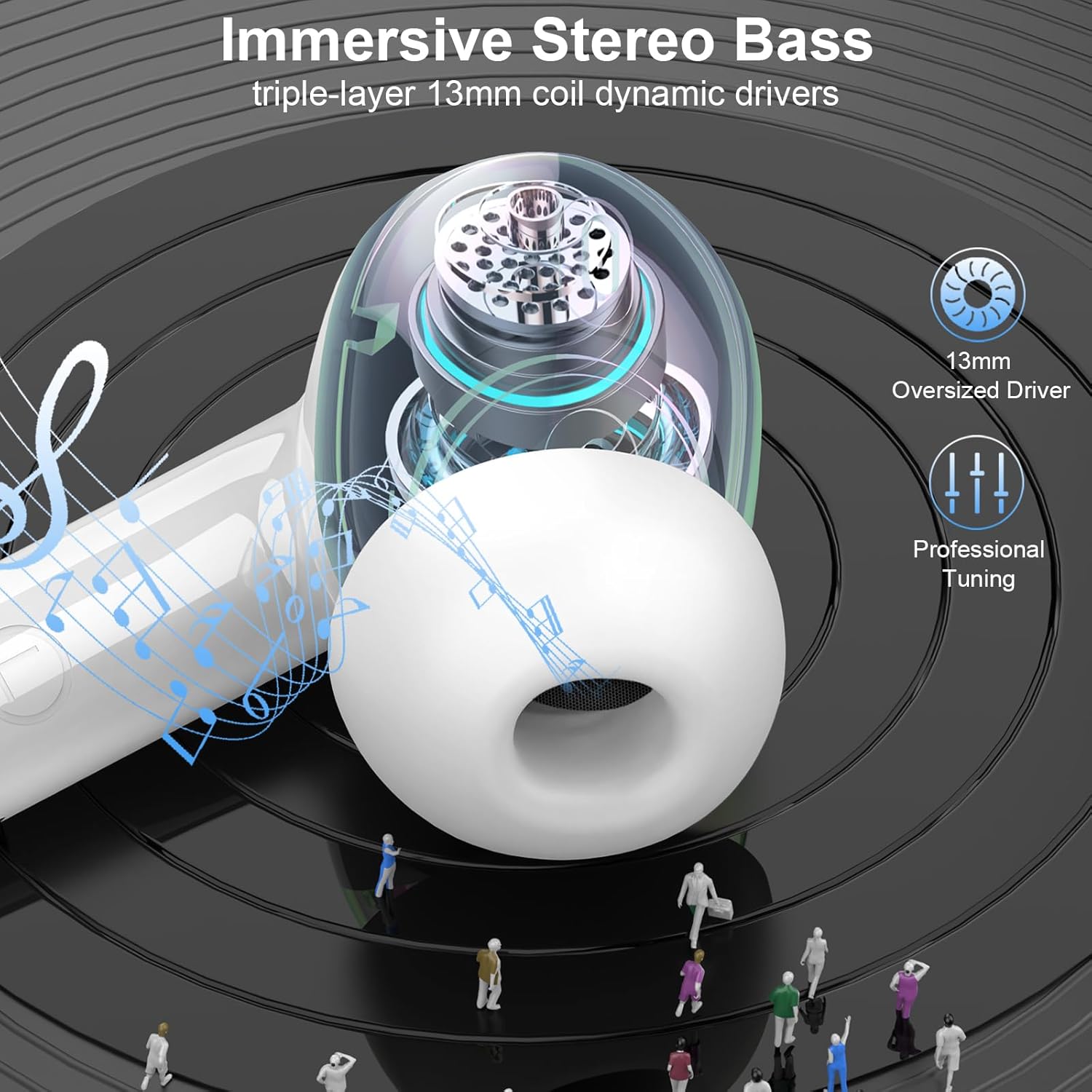
Image: Detailed view of the 13mm dynamic driver for immersive stereo bass.
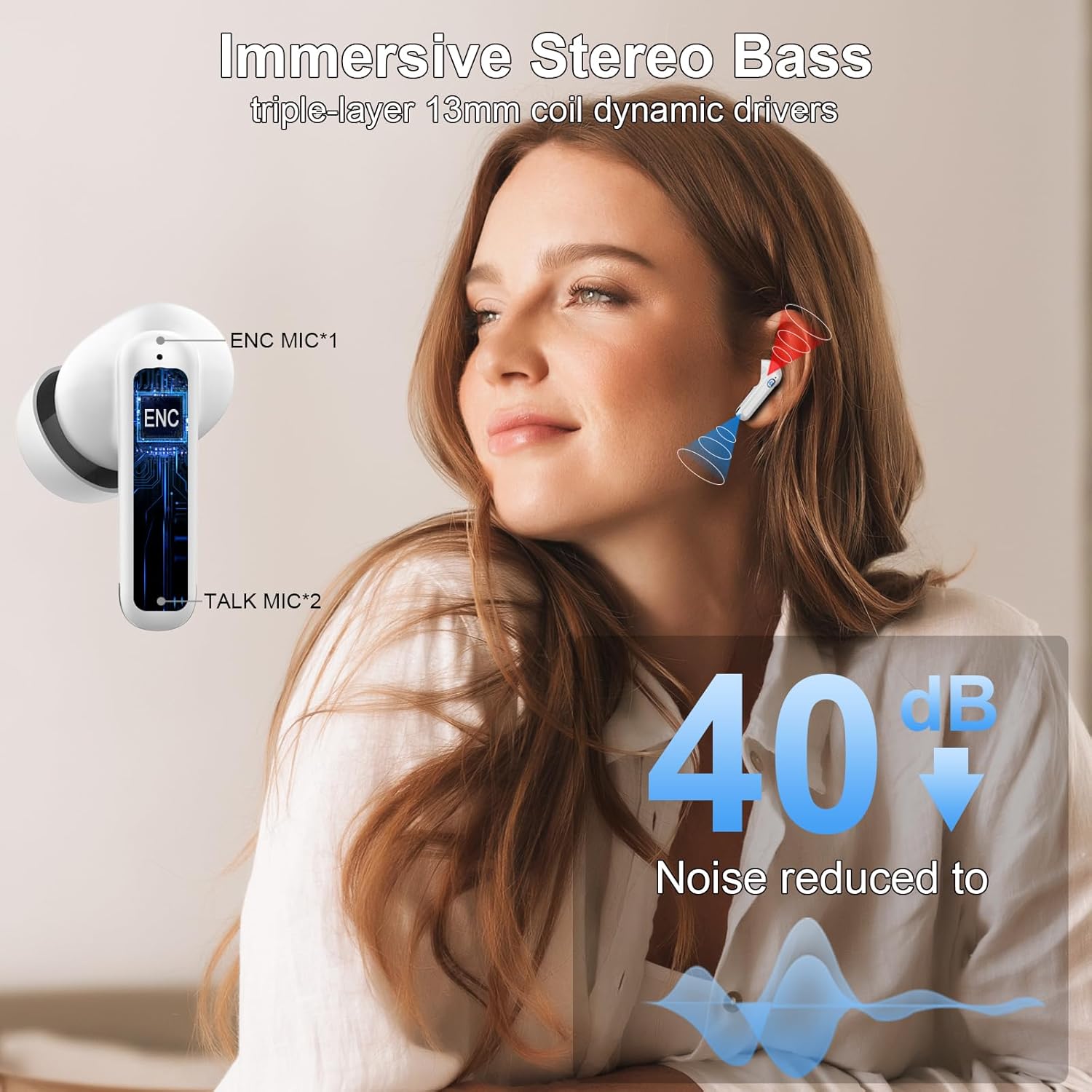
Image: Illustration of ENC noise reduction technology, showing 40dB noise reduction for clear calls.
Water Resistance (IP7)
The Nerunsa D60 earbuds feature an IP7 waterproof rating. This means they are protected against immersion in water up to 1 meter for 30 minutes. They are suitable for use during workouts, in light rain, or when exposed to sweat. However, they are not designed for swimming or prolonged submersion.
Maintenance and Care
- Regularly clean the earbuds and charging case with a soft, dry cloth.
- Remove ear tips and clean them with mild soap and water, then dry thoroughly before reattaching.
- Avoid using abrasive cleaners or solvents.
- Store the earbuds in their charging case when not in use to protect them and keep them charged.
- Avoid extreme temperatures and direct sunlight.
Troubleshooting
If you encounter issues with your earbuds, please refer to the following common solutions:
- No Sound/Connection Issues:
- Ensure earbuds are charged.
- Verify Bluetooth is enabled on your device.
- Try forgetting "D60 Pro" in your device's Bluetooth settings and re-pairing.
- Place earbuds back in the case, close it, wait a few seconds, then open to reset.
- One Earbud Not Working:
- Ensure both earbuds are charged.
- Place both earbuds back in the charging case, close the lid, and then open it again.
- Try re-pairing the earbuds with your device.
- Charging Problems:
- Check the charging cable and power adapter for damage.
- Ensure the charging port on the case is clean and free of debris.
- Verify the earbuds are properly seated in the charging case.
- Poor Call Quality:
- Ensure the microphones are not obstructed.
- Move to an area with less background noise.
- Check your device's network signal strength.
Specifications
| Feature | Specification |
|---|---|
| Model Name | D60 |
| Brand | Nerunsa |
| Connectivity Technology | Wireless (Bluetooth) |
| Bluetooth Version | 5.4 |
| Bluetooth Range | 15 Meters |
| Noise Control | Environmental Noise Cancellation (ENC) |
| Audio Driver Type | Dynamic Driver (13mm) |
| Battery Life (Earbuds) | 8 Hours |
| Total Playtime (with Case) | 45 Hours |
| Charging Time | 1.5 Hours |
| Charging Interface | Type-C |
| Water Resistance Level | IP7 Waterproof |
| Earbud Weight | 3.9g (per earbud) |
| Compatible Devices | Laptops, Desktops, Tablets, Telephones, Smart Speakers, Televisions, Cellphones |
Official Product Video
Video: An overview of the Nerunsa D60 Wireless Earbuds, showcasing features like battery life, Bluetooth 5.4, ENC noise cancelling, HiFi stereo sound, smart touch control, and IP7 waterproofing.
Warranty and Support
Nerunsa products come with a standard manufacturer's warranty. For specific warranty details, product support, or technical assistance, please refer to the warranty card included in your package or contact Nerunsa customer service through their official website or the retailer where the product was purchased.
Please retain your proof of purchase for warranty claims.