
LESIA F2 Flip
LESIA F2 Flip 4G LTE Mobile Phone User Manual
Model: F2 Flip | Brand: LESIA
Introduction
This manual provides comprehensive instructions for the LESIA F2 Flip 4G LTE Mobile Phone, designed with ease of use in mind, particularly for seniors. It features large buttons, a clear display, and essential functions like an SOS button for emergencies. This guide will help you set up, operate, and maintain your device to ensure optimal performance and safety.

Image: Various angles of the LESIA F2 Flip phone, illustrating its compact design and physical features.
Safety Information
Please read this section carefully before using your phone.
- Specific Absorption Rate (SAR): The SAR value for mobile phones quantifies the maximum level of user exposure to electromagnetic waves when used near the ear. French regulations require that the SAR does not exceed 2 W/kg. This device has a SAR of 1.0 W/kg.
- Keep the phone away from water and moisture.
- Do not attempt to disassemble or repair the phone yourself. Refer to qualified service personnel.
- Use only original or approved accessories.
- Avoid exposing the phone to extreme temperatures.
Package Contents
Verify that all items are present in the package:
- LESIA F2 Flip Mobile Phone
- USB Cable
- Charging Cradle
- European Charging Adapter
- 1300 mAh Battery
- User Manual
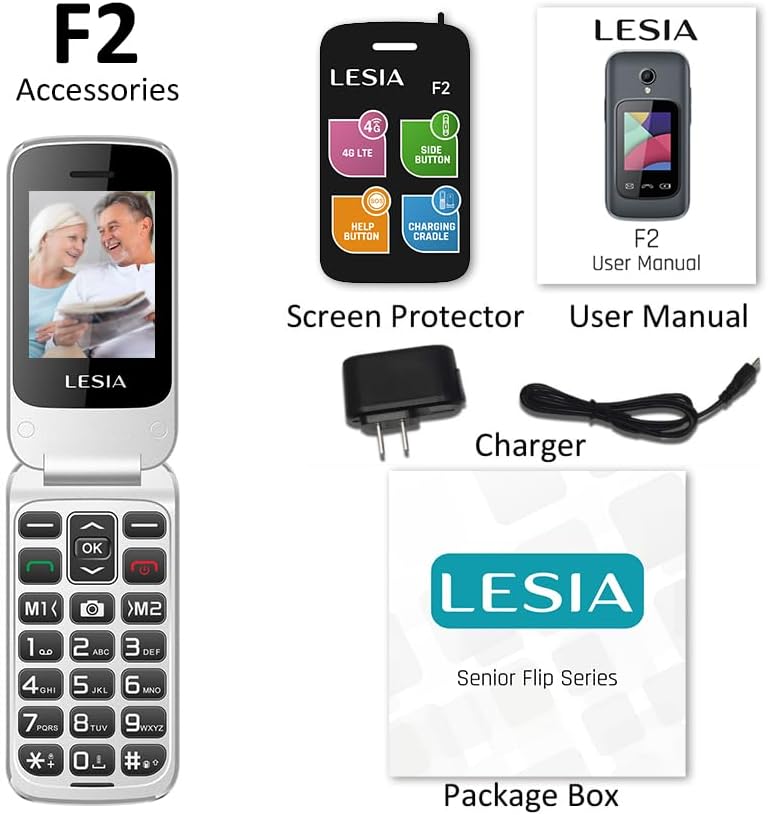
Image: Contents of the LESIA F2 Flip package, showing the phone, charging cradle, USB cable, power adapter, battery, and user manual.
Setup
1. Installing the SIM Card and Battery
- Carefully remove the back cover of the phone.
- Insert the Nano SIM card(s) into the designated slot(s) with the gold contacts facing down. Ensure it clicks into place. The phone supports dual SIM.
- Insert the 1300 mAh battery into its compartment, aligning the contacts.
- Replace the back cover until it snaps securely.
2. Charging the Phone
The LESIA F2 Flip LTE offers convenient charging options.
- Using the Charging Cradle: Place the phone onto the charging cradle, ensuring the charging contacts align. The phone will begin charging automatically. This method simplifies charging by eliminating the need to connect cables directly to the phone.
- Using the USB Type-C Cable: Connect the provided USB Type-C cable to the phone's charging port and the other end to the European charging adapter. Plug the adapter into a power outlet.

Image: The LESIA F2 Flip phone charging on its dedicated cradle, highlighting the ease of use for daily charging.

Image: A detailed view of the phone's USB Type-C charging port, indicating modern and convenient connectivity.

Image: The phone on its charging cradle, emphasizing its 1300mAh battery capacity for extended standby time.
Operating Instructions
Basic Functions
- Power On/Off: Press and hold the red end call button to power the phone on or off.
- Making a Call: Enter the phone number using the large keypad. Press the green call button to initiate the call.
- Answering a Call: Open the flip to answer an incoming call, or press the green call button.
- Ending a Call: Close the flip or press the red end call button.
- Sending SMS: Navigate to the 'Messages' menu, select 'Write message', enter your text, and choose the recipient.
- Dual Screen Functionality: The LESIA F2 Flip features both a main internal screen and a smaller external screen. The external screen displays incoming calls, time, and basic notifications without needing to open the phone.
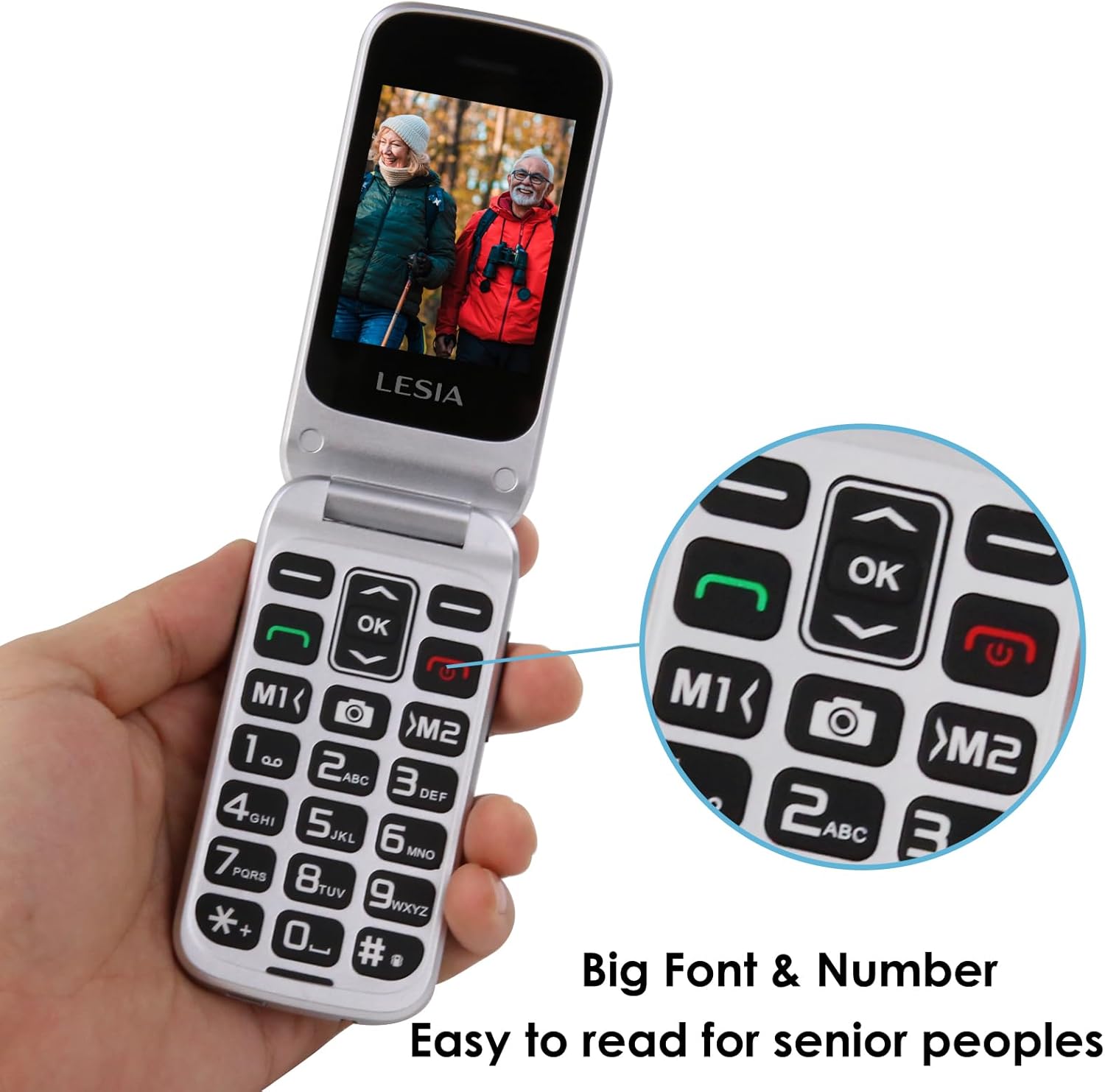
Image: The phone's large buttons and clear font are designed for easy readability and operation, especially for users with visual impairments.

Image: The intuitive menu interface of the phone, providing easy access to essential functions like contacts, messages, and SOS settings.
SOS Emergency Call Function
The SOS button is a critical safety feature, allowing quick contact with pre-set emergency numbers.
- Setting up SOS Contacts: Access the SOS settings in the phone's menu. You can pre-set up to five emergency contacts.
- Activating SOS: In an emergency, press and hold the dedicated SOS button located on the back of the phone.
- The phone will emit an audible alarm for 5 seconds.
- After the alarm, the phone will automatically call the pre-defined emergency contacts in sequence until one answers. It can also send an emergency SMS to these contacts.

Image: The SOS emergency call button on the back of the phone, designed for quick access to up to five pre-programmed emergency contacts.
Additional Features
- Torchlight: Activate the built-in torchlight using the dedicated button on the side of the phone for convenience in low-light conditions.
- Volume Control: Adjust the call and media volume using the volume +/- buttons located on the side of the phone.
- Speed Dial: Program frequently called numbers to specific keys (M1, M2) for quick dialing.
- Calculator: Access the calculator function from the main menu for simple arithmetic.
- Alarm Clock: Set alarms for reminders or wake-up calls.

Image: Side view of the phone illustrating the convenient placement of volume controls and the dedicated torchlight button for easy access.
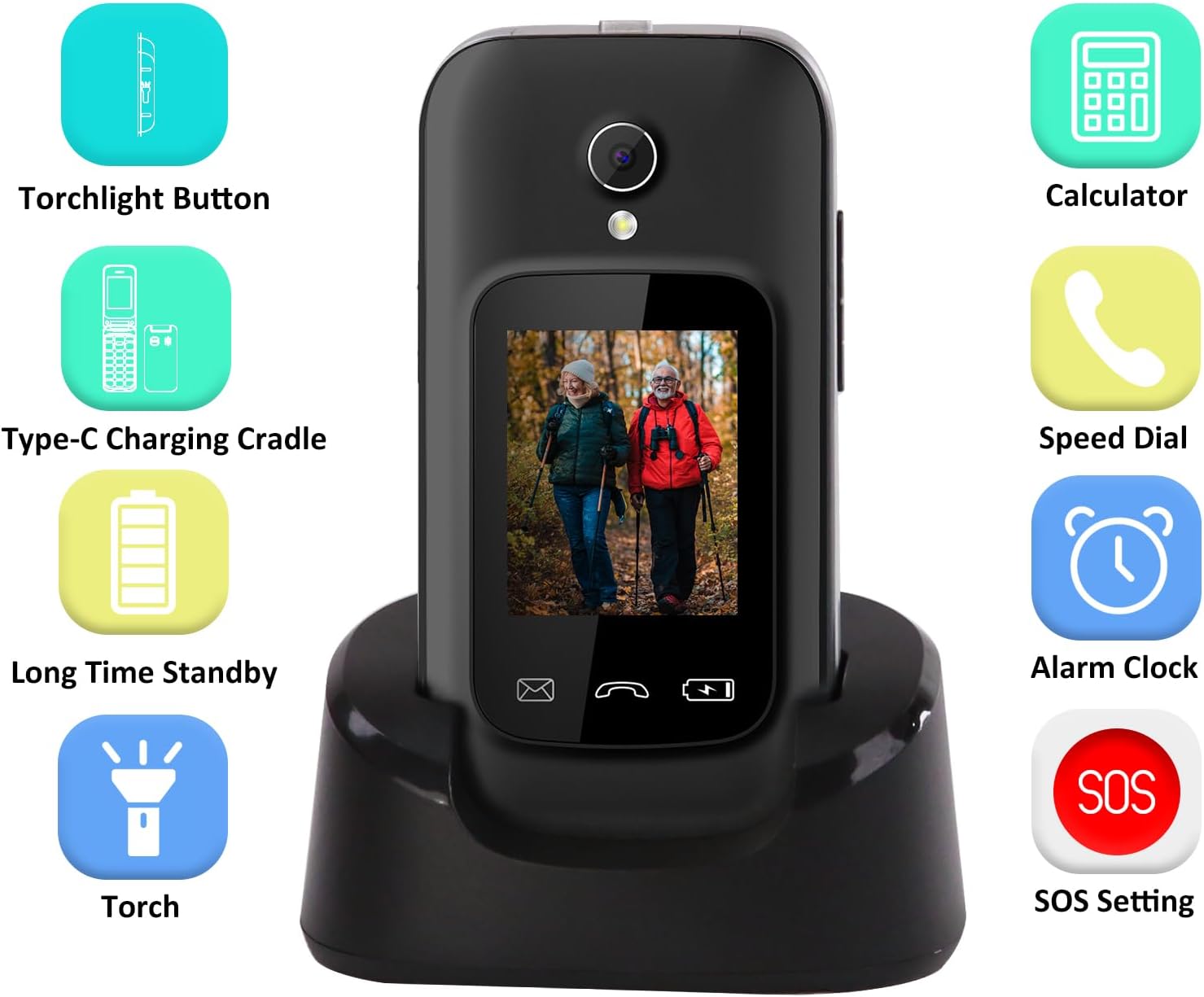
Image: An overview of the phone's additional features, including torchlight, calculator, speed dial, alarm clock, and SOS settings, all accessible from the user interface.
Maintenance
- Battery Care: To prolong battery life, avoid fully discharging the battery frequently. Charge the phone regularly, especially when the battery indicator is low.
- Cleaning: Use a soft, dry cloth to clean the phone's surface. Do not use liquid cleaners or abrasive materials.
- Storage: If storing the phone for an extended period, charge the battery to about 50% and store it in a cool, dry place.
Troubleshooting
This section addresses common issues you might encounter.
| Problem | Possible Cause | Solution |
|---|---|---|
| Phone does not power on. | Battery is low or depleted. | Charge the phone for at least 30 minutes. Ensure the charger and cable are properly connected. |
| Cannot make or receive calls. | No SIM card, SIM card not properly inserted, or no network signal. | Check if the SIM card is correctly inserted. Verify network coverage in your area. Contact your service provider if issues persist. |
| Poor call quality. | Weak network signal or interference. | Move to an area with better network reception. Avoid using the phone near other electronic devices that may cause interference. |
| SOS button not working. | SOS contacts not set up or incorrect numbers. | Ensure emergency contacts are correctly programmed in the SOS settings. Test the function in a non-emergency situation. |
Specifications
| Feature | Detail |
|---|---|
| Brand | LESIA |
| Model Name | F2 Flip (Senior Flip) |
| Color | Grey |
| Product Type | Flip Mobile Phone |
| Operating System | Proprietary (Designed for seniors) |
| Screen Size | 2.4 Inches (internal) / 3 Inches (external diagonal) |
| Effective Still Resolution | 2.0 MP (Camera) |
| Battery Type | Lithium-ion |
| Battery Capacity | 1300 mAh |
| Memory Storage Capacity | 64 GB (internal) |
| Wireless Carrier | All carriers (unlocked) |
| Cellular Technology | 4G LTE, 3G WCDMA, 2G GSM |
| Network Technology | LTE |
| SIM Card Slots | Dual SIM |
| Charging Port | USB Type-C |
| Specific Absorption Rate (SAR) | 1.0 W/kg |
Warranty and Support
Your LESIA F2 Flip Mobile Phone comes with a manufacturer's warranty.
- Manufacturer Warranty: 2 years.
- For technical support or warranty claims, please contact your retailer or the LESIA customer service. Refer to the contact information provided with your purchase documentation.
Related documentsF2 Flip

Ask a question about this manual
Ask about setup, troubleshooting, compatibility, parts, safety, or missing instructions. Manuals+ will review the question and use this page’s manual context to help answer it.