
1. Introduction
Thank you for choosing the Glekyole K06 Motorcycle Helmet Bluetooth Headset. This device is designed to provide clear communication, music playback, and navigation audio while riding, enhancing your safety and enjoyment. Featuring advanced Bluetooth connectivity, noise reduction, and a waterproof design, the K06 ensures reliable performance in various conditions. Please read this manual carefully before use to ensure proper installation and operation.
2. Safety Information
- Always prioritize road safety. Do not operate the device in a manner that distracts you from riding.
- Ensure the headset is securely installed in your helmet to prevent detachment during operation.
- Avoid prolonged exposure to high volume levels to prevent hearing damage.
- Do not attempt to disassemble or modify the device, as this may void the warranty and cause damage.
- Keep the device away from extreme temperatures and direct sunlight.
3. Package Contents
Verify that all items are present in your package:
- Bluetooth Headset (K06 Main Unit)
- USB Charging Cable
- User Manual
- Back Clip for Helmet Mounting
- Soft Microphone
- Hard Microphone
- 2-in-1 Microphone (integrated)
- Speaker Velcro Pads
- Host Velcro Pads
4. Product Overview
Familiarize yourself with the main components and controls of your K06 headset.
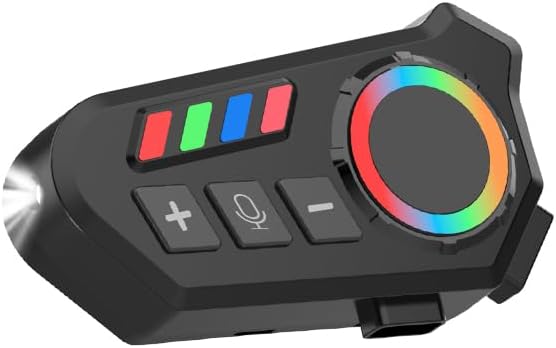
Figure 4.1: Glekyole K06 Bluetooth Headset, highlighting its control panel with volume buttons, microphone button, and a multi-color RGB dial for various functions.
- Power/Multi-function Button (RGB Dial): Controls power, pairing, and RGB lighting.
- Volume Up (+) Button: Increases volume, previous track.
- Volume Down (-) Button: Decreases volume, next track.
- Microphone Button: Activates voice assistant, answers/ends calls.
- Charging Port: USB-C port for charging.
- LED Indicator: Displays device status (power, pairing, charging).
5. Setup
5.1 Charging the Device
- Connect the provided USB charging cable to the headset's charging port.
- Plug the other end into a USB power adapter (not included) or a computer's USB port.
- The LED indicator will show charging status. A full charge takes approximately 2 hours.
- Disconnect the cable once fully charged.
5.2 Installing into Helmet
The K06 headset is designed for easy installation in most motorcycle helmet types.

Figure 5.2.1: Diagram illustrating how the K06 headset can be installed on different types of motorcycle helmets, including full-face, half-helmet, off-road, uncover, and retro helmets.
- Choose Mounting Location: Select a flat surface on the left side of your helmet where the headset will not obstruct your vision or movement.
- Attach Back Clip: Secure the back clip to the helmet using the provided host Velcro pads. Ensure it is firmly attached.
- Mount Headset: Slide the K06 main unit onto the back clip until it clicks into place.
- Install Speakers: Place the speakers inside the helmet's ear pockets using the speaker Velcro pads. Ensure they are positioned directly over your ears for optimal audio.
- Install Microphone: Choose the appropriate microphone (soft for full-face, hard for open-face, or 2-in-1) and position it near your mouth, ensuring it does not interfere with your helmet's visor. Route the cable neatly under the helmet lining.
- Connect Cables: Plug the speaker and microphone cables into the corresponding ports on the K06 main unit.
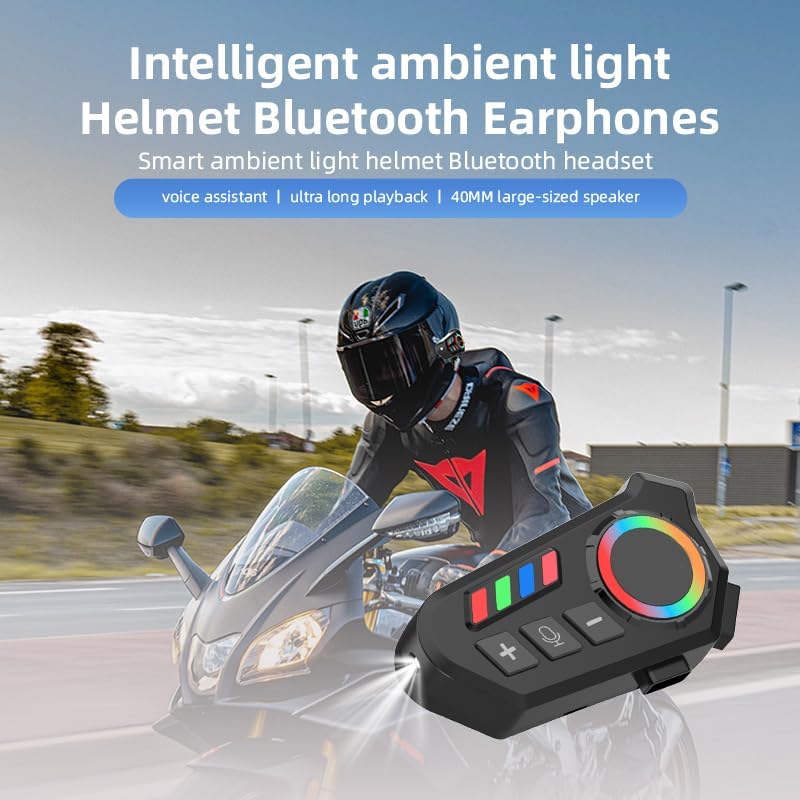
Figure 5.2.2: The headset is shown attached to the side of a motorcycle helmet, demonstrating its compact size and how it integrates with the helmet structure.
6. Operating Instructions
6.1 Power On/Off
- Power On: Press and hold the Power/Multi-function Button (RGB Dial) for approximately 3 seconds until the LED indicator lights up and you hear a power-on prompt.
- Power Off: Press and hold the Power/Multi-function Button (RGB Dial) for approximately 3 seconds until the LED indicator turns off and you hear a power-off prompt.
6.2 Bluetooth Pairing
- Ensure the headset is powered off.
- Press and hold the Power/Multi-function Button (RGB Dial) for approximately 5-7 seconds until the LED indicator flashes red and blue alternately, indicating pairing mode.
- On your mobile phone, enable Bluetooth and search for available devices.
- Select 'Glekyole K06' from the list.
- Once paired, the LED indicator will flash blue slowly, and you will hear a confirmation tone.
6.3 Call Management
- Answer Call: Short press the Microphone Button.
- End Call: Short press the Microphone Button during a call.
- Reject Call: Press and hold the Microphone Button for 2 seconds when a call comes in.
- Voice Assistant: Double-press the Microphone Button to activate your phone's voice assistant (e.g., Siri, Google Assistant).
6.4 Music Playback
- Play/Pause: Short press the Power/Multi-function Button (RGB Dial).
- Next Track: Short press the Volume Down (-) Button.
- Previous Track: Short press the Volume Up (+) Button.
- Volume Up: Press and hold the Volume Up (+) Button.
- Volume Down: Press and hold the Volume Down (-) Button.
6.5 Noise Reduction
The K06 features CVC noise reduction technology to minimize wind and road noise for clearer communication.
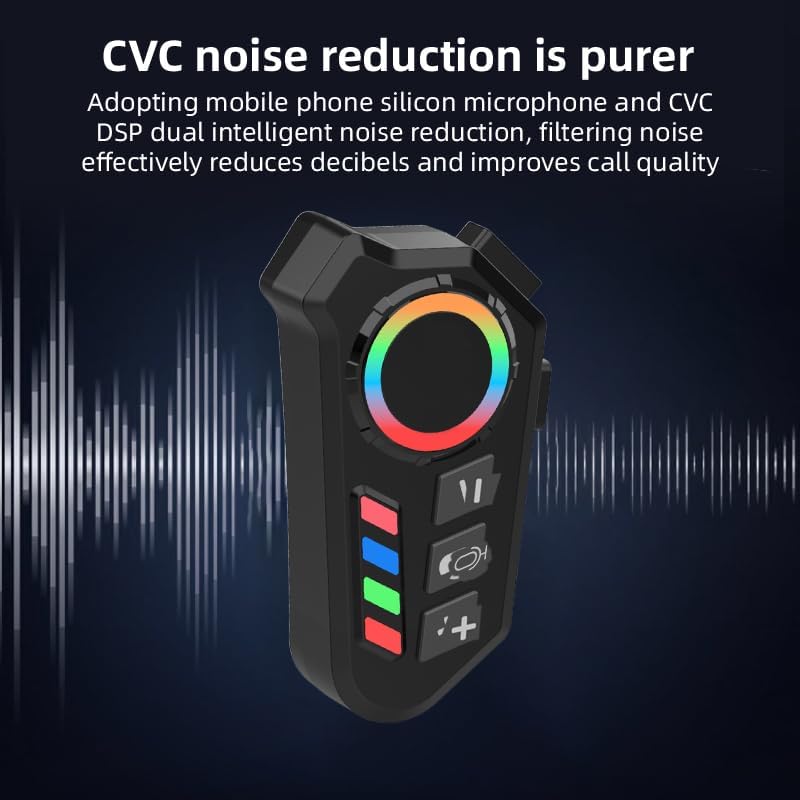
Figure 6.5.1: This image visually represents the CVC noise reduction technology of the headset, indicating its ability to filter out environmental noise for clearer audio.
6.6 LED Lighting
The headset includes an integrated LED light for enhanced visibility or ambiance.

Figure 6.6.1: The headset's integrated LED lighting feature is illuminated, indicating its utility for visibility or ambiance during nighttime operation.
- Activate/Deactivate LED: Short press the Power/Multi-function Button (RGB Dial) twice rapidly to toggle the LED light on or off.
7. Maintenance
- Cleaning: Use a soft, dry cloth to clean the headset. Do not use abrasive cleaners or solvents.
- Water Resistance: The device is waterproof, but avoid submerging it in water for extended periods. Ensure the charging port cover is securely closed.
- Storage: Store the headset in a cool, dry place when not in use. Avoid extreme temperatures.
- Battery Care: To prolong battery life, charge the device regularly, even if not used frequently. Avoid fully discharging the battery for extended periods.
8. Troubleshooting
| Problem | Possible Cause | Solution |
|---|---|---|
| Device does not power on. | Low battery. | Charge the device for at least 2 hours. |
| Cannot pair with phone. | Headset not in pairing mode; Bluetooth off on phone; device too far. | Ensure headset is in pairing mode (flashing red/blue). Turn on phone's Bluetooth. Keep devices within 1 meter. |
| No audio from speakers. | Volume too low; speakers not connected; phone audio output incorrect. | Increase volume on headset and phone. Check speaker connections. Ensure phone's audio is routed to the headset. |
| Microphone not working. | Microphone not connected; microphone blocked. | Check microphone connection. Ensure microphone is not obstructed and is positioned correctly. |
| Poor sound quality/noise. | Environmental interference; improper speaker placement. | Ensure speakers are directly over ears. Check for strong electromagnetic interference. |
9. Specifications
| Feature | Detail |
|---|---|
| Model Name | K06 Motorcycle Communication System |
| Connectivity Technology | Bluetooth 5.0 |
| Bluetooth Range | Up to 33 Feet (10 meters) |
| Noise Control | Environmental Noise Cancellation (CVC) |
| Water Resistance Level | Waterproof |
| Charging Time | Approximately 2 Hours |
| Control Method | Push Button, Voice Control |
| Material | Metal, Plastic |
| Item Weight | 0.15 Pounds (approx. 68 grams) |
| Compatible Devices | Bike Helmets, Motorcycle Helmets |
10. Warranty and Support
Warranty Information: Please refer to the product packaging or the official Glekyole website for detailed warranty terms and conditions.
Customer Support: For further assistance, technical support, or inquiries, please contact Glekyole customer support through the contact information provided on the product packaging or the official Glekyole website.