
Viribus 24-inch Electric Tricycle Aqua
Contents
Viribus Electric Tricycle User Manual
Model: 24-inch Electric Tricycle (Aqua)
1. Introduction
Thank you for choosing the Viribus Electric Tricycle. This manual provides essential information for the safe assembly, operation, maintenance, and troubleshooting of your new electric tricycle. Please read this manual thoroughly before first use and retain it for future reference.
The Viribus Electric Tricycle is designed for comfortable and convenient adult transportation, featuring a powerful 350W (Peak 700W) front hub motor, a removable 468Wh battery, and a 7-speed derailleur system. It offers three riding modes: throttle, pedal assist, and manual pedaling, providing versatility for various riding conditions.

Figure 1.1: Viribus Electric Tricycle (Aqua) with accessories.
2. Safety Information
Your safety is paramount. Always wear a helmet when riding. Adhere to all local traffic laws and regulations. Perform pre-ride checks before each use.
- Battery Safety: The 468Wh battery is UL 2271 certified for safety. Do not attempt to open or modify the battery pack. Use only the provided charger.
- Braking: Familiarize yourself with the disc brake system. Test brakes before each ride. Tricycles handle differently than two-wheel bicycles, especially when turning.
- Weight Limit: Do not exceed the maximum weight recommendation of 330 lbs (150 kg). This includes the rider and any cargo in the basket.
- Visibility: Ensure the high-intensity LED headlight and horn are functional, especially when riding in low light conditions.
- Tire Pressure: Maintain correct tire pressure for optimal performance and safety. Refer to the tire sidewall for recommended pressure.

Figure 2.1: UL2271 Certified Battery for enhanced safety.
3. Assembly and Components
The Viribus Electric Tricycle features a dual-chain design with a pre-installed gearbox to simplify assembly. While some assembly is required, this design aims to reduce the typical assembly time.
3.1 Key Components

Handlebars & Controls: Equipped with light control, twist throttle control, and horn control for intuitive operation. The LCD display is mounted centrally for easy viewing.

Front Hub Motor & Disc Brake: The 350W (Peak 700W) front hub motor provides electric assistance, while the disc brake ensures reliable stopping power.

Spacious Rear Basket: Capable of accommodating up to 110 lb (50 kg) of cargo, ideal for shopping or carrying personal items.

Included Accessories: Comes with a battery charger and a combination lock for security.
3.2 Assembly Steps (General Guidance)
While specific assembly instructions are typically provided in a separate guide, here is a general overview of common steps:
- Unpack all components and verify against the packing list.
- Attach the handlebars to the stem.
- Install the front wheel and secure the disc brake caliper.
- Mount the rear basket.
- Install the seat post and saddle.
- Connect the battery and check all electrical connections.
- Perform a thorough safety check of all bolts, nuts, and quick releases.

Figure 3.1: Dual-Chain Design for simplified assembly.
4. Operating Instructions
4.1 Charging the Battery
Before first use, fully charge the battery. Connect the charger to the battery charging port, then plug the charger into a standard wall outlet. The indicator light on the charger will change when charging is complete. A full charge provides a range of up to 31 miles on full throttle or 55-60 miles with pedal assist.
4.2 Riding Modes
Your Viribus Electric Tricycle offers three distinct riding modes:
- Throttle Mode: Engage the twist throttle for electric power without pedaling. Maximum speed is 15.5 mph.
- Pedal Assist (PAS) Mode: The motor provides assistance as you pedal. There are five assistance levels (7.5, 9.5, 11, 13, 15.5 mph). Select the desired level using the controls on the handlebar display.
- Manual Control: Ride the tricycle like a traditional bicycle, using the 7-speed Shimano derailleur for gear changes. No electric assistance is provided in this mode.

Figure 4.1: Three ways to ride your electric tricycle.
4.3 LCD Display Functions
The intuitive LCD display provides key information during your ride:
- Battery Meter: Always know your current charge level.
- Speedometer: Tracks your current speed in MPH.
- PAS Level: Indicates the selected pedal assist level (1-5).
- Odometer: Displays your trip's distance and total distance traveled.

Figure 4.2: Intuitive controls and LCD display.
4.4 Gear Shifting
The 7-speed Shimano derailleur allows you to adjust your pedaling effort to different terrains. Use the thumb shifter on the handlebar to change gears. Shift to lower gears for inclines and higher gears for flat terrain or downhill riding.
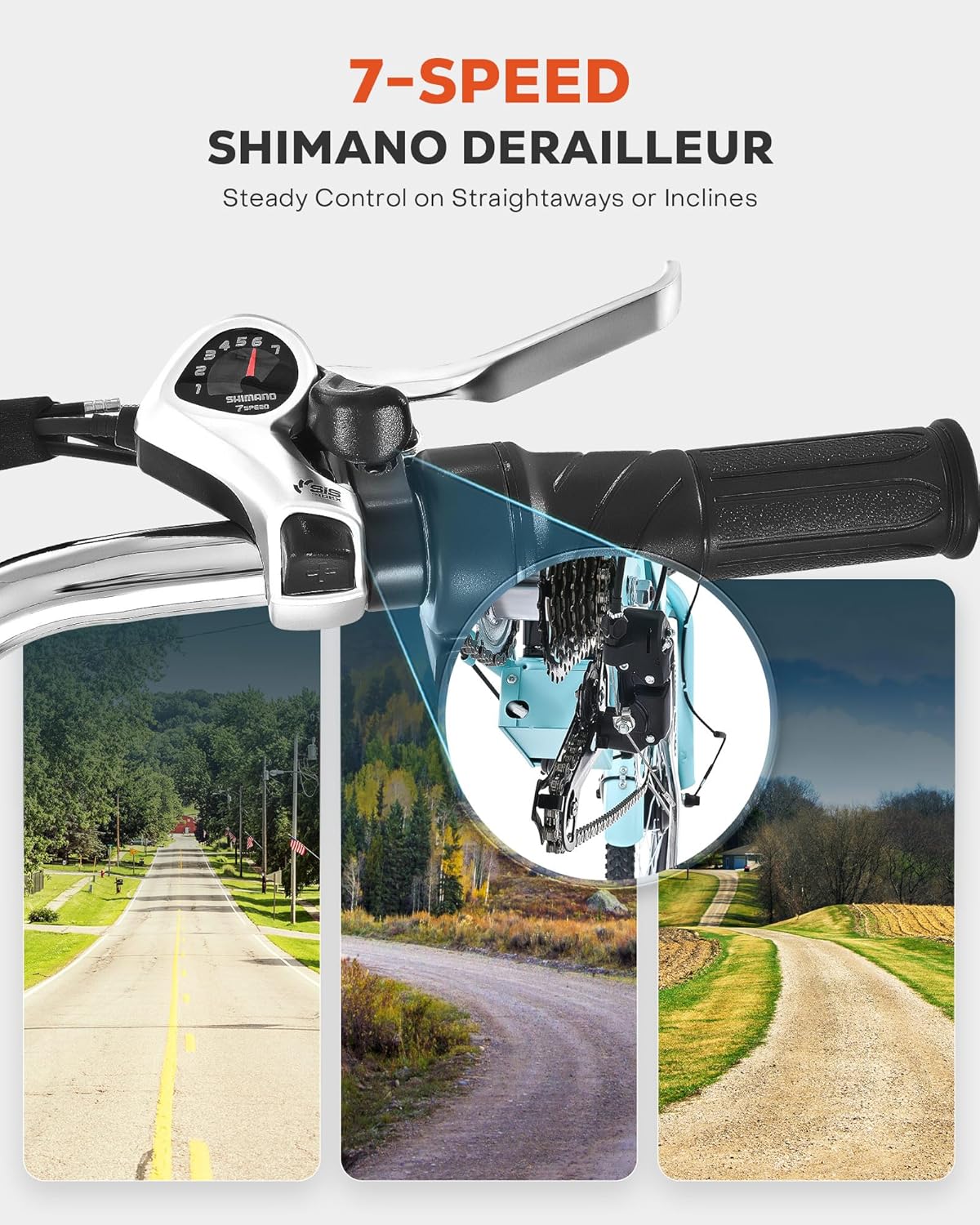
Figure 4.3: 7-Speed Shimano Derailleur for steady control.
5. Maintenance
Regular maintenance ensures the longevity and safe operation of your electric tricycle.
- Battery Care:
- Charge the battery regularly, even if not in use, to maintain its health.
- Store the battery in a cool, dry place. Avoid extreme temperatures.
- Do not fully discharge the battery before recharging.
- Tires: Check tire pressure before each ride. The 1.95-inch wide tires provide stability, but proper inflation is crucial for performance and preventing flats. Inspect tires for wear and damage.
- Brakes: Regularly inspect the disc brakes for wear on pads and rotors. Ensure brake levers engage smoothly and provide adequate stopping power. Adjust as needed.
- Chain & Drivetrain: Keep the chain clean and lubricated. Inspect the 7-speed derailleur for proper alignment and smooth shifting.
- Fasteners: Periodically check all nuts, bolts, and screws for tightness. Loose fasteners can lead to unsafe conditions.
- Cleaning: Clean the tricycle with a damp cloth and mild soap. Avoid high-pressure washing directly on electrical components.
6. Troubleshooting
This section addresses common issues you might encounter. For problems not listed here, please contact customer support.
| Problem | Possible Cause | Solution |
|---|---|---|
| Motor not engaging / No power | Battery low or not connected; Power switch off; Loose electrical connection. | Charge battery; Ensure battery is properly seated and locked; Turn on power switch; Check all visible connections. |
| Short battery range | Battery not fully charged; Old battery; Riding uphill frequently; Heavy load. | Fully charge battery; Consider battery replacement if old; Use lower PAS levels or pedal more; Reduce load. |
| Gears not shifting smoothly | Derailleur out of adjustment; Dirty or dry chain; Bent hanger. | Adjust derailleur; Clean and lubricate chain; Inspect and straighten/replace hanger. |
| Brakes squealing or ineffective | Contaminated pads/rotors; Worn pads; Loose caliper. | Clean pads/rotors with disc brake cleaner; Replace worn pads; Tighten caliper mounting bolts. |
7. Specifications
Key technical specifications for the Viribus Electric Tricycle:
| Feature | Detail |
|---|---|
| Bike Type | Electric Bike |
| Brand | Viribus |
| Model | 24-inch Electric Tricycle |
| Motor | 350W (Peak 700W) Front Hub Motor |
| Battery | 36V 13Ah (468Wh) Removable, UL 2271 Certified |
| Max Speed | 15.5 mph (25 km/h) |
| Range (Full Throttle) | Up to 31 miles (50 km) |
| Range (Pedal Assist) | 55-60 miles (88-96 km) |
| Number of Speeds | 7-Speed Shimano Derailleur |
| Wheel Size | 24 Inches |
| Tire Size | 1.95 Inches Wide |
| Frame Material | Carbon Steel |
| Suspension Type | Rigid |
| Brake Style | Disc |
| Maximum Weight Recommendation | 330 Pounds (150 kg) |
| Color | Aqua |
| Assembly Required | Yes |
| UPC | 850074734116 |
| ASIN | B0FCLM9WHX |
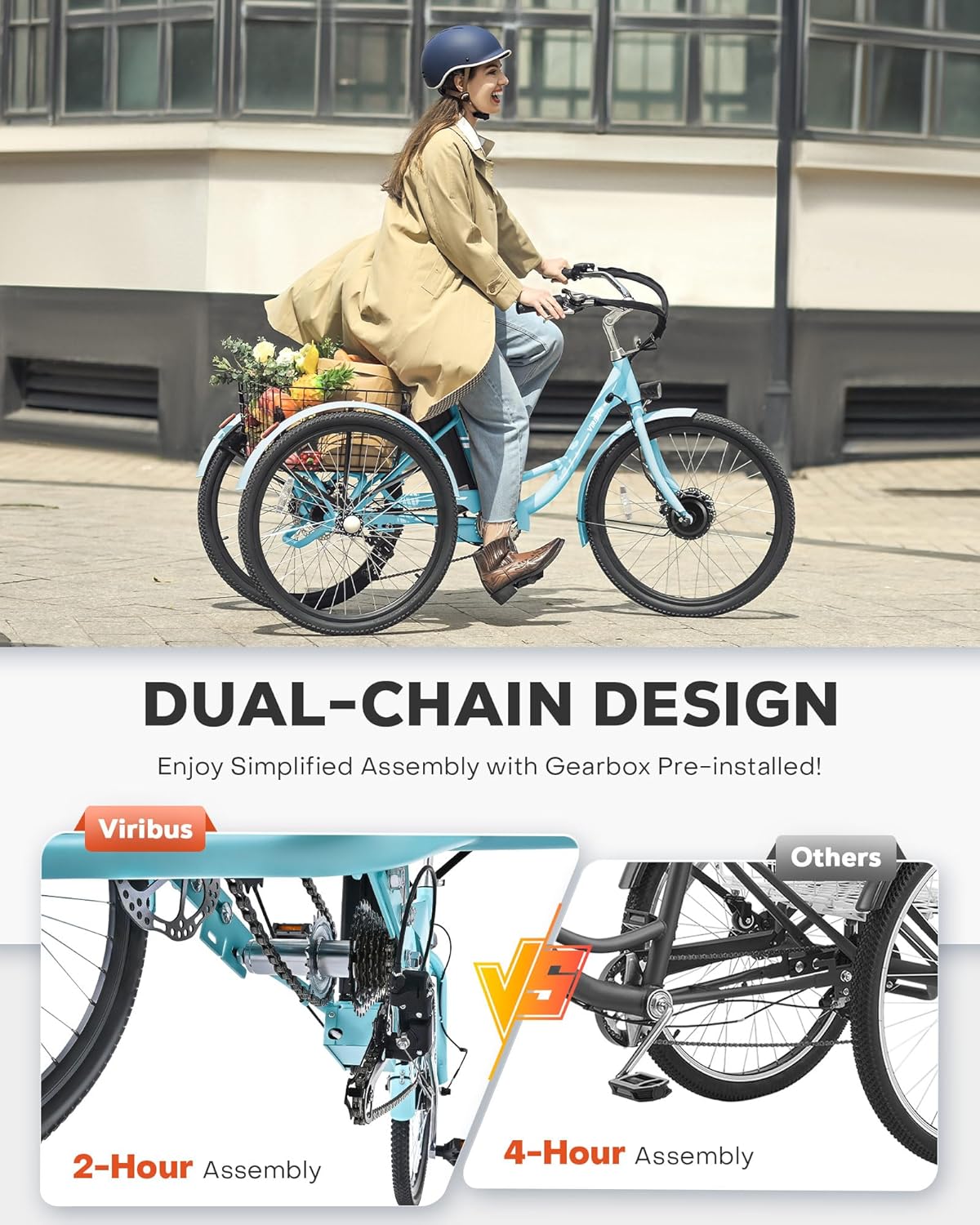
Figure 7.1: Tricycle dimensions and recommended rider height.
8. Warranty and Support
For detailed warranty information, please refer to the documentation included with your purchase or visit the official Viribus website. If you require technical assistance, replacement parts, or have questions regarding your electric tricycle, please contact Viribus customer support through their official channels.
Note: Keep your purchase receipt and serial number (usually located on the frame) readily available when contacting support.
Ask a question about this manual
Ask about setup, troubleshooting, compatibility, parts, safety, or missing instructions. Manuals+ will review the question and use this page’s manual context to help answer it.