
Introduction
This manual provides detailed instructions for the KOSPET Magic R10 Rugged Smart Watch. Please read this manual thoroughly before using your device to ensure proper operation and to maximize its features. The KOSPET Magic R10 is designed for durability and functionality, featuring a 1.43" AMOLED display, built-in GPS, 5 ATM & IP69K water resistance, and comprehensive health tracking capabilities.
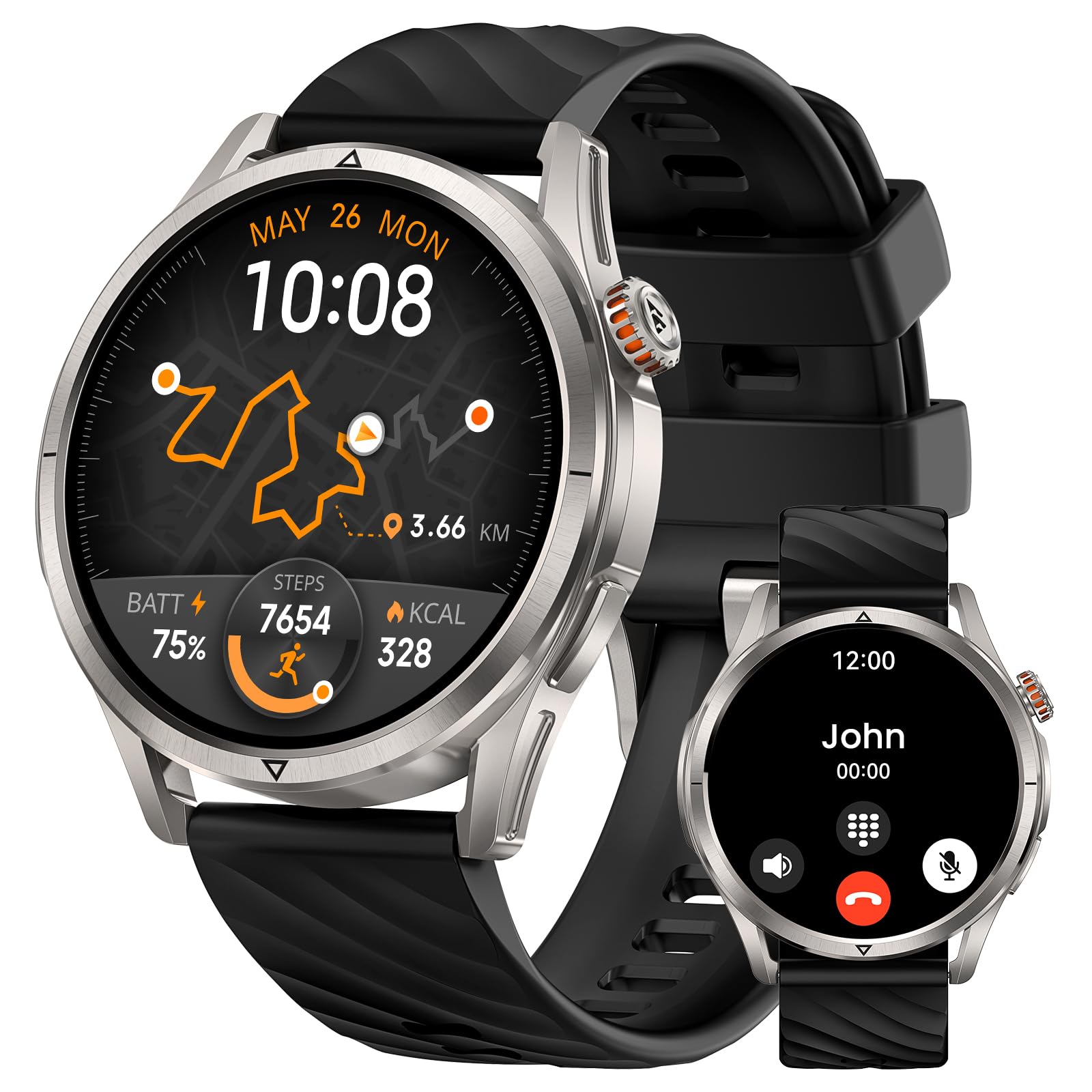
Front view of the KOSPET Magic R10 Smart Watch, showcasing its round display and rugged design.
Setup
1. Unboxing
Upon opening the package, verify that all components are present:
- 1 x KOSPET Magic R10 Smart Watch (including standard strap)
- 1 x Charging Cable
- 1 x User Manual

Image showing the KOSPET Magic R10 Smart Watch, charging cable, and user manual included in the packaging.
2. Charging the Device
Before initial use, fully charge your KOSPET Magic R10. Connect the provided charging cable to the charging port on the back of the watch and to a standard USB power adapter. The watch display will indicate charging status. A full charge typically provides up to 12 days of typical use or 50 days in standby mode.

The KOSPET Magic R10 Smart Watch screen showing battery percentage and charging indicator.
3. App Installation (Apexmove App)
To unlock the full potential of your KOSPET Magic R10, download and install the official Apexmove app on your smartphone. The app is compatible with Android 5.1 & iOS 10.0 and above.
- Scan the QR code in the user manual or search for "Apexmove" in the Apple App Store or Google Play Store.
- Download and install the app.
- Follow the on-screen instructions to create an account or log in.

The Apexmove app interface displayed on a smartphone, showing various fitness tracking data.
4. Pairing with Your Smartphone
Ensure Bluetooth is enabled on your smartphone.
- Open the Apexmove app.
- Navigate to the device pairing section (usually indicated by a "+" icon or "Add Device").
- Select "KOSPET Magic R10" from the list of available devices.
- Confirm the pairing request on both your watch and smartphone.
Operating Instructions
1. Basic Navigation
The KOSPET Magic R10 features a 1.43" AMOLED touchscreen and physical buttons for navigation.
- Touchscreen: Swipe left, right, up, or down to access different menus and features. Tap to select.
- Physical Buttons: Use the side buttons to return to the home screen, access the app list, or perform specific functions as configured.
Video demonstrating basic navigation and features of the KOSPET Magic R10 Smart Watch.
2. Display Features
The 1.43" AMOLED display offers clear visuals. It supports an Always On Display feature, ensuring time and essential information are visible without needing to activate the screen. The 3rd generation Corning Gorilla glass provides durability against scratches and smudges, and the display remains responsive even with wet fingers.
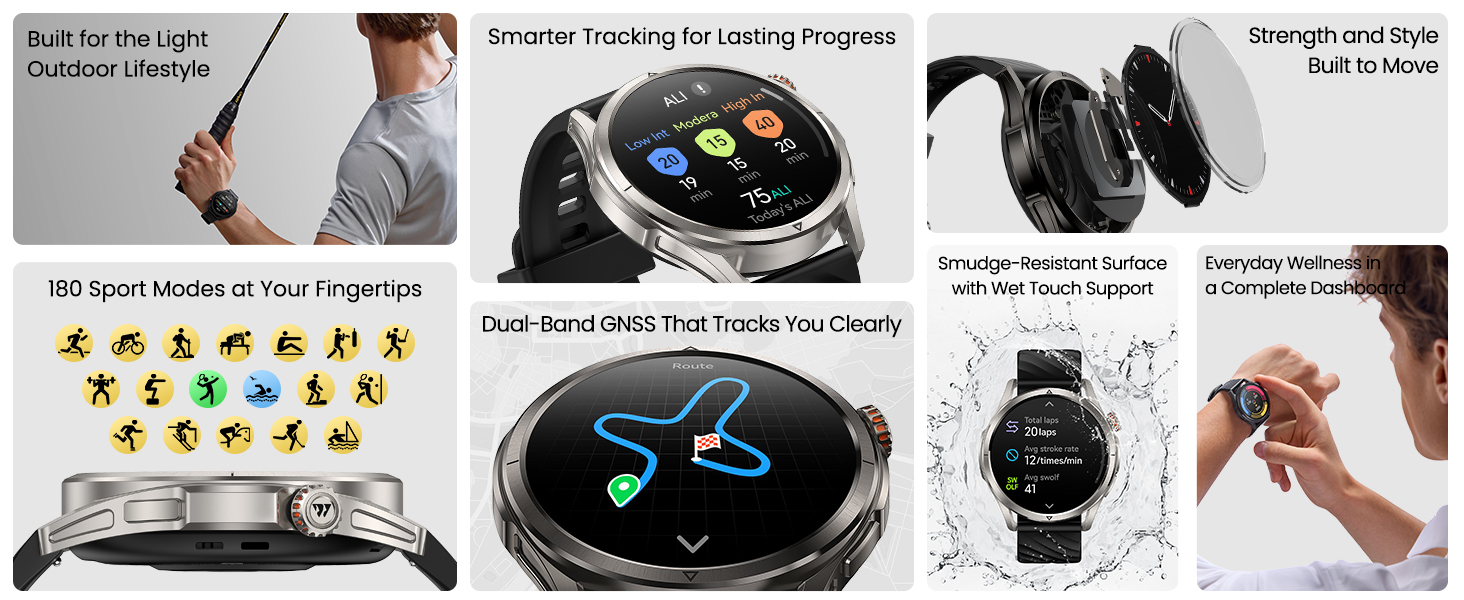
Collage of smartwatch interface screens showing various functions including fitness tracking, notifications, and settings controls.
3. GPS Functionality
The KOSPET Magic R10 features built-in GPS with dual-band GNSS, connecting to 6 satellite systems (BeiDou, GLONASS, GPS, Galileo). This ensures accurate and consistent location tracking for outdoor activities, even in challenging environments. The Altitude Pressure Compass provides elevation data and directional guidance.

The KOSPET Magic R10 Smart Watch displaying a tracked GPS route during an outdoor activity.
4. Sport Modes
The watch supports 180 sport modes. It includes a smart recognition mode for six common activities (walking, cycling, elliptical, etc.), which automatically detects and monitors your exercise without manual input. Track performance metrics such as efficiency, stroke count, distance, and pace.

A person wearing the KOSPET Magic R10 Smart Watch, demonstrating arm movement tracking during a sport, with text indicating "Precision shots, Fully Counted".
5. Health Tracking
Equipped with a 4PD sensor, the Magic R10 monitors various health metrics:
- Heart Rate: 24/7 heart rate monitoring.
- SpO₂: Blood oxygen saturation tracking.
- Sleep: Detailed sleep duration and pattern analysis.
- Stress & Emotions: Real-time stress and emotion tracking.
- Menstrual Cycles: Tracking for women's health.

The KOSPET Magic R10 Smart Watch displaying heart rate data on its screen.

A person in athletic wear doing stretching exercises, with a smartphone displaying a menstrual cycle tracking interface.
6. Voice Assistant & Notifications
The watch includes built-in voice assistants for hands-free task execution. Receive notifications for calls, messages, and app alerts directly on your wrist when paired with your smartphone.
7. Water Resistance
The KOSPET Magic R10 is designed with 5 ATM water resistance and IP69K rating, making it suitable for swimming, showering, and exposure to rain and sweat. It is built to remain sealed and secure during water activities. Professional SWOLF analysis is available for swimming.
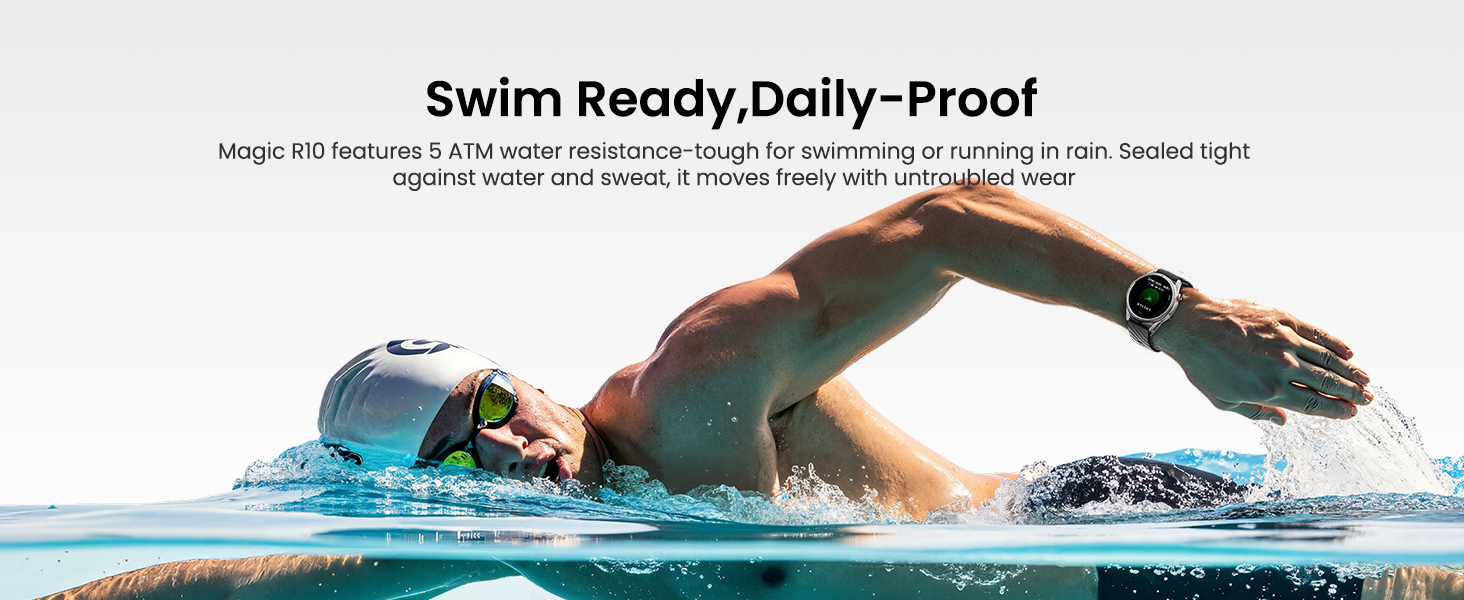
A person swimming in a pool while wearing the KOSPET Magic R10 Smart Watch, highlighting its water resistance.
Maintenance
Proper care ensures the longevity and performance of your KOSPET Magic R10 Smart Watch.
- Cleaning: Regularly wipe the watch screen and strap with a soft, damp cloth. Avoid using harsh chemicals or abrasive materials.
- Drying: After exposure to water (swimming, showering), ensure the watch is thoroughly dried before charging or prolonged use.
- Strap Care: Clean the silicone strap periodically to prevent skin irritation and maintain hygiene.
- Storage: Store the watch in a cool, dry place when not in use.
Troubleshooting
If you encounter issues with your KOSPET Magic R10, refer to the following common solutions:
| Issue | Possible Cause | Solution |
|---|---|---|
| Watch not connecting to phone/app | Bluetooth is off, app not running, watch out of range, or pairing issue. |
|
| Inaccurate activity tracking (steps, distance) | Improper wear, GPS signal interference, or software calibration needed. |
|
| Short battery life | Frequent GPS use, Always On Display enabled, high brightness, or excessive notifications. |
|
| Watch not turning on | Battery depleted or device malfunction. |
|
| Weather information incorrect | No internet connection on phone, location services disabled, or app sync issue. |
|
Specifications
| Feature | Detail |
|---|---|
| Model Name | MAGIC R10 |
| Brand | KOSPET |
| Display Type | AMOLED |
| Screen Size | 1.43 inches |
| Resolution | 320 x 320 |
| Maximum Display Brightness | 1000 nit |
| Operating System | Compatible for Android and iOS |
| Connectivity Technology | Bluetooth |
| GPS | Built-in GPS (Dual-band GNSS, 6 satellite systems: BeiDou, GLONASS, GPS, Galileo) |
| Water Resistance Level | 5 ATM (50 meters) & IP69K |
| Battery Capacity | 450 milliamp_hours |
| Battery Average Life | Up to 12 days (typical use), 18 hours (GPS workout mode), 50 days (standby) |
| Case Material Type | Stainless Steel |
| Band Material Type | Silicone |
| Special Features | Activity Tracker, Always On Display, GPS, Notifications, Voice Assistant, Phone Call, Altitude Pressure Compass |
| Metrics Measured | Heart Rate Monitor, SpO₂, Sleep Duration, Stress, Emotions, Menstrual Cycle |
| Sport Type | Badminton, Boating, Climbing, Cycling, Swimming (180+ modes) |
| Item Dimensions (D x W x H) | 10.45"D x 1.95"W x 0.56"H |
Warranty & Support
Warranty Information
The KOSPET Magic R10 Smart Watch comes with a 2-year limited warranty. Please retain your proof of purchase for warranty claims. For detailed terms and conditions, refer to the official KOSPET website or contact customer service.
Customer Support
For further assistance, technical support, or inquiries, please visit the official KOSPET store or contact their customer service. The Apexmove app also provides tailored training plans and intelligent coaching to support your active lifestyle.
Official KOSPET Store: Visit KOSPET Store


