
1. Introduction
This manual provides detailed instructions for the installation, operation, maintenance, and troubleshooting of your Blütezeit MJ-400 1100lb Sliding Gate Opener. Please read this manual thoroughly before installation and use to ensure safe and efficient operation of your gate system. Keep this manual for future reference.
2. Important Safety Information
WARNING: Improper installation or use can lead to serious injury or property damage. Always follow all safety instructions.
- Ensure the gate area is clear of people, pets, and obstructions before operating the gate.
- Do not allow children to play with or near the gate opener. Keep remote controls out of reach of children.
- Regularly inspect the gate and opener for signs of wear, damage, or improper alignment.
- The system features a built-in resistance rebound function that reverses the gate upon impact with an obstruction. Test this feature periodically.
- For enhanced safety, consider installing an optional infrared sensor (sold separately) to detect objects in the gate path.
- In case of power outage, use the manual release hex key to operate the gate manually.
- All electrical connections should be performed by a qualified electrician in accordance with local codes and regulations.
3. Package Contents
Verify that all components are present and undamaged before beginning installation.

Figure 3.1: Overview of the Blütezeit MJ-400 Sliding Gate Opener and its included components, along with key dimensions.
- 1 × Gate Motor (MJ-400)
- 1 × 16.4ft Chains
- 2 × Remote Controls
- 2 × Magnet Limit Blocks
- 1 × Metal Base
- 2 × Idler Gear
- 1 × Clutch Hex Key
- 1 × Installation Kits (various fasteners and small parts)
- 1 × User Manual (this document)
4. Product Overview
The Blütezeit MJ-400 is a chain-drive electric sliding gate opener designed for residential and light commercial gates. It supports gates up to 1100lb and features a 130W copper motor for quiet and consistent performance.
Key Features:
- Compact Yet Powerful Chain-Drive Motor: AC110V/60Hz, 130W copper motor, drives gates up to 1100lb at 0.7 ft/s. Supports gate lengths up to 50ft.
- Secure & Long-Range Remote Access: Includes 2 rolling code remotes (433.92MHz) with 100-160 ft wireless control range and anti-theft encryption. Supports up to 100 remotes.
- Pedestrian Mode & Condo Mode: Pedestrian Mode opens the gate partially for foot traffic (adjustable 5-30 seconds). Condo Mode allows full gate opening with a single remote press, closing with a second press or limit switch trigger.
- Complete Hardware Kit: Includes 16.4ft heavy-duty chain, mounting base, idler gear, limit magnets, and installation kits.
- Auto-Close Timer & Safety Features: Customizable auto-close time (0-60 seconds). Built-in resistance rebound reverses the gate upon impact. Optional infrared sensor for enhanced safety.

Figure 4.1: The Blütezeit MJ-400 Sliding Gate Opener installed on a gate, showcasing its chain drive mechanism.
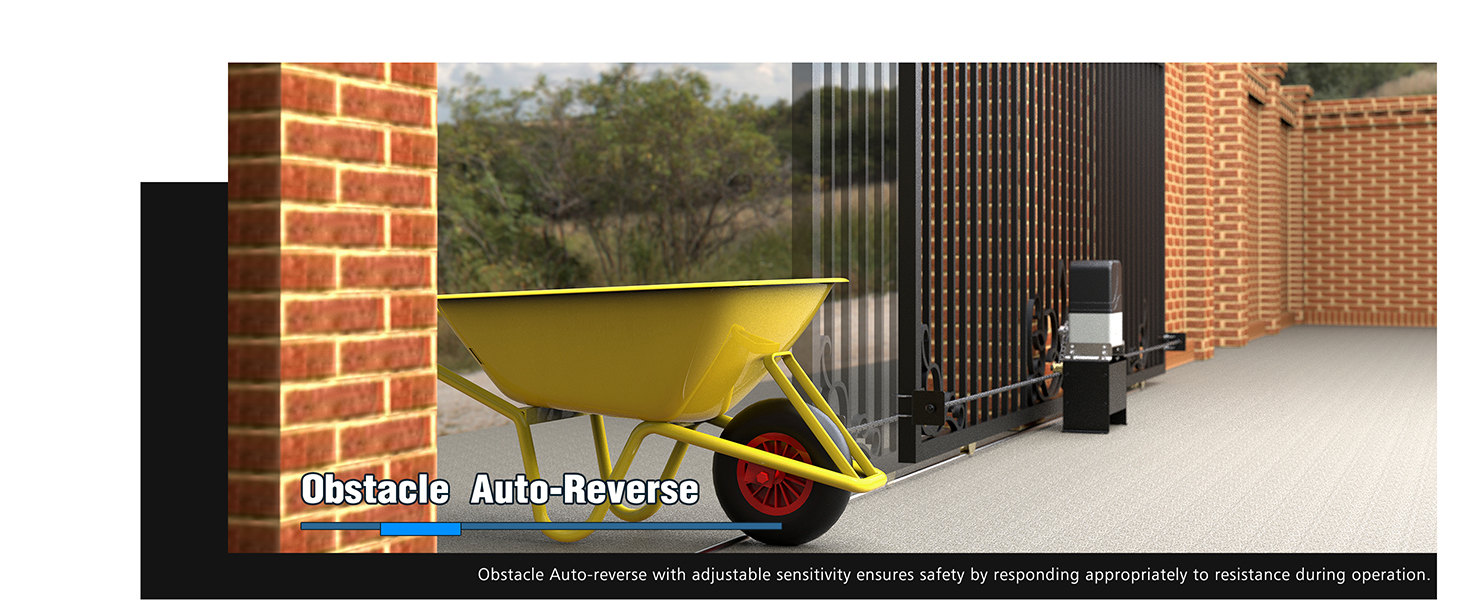
Figure 4.2: Illustration of the automatic reverse safety protection system, which detects obstacles and reverses the gate's movement.
5. Setup & Installation
This section outlines the general steps for installing your Blütezeit MJ-400 gate opener. For detailed, step-by-step instructions, refer to the included printed user manual and diagrams.
5.1 Pre-Installation Checklist:
- Ensure your gate is properly installed, moves freely, and is well-balanced.
- Confirm the gate weight and length are within the opener's specifications (max 1100lb, up to 50ft length).
- Identify a suitable mounting location for the motor, ensuring it is level and secure.
- Verify access to a 110V/60Hz AC power source.
5.2 Mounting the Motor:
- Secure the metal base to a concrete pad or sturdy foundation using the provided anchor bolts. Ensure the base is level.
- Mount the gate motor onto the metal base.
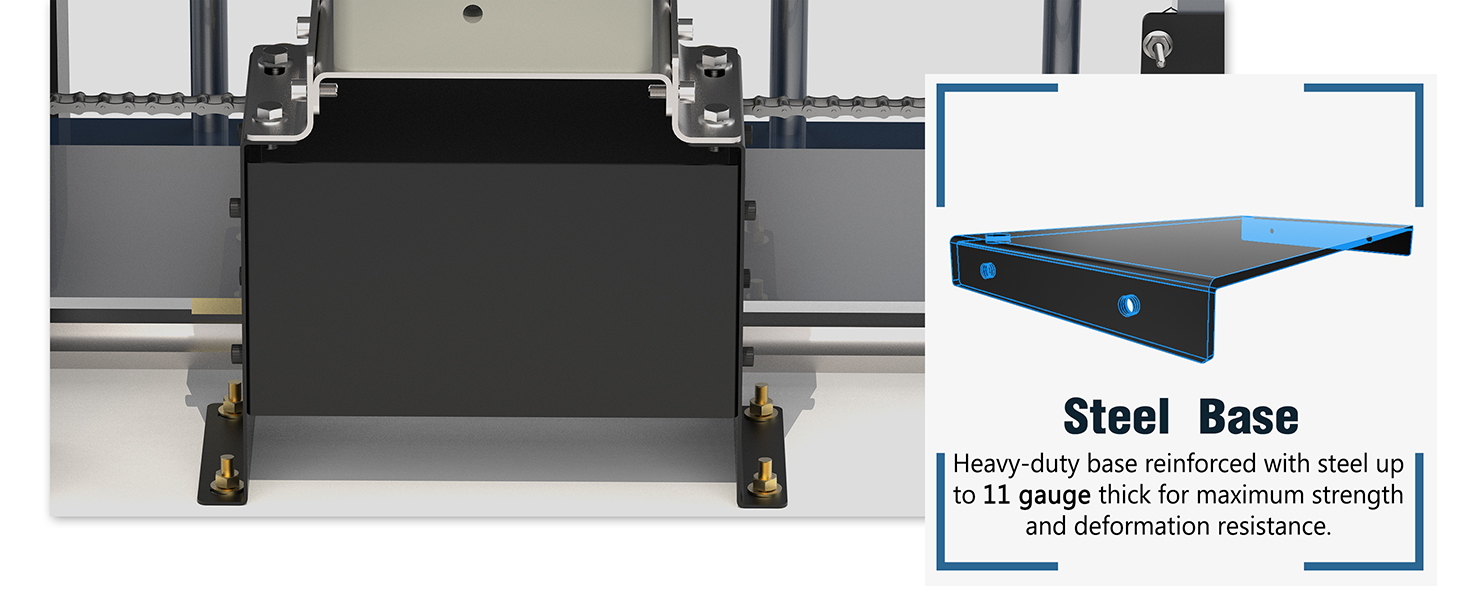
Figure 5.1: The steel back bracket and mounting hardware for securing the gate opener.
5.3 Installing the Chain:
- Attach the 16.4ft heavy-duty chain to the gate using the chain brackets and V-bolts.
- Route the chain around the motor's drive sprocket and the idler gear.
- Ensure the chain is taut but not overly tight, allowing for smooth movement.
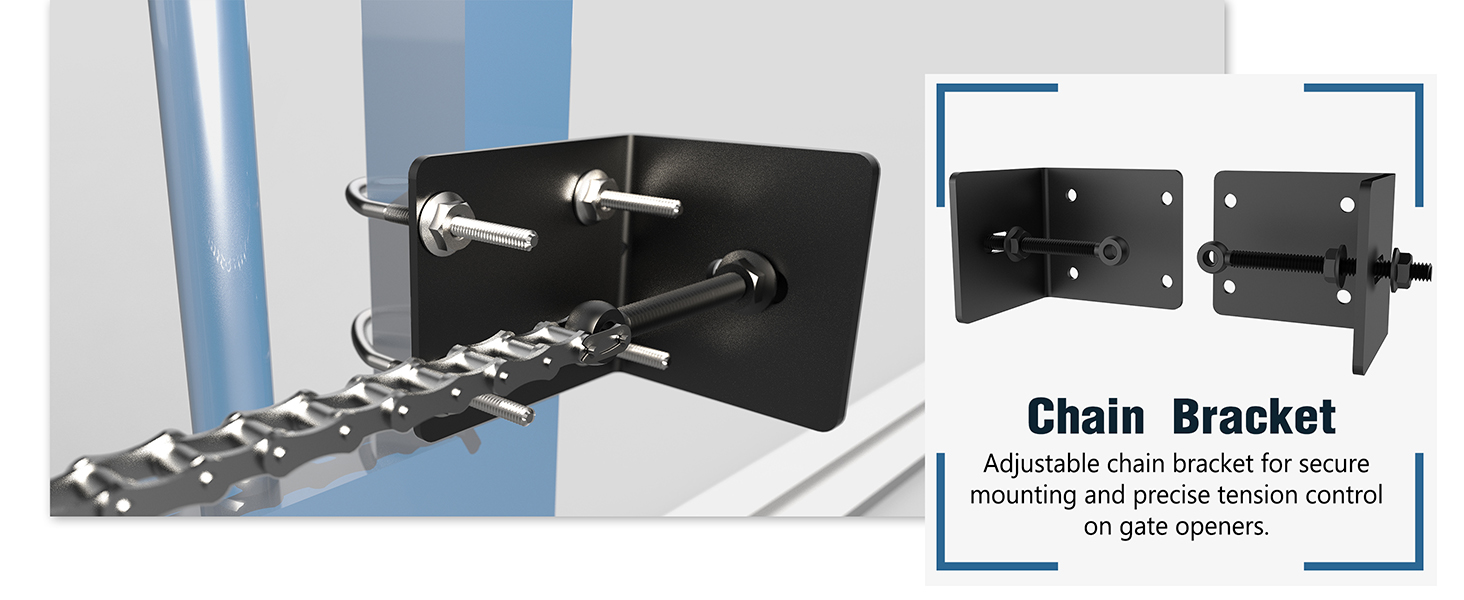
Figure 5.2: Close-up view of the chain drive system and its mounting bracket on the gate.
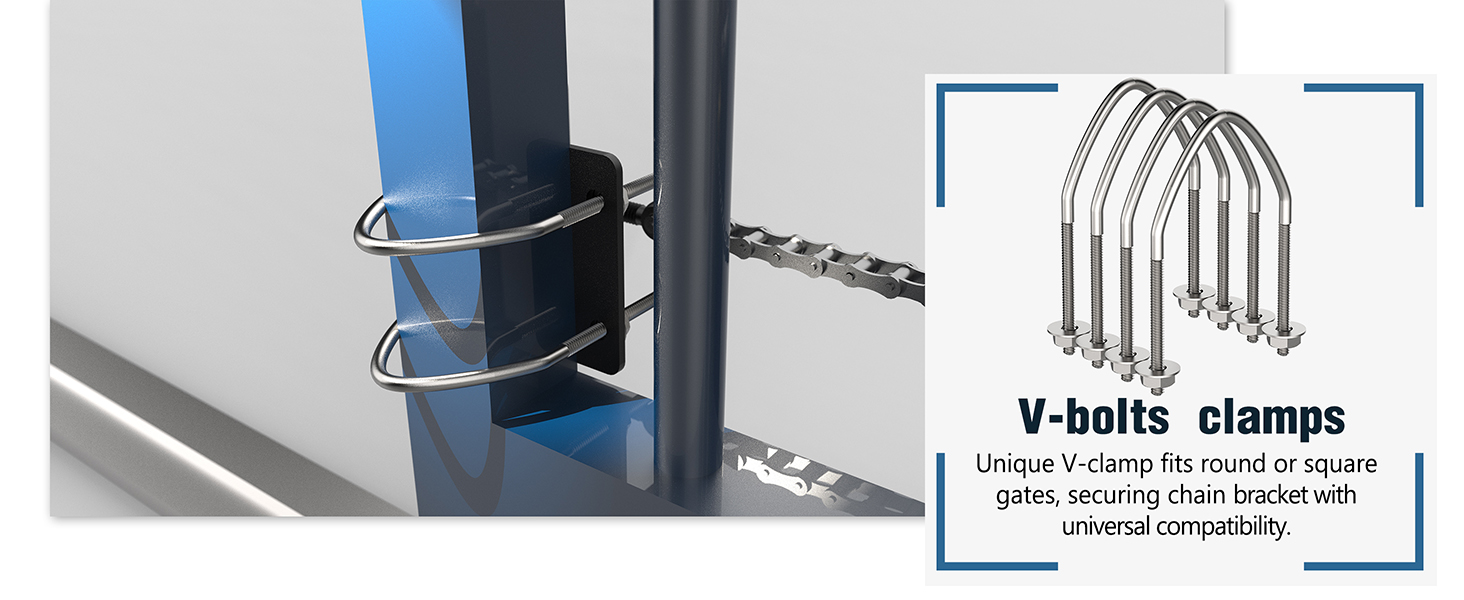
Figure 5.3: The V-bolts used to secure the chain to the gate, compatible with various gate types.
5.4 Installing Limit Switches:
Position the magnetic limit blocks at the desired open and closed positions of the gate. These magnets signal the motor to stop.
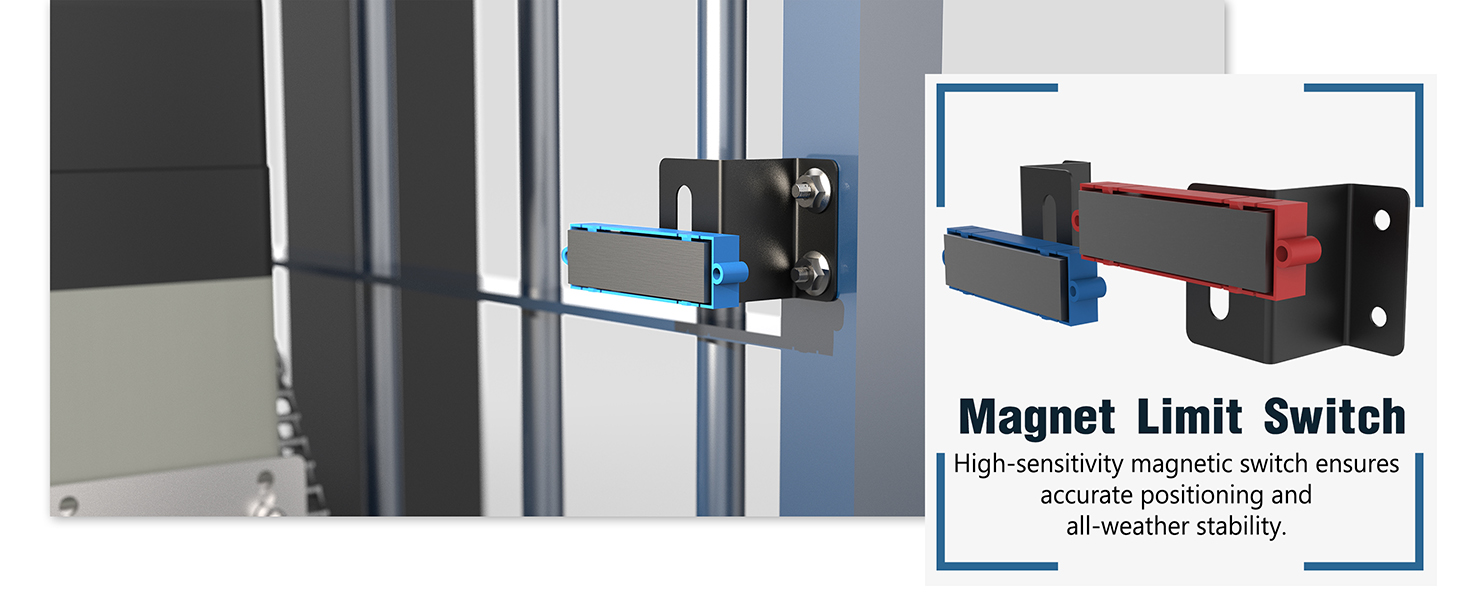
Figure 5.4: Magnetic limit switches ensure precise stopping of the gate at its fully open and closed positions.
5.5 Electrical Connection:
Connect the gate opener to a dedicated 110V/60Hz AC power supply. Ensure all wiring is secure and protected from environmental elements. Consult a qualified electrician if you are unsure about electrical connections.
6. Operating Instructions
Your Blütezeit MJ-400 gate opener offers multiple modes of operation for convenience and security.
6.1 Remote Control:
The included rolling code remotes provide secure access. Each remote has four buttons (A, B, C, D) for various functions.

Figure 6.1: The 4-button remote control for operating the gate opener from a distance.
- Open/Close: Typically, one button is programmed to open and close the gate fully.
- Pedestrian Mode: The 4th button (often labeled D) activates Pedestrian Mode, opening the gate partially (adjustable 5-30 seconds) for foot traffic.
- Stop: Another button may be programmed to stop the gate's movement at any point.
Video 6.1: Demonstrates the smooth operation of the MJ-400 gate opener with remote control, including pedestrian mode functionality.
6.2 Condo Mode:
In Condo Mode, a single remote press opens the gate fully until the open limit switch is triggered. A second press will close it. Interrupting the gate's movement with a photocell or remote command will immediately re-open the gate, temporarily disabling Pedestrian Mode for safety.
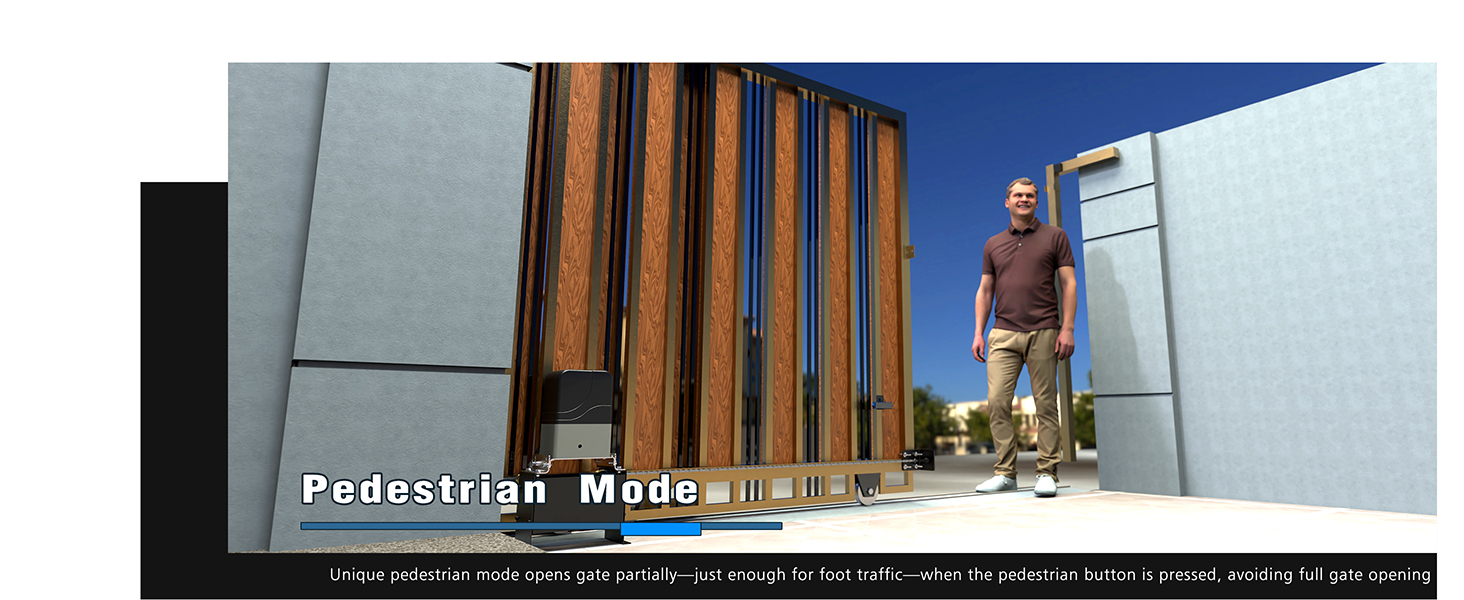
Figure 6.2: Visual representation of the pedestrian mode, allowing partial gate opening for foot traffic.
6.3 Auto-Close Timer:
The auto-close timer can be customized from 0 to 60 seconds. After the set time, the gate will automatically close if no obstructions are detected.
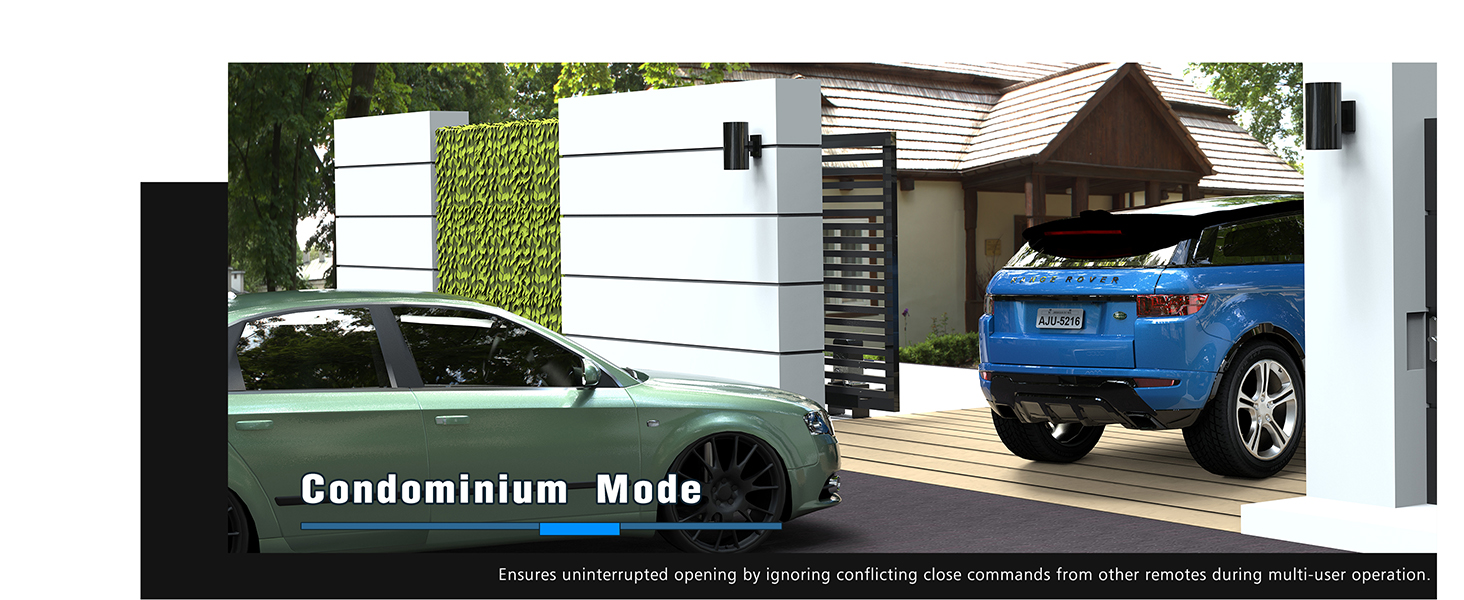
Figure 6.3: The control panel with settings for the auto-close timer, ensuring the gate closes automatically after a set delay.
6.4 Manual Release:
In case of power failure or emergency, use the provided clutch hex key to disengage the motor and operate the gate manually.

Figure 6.4: The manual clutch mechanism and hex key for disengaging the motor for manual gate operation.
6.5 Optional Wi-Fi Module:
An optional Wi-Fi module (sold separately) can be integrated to allow control of your gate via a smartphone application, offering remote access and monitoring capabilities.
Video 6.2: Shows the MJ-400 gate opener in action, highlighting its smooth and powerful operation for heavy gates.
7. Maintenance
Regular maintenance ensures the longevity and safe operation of your gate opener.
- Monthly:
- Inspect the gate and its hardware (hinges, rollers, tracks) for wear or damage.
- Check the chain tension and lubricate it if necessary.
- Ensure the area around the gate and motor is clear of debris, vegetation, or obstructions.
- Test the safety reverse mechanism by placing a soft object in the gate's path. The gate should reverse upon contact.
- Quarterly:
- Inspect all electrical connections for corrosion or loose wiring.
- Verify that the limit switches are securely mounted and functioning correctly.
- Annually:
- Have a qualified technician perform a comprehensive inspection of the entire system.
8. Troubleshooting
Refer to the table below for common issues and their solutions. If the problem persists, contact customer support.
| Problem | Possible Cause | Solution |
|---|---|---|
| Gate does not respond to remote. | Remote battery low/dead, remote out of range, remote not programmed, power outage. | Replace remote battery, move closer to gate, reprogram remote, check power supply. |
| Gate opens/closes partially or stops unexpectedly. | Obstruction in path, limit switches misaligned, motor overload, chain tension incorrect. | Remove obstruction, adjust limit switches, check gate movement for friction, adjust chain tension. |
| Gate reverses direction during closing. | Obstruction detected by safety sensor or resistance rebound. | Clear gate path, inspect for anything blocking the gate. |
| Motor makes noise but gate does not move. | Clutch engaged for manual operation, chain disconnected or broken. | Disengage manual clutch, inspect and reattach/replace chain. |
Video 8.1: Illustrates the effortless operation of the MJ-400 chain drive for heavy gates, demonstrating smooth movement.
9. Specifications
| Feature | Detail |
|---|---|
| Model Number | ME-MJ-400 |
| Manufacturer | Blütezeit |
| Item Weight | 15.43 pounds |
| Product Dimensions | 9.45 x 6.3 x 10.75 inches |
| Max Gate Weight | 1100lb |
| Max Gate Length | 50ft |
| Power Source | AC |
| Voltage | 110 Volts (AC) |
| Chain Length Included | 16.4ft |
| Remote Control Frequency | 433.92MHz |
| Remote Control Range | 100-160 ft |
10. Warranty & Support
Blütezeit products are designed for durability and performance. For warranty information, please refer to the warranty card included with your product or visit the official Blütezeit website. For technical support, troubleshooting assistance, or to inquire about replacement parts, please contact Blütezeit customer service through the retailer where the product was purchased or via the official brand channels.
Online Support: Visit the Blütezeit Store on Amazon