
1. Introduction
Thank you for choosing the HAOYUYAN BX17 Wireless Earbuds. This manual provides essential information on how to set up, operate, and maintain your earbuds to ensure optimal performance and longevity. Please read this manual thoroughly before using the product.
What's in the Box
- HAOYUYAN BX17 Wireless Earbuds
- Charging Case
- USB Type-C Charging Cable
- Multiple Sizes of Ear Tips (S, M, L)
- User Manual
2. Product Overview
The HAOYUYAN BX17 Wireless Earbuds are designed for sports and active lifestyles, featuring secure ear hooks, IPX7 waterproofing, and intuitive touch controls. They offer high-fidelity audio and extended battery life.
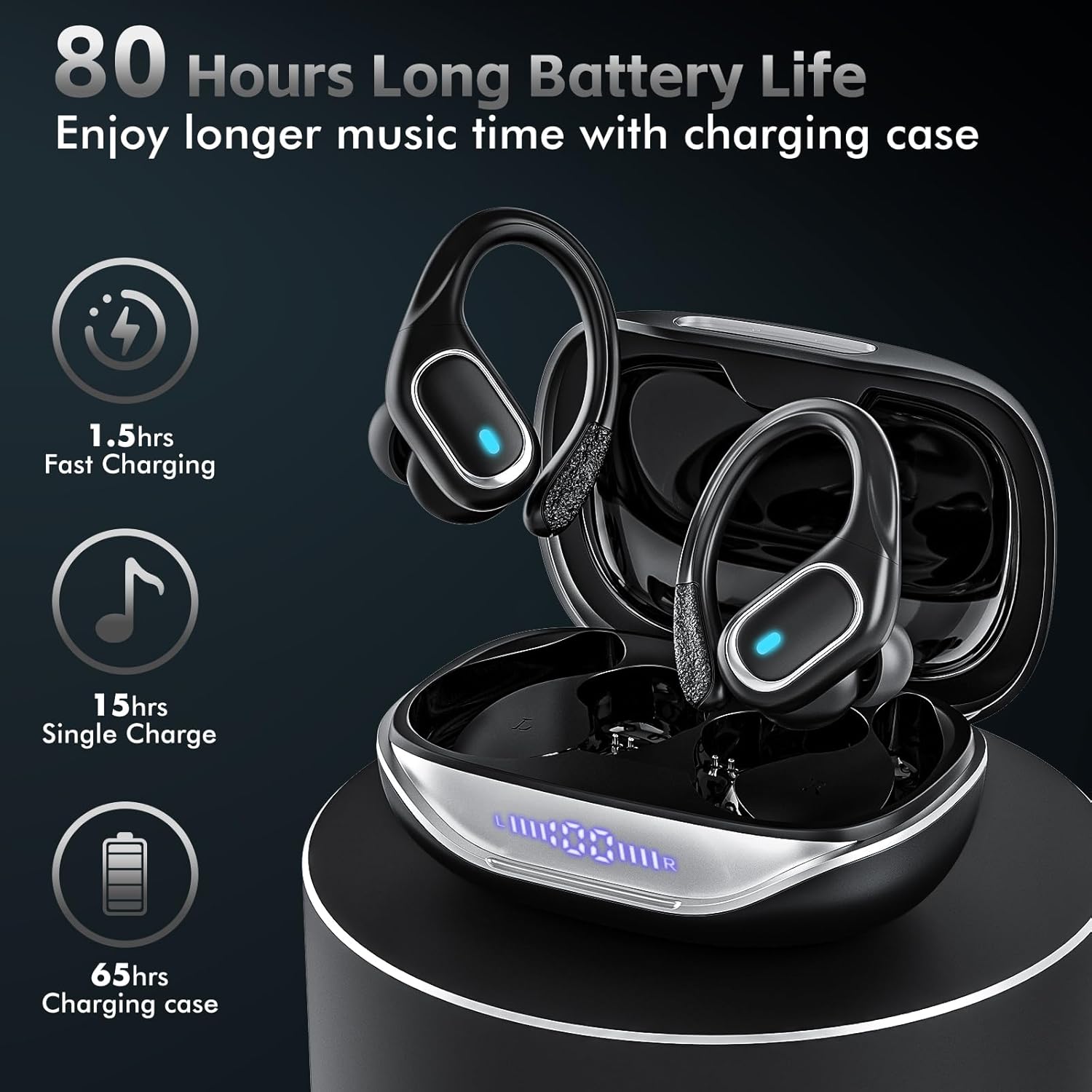
Image: HAOYUYAN BX17 Wireless Earbuds and their charging case, showcasing the design.
Key Features
- Impeccable Sound: Equipped with 14.2mm speakers for balanced and clear audio.
- Noise Canceling Microphone: Built-in microphone with noise filtering for clear calls.
- Extended Playback: Up to 8 hours on a single charge, with a total of approximately 80 hours using the 600mAh charging case.
- LED Power Display: Digital LED display on the charging case to monitor battery levels.
- Sports Comfort: Elastic and soft ear hooks with three ear tip sizes for a secure and comfortable fit.
- IPX7 Waterproof: Resistant to water splashes and sweat, suitable for workouts and running.
- Bluetooth 5.3: Fast and stable wireless connection with automatic pairing.
- Intuitive Touch Control: Easy management of music playback, volume, and calls.
3. Setup
3.1 Charging the Earbuds and Case
Before first use, fully charge the earbuds and the charging case.
- Place the earbuds into the charging case. Ensure they are correctly seated.
- Connect the Type-C charging cable to the charging port on the case and to a USB power source.
- The LED digital display on the charging case will show the battery level. The earbuds will indicate charging status (usually a light on the earbuds).
- A full charge for the earbuds takes approximately 1.5 hours. The charging case provides approximately 65 hours of additional charge.

Image: The HAOYUYAN BX17 charging case displaying battery levels via its LED screen, with earbuds inside.
3.2 Pairing with Your Device
The earbuds utilize Bluetooth 5.3 for a stable and quick connection.
- Ensure your device's Bluetooth is turned on.
- Open the charging case lid. The earbuds will automatically enter pairing mode (after the first successful connection, they will connect automatically).
- On your device, search for Bluetooth devices and select "BX17" or "T16" from the list.
- Once connected, you will hear a confirmation tone, and the earbuds will be ready for use.

Image: A visual representation of Bluetooth 5.3 technology, indicating seamless connectivity with various devices.
3.3 Achieving a Comfortable Fit
For optimal sound quality and comfort, choose the correct ear tip size and adjust the ear hooks.
- Experiment with the three provided ear tip sizes (S, M, L) to find the best seal for your ear canal.
- Gently place the earbud into your ear and adjust the flexible ear hook over your ear for a secure fit.

Image: A person wearing the earbuds during exercise, highlighting the ergonomic design, flexible ear hooks, and different ear tip sizes for a secure fit.
4. Operating the Earbuds
4.1 Touch Controls
The earbuds feature sensitive touch controls for various functions:
| Action | Function |
|---|---|
| One Tap (R/L) | Play/Pause Music, Answer/End Call |
| Long Press (R/L) | Reject Call, Activate Voice Assistant |
| One Tap + (Right Earbud) | Volume Up |
| One Tap - (Left Earbud) | Volume Down |
| Long Press + (Right Earbud) | Next Track |
| Long Press - (Left Earbud) | Previous Track |

Image: A detailed diagram illustrating the touch control functions on the HAOYUYAN BX17 earbuds.
4.2 Audio Quality
The earbuds are equipped with 14.2mm speakers to deliver a rich and immersive audio experience.

Image: An exploded view of the earbud's internal components, highlighting the 14.2mm speaker for high-fidelity stereo sound.
5. Maintenance
5.1 Cleaning
- Regularly clean the earbuds and charging case with a soft, dry, lint-free cloth.
- Remove ear tips and clean them with mild soap and water, then dry thoroughly before reattaching.
- Avoid using abrasive cleaners or solvents.
5.2 Water Resistance (IPX7)
The earbuds have an IPX7 waterproof rating, meaning they can withstand immersion in water up to 1 meter for 30 minutes. They are resistant to sweat and rain, making them suitable for sports. However, they are not designed for swimming or prolonged submersion.
- Do not charge the earbuds if they are wet. Ensure they are completely dry before placing them back in the charging case.
- The charging case is not waterproof.

Image: The HAOYUYAN BX17 earbuds shown with water splashing, illustrating their IPX7 waterproof capability.
6. Troubleshooting
Common Issues and Solutions
- Earbuds not pairing:
- Ensure earbuds are charged.
- Turn off and on your device's Bluetooth.
- Forget/delete "BX17" or "T16" from your device's Bluetooth list and try pairing again.
- Place earbuds back in the case, close the lid, wait a few seconds, then open to re-enter pairing mode.
- Only one earbud working:
- Ensure both earbuds are charged.
- Place both earbuds back into the charging case, close the lid, then take them out together.
- Try resetting the earbuds (refer to manufacturer's specific reset instructions if available, or try forgetting the device and re-pairing).
- Low volume or poor sound quality:
- Adjust the volume on both your device and the earbuds.
- Ensure ear tips provide a good seal in your ear canal.
- Clean any debris from the earbud speakers and ear tips.
- Charging issues:
- Ensure the charging cable is securely connected.
- Try a different USB power adapter or cable.
- Clean the charging contacts on both the earbuds and the case.
7. Specifications
| Feature | Detail |
|---|---|
| Brand | HAOYUYAN |
| Model Number | BX17 |
| Connectivity Technology | Bluetooth 5.3 |
| Ear Placement | In Ear (with ear hooks) |
| Noise Control | Passive Noise Cancellation |
| Water Resistance Level | IPX7 (Earbuds only) |
| Earbud Battery Capacity | 70mAh (approx. 8 hours playtime) |
| Charging Case Battery Capacity | 600mAh (approx. 80 hours total playtime) |
| Charging Interface | USB Type-C |
| Control Method | Touch |
| Compatible Devices | iPhone, Android, Cellphones, Desktops, Laptops, Tablets |
8. Warranty and Support
8.1 Warranty Information
The HAOYUYAN BX17 Wireless Earbuds come with a 90-day warranty from the date of purchase. This warranty covers manufacturing defects. It does not cover damage caused by misuse, accidents, unauthorized modifications, or normal wear and tear.
8.2 Customer Support
If you encounter any issues or have questions regarding your HAOYUYAN BX17 Wireless Earbuds, please contact the seller or manufacturer's customer support. Refer to your purchase documentation for contact details.
9. Product Videos
HAOYUYAN BX17 Wireless Earbuds Overview

Video: An official overview of the HAOYUYAN BX17 Wireless Earbuds, demonstrating key features and usage. Duration: 0:45.
HAOYUYAN T16 Wireless Earbuds Features

Video: A detailed look at the features of HAOYUYAN T16 Wireless Earbuds, which share similar functionalities with the BX17 model. Duration: 1:10.