Introduction
The Luqeeg AI Translation Earbuds (Model YYK-Q93) are designed to facilitate real-time communication across multiple languages. These wireless earbuds integrate advanced AI technology to provide instant translation, clear audio for music, and reliable call functionality. This manual provides essential information for setting up, operating, maintaining, and troubleshooting your device to ensure optimal performance.
Package Contents
Please verify that all items listed below are present in your package:
- 2 x AI Translation Earbuds
- 1 x Charging Box
- 1 x USB Charging Cable
- 1 x Lanyard (Accessory)
- User Manuals (This document and potentially others)

All items included in the Luqeeg AI Translation Earbuds package: two earbuds, charging case, USB cable, and lanyard.
Product Overview
The Luqeeg AI Translation Earbuds are designed for comfort and functionality. Each earbud features a sleek, ergonomic design with integrated controls and a microphone for clear audio input. The accompanying charging box provides portable power and secure storage.

Front view of the Luqeeg AI Translation Earbuds, showcasing their ergonomic design and metallic accents.

Rear view of the Luqeeg AI Translation Earbuds, highlighting the charging contacts and microphone placement.
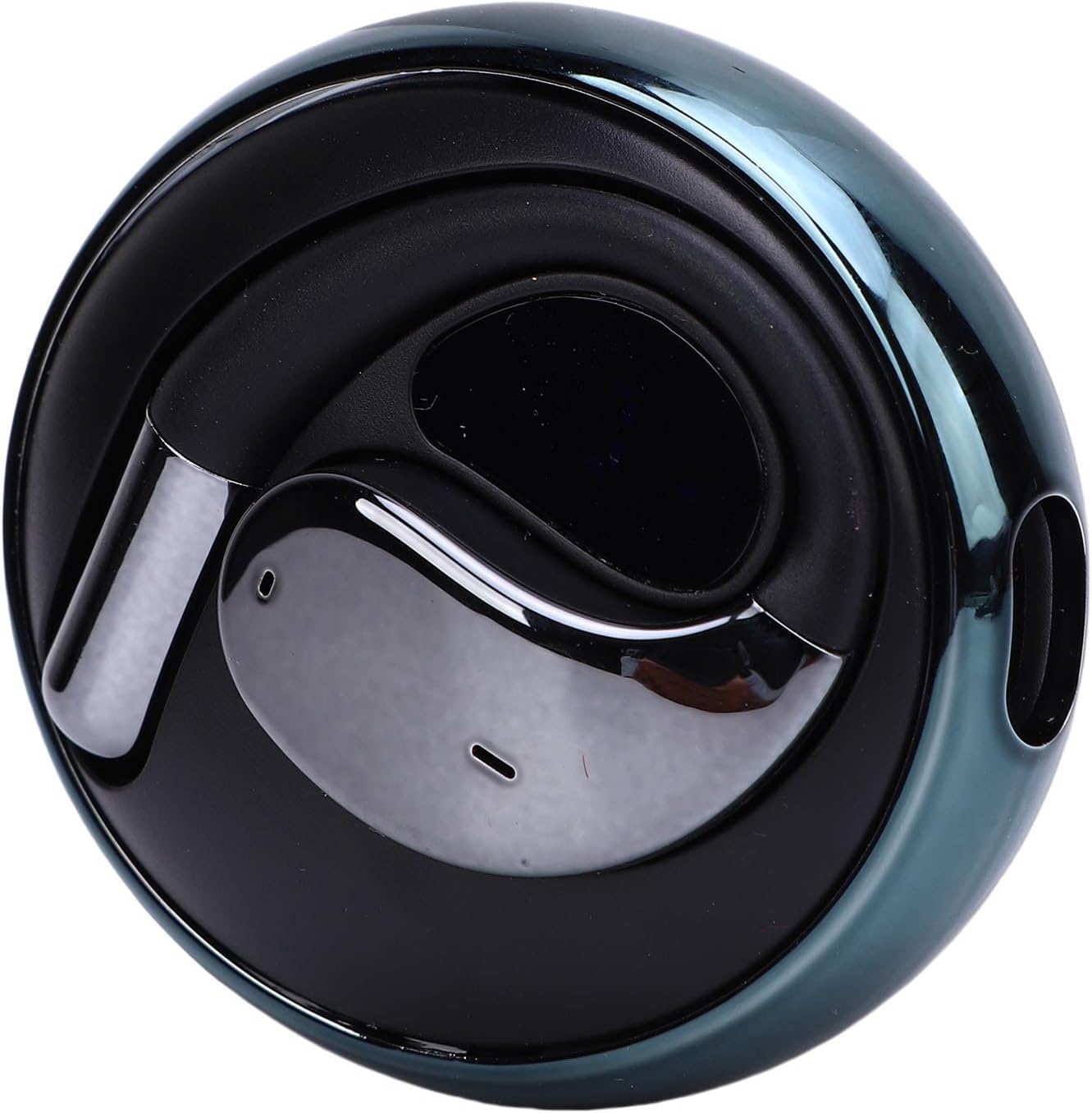
One Luqeeg AI Translation Earbud placed inside its compact charging case.
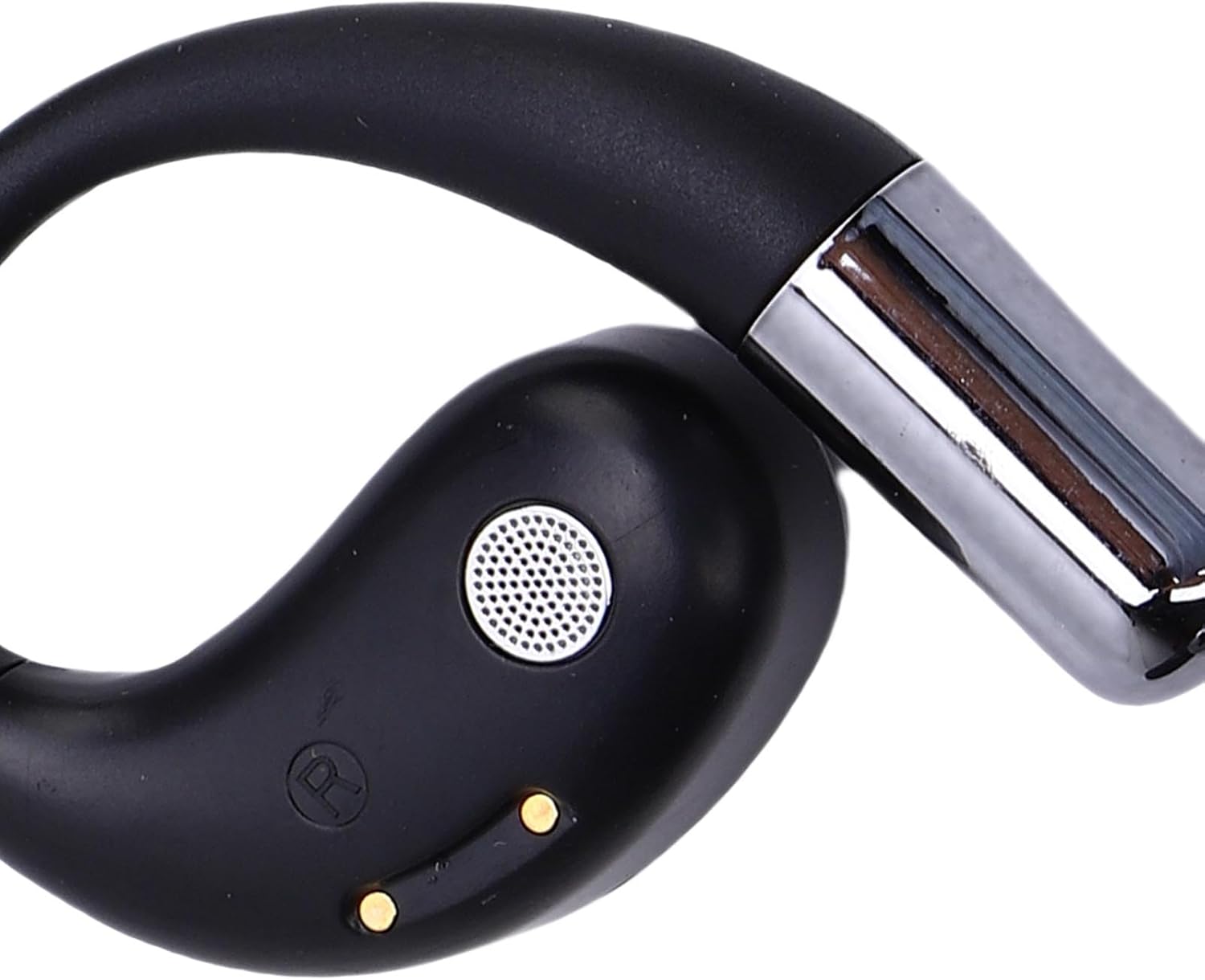
Close-up view of a single Luqeeg AI Translation Earbud, detailing the speaker grille and control surface.
Setup
Follow these steps to set up your Luqeeg AI Translation Earbuds for first use:
- Initial Charge: Before first use, place both earbuds into the charging box and connect the USB cable to a power source. Ensure the earbuds and charging box are fully charged.
- Download Application: Locate the QR code provided in the separate user manual or packaging. Scan this QR code to download the dedicated AI translation software application to your smartphone or tablet.
- Register and Log In: Open the downloaded application and follow the on-screen instructions to register a new account and log in.
- Device Pairing: Ensure your earbuds are powered on and in pairing mode (refer to the separate manual for specific pairing instructions if needed). Within the AI translation application, scan the device binding code (usually found on the charging box or in the manual) to connect your earbuds to the application.
- Begin Translation: Once successfully paired, you can access the translation functions and other features through the application.
Operating Instructions
The Luqeeg AI Translation Earbuds offer various functionalities for communication and audio playback.
Real-Time Translation
- Language Support: The earbuds support real-time translation for up to 144 languages.
- Activation: Utilize the intelligent AI functions within the dedicated application. Typically, a single click or tap on the earbud (refer to the separate manual for specific touch controls) will activate the translation or speech recognition feature.
- Usage: Speak clearly into the earbud's microphone. The application will process your speech and provide a translated output, either audibly through the earbuds or visually on your connected device.
Wireless Connection (Bluetooth)
- Pairing: The earbuds use Bluetooth V5.4 for wireless connection. To pair with a new device, ensure the earbuds are in pairing mode (usually indicated by a flashing LED) and select "YYK-Q93" from your device's Bluetooth settings.
- Range: Maintain a communication distance of approximately 10 meters (32.8 feet) for stable connection.
Music Playback and Calls
- Audio Quality: Enjoy HiFi sound quality for music playback.
- Call Function: The earbuds provide a clear call experience. Answer, end, or reject calls using the earbud's touch controls (refer to the separate manual for specific gestures).
Maintenance
Proper care and maintenance will extend the lifespan of your Luqeeg AI Translation Earbuds.
- Cleaning: Use a soft, dry, lint-free cloth to clean the earbuds and charging box. Do not use abrasive cleaners, alcohol, or chemical solvents.
- Charging Contacts: Periodically inspect and gently clean the charging contacts on both the earbuds and inside the charging box to ensure a good connection.
- Storage: When not in use, store the earbuds in their charging box to protect them from dust and damage. Store in a cool, dry place away from direct sunlight and extreme temperatures.
- Battery Care: To maintain battery health, avoid fully discharging the earbuds or charging box frequently. Charge them regularly, even if not in constant use.
- Water Exposure: The earbuds are not waterproof. Avoid exposure to water, moisture, or excessive humidity.
Troubleshooting
If you encounter issues with your earbuds, refer to the following common solutions:
- Earbuds Not Connecting/Pairing:
- Ensure both earbuds are charged.
- Turn off and on your device's Bluetooth.
- Forget the device in your Bluetooth settings and attempt to pair again.
- Ensure the earbuds are within the 10-meter communication range.
- Translation Not Working:
- Verify the earbuds are properly connected to the AI translation application.
- Check your internet connection, as translation often requires online processing.
- Ensure the correct source and target languages are selected in the application.
- Speak clearly and at a moderate pace into the microphone.
- No Sound or Poor Audio Quality:
- Check the volume levels on both your connected device and the earbuds.
- Ensure the earbuds are clean and free of debris, especially the speaker grilles.
- Reconnect the earbuds to your device.
- Charging Issues:
- Ensure the USB cable and power adapter are working correctly.
- Clean the charging contacts on both the earbuds and the charging box.
- Ensure the earbuds are correctly seated in the charging box.
Specifications
| Item Type | AI Translation Earbuds |
| Model | YYK-Q93 |
| Material | Plastic |
| Bluetooth Version | V5.4 |
| Single Earphone Battery | 40mAh Li-ion battery |
| Charging Box Battery | 300mAh Li-ion battery |
| Talk Time | Approx. 8 hours |
| Music Playback | Approx. 8 hours |
| Standby Time | 120 Hours |
| Communication Distance | Approx. 10m / 32.8ft |
| Earphone Charging Time | Approx. 1.5 hours |
| Frequency Response | 2.40GHz-2.48GHz |
| Supported Protocols | A2DP1.3/HFP1.6 HSP1.2/AVRCP1.6/D11.3 |
| Package Dimensions | 3.54 x 3.54 x 1.57 inches |
| Item Weight | 3.1 ounces |
Warranty and Support
For warranty information, please refer to the documentation included with your purchase or visit the official Luqeeg website. If you require further assistance or encounter issues not covered in this manual, please contact Luqeeg customer support.