Product Overview
The realme Buds Air 7 Pro are advanced wireless earbuds designed for an immersive audio experience. Featuring 11mm + 6mm Dual-DAC Drivers, 53dB Real-Time Noise Cancellation (ANC), and 360° Spatial Sound, these earbuds deliver high-fidelity audio. They also include innovative AI Live Translation, 45ms Super Low Latency for gaming, and robust IP55 dust and water resistance. With up to 48 hours of total playback and fast charging support, your audio journey remains uninterrupted.
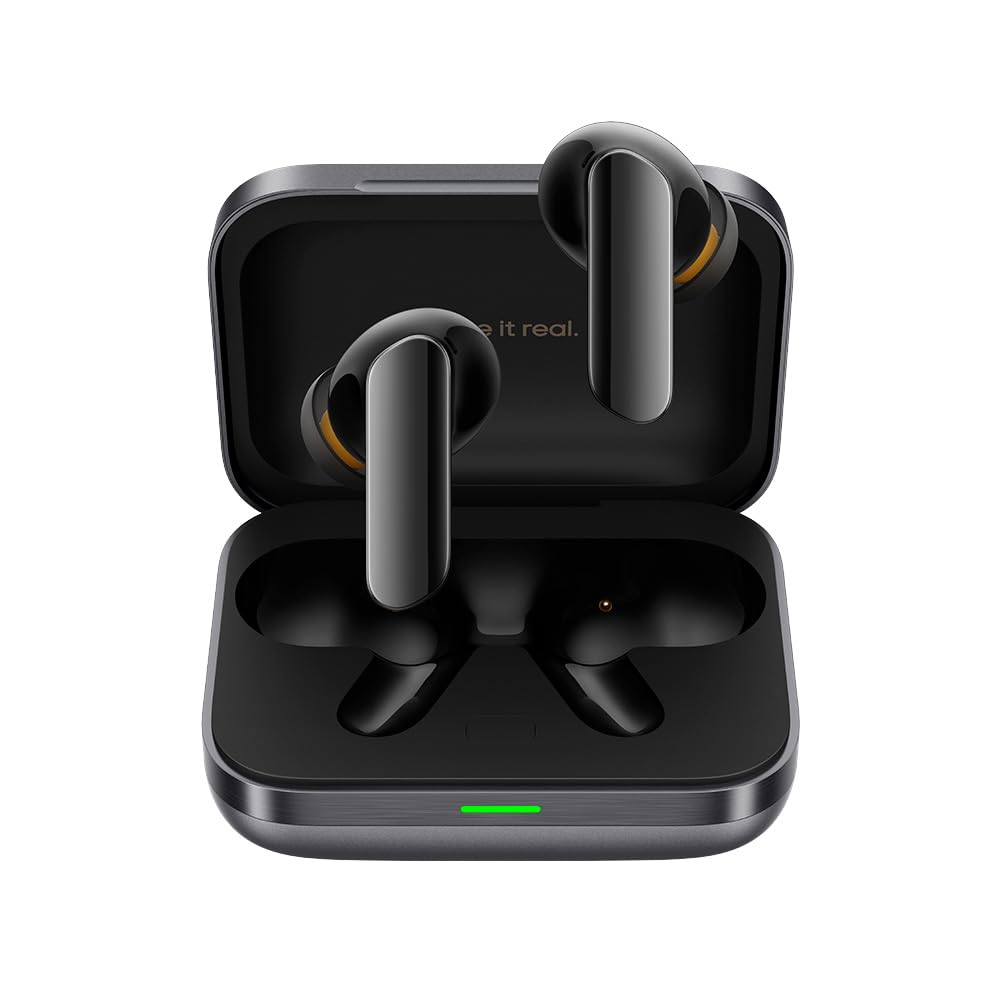
Figure 1: realme Buds Air 7 Pro earbuds in their grey charging case.
What's in the Box
Your realme Buds Air 7 Pro package includes the following items:
- realme Buds Air 7 Pro Earbuds (Left and Right)
- Charging Case
- Ear Cushions (various sizes)
- USB Type-C Charging Cable
- Quick Start Guide and Safety Information

Figure 2: Contents of the realme Buds Air 7 Pro package, including earbuds and charging case.
Setup
1. Charging
Before first use, fully charge your realme Buds Air 7 Pro. The earbuds and charging case offer up to 48 hours of total playback. A quick 10-minute charge provides up to 11 hours of listening enjoyment. The charging case supports wireless charging.
- Place the earbuds into the charging case.
- Connect the USB Type-C cable to the charging port on the case and to a power source.
- Alternatively, place the charging case on a compatible wireless charging pad.
- The indicator light on the case will show charging status.

Figure 3: The charging case with its USB Type-C port for wired charging.
2. Pairing
To connect your earbuds to a device:
- Open the charging case. The earbuds will automatically enter pairing mode.
- On your device, enable Bluetooth and search for "realme Buds Air 7 Pro".
- Select the earbuds from the list to connect.
- The earbuds support Bluetooth 5.4 for stable connectivity and multipoint connection, allowing simultaneous connection to two devices.
3. Fit & Comfort
For optimal sound quality and noise cancellation, ensure a proper fit. The earbuds come with various ear cushion sizes to suit different ear canals.
- Choose the ear cushions that provide a snug and comfortable seal in your ear.
- Gently insert the earbuds into your ears and twist slightly to secure them.

Figure 4: Side view of the earbuds, showing the design for a secure fit.
Operating Instructions
1. Touch Controls
The realme Buds Air 7 Pro feature intuitive touch controls on the earbuds for easy management of music, calls, and features. Specific functions can be customized via the realme Link app.
- Single Tap: Play/Pause music, Answer/End call.
- Double Tap: Next track, Reject call.
- Triple Tap: Previous track.
- Long Press: Switch Noise Control modes (ANC/Transparency/Normal).
- Swipe Up/Down: Adjust volume (customizable in app).
2. Noise Control Modes
The earbuds offer advanced noise control features to adapt to your environment:
- Active Noise Cancellation (ANC): Reduces external noise by up to 53dB for an immersive listening experience.
- Transparency Mode: Allows you to hear your surroundings without removing the earbuds, ideal for awareness.
- Switch between modes by long-pressing the touch control area on either earbud.

Figure 5: Earbuds demonstrating Active Noise Cancellation for focused listening.
3. 360° Spatial Audio
Experience immersive 360° Spatial Audio that creates a multi-dimensional soundstage, making you feel like you're in the center of the action. This feature enhances movies, games, and music.

Figure 6: Earbuds showcasing the 360° Spatial Audio capability.
4. AI Live Translation
The realme Buds Air 7 Pro integrate AI Live Translation, allowing for real-time language translation directly through your earbuds. This feature is managed via the realme Link app.
5. Low Latency Mode
For gamers and video enthusiasts, activate the 45ms Super Low Latency mode via the realme Link app to ensure synchronized audio and visuals, providing a seamless experience.
Maintenance
1. Cleaning
Regularly clean your earbuds and charging case to maintain optimal performance and hygiene. Use a soft, dry, lint-free cloth. Avoid using harsh chemicals or abrasive materials.
2. Water and Dust Resistance
The realme Buds Air 7 Pro are IP55 dust and water resistant, making them suitable for workouts and light rain. However, they are not designed for swimming or prolonged exposure to water. Ensure the earbuds and charging port are dry before charging.
Specifications
| Feature | Detail |
|---|---|
| Model Name | Air 7 Pro |
| Noise Control | Active Noise Cancellation (53dB) |
| Audio Driver Type | 11mm + 6mm Dual-DAC Driver |
| Battery Life (Total) | Up to 48 Hours |
| Fast Charging | 10 min charge for up to 11 hrs playback |
| Connectivity | Bluetooth 5.4 |
| Low Latency | 45ms |
| Spatial Audio | 360° Spatial Sound |
| Water Resistance | IP55 Dust & Water Resistant |
| AI Feature | AI Live Translation |
| Weight | 100 Grams (earbuds + case) |
Warranty & Support
For warranty information, troubleshooting, or further assistance, please refer to the official realme website or contact realme customer support. Keep your proof of purchase for warranty claims.


