
Introduction
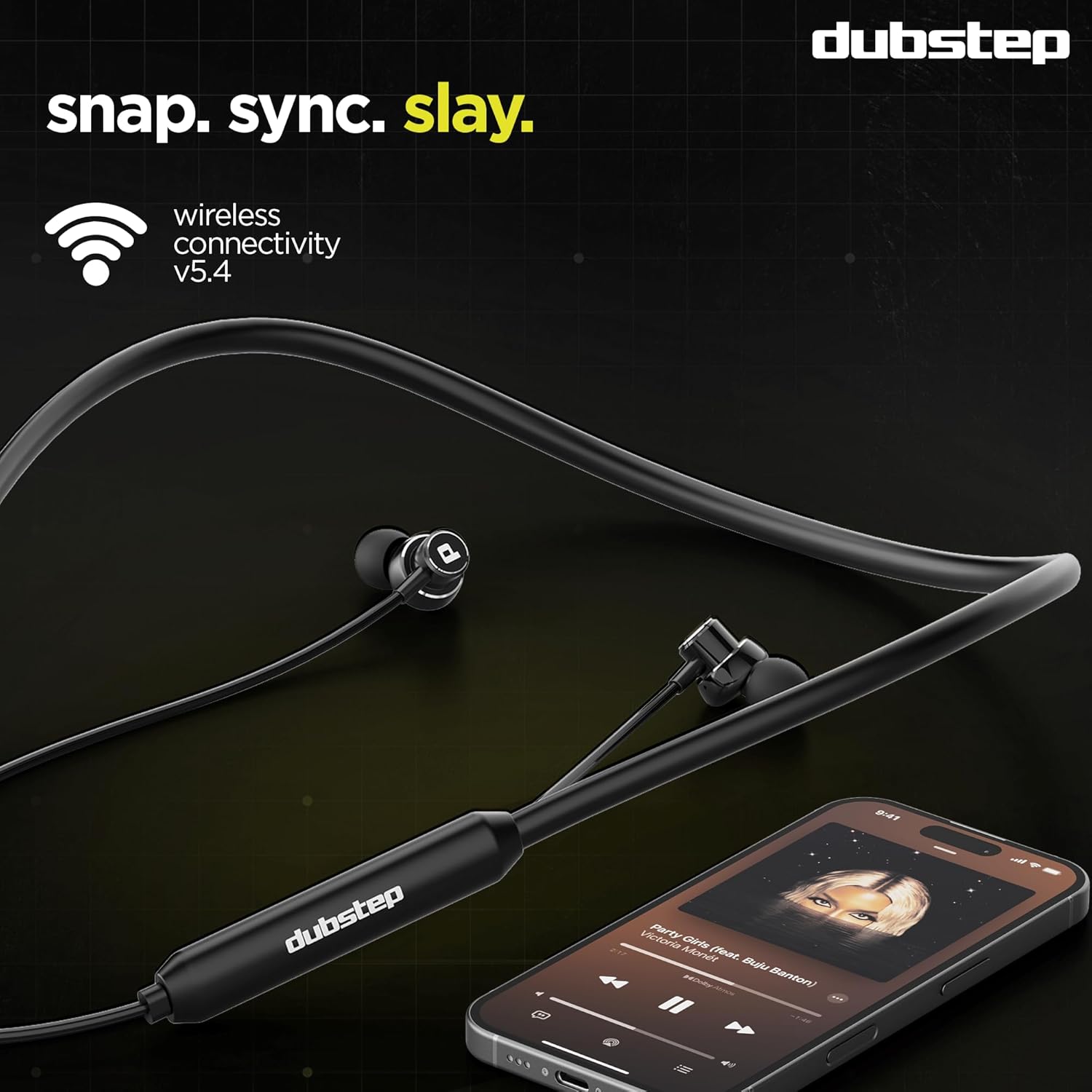
Welcome to the user manual for your Dubstep Jive J7 Bluetooth in-Ear Earphones. These earphones are designed to provide an immersive audio experience with advanced features such as X-Bass technology, 13mm drivers, Type-C fast charging, and Environmental Noise Cancellation (ENC) for clear calls. The Jive J7 also offers a dual mode for seamless switching between gaming and music. Please read this manual carefully to ensure proper use and maintenance of your device.
What's in the Box
Upon unboxing your Dubstep Jive J7 earphones, please verify that all the following items are included:
- Dubstep Jive J7 Bluetooth Earphones (1 unit)
- Type-C Charging Cable
- User Manual (this document)
- Multiple Ear Tip Sizes (for customized fit)

Product Overview
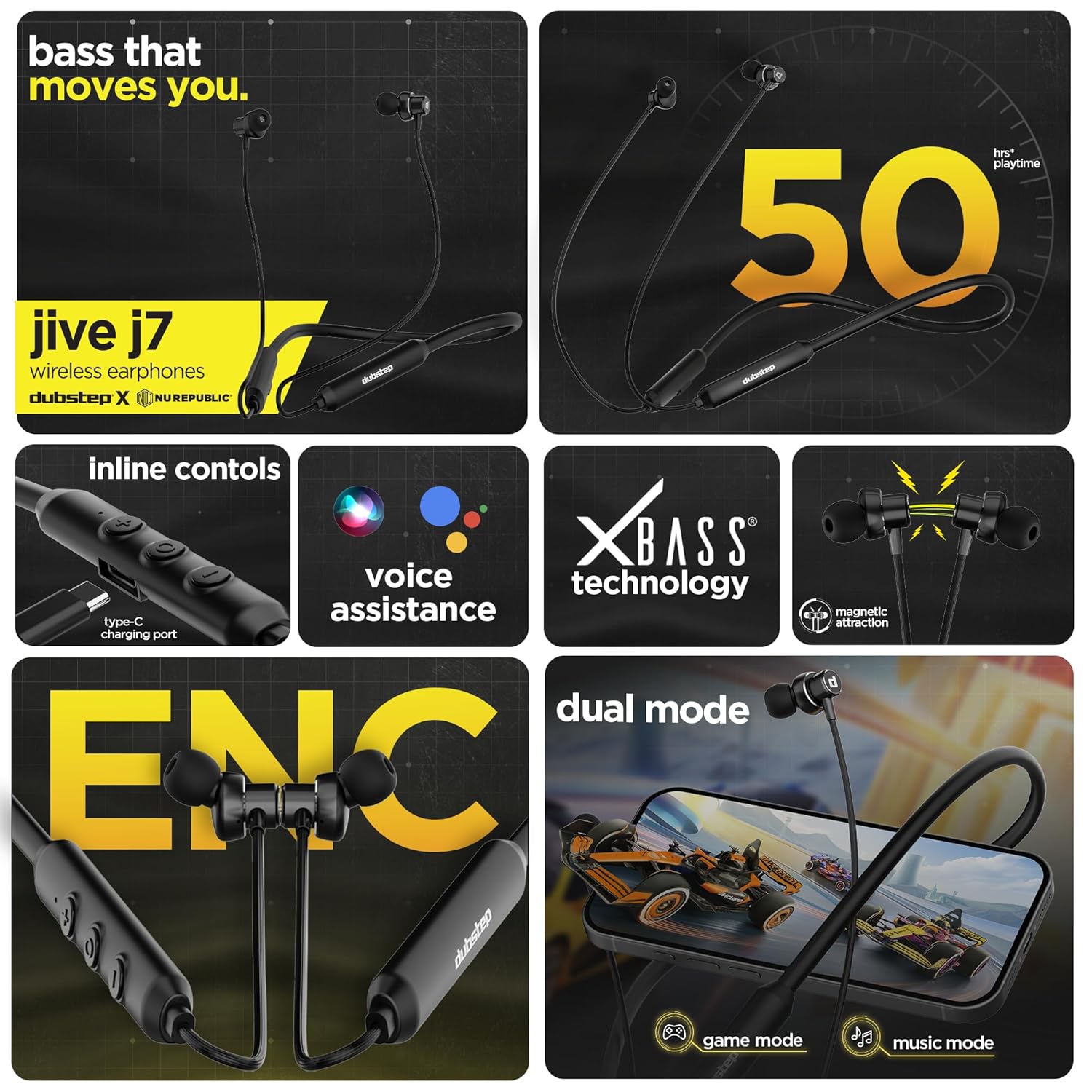
The Dubstep Jive J7 earphones are equipped with several features designed for superior audio and user convenience:
- X-Bass Technology: Delivers powerful, dynamic sound reproduction with deep bass.
- 13mm Dynamic Drivers: Ensures high-quality audio across all frequencies.
- Environmental Noise Cancellation (ENC) Mic: Provides crystal-clear voice calls by reducing ambient noise.
- Dual Mode Functionality: Seamlessly switch between Game Mode for ultra-low latency and Music Mode for enhanced audio.
- Wireless v5.4 Connectivity: Offers quick pairing and a stable connection up to 10 meters.
- Type-C Fast Charging: Quick recharge for extended playtime.
- Magnetic Earbuds: For secure storage around your neck when not in use.
- Inline Controls: Easy access to music playback, call management, and voice assistant.
- Water and Sweat Resistant: Durable design suitable for active lifestyles.
Setup
1. Charging the Earphones
Before first use, fully charge your Jive J7 earphones.
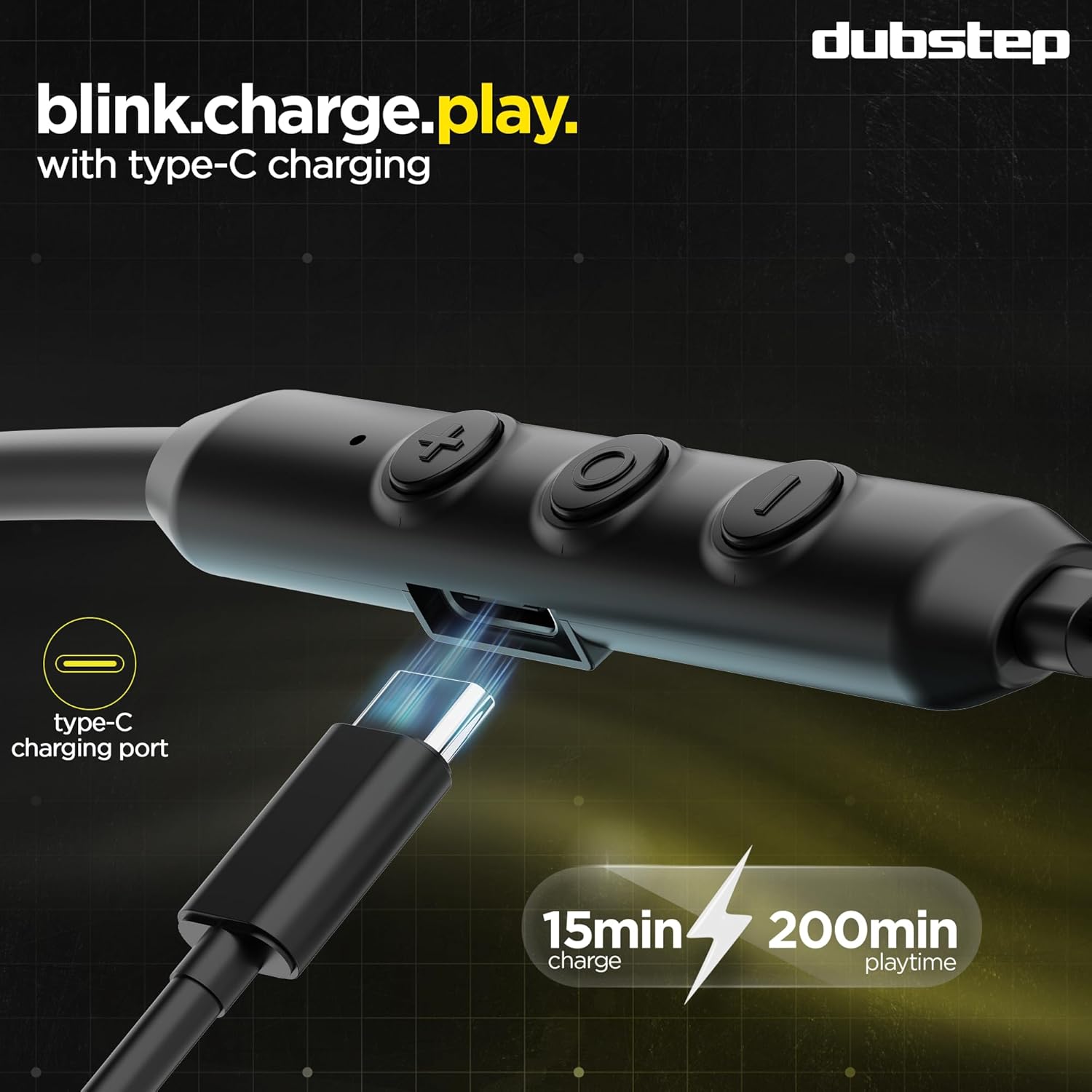
- Connect the provided Type-C charging cable to the charging port on the inline control module of the earphones.
- Connect the other end of the cable to a USB power source (e.g., wall adapter, computer USB port).
- The LED indicator will show charging status (refer to the LED indicator section for details, if available on device).
- A full charge takes approximately 60 minutes. A quick 15-minute charge provides up to 200 minutes of music playback.
- The earphones offer up to 50 hours of playtime on a full charge.
2. Pairing with a Bluetooth Device
Follow these steps to pair your Jive J7 earphones with your smartphone, tablet, or other Bluetooth-enabled device.
- Ensure the earphones are fully charged and turned off.
- Press and hold the multi-function button (usually the center button on the inline control) for approximately 3-5 seconds until the LED indicator flashes red and blue alternately, indicating pairing mode.
- On your device, go to Bluetooth settings and turn on Bluetooth.
- Search for available devices. You should see "Dubstep Jive J7" in the list.
- Select "Dubstep Jive J7" to connect. Once connected, the LED indicator on the earphones will typically flash blue slowly or turn off, and you will hear an audio prompt.
- The earphones will automatically reconnect to the last paired device when turned on, if the device's Bluetooth is active and within range.

Operating Instructions
Inline Controls
The Jive J7 features an inline remote for easy control of your audio and calls:
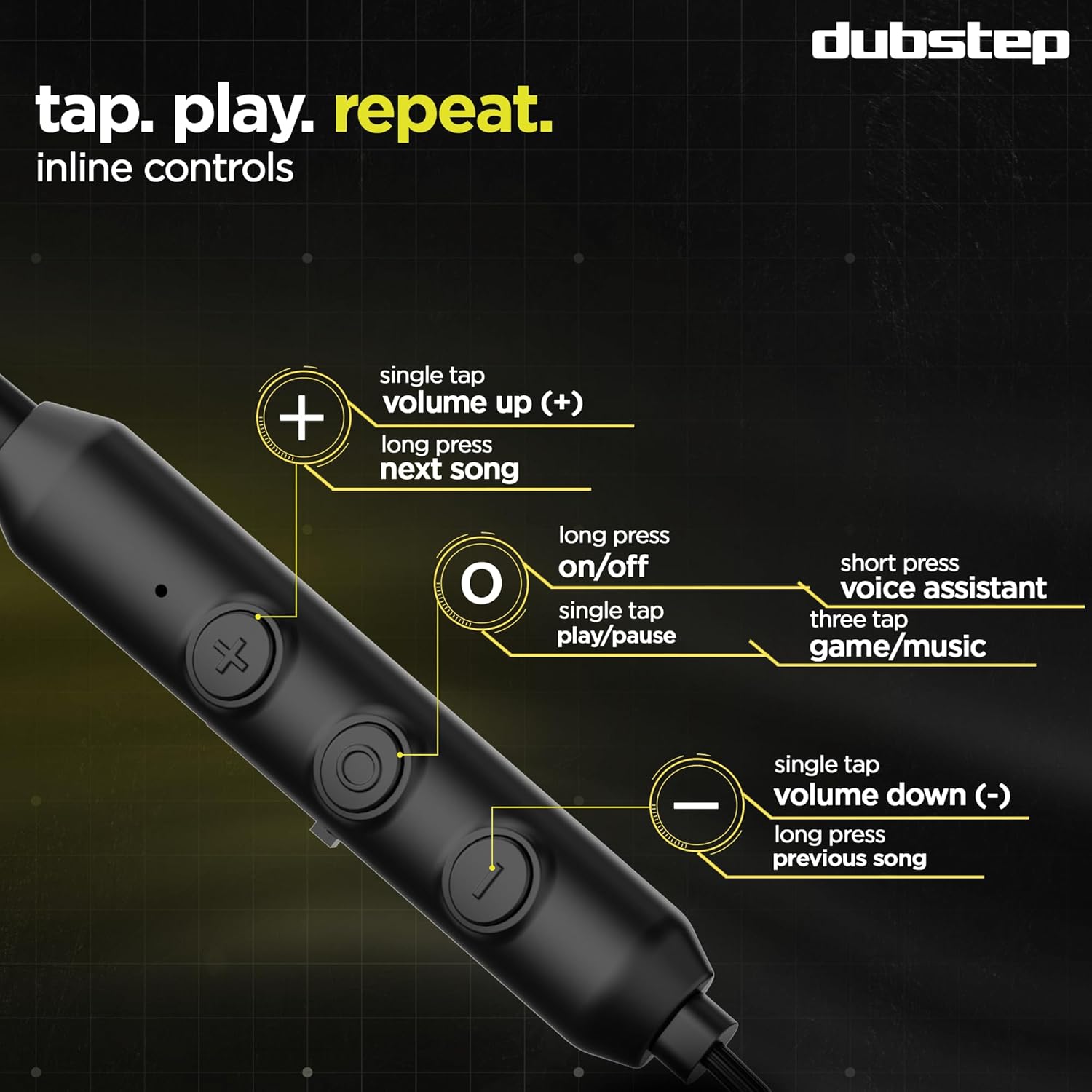
- Power On/Off: Long press the multi-function button.
- Play/Pause: Single tap the multi-function button.
- Volume Up (+): Single tap the '+' button.
- Volume Down (-): Single tap the '-' button.
- Next Song: Long press the '+' button.
- Previous Song: Long press the '-' button.
- Answer/End Call: Single tap the multi-function button.
- Reject Call: Long press the multi-function button.
- Activate Voice Assistant: Short press the multi-function button.
- Switch Dual Mode (Game/Music): Triple tap the multi-function button.
Dual Mode Functionality (Game/Music)
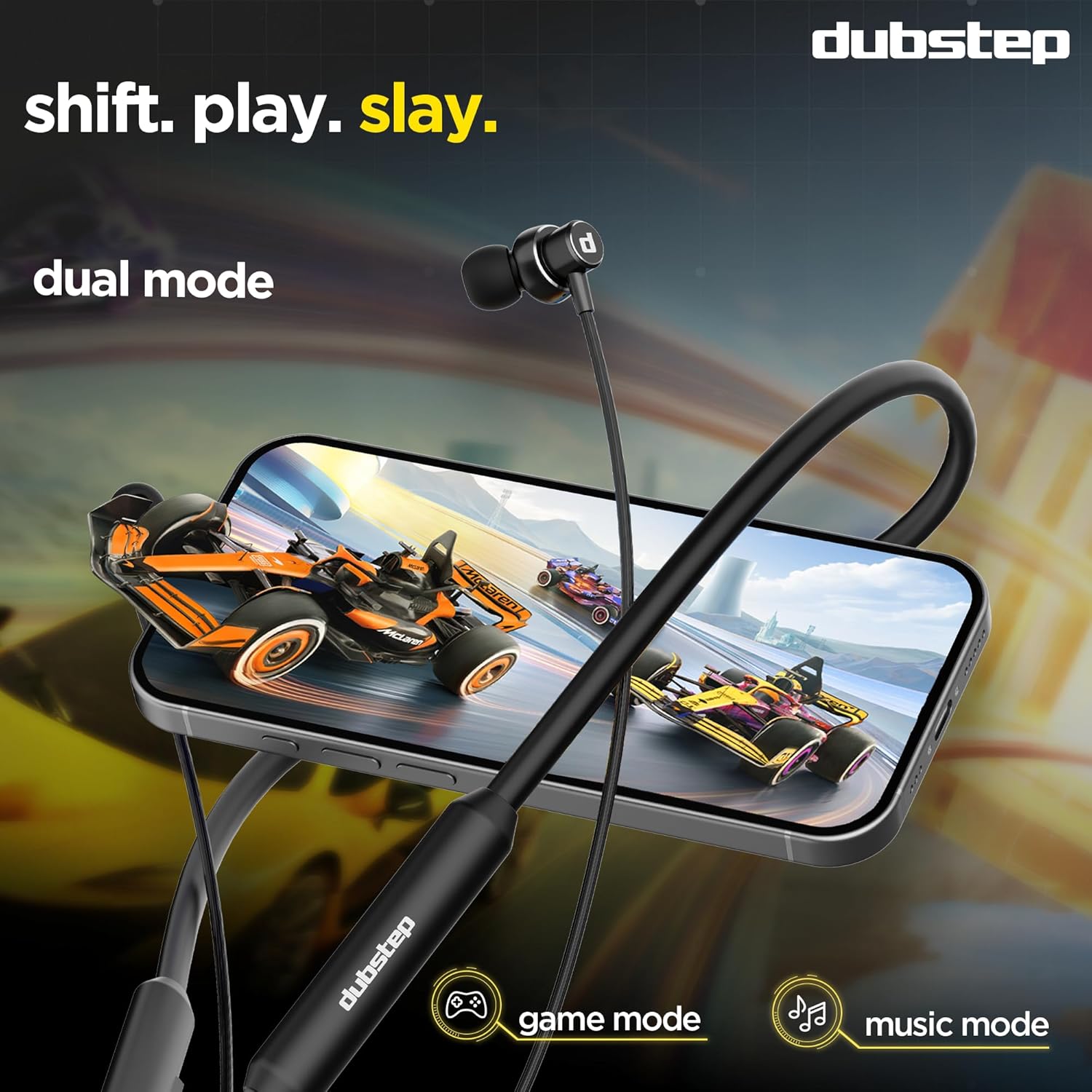
The Jive J7 earphones offer two distinct audio modes to optimize your experience:
- Game Mode: Provides ultra-low latency audio, crucial for competitive gaming where sound synchronization is vital.
- Music Mode: Enhances audio quality for a richer, more immersive music listening experience.
To switch between modes, triple tap the multi-function button on the inline remote. You will hear an audio prompt confirming the mode change.
Environmental Noise Cancellation (ENC) for Calls
The built-in ENC microphone actively reduces ambient noise during calls, ensuring your voice is heard clearly even in noisy environments. This feature is automatically active during phone calls.
Maintenance
To ensure the longevity and optimal performance of your Dubstep Jive J7 earphones, follow these maintenance guidelines:
- Cleaning: Regularly wipe the earphones and ear tips with a soft, dry, lint-free cloth. For ear tips, you can gently remove them and clean with a mild soap solution, then rinse and dry thoroughly before reattaching.
- Storage: When not in use, store the earphones in a clean, dry place, away from extreme temperatures and direct sunlight. The magnetic earbuds help prevent tangling and secure them around your neck.
- Avoid Moisture: While the earphones are water and sweat resistant, avoid prolonged exposure to water or submerging them. Ensure the charging port is dry before charging.
- Handle with Care: Do not pull on the cables forcefully or drop the earphones.

Troubleshooting
If you encounter any issues with your Jive J7 earphones, refer to the following common problems and solutions:
| Problem | Possible Solution |
|---|---|
| Earphones do not turn on. | Ensure the earphones are fully charged. Press and hold the multi-function button for 3-5 seconds. |
| Cannot pair with device. |
|
| No sound or low volume. |
|
| Call quality is poor. |
|
| Earphones disconnect frequently. |
|
Specifications
| Feature | Detail |
|---|---|
| Brand | Dubstep |
| Model Name | Jive J7 |
| Ear Placement | In Ear |
| Form Factor | In Ear (Neckband) |
| Noise Control | Environmental Noise Cancellation (ENC) |
| Audio Driver Type | Dynamic Driver |
| Audio Driver Size | 13 Millimetres |
| Wireless Technology | Bluetooth v5.4 |
| Bluetooth Range | 10 Metres |
| Battery Average Life | 50 Hours |
| Battery Charge Time | 60 Minutes (Full Charge) |
| Fast Charging | 15 Mins Charge = 200 Mins Music |
| Control Type | Inline Remote (Push Button) |
| Product Features | X-Bass Technology, ENC Microphone, Dual Mode Functionality, Type-C Fast Charging |
| Compatible Devices | Laptops, Smartphones, Tablets |
| Material | Acrylonitrile Butadiene Styrene (ABS) |
| Item Weight | 34 Grams |
| Country of Origin | China |
Warranty and Support
Your Dubstep Jive J7 earphones come with a 6 Months Warranty.
To avail warranty or for any support inquiries, please contact the brand directly using the information below:
- Phone Number: +918826257630
- Email ID: hello@Dubstepworld.com
- Manufacturer: Nuworld Retail Private Limited
- Manufacturer Address: Plot No.17-18, Pole No.9, PO Dhoolsiras, Dwarka, Sector-28, New Delhi - 110077
Please retain your purchase receipt as proof of purchase for warranty claims.