1. Introduction
This manual provides essential information for the safe and efficient operation of your Brightown Smart Wall Heater, Model UPH310M. Please read all instructions carefully before installation and use, and retain this manual for future reference.
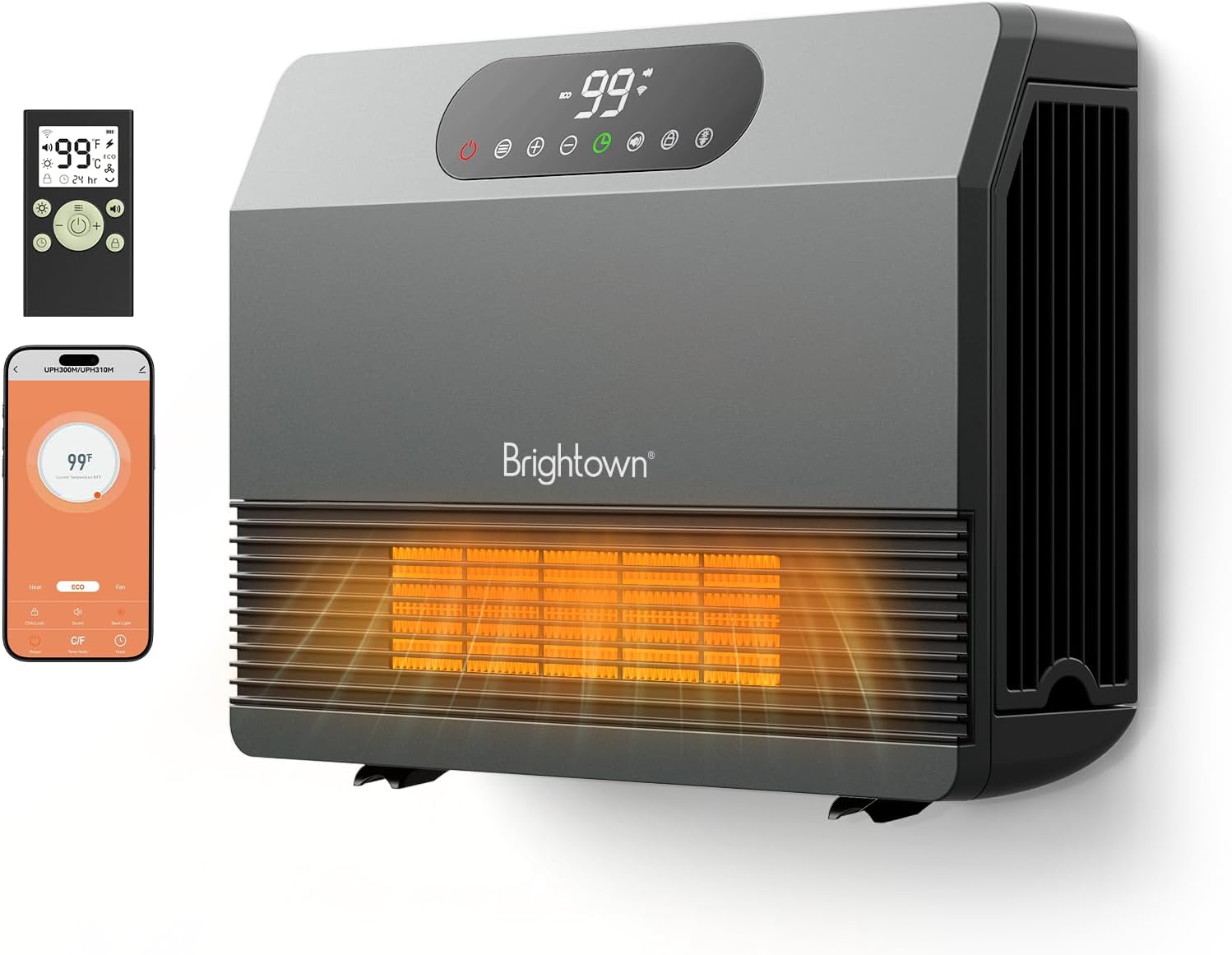
Figure 1: Brightown Smart Wall Heater (Model UPH310M) with remote control and smartphone app interface.
2. Safety Information
Your safety is paramount. This appliance is designed with multiple safety features. Always follow basic safety precautions to reduce the risk of fire, electric shock, and injury to persons.
- Overheat Protection: The heater is equipped with an ETL-listed system that provides overheat protection. If the internal temperature exceeds a safe limit (e.g., 122°F), the unit will automatically shut off.
- Tip-over Protection: Designed to automatically shut off if accidentally tipped over.
- Child Lock: Prevents unintended operation by children.
- Flame-Retardant Materials: Constructed with V-0 flame-retardant materials for enhanced safety.
- Enhanced Safety Plug: Features a standard plug designed for safety.
- General Safety: To reduce the risk of fire and hyperthermia, keep combustible materials such as furniture, pillows, bedding, papers, clothes, and curtains at least 3 feet (0.9 m) from the front of the heater and away from the sides and rear. Avoid using this heater with other high-power appliances on the same circuit.
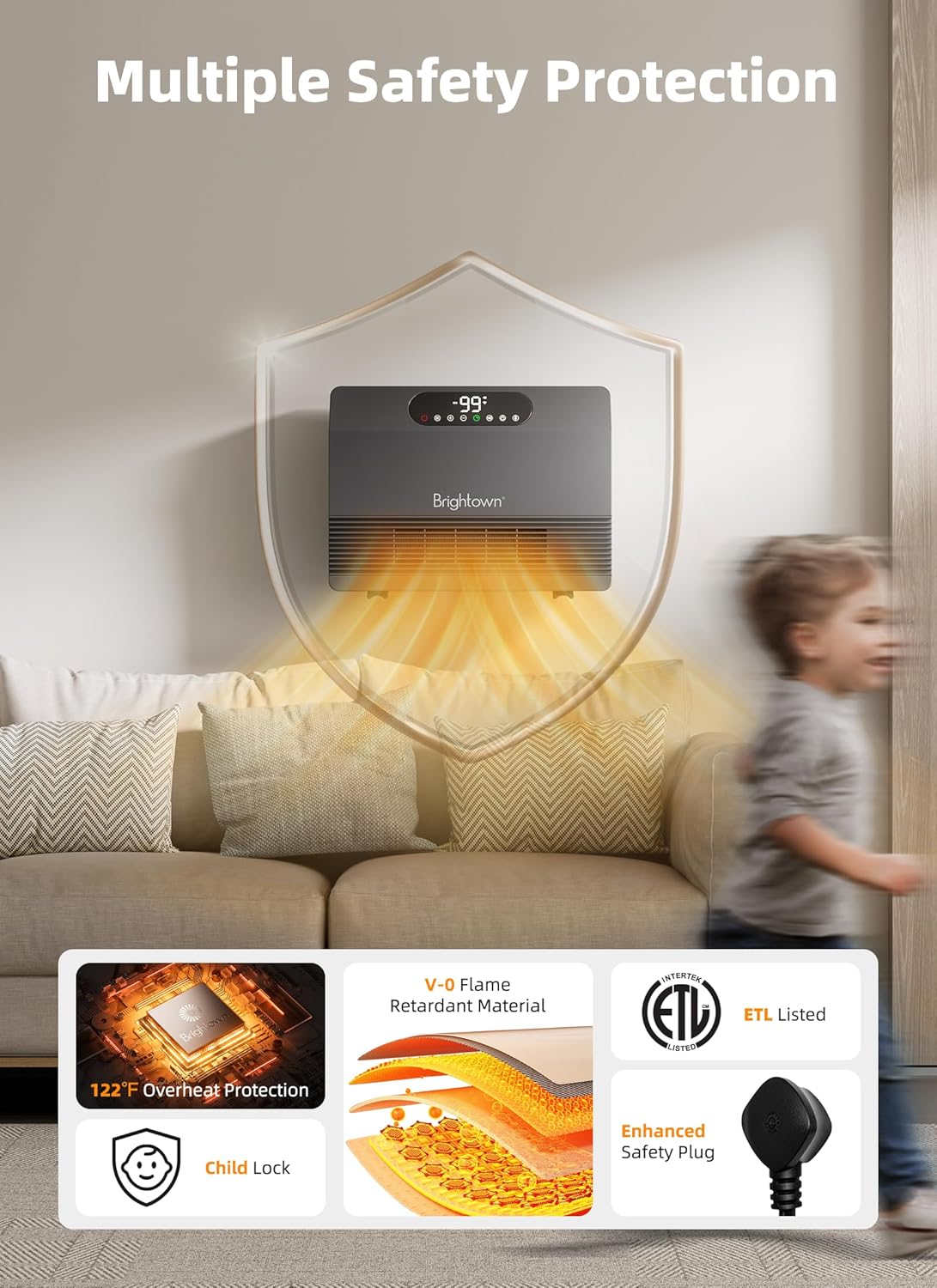
Figure 2: Overview of the heater's multiple safety protection features.
3. Package Contents
Ensure all items are present upon unpacking:
- Brightown Smart Wall Heater (Model UPH310M)
- Remote Control
- Wall Mounting Template
- Mounting Hardware (screws, wall anchors, mini-level)
- Instruction Manual
4. Setup and Installation
The Brightown Smart Wall Heater offers flexible installation options: wall-mounted or floor-standing.
4.1 Wall Mounting
This heater is designed for easy wall-mounting to save floor space. Use the provided template and hardware for secure installation.
- Select a suitable location on a wall, ensuring it is at least 3 feet (0.9 m) away from combustible materials.
- Place the wall mounting template on the desired location. Use the integrated mini-level to ensure it is perfectly horizontal.
- Mark the drill points indicated on the template.
- Drill holes at the marked points. If drilling into drywall, insert the provided wall anchors.
- Insert screws into the anchors/studs, leaving a small portion exposed for the heater to hang.
- Align the keyhole slots on the back of the heater with the exposed screws and carefully hang the unit.
- For permanent wall mounting, fold down the feet located at the bottom of the heater and secure them with additional screws into the wall.
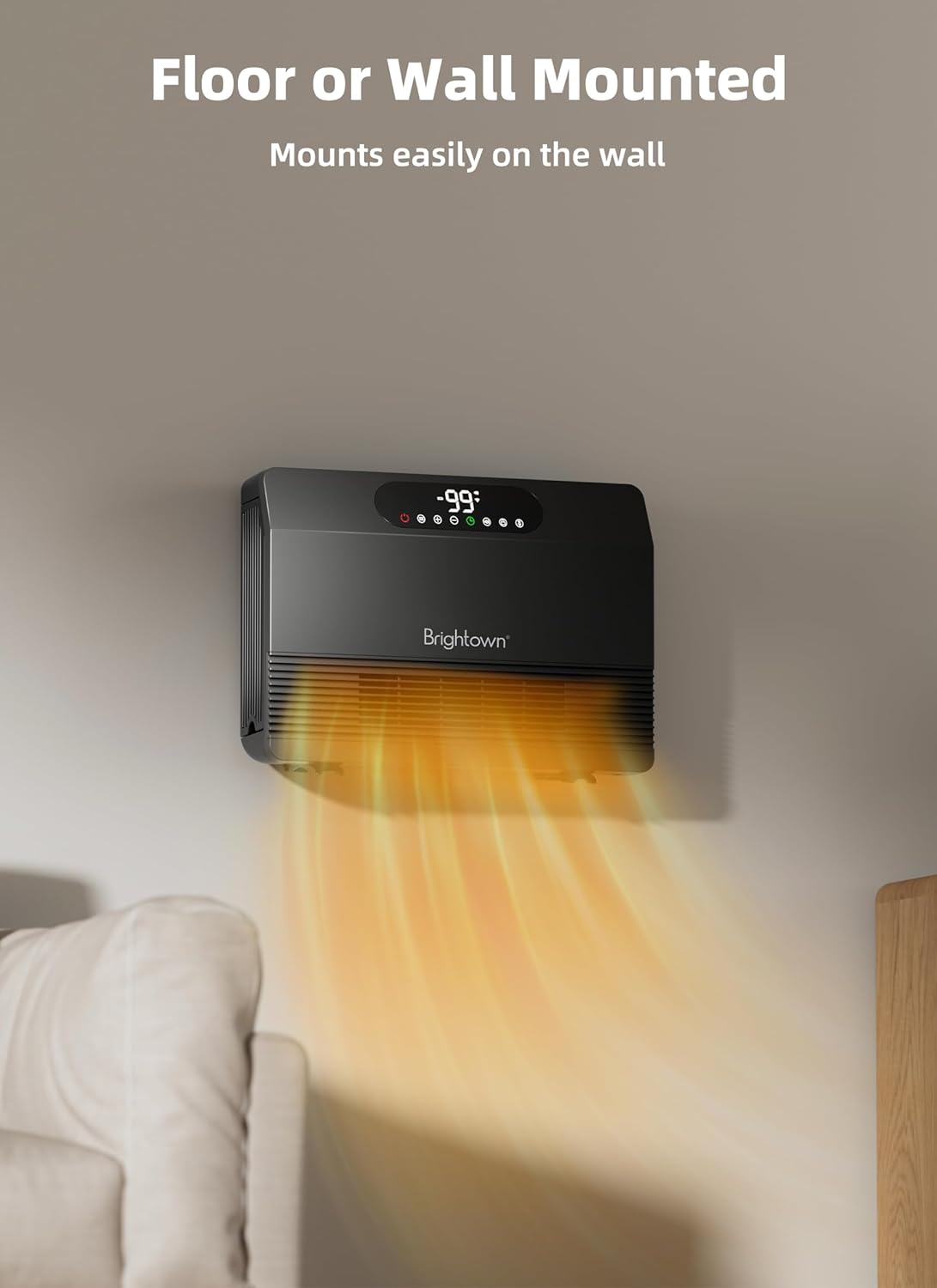
Figure 3: Wall-mounted installation of the heater.
4.2 Floor Standing
The heater can also be used as a floor-standing unit. Simply ensure the foldable feet on the bottom of the unit are extended to provide stability.
5. Operating Instructions
Your Brightown Smart Wall Heater offers multiple control options for convenience.
5.1 Control Panel Overview
The touch control panel is located on the top of the unit. It features a digital display and several touch-sensitive buttons.
- Power Button (Red Icon): Press to turn the unit ON or OFF.
- Mode Button (Horizontal Lines Icon): Cycles through heating modes (ECO, P1/P2/P3) and Fan Only mode.
- Temperature Adjustment (+/- Buttons): Adjusts the desired temperature setting (40°F to 99°F).
- Timer Button (Clock Icon): Sets the auto-off timer (1-12 hours).
- Sound Button (Speaker Icon): Toggles the button beep sound ON/OFF.
- Child Lock Button (Lock Icon): Press and hold for 3 seconds to activate/deactivate.
- Display Button (Light Bulb Icon): Turns the digital display ON/OFF.
- Wi-Fi Icon: Indicates Wi-Fi connection status. Hold for 5 seconds to activate Wi-Fi connection.
5.2 Heating Modes
The heater offers 5 operational modes:
- ECO Mode: Energy-saving mode. The heater automatically adjusts its heating output to maintain the set temperature, optimizing energy consumption.
- P1 (600W): Low heat setting.
- P2 (1000W): Medium heat setting.
- P3 (1500W): High heat setting, providing rapid heating.
- FAN Only: Operates the fan without heating, circulating air.

Figure 4: The heater provides 1500W fast heating using PTC ceramic technology.
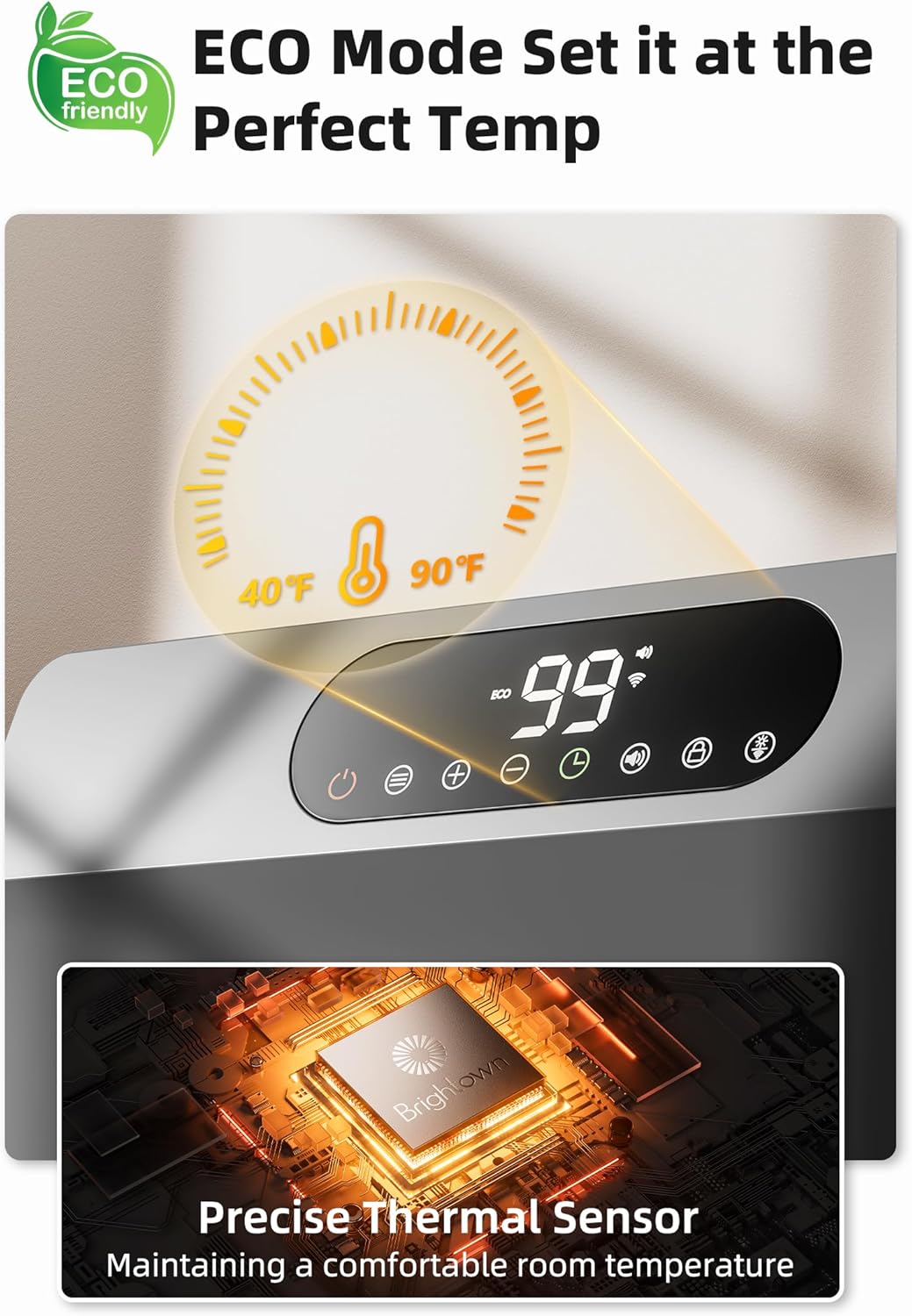
Figure 5: ECO mode for efficient temperature maintenance with a precise thermal sensor.
5.3 Remote Control
The included remote control allows for convenient operation of all heater functions from a distance.
5.4 App and Voice Control (Alexa)
The Brightown Smart Wall Heater is Wi-Fi enabled, allowing control via a smartphone app or voice commands through Alexa. This enables features such as customized scheduling and remote preheating.

Figure 6: Remote preheating and customized scheduling via the smart app and Alexa.
6. Maintenance
Regular maintenance ensures optimal performance and longevity of your heater.
6.1 Cleaning the Air Filter
The heater features a washable air filter to maintain air quality and heating efficiency.
- Ensure the heater is turned OFF and unplugged from the power outlet.
- Locate the filter cover on the side of the unit.
- Gently lift the bottom of the filter cover and pull it outwards to release the latches.
- Remove the foam filter from its frame.
- Rinse the foam filter under running water until clean. Allow it to air dry completely before reinserting.
- Reinsert the dry foam filter into its frame.
- Align the top tab of the filter cover with the slot on the heater, then push the bottom of the cover until it clicks into place.
7. Specifications
| Feature | Detail |
|---|---|
| Brand | Brightown |
| Model Number | UPH310M |
| Heat Output | 1500 Watts |
| Voltage | 120 Volts |
| Fuel Type | Electric |
| Burner Type | PTC Ceramic |
| Heating Coverage | Up to 200 sq. ft. |
| Modes | ECO, P1 (600W), P2 (1000W), P3 (1500W), Fan Only |
| Temperature Range | 40°F to 99°F |
| Control Options | Touch Panel, Remote Control, App (Wi-Fi), Voice (Alexa) |
| Special Features | Adjustable Thermostat, Wi-Fi Enabled, Memory Function, Silent Operation (38 dB), Overheat Protection, Tip-over Protection, Digital Display, Child Lock |
| Mounting Type | Wall Mount, Floor Standing |
| Product Dimensions | 16.1"D x 11"W x 4.3"H |
| Item Weight | 7.39 pounds |
8. Support
For quick customer service and business cooperation, please contact Brightown support:
- Email: support@brightown.com
- Phone: +1 (888) 550-1319 (Mon-Fri 8:00-22:00 EST)
- Website: www.brightown.com


