
Introduction
This manual provides detailed instructions for the installation, operation, and maintenance of your AINAVIGO AinaVigo Touch11.5 Car Stereo. This unit is specifically designed for Honda Accord models manufactured between 2013 and 2017. Please read this manual thoroughly before installation and use to ensure proper function and to maximize your driving experience.
Important: Before purchasing and installation, verify the year, dimensions, and shape of your vehicle's center console. Some special vehicle models may not be compatible.
What's Included
The package includes the following components:
- Touchscreen host (Head Unit)
- Touchscreen radio install kit (Frame + Head Unit)
- HD reversing camera
- External Microphone
- 2x USB Cables
- Complete set of special harness (Power Cable & CANBus Decoder)
- RCA Cable
- GPS Module
- Reversing Control Cable
- Frame removal tool

Figure 1: Package Contents Diagram
Video 1: Unboxing and Package Contents for the AINAVIGO Car Stereo for Honda Accord 9th Generation.
Setup and Installation
The AINAVIGO AinaVigo Touch11.5 Car Stereo is designed for a plug-and-play installation using the original vehicle harness. No additional accessories are typically required.
Compatibility Check
Ensure your Honda Accord is from the 2013-2017 model years. Refer to the image below to confirm compatibility with your vehicle's dashboard layout.
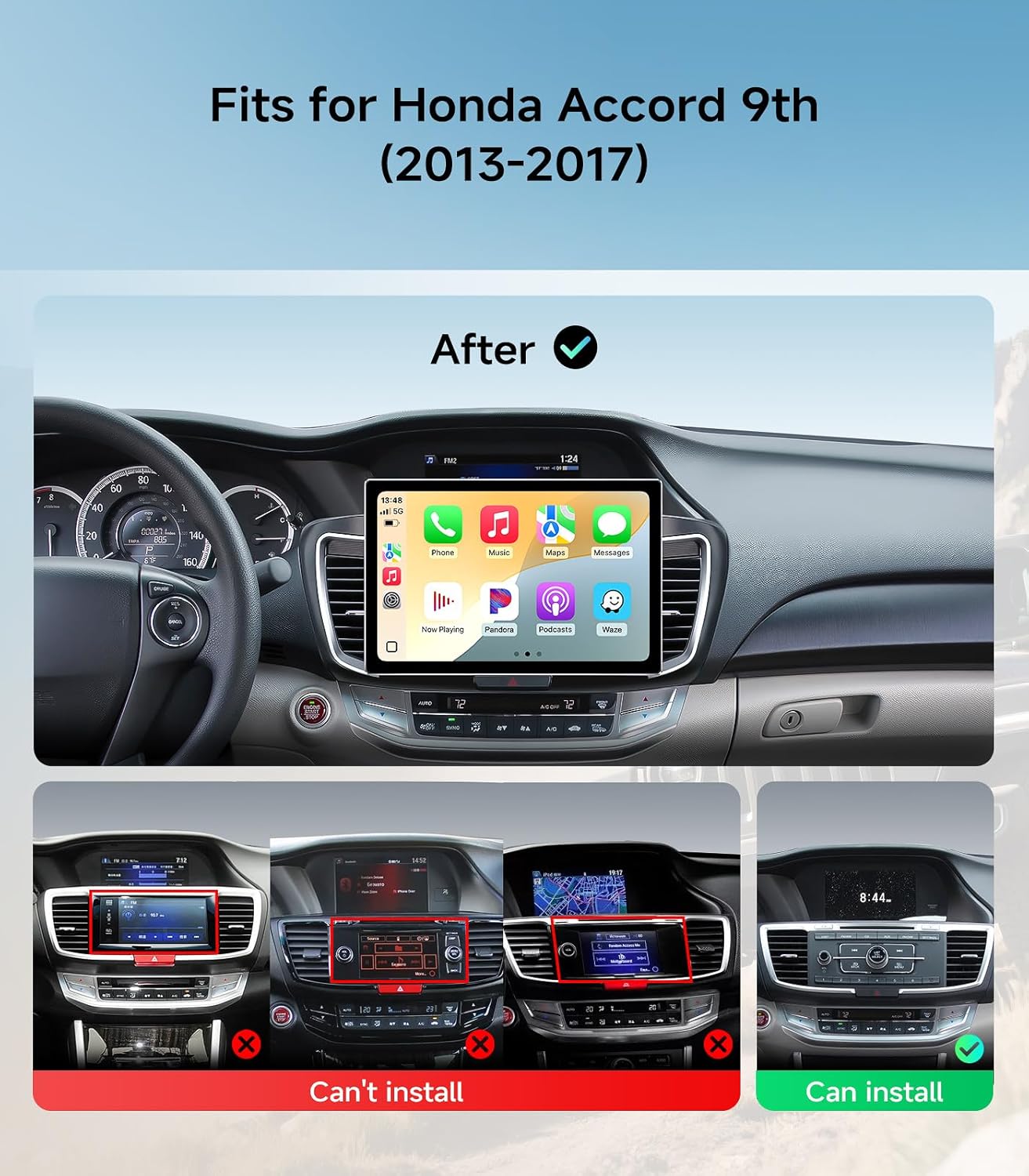
Figure 2: Vehicle Compatibility Guide
Wiring Connections
Connect the provided special harness to your vehicle's original wiring. The harnesses are designed to match directly. Ensure all connections are secure.
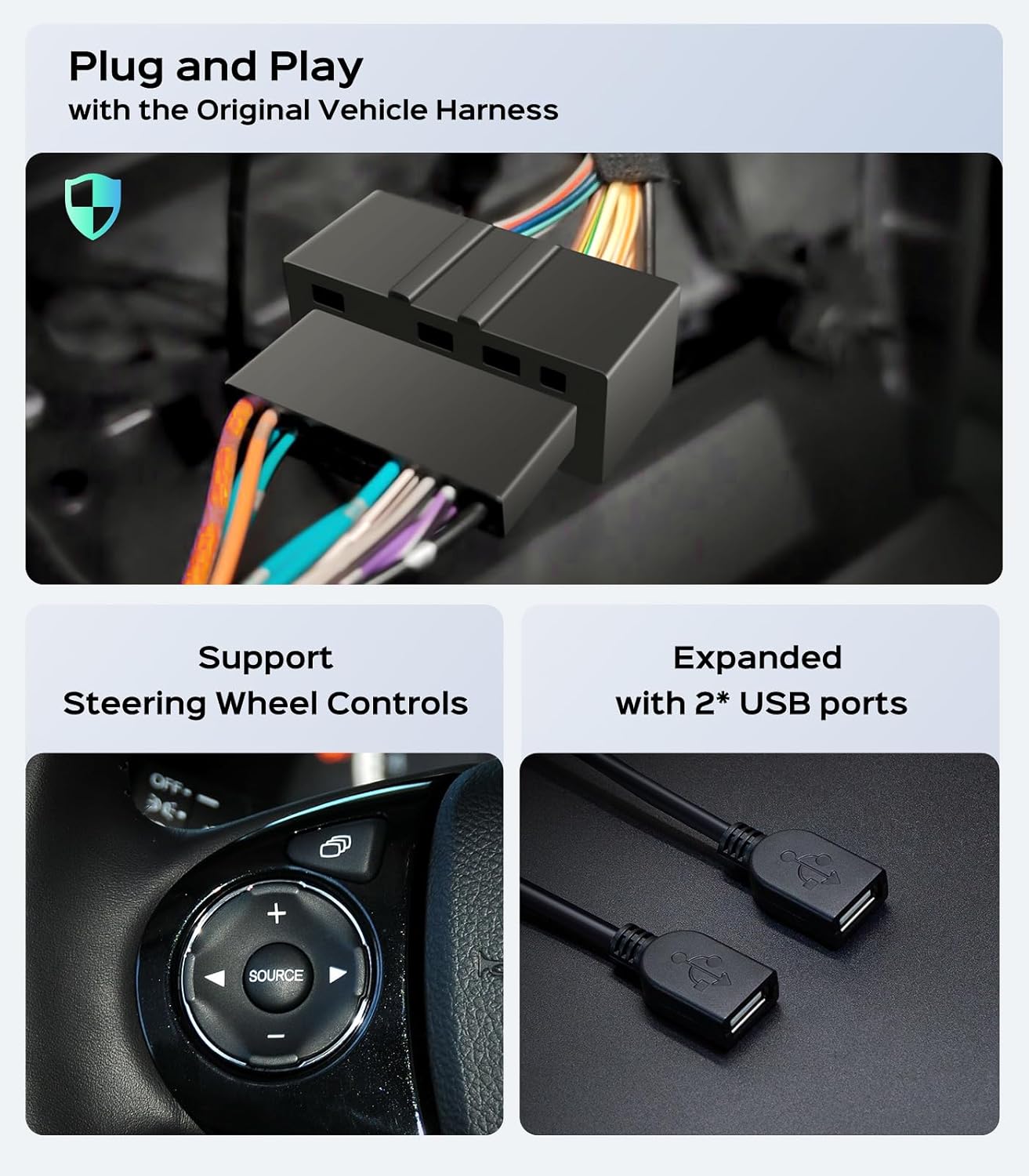
Figure 3: Plug and Play Wiring Harness
For detailed installation steps, professional assistance is recommended. Contact customer support if you require setup assistance.
Operating Instructions
Power On/Off and Basic Navigation
Press and hold the power button (if available) or turn on your vehicle's ignition to power on the unit. The 11.5-inch HD touchscreen provides intuitive control. Navigate through menus by tapping icons and swiping.
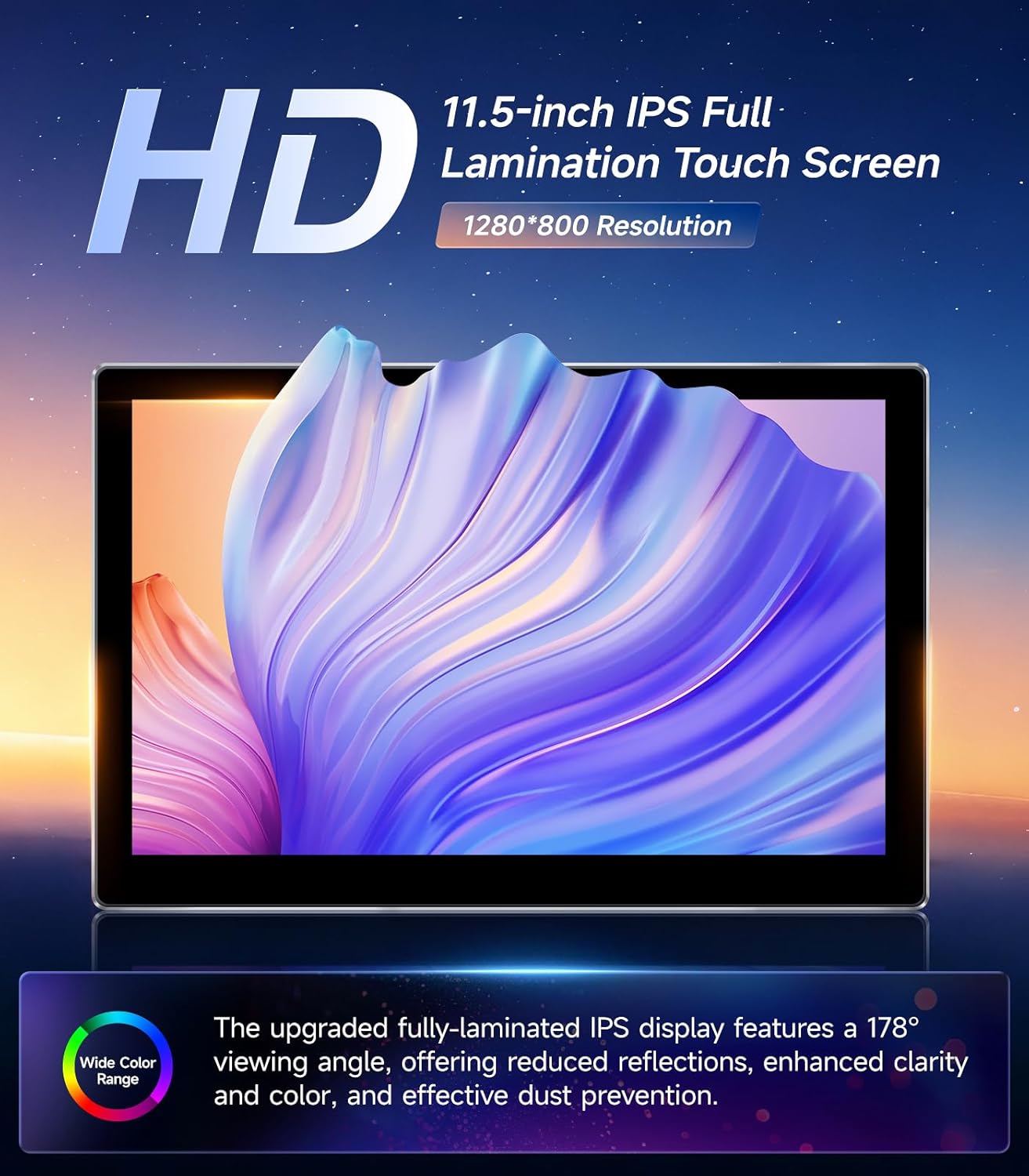
Figure 4: High-Definition Touchscreen Display
Wired/Wireless CarPlay & Android Auto
Connect your smartphone via USB for wired CarPlay/Android Auto, or pair it wirelessly via Bluetooth and Wi-Fi. The system automatically connects within 10 seconds after starting the car. This feature allows access to navigation, calls, messaging, and music directly from your phone's interface on the car stereo screen. Activate the built-in voice assistant for hands-free control.

Figure 5: CarPlay and Android Auto Interface
GPS Navigation
The unit comes pre-loaded with North America maps and includes a GPS antenna for offline route planning. Connect to a WiFi hotspot to download additional navigation apps from the app store for real-time directions and traffic updates. The infotainment system supports hands-free voice control for seamless navigation across multiple applications.

Figure 6: GPS Navigation Display
Bluetooth 5.0 and Audio
Utilize Bluetooth 5.0 for fast pairing, music streaming, and contact syncing. The dual microphones (built-in and external) ensure clear hands-free calls. The built-in Digital Sound Processor (DSP) allows you to customize sound profiles for an immersive audio experience.
FM/AM Radio
Access the high-sensitivity FM/AM receiver for real-time traffic, news, and weather updates.
Steering Wheel Controls
The unit supports your vehicle's original steering wheel controls, allowing you to manage audio and calls without taking your hands off the wheel.
Rear Camera Functionality
The included 170° wide-angle AHD 1080P waterproof backup camera automatically displays crystal-clear reverse images when the vehicle is in reverse gear, aiding in safer parking. The system supports quick screen switching and digital signal transmission for clear images.
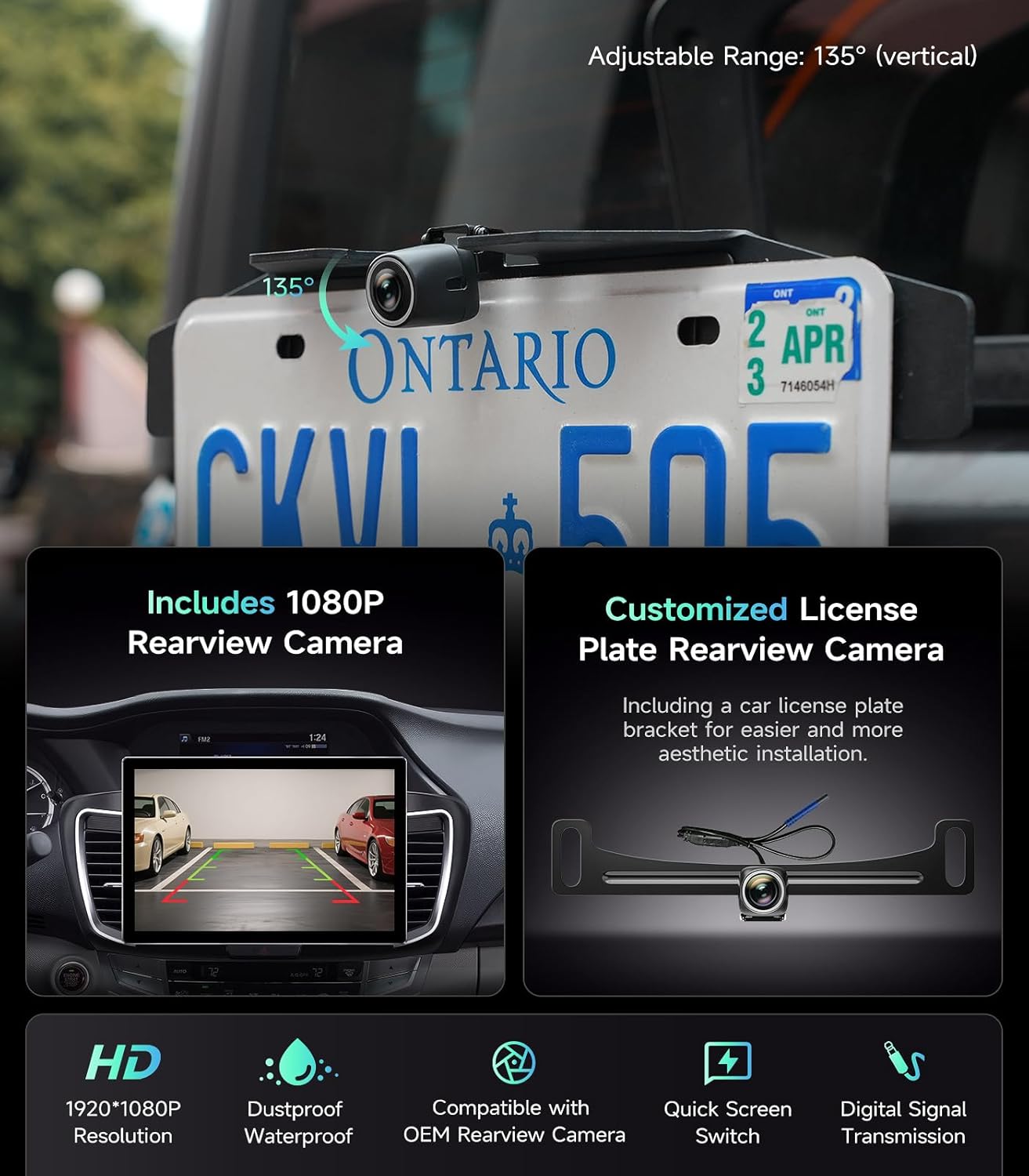
Figure 7: Rearview Camera Display and Features
Maintenance
To ensure the longevity and optimal performance of your AINAVIGO car stereo, follow these maintenance guidelines:
- Screen Cleaning: Use a soft, lint-free cloth to gently wipe the touchscreen. For stubborn smudges, slightly dampen the cloth with water or a screen-safe cleaner. Avoid abrasive materials or harsh chemicals.
- Dust Removal: Regularly clean dust from the unit's vents and surfaces using a soft brush or compressed air.
- Software Updates: Periodically check for available software updates to ensure the system runs efficiently and has the latest features and security patches.
- Avoid Extreme Temperatures: Do not expose the unit to extreme heat or cold for extended periods, as this can affect performance and lifespan.
Troubleshooting
If you encounter issues with your AINAVIGO car stereo, refer to the following common troubleshooting steps:
- No Power:
- Check all power connections to ensure they are securely plugged in.
- Verify your vehicle's fuse box for any blown fuses related to the stereo system.
- No Sound:
- Ensure the volume is not muted or set to a very low level.
- Check speaker wire connections.
- Verify audio settings in the system menu, including DSP settings.
- Bluetooth Connectivity Issues:
- Ensure Bluetooth is enabled on both the car stereo and your smartphone.
- Delete previous pairings on both devices and attempt to re-pair.
- Move your phone closer to the unit to rule out interference.
- GPS Signal Loss:
- Ensure the GPS antenna is properly installed and has a clear view of the sky.
- Check for any obstructions that might block the signal.
- Touchscreen Unresponsive:
- Restart the unit by turning off and on your vehicle's ignition.
- Ensure the screen is clean and free of debris.
- Poor Call Quality (Fan Noise/Cannot Hear):
- Ensure the external microphone is properly connected and positioned away from air vents or other noise sources.
- Adjust microphone sensitivity settings in the system menu, if available.
If problems persist after attempting these steps, please contact AINAVIGO customer support.
Specifications
| Feature | Detail |
|---|---|
| Brand | AINAVIGO |
| Model Name | AinaVigo Touch11.5 |
| Compatible Vehicle Type | Honda Accord (2013-2017) |
| Screen Size | 11.5 inches |
| Display Type | HD Capacitive Screen |
| Operating System | Android |
| CPU | 8-core |
| RAM | 4GB |
| Memory Storage Capacity | 64 GB |
| Connectivity Technology | Bluetooth 5.0, Wi-Fi (5G), USB, CarPlay & Android Auto |
| Special Features | HD backup camera, Touchscreen, Wireless CarPlay & Android Auto, Built-in DSP |
| Map Type | North America (pre-loaded) |
| Human-Interface Input | Microphone, Touchscreen |
| Control Method | App, Touch, Voice |
| Supported Satellite Navigation System | GPS |
| Audio Output Mode | Stereo |
Warranty and Support
Warranty Information
This AINAVIGO product comes with a 12-month warranty from the date of purchase. Please retain your proof of purchase for warranty claims.
- 30-Days: No Reason Return
- 180-Days: Quality issues directly replaced
- 1-Year: Product Repairs Service
Customer Support
For technical assistance, installation support, or warranty inquiries, please contact AINAVIGO customer service:
- Phone: +1833 863 6989
- Email: info@ainavigo.com
- Operating Hours:
- Monday - Friday: 9:00 AM - 9:00 PM
- Saturday: 2:00 PM - 10:00 PM

Figure 8: AINAVIGO Service Support Information