1. Introduction
This manual provides detailed instructions for the MEUS RACING ME-8A 8-Channel 2.4GHz RC Transmitter and its accompanying receiver. It covers essential information for setup, operation, maintenance, and troubleshooting to ensure optimal performance and longevity of your RC equipment. The ME-8A system is designed for a wide range of remote-controlled vehicles, including RC crawlers, cars, boats, and motorcycles, across various scales such as 1/5, 1/8, 1/10, 1/18, and 1/24.

The MEUS RACING ME-8A transmitter is compatible with a variety of RC vehicles, including off-road trucks, on-road motorcycles, RC boats, and short course cars.
2. Safety Information
This product is intended for users aged 14 years and up. Always operate RC equipment responsibly and adhere to local regulations. Failure to follow safety guidelines may result in injury or damage to property.
- Keep the transmitter and receiver away from water and moisture unless specifically designed for waterproof operation.
- Ensure batteries are correctly installed and charged according to manufacturer specifications.
- Never operate your RC vehicle in public areas where it could cause harm or interference.
- Always turn on the transmitter before the receiver and turn off the receiver before the transmitter.
- Regularly inspect all components for damage or wear.
3. Product Overview
3.1 Components
The MEUS RACING ME-8A system includes the 8-channel transmitter and a compact receiver unit.
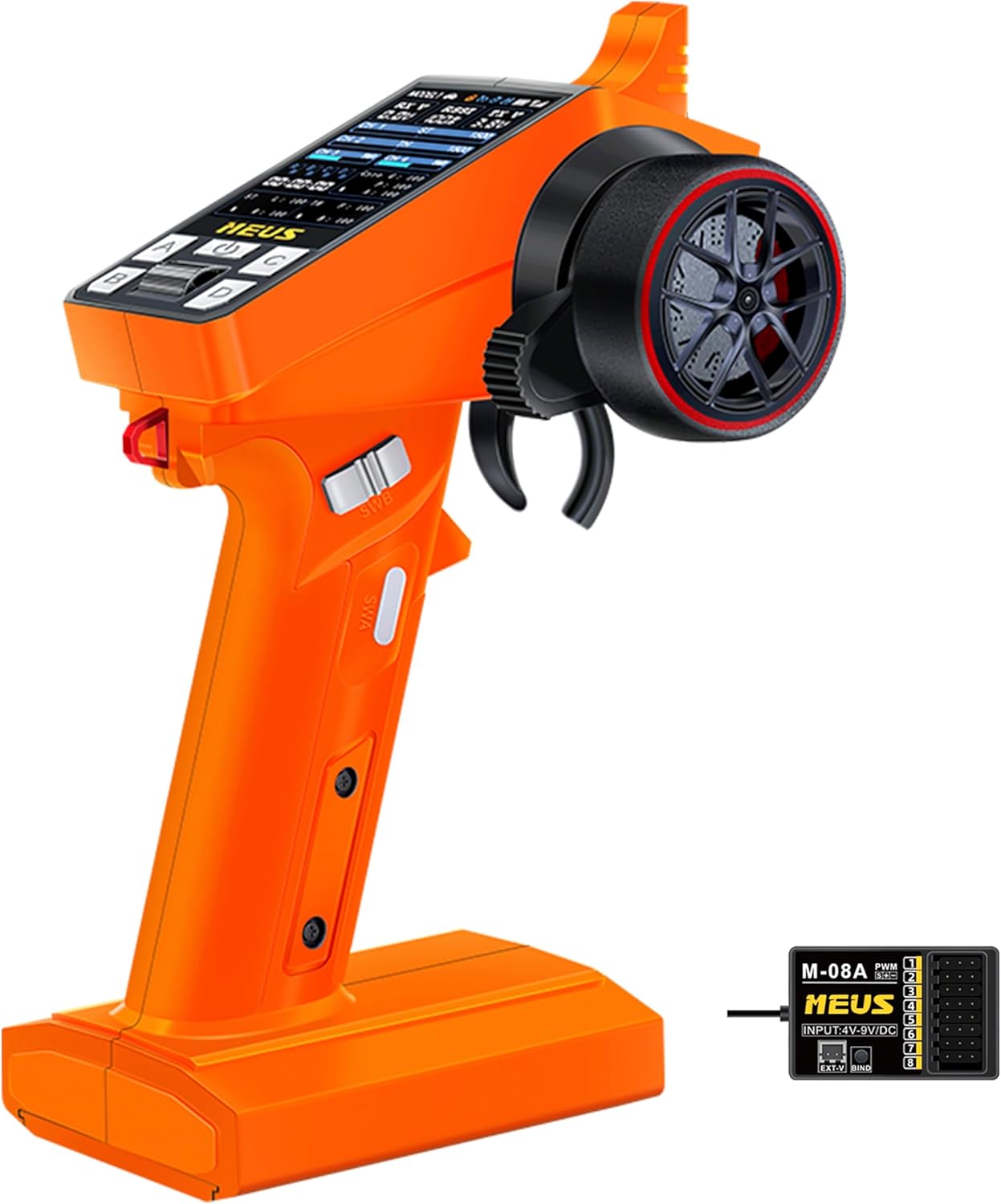
The MEUS RACING ME-8A 8-channel 2.4GHz RC transmitter, shown in orange, paired with its compact receiver unit.
3.2 Key Features
The ME-8A transmitter is equipped with several features designed for enhanced control and user experience:
- Self-developed 2.4GHz Technology: Provides stable performance and strong anti-interference capabilities.
- 8 Channels: Offers extensive control options for various RC functions.
- 3.15-inch Color Screen: Clear UI for real-time parameter display.
- Coach Mode: Allows two transmitters to control one vehicle for training or shared activities.
- Cruise Control: Maintains a set speed for convenience.
- Fail Safe: Configurable safety feature to prevent runaway vehicles in case of signal loss.
- Low-Voltage Warning: Alerts the user when battery levels are critical.

An illustration of the MEUS RACING ME-8A transmitter with icons indicating its main features: 3.15-inch color screen, 2.4GHz technology, fail-safe, coach mode, cruise control, and 8 channels.
3.3 Ergonomic Design
The transmitter is designed for comfortable and precise operation:
- 4-Bearing Structure Wheel: Ensures smoother and more accurate steering control.
- Anti-Slip Trigger: Provides improved grip and feel.
- Adjustable Trigger Force and Position: Allows customization for individual preference.

An exploded view showing the 4-bearing structure of the steering wheel for smooth operation, and a close-up of the anti-slip trigger with adjustable force and position, highlighting the ergonomic design of the MEUS RACING ME-8A transmitter.
3.4 Additional Features
- Lock Function: Prevents accidental changes to settings.
- 15s Auto-Off Function: Conserves battery power when inactive.
- Rechargeable Design: Convenient power management.

Three panels illustrating key design aspects: one-hand operation with a two-color wheel and simulated brake disc, the 8 optional channels (2 knob, 1 3-gear, 5 button), and features like lock function, 15s auto-off, and rechargeable design.
4. Setup
4.1 Battery Installation and Charging
The ME-8A transmitter requires 1 AAA battery (included) for operation. It also features a rechargeable design. Ensure the battery is correctly inserted according to polarity markings. For recharging, connect the transmitter to a suitable USB power source using the provided cable.
4.2 Binding Procedure (Transmitter and Receiver)
To establish communication between the transmitter and receiver, a binding process is required. Please follow these steps carefully:
- Power the Receiver: The receiver requires power to bind. This is typically supplied by an Electronic Speed Controller (ESC) with a Battery Eliminator Circuit (BEC) connected to a battery. Connect the ESC's BEC output to any available servo port on the receiver.
- Enter Binding Mode on Receiver: Locate the bind button or bind port on the receiver. Insert the bind plug (if provided) into the bind port, or press and hold the bind button while powering on the receiver. The receiver's LED indicator should flash rapidly, indicating it is in binding mode.
- Enter Binding Mode on Transmitter: Turn on the ME-8A transmitter. Navigate through the menu to find the 'Bind' function. Select 'Bind' to initiate the binding process.
- Confirm Binding: The transmitter's screen will display a binding status. Once successful, the receiver's LED indicator will turn solid, and the transmitter will show a stable connection.
- Test Connection: After successful binding, turn off both the transmitter and receiver. Then, turn on the transmitter first, followed by the receiver. Test the controls (steering, throttle) to ensure proper functionality before operating your RC vehicle.
Important Note: Unlike some other radio systems, the ME-8A receiver typically requires power from an ESC with a BEC circuit connected to a battery for the binding process. Simply connecting an external power source to a dedicated power port on the receiver may not be sufficient for binding. Ensure your ESC is properly connected and powered during this step.
4.3 Initial System Settings
After binding, it is recommended to perform initial calibrations and settings adjustments:
- Steering Calibration: Calibrate the steering wheel's neutral position and endpoints.
- Throttle Calibration: Calibrate the throttle trigger's neutral, full forward, and full reverse positions.
- Channel Reversal (REV): Adjust if any control input is reversed.
- End Point Adjustment (EPA): Set the maximum travel for each servo.
5. Operating Instructions
5.1 Basic Controls
- Steering Wheel: Controls the direction of the vehicle (left/right).
- Throttle Trigger: Controls forward and reverse movement, and speed. Pull for forward, push for reverse/brake.
5.2 Menu Navigation and Settings
The ME-8A features a clear color screen and intuitive menu system for adjusting various parameters. Use the navigation buttons to scroll through options and select settings.

A detailed view of the MEUS RACING ME-8A transmitter's color screen, displaying real-time parameters for channels (CH1-CH8), receiver voltage (RX V), signal strength (RSSI), transmitter voltage (TX V), and various settings like Gyro G, P, A, and button assignments.

A collage of multiple screen captures from the MEUS RACING ME-8A transmitter, illustrating various menu options for model selection, channel reversal, EPA, sub-trim, curve adjustments, remapping, fail-safe settings, steering, system setup, and calibrations.
5.3 Advanced Functions
- Coach Mode: This feature allows two ME-8A transmitters to control a single RC vehicle simultaneously. One transmitter acts as the primary controller, while the other acts as a secondary, allowing for training or shared control. Refer to the transmitter's menu for specific setup instructions for Coach Mode.
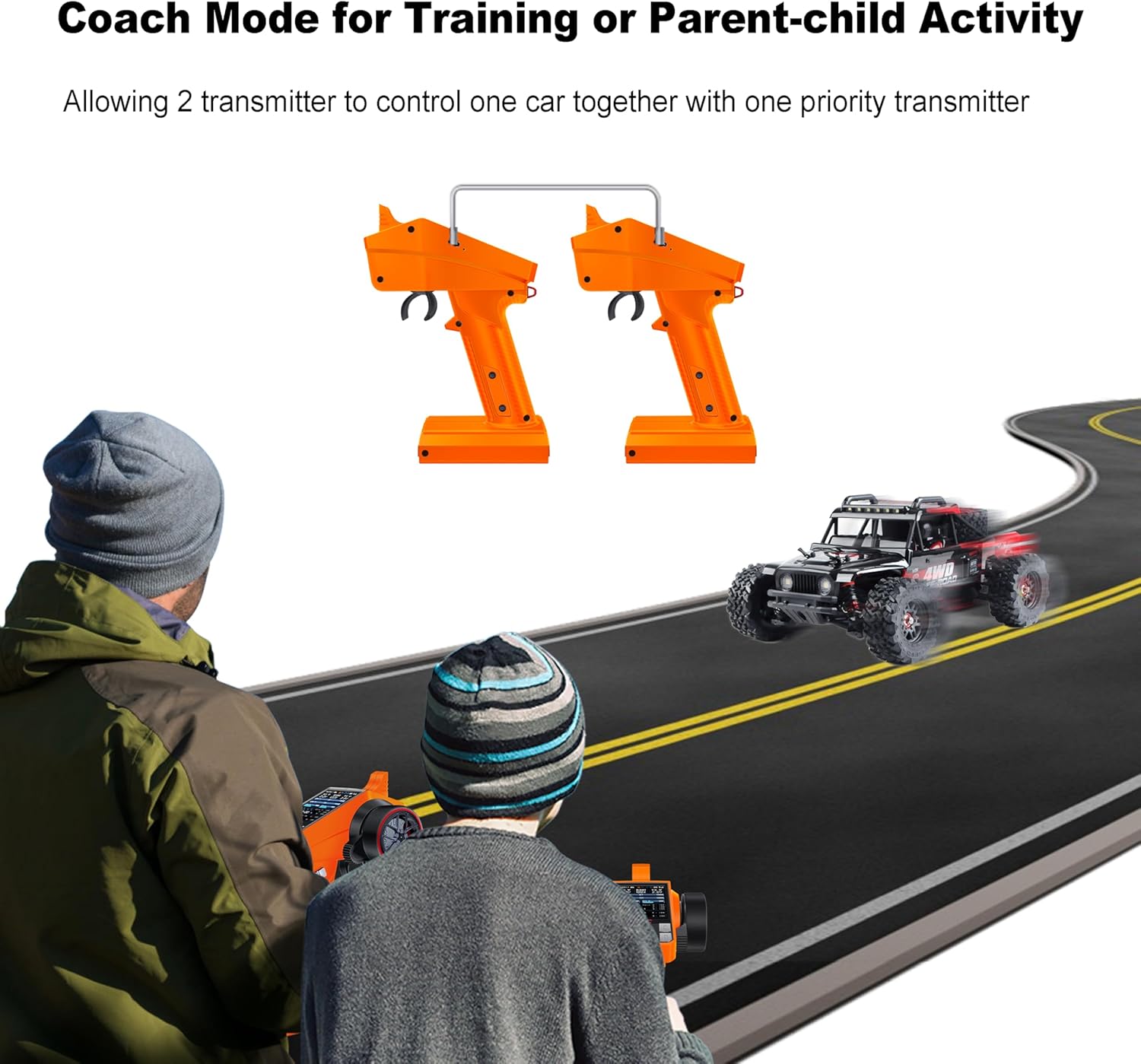
An image depicting two individuals, an adult and a child, operating RC transmitters in 'Coach Mode' to control a single RC car on a road, demonstrating its use for training or shared activities.
- Cruise Control: Activate this function via the menu to maintain a constant speed without continuous throttle input. Adjust the speed as needed through the transmitter controls.
- Fail Safe: Configure fail-safe settings to define the vehicle's behavior (e.g., neutral throttle, brake, or specific servo positions) if the signal between the transmitter and receiver is lost. This is a critical safety feature.
6. Maintenance
Proper maintenance ensures the longevity and reliable operation of your MEUS RACING ME-8A system:
- Cleaning: Use a soft, dry cloth to clean the transmitter and receiver. Avoid using solvents or harsh chemicals.
- Storage: Store the transmitter and receiver in a cool, dry place away from direct sunlight and extreme temperatures.
- Battery Care: If storing for extended periods, remove batteries from the transmitter or ensure the rechargeable battery is at a storage charge level.
- Inspection: Periodically check all connections, wires, and physical components for any signs of wear or damage.
7. Troubleshooting
If you encounter issues with your MEUS RACING ME-8A system, refer to the following common problems and solutions:
- No Power to Transmitter: Check battery installation and charge level. Ensure the power button is pressed correctly.
- No Power to Receiver: Verify the receiver is correctly connected to an ESC with a functional BEC and that the main vehicle battery is charged.
- Transmitter and Receiver Not Binding:
- Ensure the receiver is receiving power from an ESC with BEC during the binding process.
- Confirm the bind plug (if applicable) is correctly inserted or the bind button is held.
- Ensure both devices are in binding mode simultaneously.
- Try repeating the binding process.
- Loss of Control/Interference:
- Check for obstacles or other 2.4GHz devices that may cause interference.
- Ensure the transmitter and receiver antennas are properly positioned and not damaged.
- Verify battery levels in both transmitter and vehicle.
- Incorrect Control Response: Check channel reversal (REV) and endpoint adjustment (EPA) settings in the transmitter menu. Recalibrate steering and throttle if necessary.
8. Specifications
| Feature | Detail |
|---|---|
| Product Dimensions | 1 x 0.99 x 1 inches (Transmitter) |
| Item Weight | 0.317 ounces (Transmitter) |
| Manufacturer Recommended Age | 14 years and up |
| Batteries | 1 AAA batteries required (included) |
| Channels | 8 |
| Frequency | 2.4GHz |
| Response Time | Within 3 seconds |
| Ground Control Distance | Max. 300 meters |
| Air Control Distance | Max. 800 meters |
9. Warranty and Support
For warranty information and technical support, please refer to the official MEUS RACING website or contact their customer service directly. Keep your purchase receipt as proof of purchase for any warranty claims.


