
1. Introduction
The BTMETER BT-535G is a high-precision ammonia gas detector designed for continuous quantitative analysis of ammonia (NH3) concentration. It also measures ambient temperature and humidity, providing comprehensive environmental monitoring. This device is equipped with an imported electrochemical sensor for fast response, high accuracy, and stable performance. It features a clear LCD backlight display and customizable alarm settings to ensure safety and efficient monitoring in various applications.

Front view of the BTMETER BT-535G Ammonia Gas Detector, displaying ammonia concentration in PPM, relative humidity, and temperature.
2. Product Features
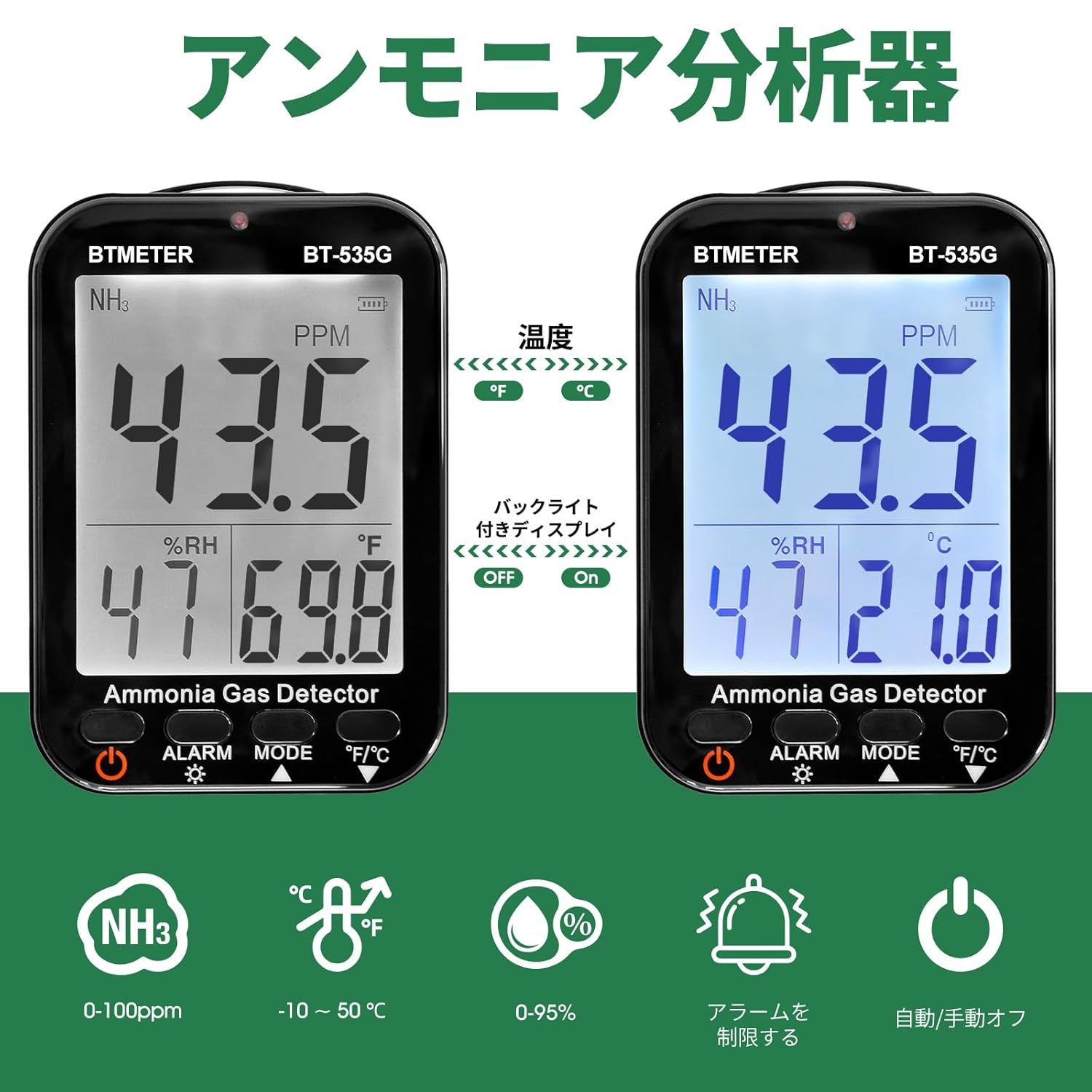
- High-Precision Ammonia Detection: Measures NH3 concentration from 0 to 100 ppm with a resolution of 0.1 ppm and an accuracy of ±5% (F.S). Features a rapid response time of less than 120 seconds.
- Clear Backlit LCD Display: Equipped with a large LCD screen with backlight, ensuring clear visibility of data even in low-light conditions.
- Adjustable Alarm Settings: Includes two customizable ammonia alarm levels (AL1 and AL2). When detected ammonia concentration reaches the preset safety limits, the device activates a buzzer and LED indicator for dual warning.
- Integrated Temperature and Humidity Meter: Monitors ambient temperature (-10°C to 50°C with ±2°C accuracy) and relative humidity (0% to 95%). Temperature units are switchable between Celsius (°C) and Fahrenheit (°F).
- Long-Life Rechargeable Battery: Built-in 2000mAh lithium-ion battery provides approximately 4 hours of standby time after a full charge. Conveniently recharges via a USB Type-C cable.
- Versatile Placement: Features a 180° rotating stand for desktop use and a hanging hole for wall-mounted continuous monitoring.
3. Package Contents
Please check the package contents upon receipt. If any items are missing or damaged, contact your retailer.
- BTMETER BT-535G Ammonia Gas Detector
- USB Type-C Charging Cable
- User Manual
4. Device Layout and Display

The device's LCD screen showing ammonia concentration (PPM), relative humidity (%RH), and temperature (°C or °F). It also highlights the backlight on/off function and temperature unit switching.
The BT-535G features a clear LCD display and intuitive buttons for easy operation:
- NH3: Chemical formula for ammonia.
- AL1 / AL2: First and second level alarm indications.
- PPM: Ammonia gas unit.
- Ammonia Concentration Display Area: Shows the current NH3 level.
- %RH: Humidity unit.
- Humidity Value Display Area: Shows current relative humidity.
- °C / °F: Temperature unit.
- Temperature Value Display Area: Shows current temperature.
- Battery Level Mark: Indicates remaining battery power.
- Backlight Display: Indicates backlight status.
- Power Button: Switch on/off function.
- ALARM Button: Alarm and backlight function control.
- MODE Button: Set auto power ON/OFF.
- °F/°C Button: Celsius/Fahrenheit switching and downward selection function.
5. Setup
5.1 Battery Installation
- Using a screwdriver, carefully remove the screw from the battery compartment cover on the back of the device.
- Open the battery cover.
- Connect the battery switch cable to the device's internal connector. Ensure a secure connection.
- Place the battery back into its compartment and close the cover.
- Secure the battery cover with the screw.
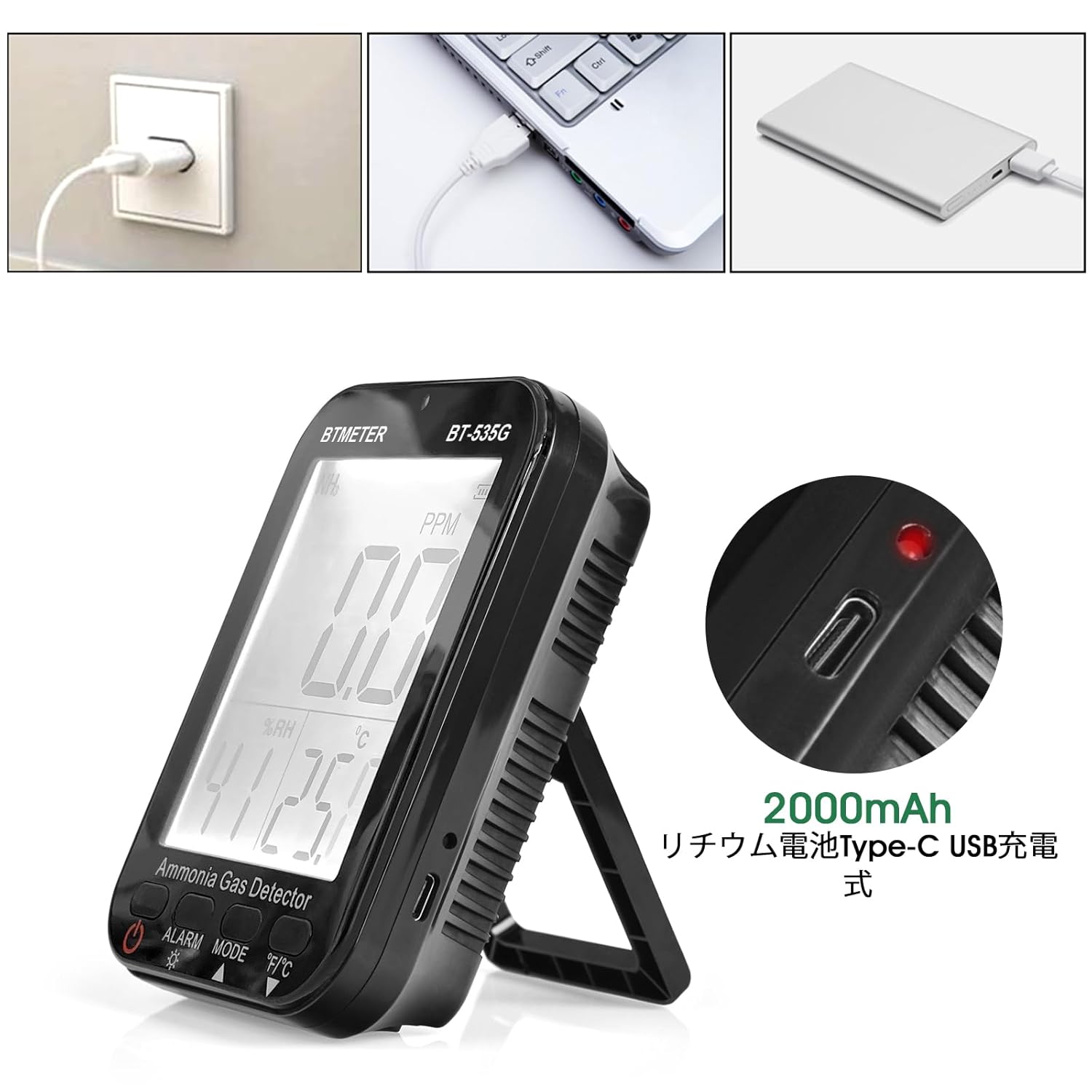
The BTMETER BT-535G detector features a USB Type-C port for convenient charging from a wall adapter, laptop, or power bank. The image shows the charging port and the internal 2000mAh lithium-ion battery.
5.2 Initial Power On
After battery installation, press and hold the Power button to turn on the device. The LCD display will light up and show current readings.
6. Operating Instructions
6.1 Power On/Off
- To turn on: Press and hold the Power button (
 ) for approximately 2 seconds.
 - To turn off: Press and hold the Power button for approximately 2 seconds.
6.2 Backlight Control
Press the ALARM button () briefly to toggle the backlight ON or OFF.
6.3 Temperature Unit Switching
Press the °F/°C button () briefly to switch the temperature display between Celsius (°C) and Fahrenheit (°F).
6.4 Auto Power Off Setting
Press the MODE button () to cycle through auto power off settings (e.g., 10 minutes, 20 minutes, OFF). Select the desired setting.
7. Alarm Settings
The BT-535G allows you to set two independent ammonia concentration alarm thresholds (AL1 and AL2) to enhance safety.

The device's display showing two customizable alarm levels, AL1 and AL2, which can be set to specific ammonia concentration thresholds. When these thresholds are met, the device will trigger an alert.
- To enter alarm setting mode, press and hold the ALARM button.
- Use the MODE and °F/°C buttons to adjust the values for AL1 and AL2.
- Press the ALARM button again to confirm and save the settings.
When the detected ammonia concentration exceeds the set AL1 or AL2 threshold, the device will activate an audible buzzer and flash the LED indicator to alert the user.
8. Charging
The BT-535G is powered by a built-in 2000mAh lithium-ion battery. To charge the device:
- Connect the provided USB Type-C charging cable to the charging port on the side of the device.
- Plug the other end of the USB cable into a compatible USB power source (e.g., wall adapter, computer USB port, power bank).
- The battery indicator on the display will show charging status.
- A full charge typically provides approximately 4 hours of standby operation.
9. Maintenance
9.1 Cleaning
Wipe the device with a soft, dry cloth. Do not use abrasive cleaners or solvents, as they may damage the casing or display.
9.2 Storage
When not in use for extended periods, store the device in a cool, dry place away from direct sunlight and extreme temperatures. Ensure the battery is partially charged before storage to prolong its lifespan.
9.3 Sensor Care
Avoid exposing the sensor to harsh chemicals, dust, or excessive moisture, as this can affect its accuracy and lifespan. Do not attempt to clean the sensor directly.
10. Troubleshooting
| Problem | Possible Cause | Solution |
|---|---|---|
| Device does not power on | Low battery; Battery not connected; Device fault | Charge the device; Check battery connection; Contact support |
| Inaccurate readings | Sensor contamination; Device not calibrated; Extreme environmental conditions | Ensure sensor is clean; Allow device to stabilize; Contact support for calibration |
| Alarm not triggering | Alarm levels set too high; Alarm function disabled | Adjust alarm thresholds; Ensure alarm is enabled |
| Backlight not working | Backlight turned off; Device fault | Press ALARM button to turn on; Contact support |
11. Specifications

This image details the high-precision electrochemical sensor, outlining its NH3 range (0-100ppm), resolution (0.1ppm), accuracy (less than ±5% F.S), response time (less than 120s), and reproducibility (less than ±1%).
| Parameter | Value |
|---|---|
| Model | BT-535G |
| Gas Detected | Ammonia (NH3) |
| Measuring Range | 0-100 ppm |
| Resolution | 0.1 ppm |
| Basic Error | ±5% (F.S) |
| Response Time | < 120 seconds |
| Recovery Time | < 240 seconds |
| Reproducibility | ±1% |
| Temperature Range | -10°C to 50°C (14°F to 122°F) |
| Temperature Accuracy | ±2°C |
| Humidity Range | 0-95% RH |
| Battery | 2000mAh Lithium-ion |
| Charging Port | USB Type-C |
| Dimensions | 128mm (H) x 90mm (W) x 37mm (D) |
| Weight | 233g |

The device is lightweight at 233g and includes a convenient wall-mount design for fixed monitoring installations.
12. Applications
The BTMETER BT-535G Ammonia Gas Detector is suitable for a wide range of applications where ammonia concentration, temperature, and humidity monitoring are critical. These include:
- Poultry and livestock farms
- Industrial facilities and chemical plants
- Laboratories and research environments
- Wastewater treatment plants
- Refrigeration facilities
- Agricultural settings

The BTMETER BT-535G is suitable for a wide range of applications, such as monitoring air quality in poultry farms, industrial environments, and agricultural operations.
13. Product Overview Video
This video demonstrates the BTMETER BT-535G Ammonia Gas Detector, including its display, battery installation, and various applications in different environments.
14. Warranty and Support
BTMETER products are designed for reliability and performance. This product comes with a standard manufacturer's warranty. For detailed warranty information, technical support, or service inquiries, please refer to the warranty card included in your package or visit the official BTMETER website.
For direct support, please contact:
- Email: support@btmeter.com
- Website: www.btmeter.com
