Introduction
Thank you for choosing the Huuger Nightstand with Charging Station. This manual provides detailed instructions for the assembly, operation, maintenance, and troubleshooting of your new nightstand. Please read this manual thoroughly before assembly and use to ensure safe and proper functionality.

Image: The Huuger Nightstand in pink, featuring its charging station and two fabric drawers.
Safety Information
- Always follow assembly instructions carefully.
- Do not overload the nightstand or its drawers.
- Ensure all electrical connections are secure and properly grounded.
- Keep liquids away from the charging station to prevent electrical hazards.
- Do not attempt to modify the product or its electrical components.
- Place the nightstand on a flat, stable surface to prevent tipping.
Package Contents
Before beginning assembly, verify that all parts are present and undamaged. Refer to the included parts list in your packaging for specific component identification.
- Metal Frame Components
- Engineered Wood Panels (Top, Shelf)
- Fabric Drawers (2 units)
- Charging Station Unit (with 2 AC outlets, 1 USB port, 1 Type-C port)
- Adjustable Feet (4 units)
- Assembly Hardware (screws, bolts, etc.)
- Assembly Tools (screwdriver, Allen wrenches)
- Instruction Manual
Setup and Assembly
Assembly is required for this nightstand. It is recommended to assemble the unit on a soft, clean surface to prevent scratches. All components are typically numbered for easy identification.
- Unpack and Identify Parts: Carefully remove all components from the packaging. Lay them out and compare with the parts list provided in your package.
- Assemble the Frame: Connect the metal frame components using the provided hardware. Ensure all connections are finger-tight before fully tightening.
- Install Shelves: Attach the engineered wood top and middle shelf to the assembled frame. Secure with appropriate screws.
- Integrate Charging Station: Carefully insert the charging station unit into its designated slot on the top panel. Ensure the power cord is routed correctly.
- Insert Fabric Drawers: Fold and assemble the fabric drawers according to their individual instructions. Slide them into the designated slots within the frame.
- Attach Adjustable Feet: Screw the four adjustable feet into the bottom of the nightstand legs. Adjust them as needed to ensure stability on uneven floors.
- Final Tightening: Once all components are in place, carefully tighten all screws and bolts using the provided tools. Do not overtighten.
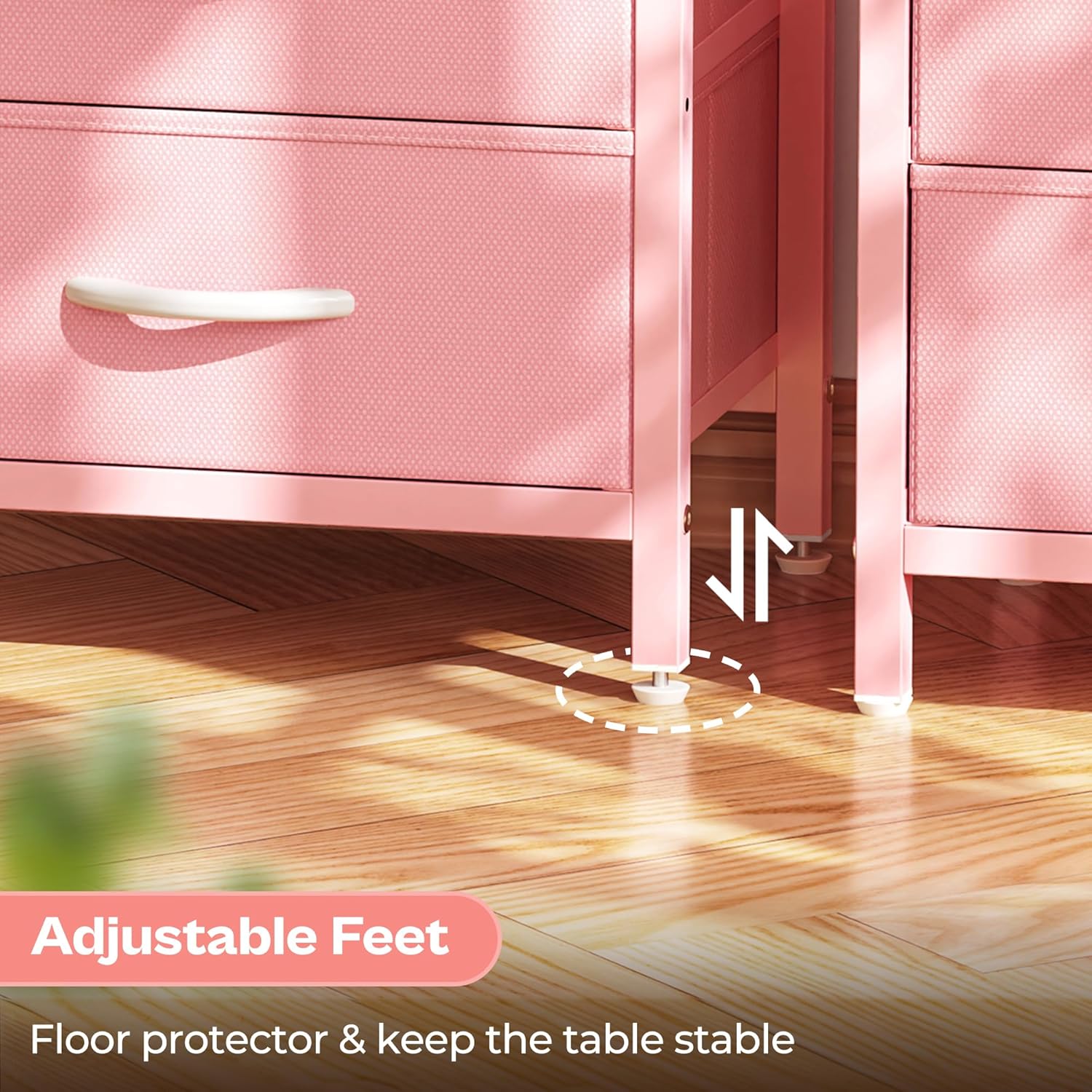
Image: Detail showing the adjustable feet at the base of the nightstand, allowing for stability on various floor surfaces.
Operating Instructions
Using the Charging Station
The integrated charging station provides convenient power access for your electronic devices.
- Power Connection: Plug the nightstand's power cord into a standard 120V AC wall outlet.
- AC Outlets: Use the two 125V/12A AC outlets for devices requiring standard wall plugs, such as lamps or small appliances.
- USB Ports: The nightstand includes one 5V/2A USB-A port and one 5V/2A Type-C port for charging compatible smartphones, tablets, and other USB-powered devices. Connect your device's charging cable to the appropriate port.

Image: A detailed view of the nightstand's charging station, highlighting the two AC outlets, one USB-A port, and one USB-C port for convenient device charging.
Utilizing Storage Space
The nightstand features two fabric drawers and an open shelf for organized storage.
- Fabric Drawers: The two pull-out fabric drawers are ideal for storing personal items, books, or other bedside essentials, keeping them out of sight and organized.
- Open Shelf: The open shelf provides easily accessible storage for items like magazines, decorative pieces, or devices.

Image: The nightstand with its two fabric drawers pulled open, illustrating the ample storage space available for various items.

Image: A view of the nightstand highlighting the open shelf, suitable for storing books, magazines, or displaying small decorative items.
Maintenance
- Cleaning: Wipe surfaces with a soft, damp cloth. Avoid harsh chemicals or abrasive cleaners that may damage the finish. For fabric drawers, spot clean with a mild detergent and allow to air dry.
- Dusting: Regularly dust all surfaces to prevent buildup.
- Hardware Check: Periodically check and tighten all assembly hardware to ensure the nightstand remains stable.
- Electrical Care: Ensure the power cord is not pinched or damaged. Do not expose the charging station to moisture.
Troubleshooting
| Problem | Possible Cause | Solution |
|---|---|---|
| Charging station not working. | Not plugged in; power outlet issue; device cable faulty. | Ensure power cord is securely plugged into a working outlet. Test with another device or cable. Check household circuit breaker. |
| Nightstand is wobbly. | Uneven floor; loose assembly hardware. | Adjust the leveling feet at the bottom of the legs. Tighten all assembly screws and bolts. |
| Drawers do not slide smoothly. | Improper assembly of drawers; obstruction. | Ensure fabric drawers are correctly folded and inserted. Check for any items obstructing the drawer path. |
Specifications
- Brand: Huuger
- Model: 11.8"D x 15.7"W x 23.6"H (2 Drawers) Pink 1
- Product Dimensions: 11.8"D x 15.7"W x 23.6"H
- Color: Pink
- Material: Engineered Wood, Metal, Fabric
- Weight: Approximately 5.34 Kilograms
- Charging Station: 2 AC Outlets (125V/12A), 1 USB-A Port (5V/2A), 1 Type-C Port (5V/2A)
- Style: Modern
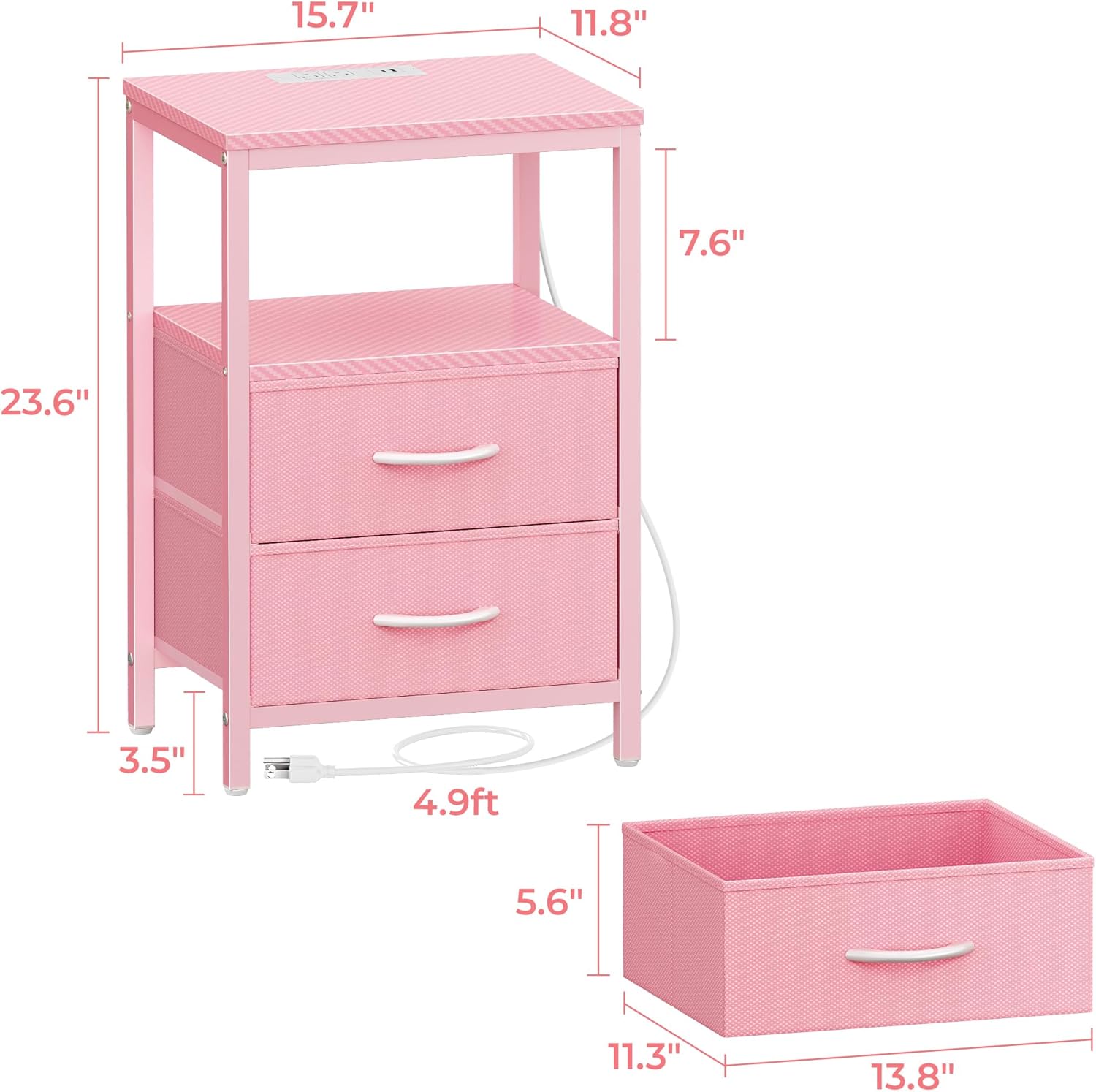
Image: A diagram illustrating the precise dimensions of the nightstand, including depth, width, and height.
Warranty and Support
For warranty information and customer support, please refer to the documentation included with your purchase or contact Huuger Direct, the seller, through their official channels. Keep your purchase receipt for warranty claims.
You can typically find support information on the seller's page on Amazon or by searching for "Huuger Direct" customer service.
Online Support: Visit the Huuger Store on Amazon