1. Introduction
This manual provides detailed instructions for the HUPEJOS D700 4K Action Camera, a versatile device designed for cycling enthusiasts. It integrates a 4K action camera, GPS tracking, speedometer, and a bicycle light into a single unit. Please read this manual thoroughly before using the product to ensure proper operation and to maximize its features.

Figure 1.1: HUPEJOS D700 Action Camera and companion app.
2. Package Contents
Verify that all items listed below are included in your package:
- 1 x SPORT DV D700 Action Camera
- 1 x Handlebar Mount
- 1 x USB Cable (Type-C)
- 1 x User Manual
- 1 x 64GB Memory Card (supports up to 512GB)

Figure 2.1: Included components in the HUPEJOS D700 package.
3. Product Overview
The HUPEJOS D700 features an integrated design combining a camera, light, and display for cycling data. Familiarize yourself with the device's components and controls.
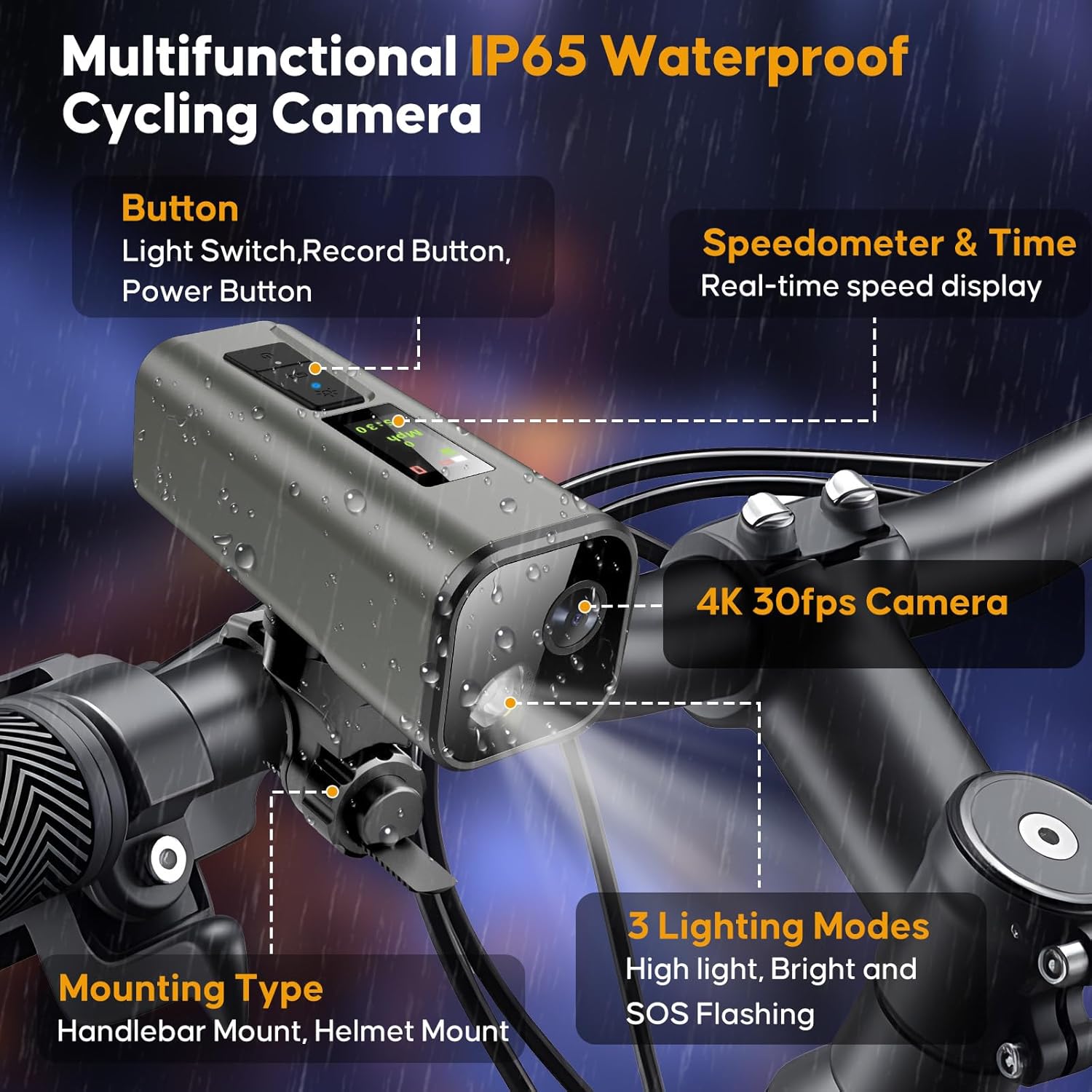
Figure 3.1: HUPEJOS D700 Multifunctional Cycling Camera features.
3.1. Key Components
- Camera Lens: Captures 4K video.
- Bicycle Light: Provides illumination with multiple modes.
- IPS Screen: Displays real-time speed, time, and other cycling data.
- Control Buttons: Power, Record, and Light Switch.
- USB-C Port: For charging and data transfer.
- Micro SD Card Slot: For storage.
4. Getting Started
4.1. Charging the Device
Before first use, fully charge the camera. Connect the provided USB-C cable to the camera's charging port and a standard USB power adapter (not included). A full charge typically takes approximately 3 hours.
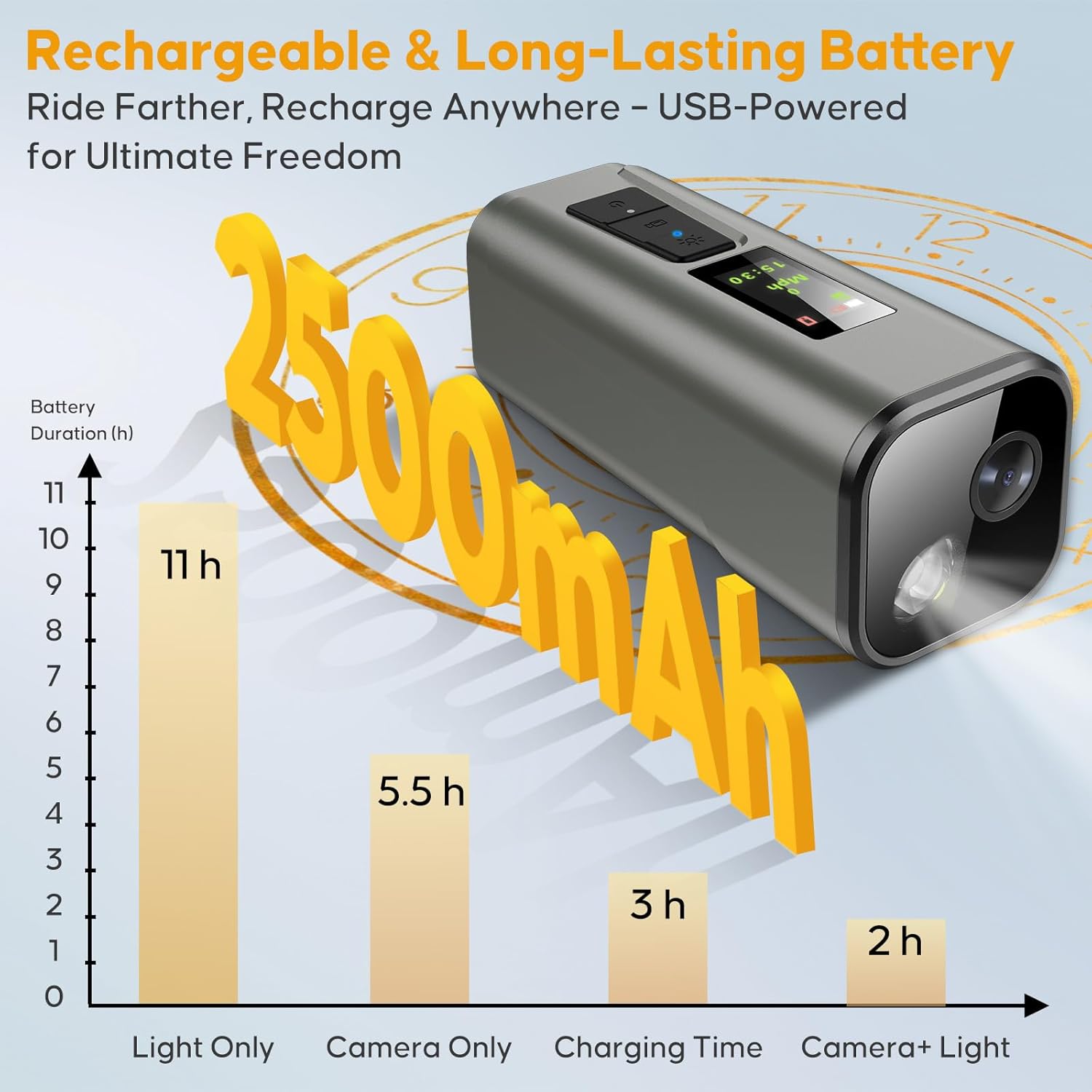
Figure 4.1: Battery performance and charging time.
4.2. Inserting the SD Card
The device supports Micro SD cards up to 512GB. A 64GB card is included. Insert the Micro SD card into the designated slot until it clicks into place. Ensure the camera is powered off before inserting or removing the card.
4.3. Mounting the Camera
The HUPEJOS D700 can be mounted on handlebars, helmets, or motorbikes using the included mount. No tools or wiring are required for installation.
- Attach the handlebar mount to your bicycle handlebar. The strap length is 15cm (5.9in).
- Ensure the handlebar circumference is ≤14cm (5.5in).
- Secure the mount firmly, allowing 1cm clearance for nut rotation and tightening.
- Slide the camera onto the mount until it locks securely. The camera can be quick-released by a 90-degree rotation.

Figure 4.2: Mounting instructions and compatibility.
4.4. App Installation and Wi-Fi Connection
Download the dedicated mobile application to access advanced features, playback, and share recordings. The app is available for both iOS and Android devices.
- Search for the official HUPEJOS app in your device's app store.
- Install the application.
- Power on the D700 camera.
- Enable Wi-Fi on your smartphone and connect to the camera's Wi-Fi network. The Wi-Fi range is approximately 6-7 meters.
- Open the app to establish a connection and begin using its features.

Figure 4.3: Smart APP and Wi-Fi control interface.
4.5. GPS Initialization
For accurate speed and route tracking, ensure GPS is initialized. The first positioning may take approximately 1 minute in a stationary, open outdoor location.
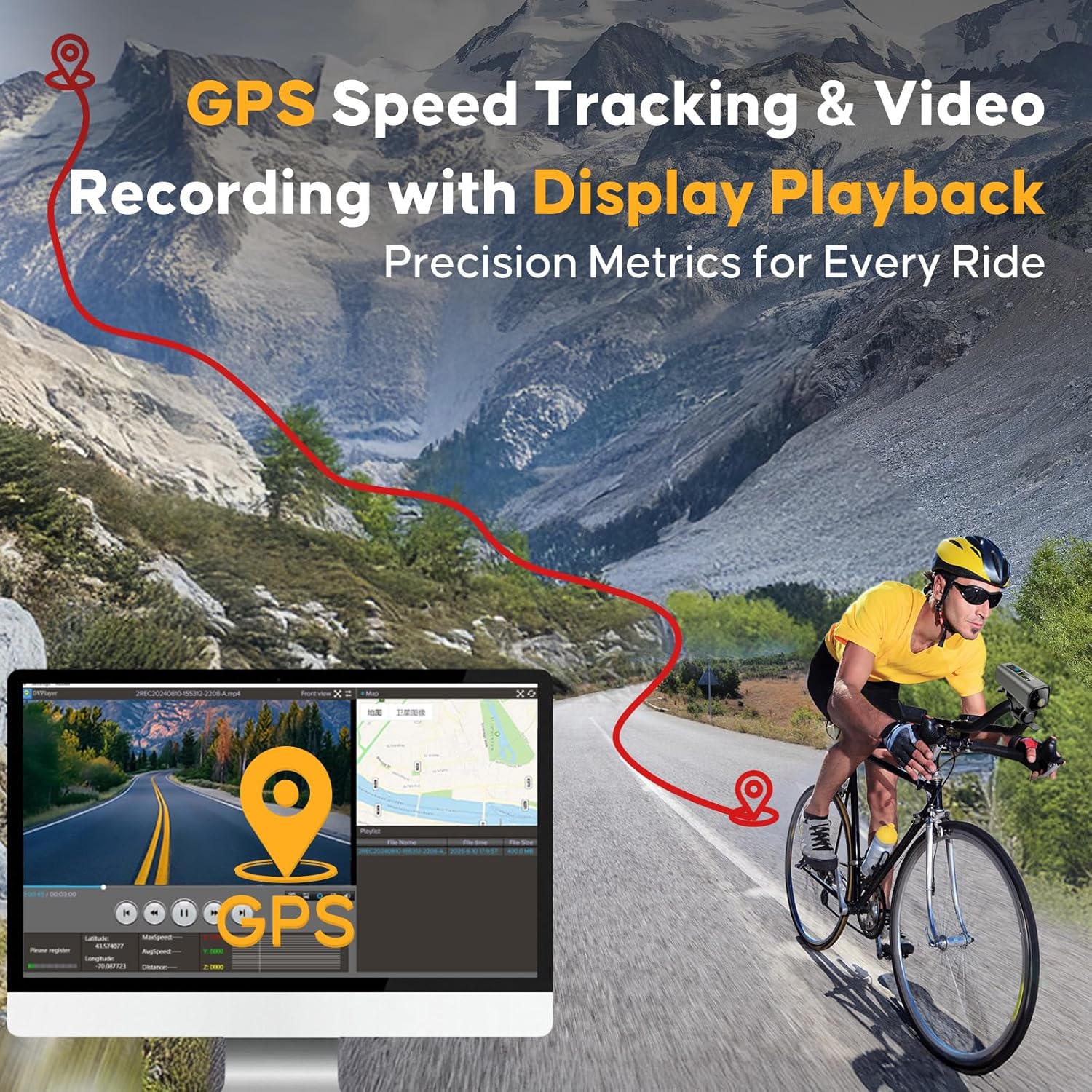
Figure 4.4: GPS speed tracking and video recording capabilities.
5. Operation
5.1. Power On/Off
- Power On: Press and hold the Power button until the screen illuminates.
- Power Off: Press and hold the Power button until the device shuts down.
5.2. Video Recording
The D700 records in 4K UHD at 30 frames per second (fps) with 6-axis stabilization for smooth footage.
- Start Recording: Press the Record button once. A recording indicator will appear on the screen.
- Stop Recording: Press the Record button again.
- Resolution Settings: The camera offers three resolution settings: 3840x2160P (4K), 2704x1520P (2K), and 1920x1080P (Full HD). These can be adjusted via the mobile application under 'Recorder Settings' > 'video resolution'.
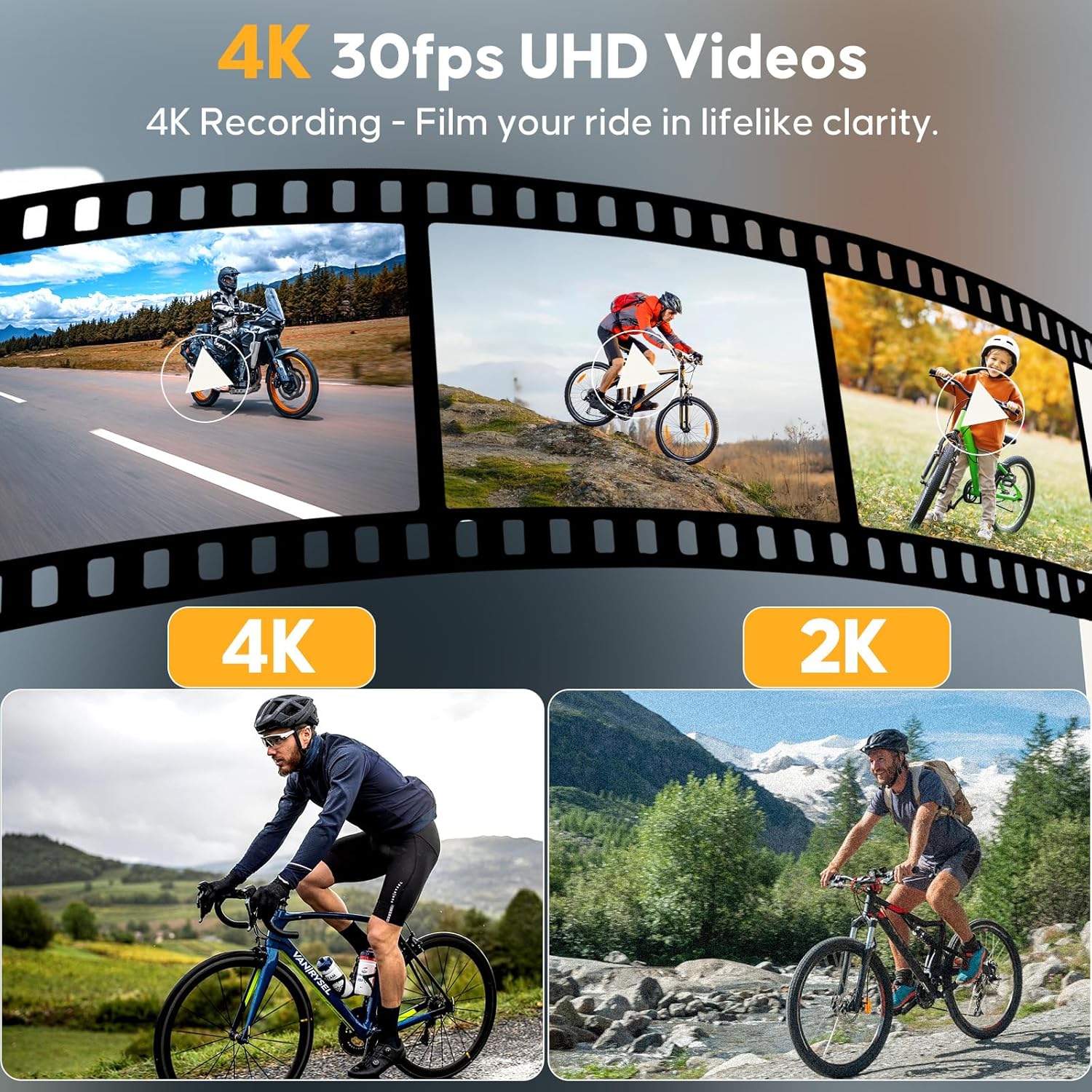
Figure 5.1: 4K 30fps UHD video recording capability.
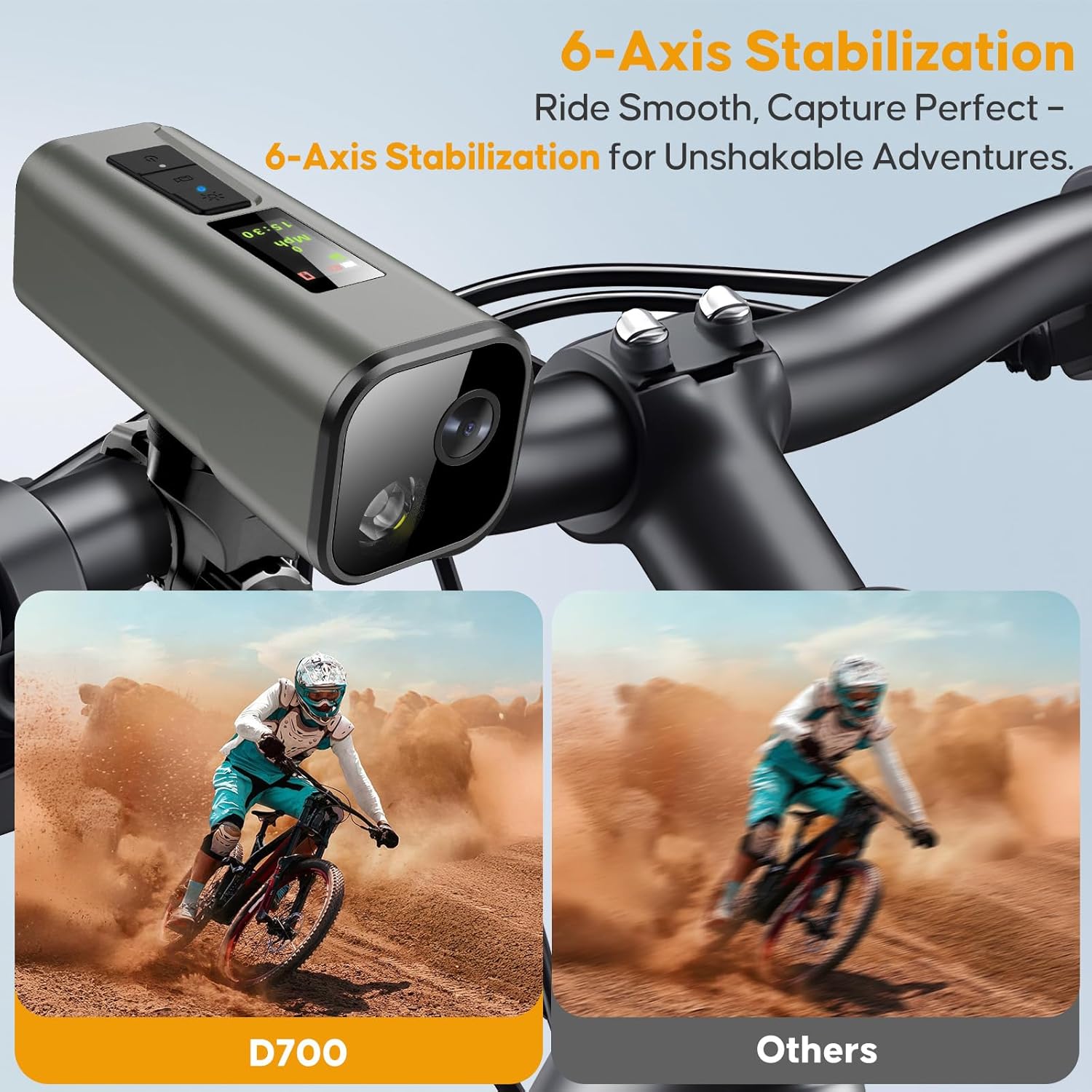
Figure 5.2: 6-Axis stabilization for smooth footage.
5.3. Bicycle Light Functions
The integrated headlight features an IMX335 sensor for night vision and offers three adaptive light modes:
- Strong Light: Maximum brightness for clear visibility.
- Low Light: Reduced brightness for extended battery life or less intense lighting needs.
- Flash (SOS): Flashing pattern for emergency signaling.
Press the Light Switch button to cycle through the modes. The light can be used independently of the camera function.
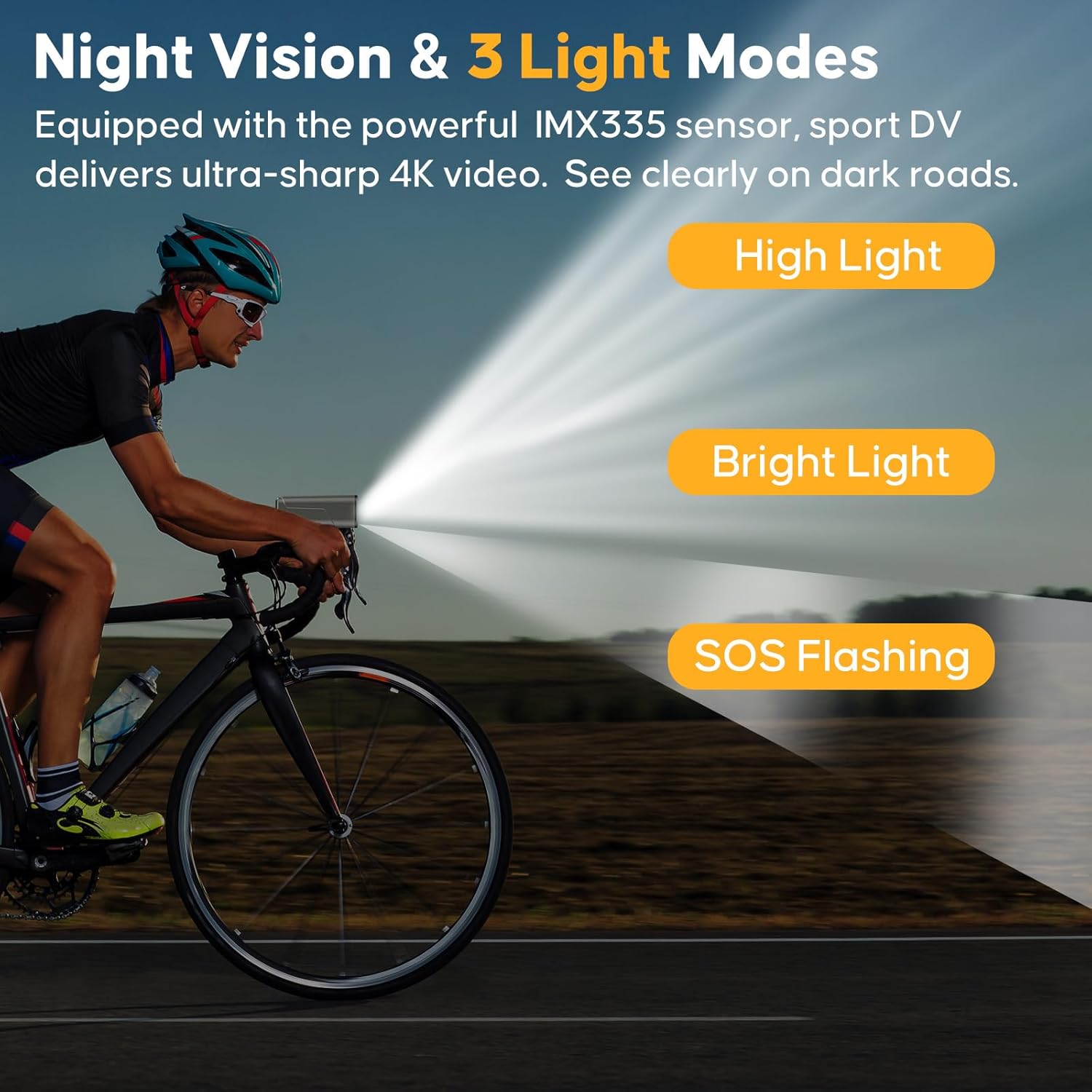
Figure 5.3: Night vision and 3 light modes (4000-4500K daylight).
5.4. Cycling Computer Display
The 0.96-inch IPS screen provides real-time cycling data:
- Speed: Current speed in mph or km/h.
- Time: Current time.
- GPS Status: Indication of GPS signal acquisition.
Additional data like distance and routes can be viewed and analyzed through the mobile application.
5.5. Using the Mobile App
The mobile app enhances the functionality of your D700 camera:
- Live View: See what your camera is recording in real-time.
- Playback & Download: Review recorded videos and download them to your smartphone.
- Share & Edit: Easily share your cycling footage or perform basic edits.
- Settings Adjustment: Configure video resolution, light modes, and other camera settings.
- Route Analysis: View recorded GPS routes, speed, and distance data.
6. Maintenance
6.1. Water Resistance Guidelines
The D700 camera is IP65 waterproof, meaning it is rainproof and protected against low-pressure water jets. It is not designed for immersion in water. Immersion will cause external or internal damage and void the warranty.
6.2. Battery Care
- Charge the device regularly, even if not in use, to maintain battery health.
- Avoid extreme temperatures, which can degrade battery performance.
- If the battery depletes, the light may dim progressively to prolong usage.
6.3. Cleaning
Wipe the camera body and lens with a soft, damp cloth. Avoid using harsh chemicals or abrasive materials that could scratch the lens or screen.
7. Troubleshooting
| Problem | Possible Cause | Solution |
|---|---|---|
| Camera does not power on. | Low battery; device malfunction. | Charge the camera fully. If issue persists, contact support. |
| Cannot connect to Wi-Fi/App. | Camera Wi-Fi off; out of range; app issue. | Ensure camera Wi-Fi is enabled. Move closer to the camera (within 6-7m). Restart app and camera. |
| GPS not tracking. | Poor GPS signal; first initialization. | Ensure you are in an open outdoor area. Allow up to 1 minute for initial GPS lock. |
| Video footage is shaky. | Extreme vibrations; stabilization off. | Ensure camera is securely mounted. The 6-axis stabilization is always active. |
| SD card error. | Card not inserted correctly; incompatible card; card full. | Reinsert the SD card. Ensure it is a compatible Micro SD card. Format the card (via app or computer) or replace if full/corrupted. |
8. Technical Specifications
| Feature | Detail |
|---|---|
| Model Number | DV_D700 |
| Video Resolution | 4K (3840x2160P), 2K (2704x1520P), 1080P (1920x1080P) @ 30fps |
| Image Sensor | IMX335 (for night vision) |
| Stabilization | 6-Axis Electronic Stabilization |
| GPS | Built-in GPS for tracking speed, distance, routes |
| Display Screen | 0.96-inch IPS Screen |
| Connectivity | Wi-Fi (6-7 meter range), USB-C |
| Storage | Micro SD card, up to 512GB (64GB included) |
| Waterproof Rating | IP65 (Rainproof, not for immersion) |
| Bicycle Light | 3 modes (Strong/Low/Flash), 4000-4500K daylight |
| Battery Life | Approx. 5.5h (recording only), 2.5h (recording + light), 11h (light only) |
| Charging Time | Approx. 3 hours (USB-C) |
| Dimensions | 4.13 x 1.65 x 1.65 inches |
| Weight | 11.3 ounces |
9. Warranty and Support
For warranty information, technical support, or customer service inquiries, please refer to the contact details provided on the product packaging or the official HUPEJOS website. Keep your purchase receipt as proof of purchase for warranty claims.