
Introduction
The Eureka E20 Evo Plus is designed to provide a smarter and smoother cleaning experience, particularly for homes with pets, children, and various floor types. This manual provides essential information for setting up, operating, maintaining, and troubleshooting your robot vacuum and mop combo.
This appliance features a bagless self-emptying station, capable of holding up to 45 days of debris, which reduces the need for frequent emptying and eliminates the cost of disposable bags. It incorporates advanced anti-tangle technology, including a DragonClaw™ Side Brush and an anti-tangle roller with a built-in comb, to effectively manage pet hair and prevent wraps.
The Smart Mop-Lifting system automatically raises the mop when carpets or thresholds are detected, ensuring carpets remain dry. With 10,000Pa of suction power, it efficiently cleans various debris from both carpets and hard floors. The 13-cone multi-cyclonic filtration system helps maintain cleaner filters and improves air quality.
Key Features
- Bagless Self-Emptying Base: Holds up to 45 days of debris, eliminating the need for disposable bags.
- Anti-Tangle Technology: DragonClaw Side Brush and anti-tangle roller with a V-shaped detangling design for over 99.99% hair removal efficiency.
- Smart Mop Lifting: Automatically lifts the mop by 10mm when carpets are detected to prevent wetting.
- 10,000Pa Suction Power: Powerful suction for effective cleaning on various surfaces, including carpets and hard floors.
- Multi-Cyclone Dust Collection System: 13-cone cyclone separates 98% of dust before it reaches the filter, maintaining strong airflow and extending filter life.
Setup
Unboxing and Initial Preparation
Carefully remove all components from the packaging. Ensure all protective films and packaging materials are removed from the robot and the self-emptying base before use.
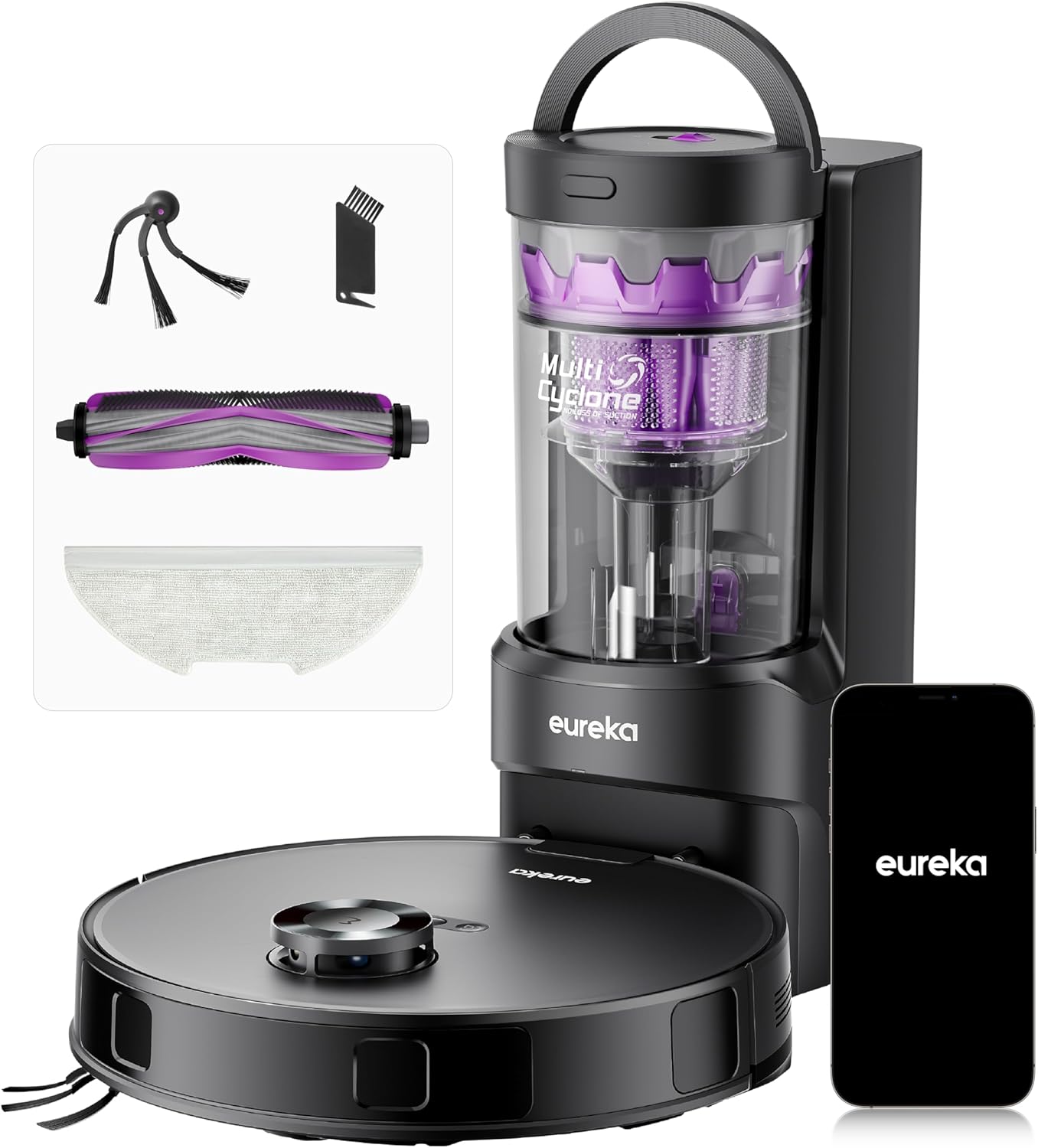
The Eureka E20 Evo Plus Robot Vacuum and Mop Combo, including the self-emptying station and accessories.
Installing Side Brushes and Mop Pad
Attach the color-matched side brushes to the corresponding slots on the underside of the robot. Ensure they click securely into place. If you plan to use the mopping function, attach the mop pad to the mop holder on the robot's underside.


Images showing the DragonClaw Side Brush and the mop pad for installation.
Filling the Water Tank
Remove the dustbin/water tank from the robot. Open the tank lid and fill it with cold water. Do not add detergent to prevent potential clogging. Reinsert the tank back into the robot.
Positioning the Self-Emptying Base
Place the self-emptying base flat against a wall on a level surface. Ensure there is at least 1.5 ft (0.5m) of clear space on either side and 5 ft (1.5m) in front of the base for optimal robot navigation and docking.
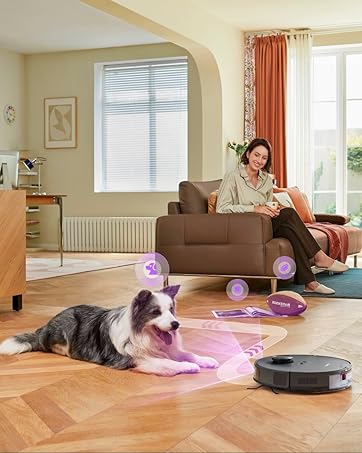
The robot vacuum docked at its self-emptying station.
Charging the Robot
Connect the self-emptying base to a power outlet. Place the robot onto the charging contacts of the base. Allow the robot to fully charge before its first use. The indicator light on the robot will show its charging status.
Video demonstrating the initial setup process, including installing brushes, filling the water tank, and connecting to the app.
Operating Instructions
App Control and Mapping
Download the 'eureka robot' app from your smartphone's app store. Follow the in-app instructions to connect your robot to your home's 2.4GHz Wi-Fi network. The app will guide you through the initial mapping process, where the robot uses LDS (LiDAR Navigation System) to learn your home's layout.

The robot vacuum utilizing LDS technology for seamless navigation and obstacle avoidance.
Once mapped, you can use the app to:
- Customize Cleaning Settings: Adjust suction levels (Quiet, Standard, Turbo) and water levels (Low, Medium, High) for mopping.
- Efficient Zone-Mapping: Divide your home into cleaning zones and set custom paths.
- Multi-Level Cleaning: Save up to four floor maps and customize cleaning plans and no-go zones for each level.
- Cleaning Schedules: Set specific times for daily or weekly cleanings.
- No-Go Zones: Define areas the robot should avoid, such as pet bowls or delicate furniture.
- Voice Control: Control your robot with voice commands through Amazon Alexa, Google Assistant, or Siri.

The Eureka app displaying the zone-mapping feature for customized cleaning areas.
Cleaning Modes
The E20 Evo Plus offers versatile cleaning options:
- Vacuum Only: Ideal for carpets or when mopping is not desired.
- Mop Only: For hard floors that require wet cleaning.
- Vacuum and Mop Simultaneously: For efficient combined cleaning on hard floors. The Smart Mop-Lifting feature ensures carpets remain dry.

The robot vacuum showcasing its 10,000 Pa powerful suction picking up debris like pet food, hair strands, and sugar strands.

The robot vacuum automatically lifting its mop by 10mm when transitioning from hard floor to a rug.
Video demonstrating the Eureka E20 Evo Plus robot vacuum and mop in action, showcasing its cleaning capabilities on various surfaces.
Maintenance
Self-Emptying Base and Dust Cup
The bagless self-emptying base automatically transfers collected debris from the robot's dustbin into its larger 2L dust cup. This allows for up to 45 days of hands-free cleaning. To empty the dust cup, push the lock button to the unlocked state, remove the dust cup by moving it vertically upwards, press the lower dust cup release tab, and empty the trash into a bin. For thorough cleaning, press the upper release tab to open the top of the dust cup, remove the sponge filter and cyclone, and wash them under running water. Ensure all parts are completely dry before reassembling.

The transparent bag-free base station, showing the dust cup being removed and emptied.

A detailed view of the 13-cone multi-cyclonic dust collection system within the self-emptying base.
Anti-Tangle Brushes
The DragonClaw Side Brush and the V-shaped main brush roller are designed to minimize hair tangling. Regularly check and clean these brushes to ensure optimal performance. Use the provided cleaning tool to cut and remove any entangled hair.

Comparison image highlighting the anti hair-tangling brush design of the E20 Evo Plus.

A close-up of the DragonClaw Anti-Tangle Side Brush technology, showing its effectiveness in preventing hair wraps.
Filter Cleaning
The robot features a five-stage filtration system. Regularly clean the filters in the robot's dustbin by opening the lid, removing the filter, and rinsing it under water. Ensure the filter is completely dry before placing it back into the dustbin.

Diagram illustrating the five-stage filtration system of the Eureka E20 Evo Plus.
Troubleshooting
Common Issues and Solutions
- Q: What's the difference between E20 Evo Plus and E20 Plus?
A: The E20 Evo Plus has been upgraded with a brand-new anti-tangle claw side brush, effectively reducing hair tangling. The suction power reaches up to 10,000Pa. - Q: Why is my robot not spraying enough water during mopping?
A: Check if the water tank is full and properly installed. Test the spray using the app's manual water control. If water flow is weak, inspect the tank and nozzles for blockages. Keep the software updated for optimal water flow on tile, hardwood, and laminate floors. - Q: The robot skips certain areas during cleaning. What can I do?
A: Clean the robot's navigation sensors to remove dust or pet hair. Avoid dark carpets and uneven surfaces to prevent mapping errors. Check the smart map in the app—ensure it's complete and adjust no-go zones if needed.
Specifications
| Feature | Specification |
|---|---|
| Brand | Eureka |
| Model Name | Robot Vacuum with Bagless Self Emptying Station |
| Model Number | E20 Evo Plus |
| Special Features | Automatic Dust Collection, Bagless, LiDAR Navigation, No-Go Zone, Smart Mapping |
| Color | Black |
| Product Dimensions | 13.8"L x 3.8"W x 13.8"H |
| Included Components | Docking Station, Dragonclaw Side Brush, Mop Pad |
| Filter Type | Cartridge |
| Battery Life | 180 minutes |
| Voltage | 14.1 Volts |
| Power Source | Battery Powered |
| Batteries Included | Yes (1 Lithium Ion battery required) |
| Compatible Devices | Amazon Echo, Google Home, iPhone |
| Form Factor | Round |
| UPC | 840296516324 |
| Item Weight | 5.28 pounds |
| Manufacturer | Eureka |
Warranty and Support
Eureka is committed to providing reliable and high-quality cleaning products. For specific warranty details regarding your E20 Evo Plus Robot Vacuum and Mop Combo, please refer to the warranty card included in your product packaging or visit the official Eureka website.
If you encounter any issues, have questions about operation, or require technical assistance, please contact Eureka customer support. Contact information can typically be found in the included documentation or on the Eureka website.