
Introduction
Thank you for choosing the Kratos K12 67-inch Selfie Stick Tripod Stand. This versatile 3-in-1 device functions as a selfie stick, a tripod stand, and a phone holder, designed for capturing photos and videos with ease. It features a wireless Bluetooth remote for convenient operation and is compatible with most mobile phones and GoPro devices. Please read this manual carefully to ensure proper setup, operation, and maintenance of your Kratos K12.
Product Overview
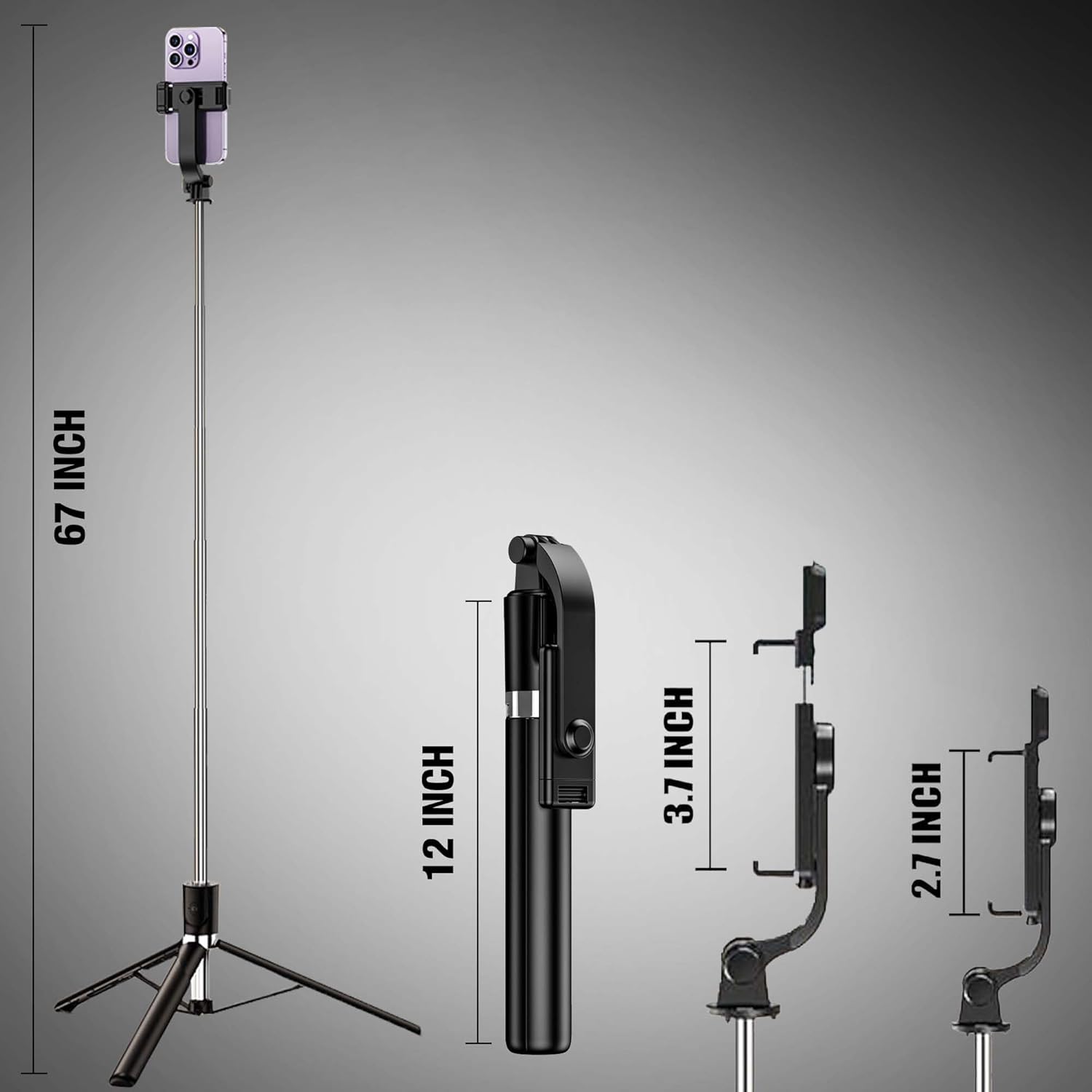
The Kratos K12 is engineered for stability and portability, made from stainless steel and ABS materials. It extends up to 67 inches (170cm) and folds down to a compact 12 inches (30cm).
Components Included:
- Kratos K12 Selfie Stick Tripod Stand
- Detachable Wireless Bluetooth Remote
- Warranty Card
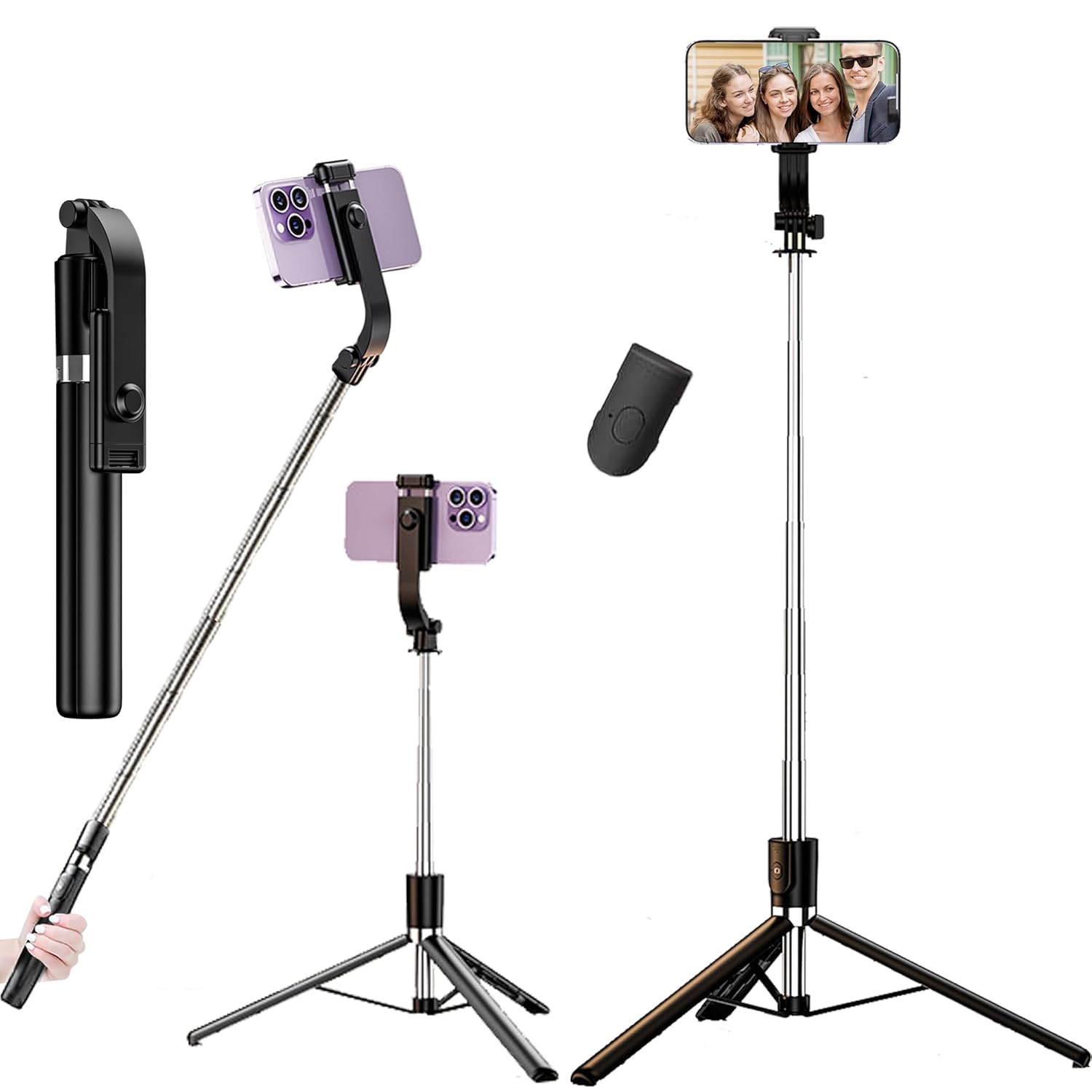
This image displays the Kratos K12 selfie stick tripod in its three primary modes: folded for portability, extended as a handheld selfie stick, and deployed as a stable tripod. The wireless remote and a smartphone mounted in the holder are also visible.
Setup Instructions
1. Unfolding the Tripod Base
- Hold the main body of the selfie stick.
- Gently pull the bottom part downwards to release the tripod legs.
- Spread the three legs outwards until they form a stable base. Ensure the legs are fully extended for maximum stability.
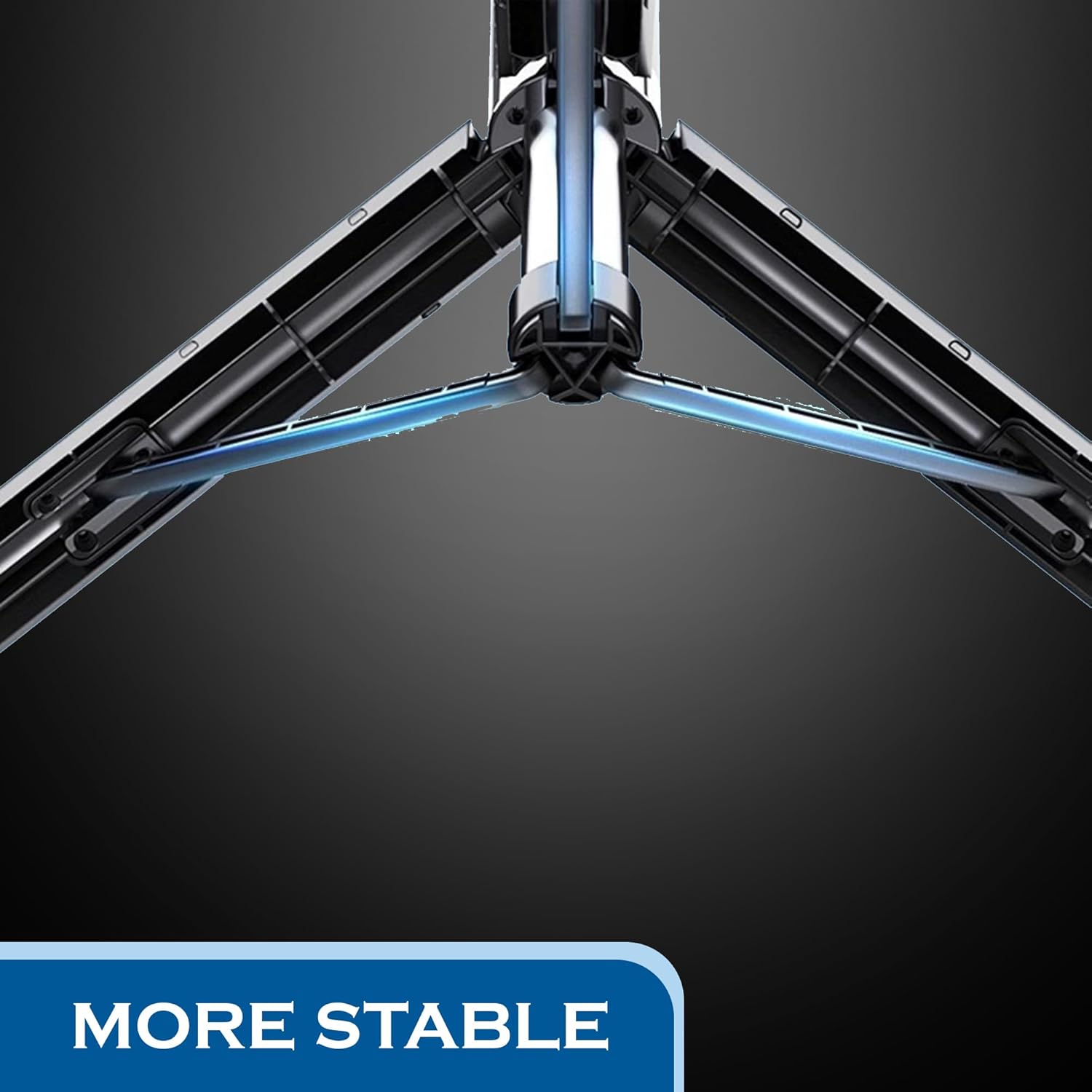
This image provides a detailed look at the sturdy, reinforced tripod base, designed to ensure stability when the device is used as a stand.
2. Attaching Your Device
- Locate the phone holder at the top of the stick.
- Gently pull the spring-loaded clamp of the phone holder upwards.
- Insert your smartphone or GoPro into the holder, ensuring it is securely gripped by the rubber pads.
- The phone holder supports devices with widths between 2.7 and 3.7 inches.
3. Extending the Selfie Stick
- Hold the base of the stick firmly.
- Pull the telescopic rod upwards to extend it to your desired length. The stick can extend up to 67 inches (170cm).

This diagram provides key measurements of the Kratos K12, including its maximum extended length of 67 inches (170cm), its compact folded length of 12 inches (30cm), and the adjustable width of the phone holder (2.7 to 3.7 inches).
4. Pairing the Wireless Bluetooth Remote
- The Bluetooth remote is located on the handle of the selfie stick. Gently slide it out to detach it.
- Press and hold the button on the remote for 3-5 seconds until the indicator light starts blinking, indicating it's in pairing mode.
- On your smartphone, go to Bluetooth settings and search for available devices.
- Select "Kratos Remote" or a similar name from the list to pair. The indicator light will stop blinking once successfully paired.
- The remote can control your phone from a distance of up to 10 meters.

This image focuses on the wireless Bluetooth remote, showing its placement on the selfie stick handle.
This image shows the Bluetooth remote separated from the selfie stick, emphasizing its wireless functionality.
Operating Instructions
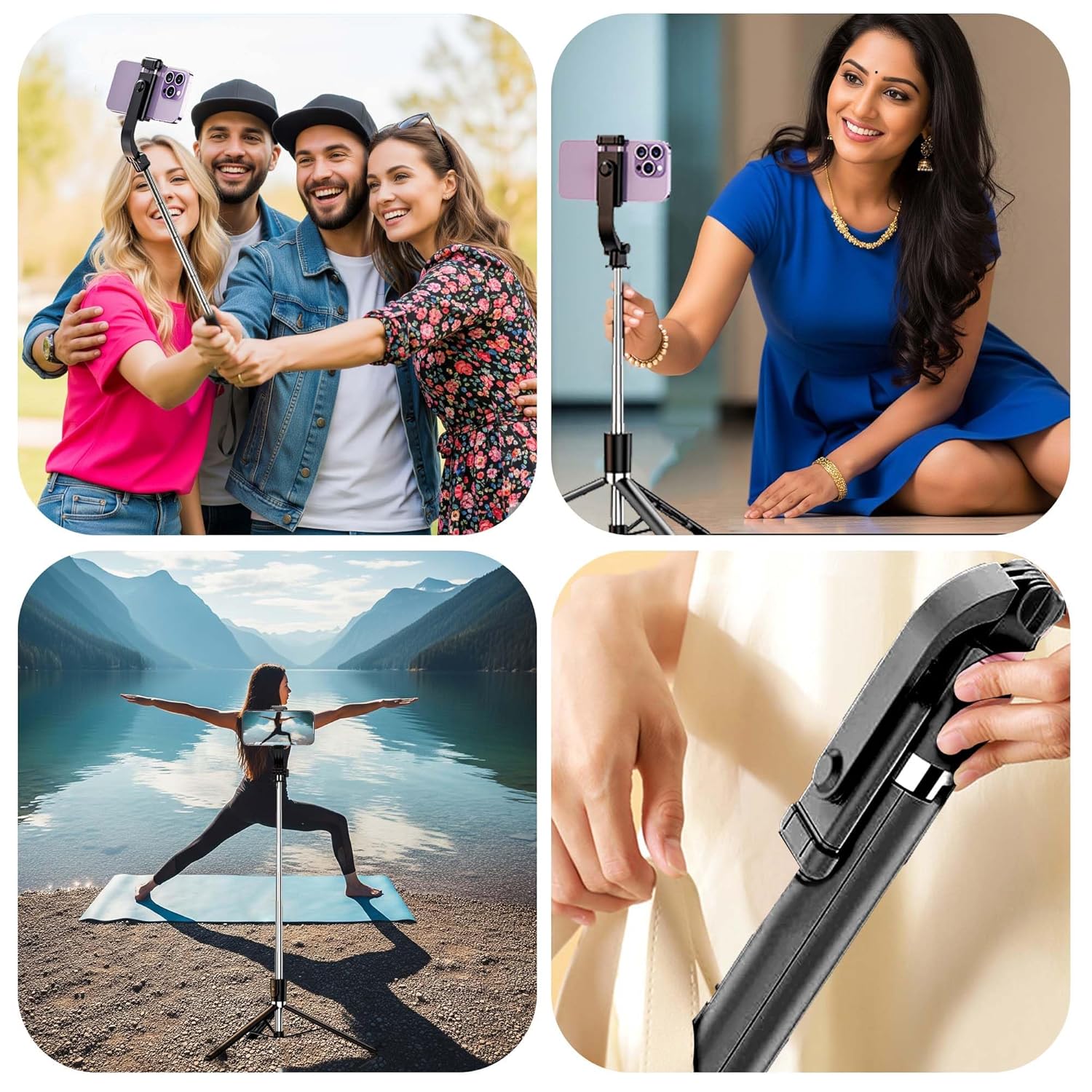
1. Using as a Selfie Stick
- Ensure your phone is securely mounted in the holder.
- Extend the stick to your desired length.
- Hold the stick firmly and use the Bluetooth remote to capture photos or start/stop video recording.
This image illustrates the Kratos K12 selfie stick being held by a user in its extended form.
2. Using as a Tripod Stand
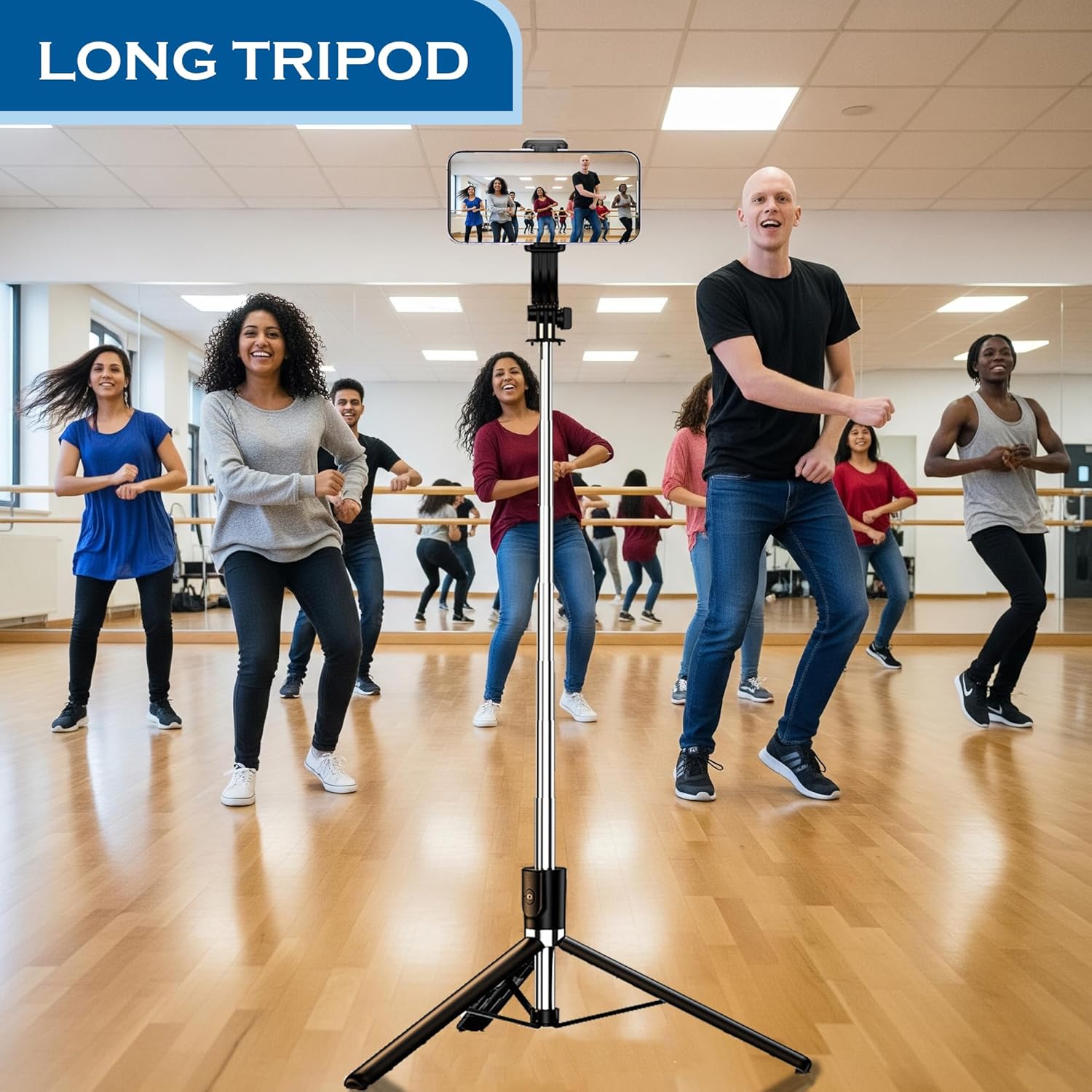
- Unfold the tripod legs completely and place the stand on a flat, stable surface.
- Adjust the height of the stick as needed.
- Use the Bluetooth remote to take hands-free photos or videos.
3. Adjusting Angles
- The phone holder supports 360-degree rotation, allowing you to switch between horizontal and vertical orientations.
- The holder also allows for a 230-degree tilt, enabling you to find the optimal shooting angle.
This image highlights the phone holder's ability to rotate 360 degrees for flexible positioning.

This image shows the adjustable tilt mechanism of the phone holder.
Maintenance
- Cleaning: Wipe the selfie stick and remote with a soft, dry cloth. Avoid using harsh chemicals or abrasive materials.
- Storage: When not in use, fold the selfie stick to its compact size (12 inches) and store it in a dry place away from direct sunlight.
- Remote Battery: The Bluetooth remote uses a replaceable battery. If the remote stops responding, replace the battery with a new one of the same type.

This image illustrates the compact and portable nature of the Kratos K12, showing how easily it can be stored in a bag for travel.
Troubleshooting
- Remote Not Connecting:
Ensure the remote is charged or has a fresh battery. Turn off and on your phone's Bluetooth, then re-attempt pairing. Make sure the remote is within 10 meters of your phone. - Tripod Instability:
Ensure all three tripod legs are fully extended and locked into position. Place the tripod on a flat, level surface. Avoid extending the stick to its maximum height with heavy devices in windy conditions. - Phone Not Fitting in Holder:
Verify your phone's width is within the supported range (2.7 to 3.7 inches). Ensure no phone case or accessory is obstructing the fit.
Specifications
| Product Dimensions | 30 x 5.5 x 5 cm (folded) |
| Item Model Number | K12 |
| Maximum Extended Length | 67 inches / 170 cm |
| Folded Length | 12 inches / 30 cm |
| Item Weight | 200 g |
| Material | Stainless Steel, ABS |
| Wireless Remote Range | Up to 10 meters |
| Phone Holder Width | 2.7 - 3.7 inches |
| Rotation | 360° (phone holder) |
| Tilt | 230° (phone holder) |
| Country of Origin | India |
Warranty and Support
Kratos provides a 1-Year Brand Warranty for the Kratos K12 Selfie Stick Tripod Stand. This warranty covers manufacturing defects and ensures a worry-free replacement service.
Additionally, Kratos offers Life Long Technical Support for all its products. Should you have any queries or require assistance, please do not hesitate to reach out to our technical support team.
Contact Information:
- Manufacturer: KRATOS, Ezeekart Creation LLP
- Phone: 81482 73270
- Email: help@gokratos.com
To avail of your warranty, please register your purchase on the official Kratos website.


