Introduction
This manual provides essential instructions for the safe and effective use, installation, and maintenance of your ElecKeys K10 Cordless Vacuum Cleaner Replacement Battery and Power Adapter. Please read this manual thoroughly before use and retain it for future reference.
Important Safety Instructions
Always follow basic safety precautions when using electrical appliances to reduce the risk of fire, electric shock, or injury.
- Use only the provided ElecKeys K10 replacement battery and power adapter with compatible ElecKeys K10 vacuum cleaners.
- Do not attempt to disassemble, modify, or repair the battery or adapter. Refer all servicing to qualified personnel.
- Keep the battery and adapter away from water, moisture, and high temperatures.
- Do not short-circuit the battery terminals.
- If the battery or adapter is damaged, discontinue use immediately and contact customer support.
- Dispose of batteries according to local regulations. Do not dispose of batteries in household waste or fire.
Package Contents
Please check the package for the following items:
- 1 x ElecKeys K10 Replacement Battery
- 1 x ElecKeys K10 Power Adapter
- 1 x User Manual (this document)
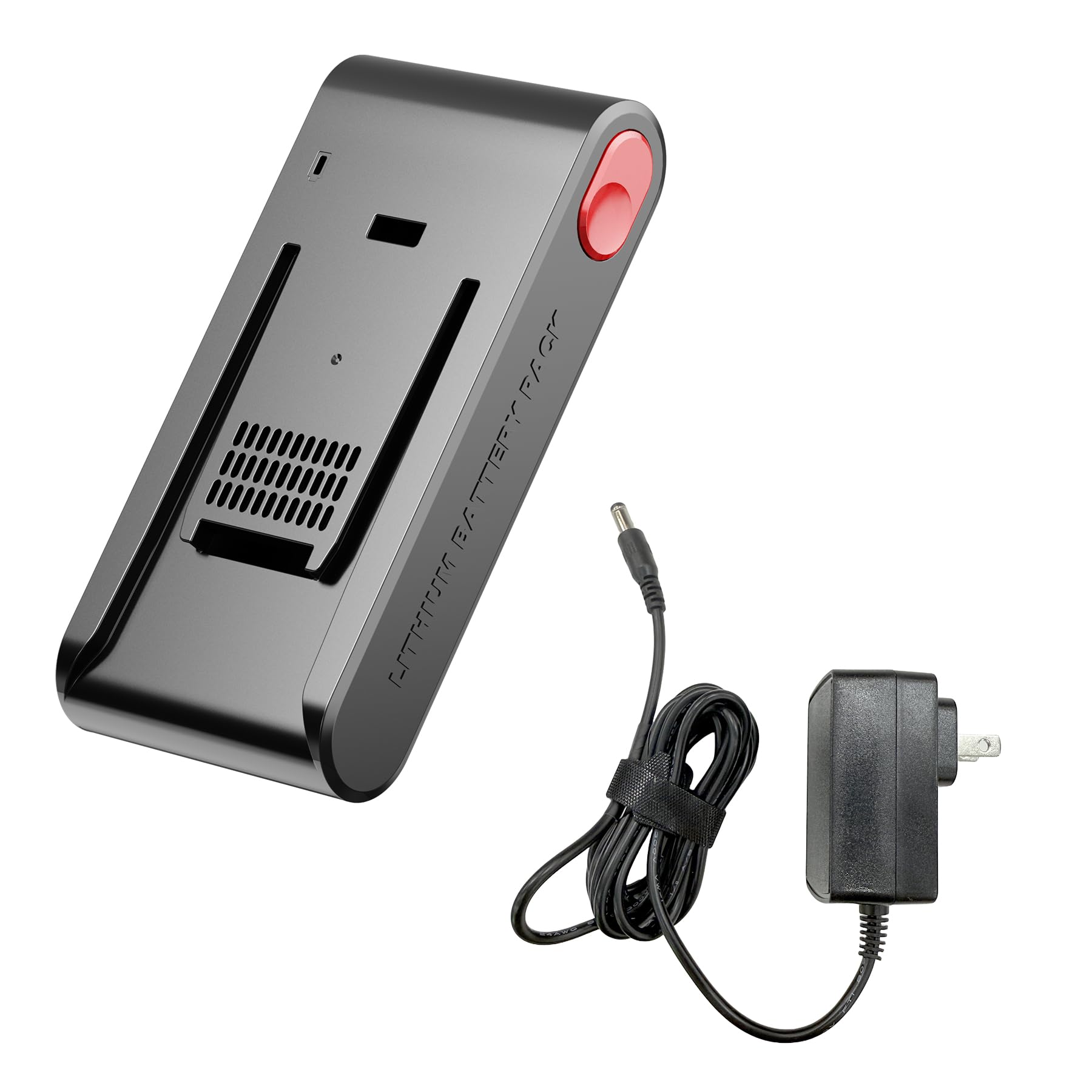
Image: The ElecKeys K10 replacement battery and power adapter. The battery is a black cylindrical unit with connectors, and the adapter is a standard power brick with a cable.
Setup and Installation
1. Installing the Replacement Battery
- Ensure the vacuum cleaner is turned off and unplugged from any power source.
- Locate the battery compartment on your ElecKeys K10 cordless vacuum cleaner. This is typically on the main body of the vacuum.
- Press the battery release button or unlatch the battery cover, depending on your vacuum model.
- Carefully remove the old battery.
- Insert the new ElecKeys K10 replacement battery into the compartment, ensuring it clicks securely into place.
- Close the battery compartment cover if applicable.
2. Connecting the Power Adapter
- Plug the small end of the power adapter into the charging port on your ElecKeys K10 vacuum cleaner.
- Plug the larger end of the power adapter into a standard wall outlet.
- Ensure the connection is firm. The vacuum's charging indicator (if present) should illuminate, indicating that charging has begun.
Operating Instructions
Charging the Battery
- For optimal performance, fully charge the battery before first use.
- Connect the power adapter as described in the Setup section.
- Charging time may vary. Refer to your vacuum cleaner's original manual for specific charging duration.
- The vacuum's battery indicator lights will typically show charging progress and a full charge status.
Using the Vacuum
Once the battery is charged, you can operate your ElecKeys K10 cordless vacuum cleaner as usual. The replacement battery provides power, and the adapter facilitates recharging.
Maintenance and Care
Battery Care
- To prolong battery life, avoid completely draining the battery before recharging.
- Store the battery in a cool, dry place when not in use for extended periods.
- If storing for a long time, charge the battery to approximately 50% capacity every 3-6 months.
- Clean the battery terminals periodically with a dry cloth to ensure good electrical contact.
Power Adapter Care
- Keep the power adapter clean and free from dust.
- Avoid bending or crimping the adapter cable excessively.
- Do not use the adapter if the cable or plug is damaged.
Troubleshooting
| Problem | Possible Cause | Solution |
|---|---|---|
| Vacuum does not power on after battery replacement. | Battery not installed correctly; Battery not charged. | Ensure battery is fully seated and clicked into place. Charge the battery fully. |
| Battery not charging. | Power adapter not connected; Outlet not working; Damaged adapter/battery. | Check all connections. Try a different wall outlet. Contact customer support if components are damaged. |
| Reduced run time. | Battery not fully charged; Battery nearing end of life. | Ensure battery is fully charged. If the issue persists, the battery may need replacement. |
Specifications
- Brand: ElecKeys
- Model Number: K10-BP
- Colour: Black
- Number of Items: 1 (Battery and Adapter are separate components, but sold as a set)
- Compatibility: Specifically designed for ElecKeys K10 Cordless Vacuum Cleaner
Warranty and Support
ElecKeys is committed to providing reliable products and excellent customer service. For any inquiries or support needs, please refer to the following:

Image: An overview of ElecKeys after-sales service, detailing customer support, returns, and product protection.
- Dedicated Customer Support: 24 Hours
- Flexible Returns & Exchanges: 30 Days
- Official Product Protection: 2 Years
For further assistance, please visit the official ElecKeys website or contact our customer service team through your purchase platform.


