
Matast C16
Matast C16 Wireless Earbuds User Manual
Model: C16 | Brand: Matast
1. Introduction
Thank you for choosing the Matast C16 Wireless Earbuds. This manual provides detailed instructions for setting up, operating, and maintaining your earbuds to ensure optimal performance and longevity. The C16 earbuds feature Bluetooth 5.4 connectivity, Hi-Fi stereo sound with 13mm drivers, ENC noise-cancelling microphones for clear calls, and an IP7 waterproof rating, making them ideal for sports and daily use.
2. What's in the Box
Please check the package contents to ensure all items are present:
- Wireless Earbuds (Left & Right)
- Super Portable Charging Case with LED Power Display
- USB-C Fast Charging Cable
- User Manual
- Ear Tips (S, M, L sizes)

Image: Matast C16 Wireless Earbuds and their charging case, showcasing the product's design and components.
3. Setup
3.1 Charging the Earbuds and Case
Before first use, fully charge the earbuds and the charging case.
- Place the earbuds into the charging case. Ensure they are correctly seated.
- Connect the USB-C charging cable to the charging port on the case and to a power source.
- The LED digital display on the charging case will show the battery percentage and flash during charging.
- A full charge for the case takes approximately 1.5 hours. The earbuds provide 8 hours of playback per charge, and the case can recharge them six times, offering a total of up to 60 hours of playtime.
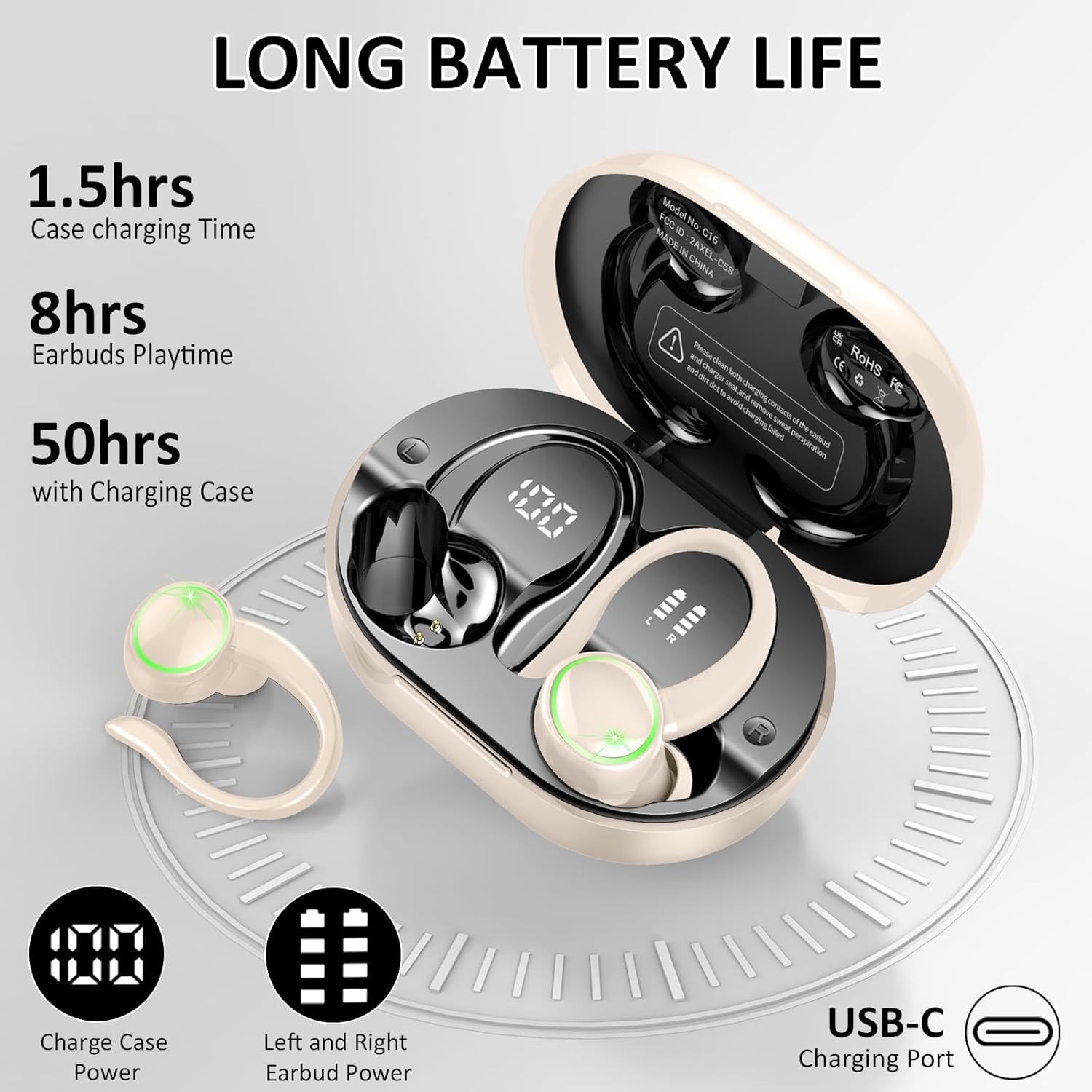
Image: The Matast C16 charging case displaying battery levels for both earbuds and the case, indicating its long battery life and USB-C charging port.
3.2 Pairing with Your Device
The Matast C16 earbuds feature one-step pairing for convenience.
- Initial Pairing:
- Open the charging case. The earbuds will automatically power on and enter pairing mode.
- On your device (smartphone, tablet, etc.), enable Bluetooth.
- Search for "C16" in the list of available Bluetooth devices and select it to connect.
- Once connected, you will hear a confirmation tone, and the earbuds will be ready for use.
- Automatic Reconnection:
- After the initial pairing, the earbuds will automatically reconnect to the last paired device when you open the charging case.
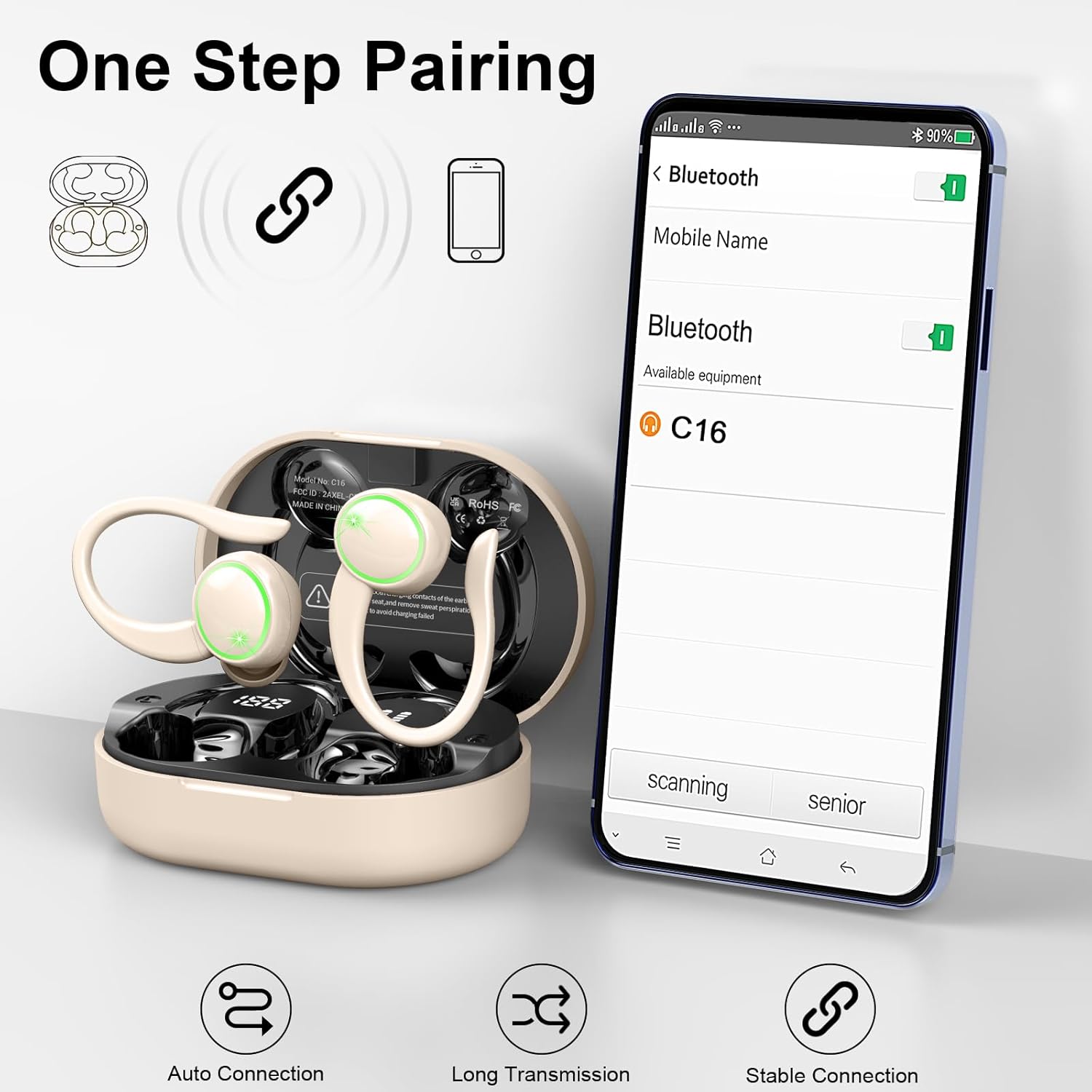
Image: A visual representation of the one-step pairing process, showing the earbuds connecting to a smartphone via Bluetooth, highlighting auto-connection and stable transmission.
3.3 Wearing the Earbuds
For optimal sound quality and comfort, ensure a proper fit.
- Select the appropriate ear tip size (S, M, L) for your ears. A snug fit improves bass response and noise isolation.
- Place the earbud into your ear canal and gently rotate it until the flexible ear hook rests securely over your ear.
- Adjust the earbud and ear hook for a comfortable and stable fit, especially during physical activities.

Image: A person wearing the Matast C16 earbuds, demonstrating the ergonomic 45° ear hook design and the availability of S, M, L ear tip sizes for a comfortable and secure fit during sports.
4. Operating Instructions
4.1 Touch Controls
The Matast C16 earbuds feature intuitive touch controls on each earbud.
| Function | Action |
|---|---|
| Play/Pause | Single tap on either earbud |
| Next Song | Double tap on the right earbud |
| Previous Song | Double tap on the left earbud |
| Volume Up | Triple tap on the right earbud |
| Volume Down | Triple tap on the left earbud |
| Answer/End Call | Single tap on either earbud |
| Reject Call | Press and hold either earbud for 2 seconds |
| Activate Voice Assistant | Press and hold either earbud for 2 seconds (when not on a call) |

Image: A visual guide illustrating the various smart touch controls on the Matast C16 earbuds, including play/pause, volume adjustment, call management, and voice assistant activation.
4.2 Dual-Use Mode
The earbuds support both binaural and mono modes.
- Binaural Mode: Use both earbuds for immersive stereo sound. This is the default mode when both earbuds are taken out of the case.
- Mono Mode: Use a single earbud independently. Simply take one earbud out of the case, and it will connect to your device. The other earbud can remain in the case or be used by another person.
5. Maintenance and Care
5.1 Cleaning
Regular cleaning helps maintain sound quality and hygiene.
- Gently wipe the earbuds and charging case with a soft, dry, lint-free cloth.
- Remove ear tips and clean them with mild soap and water, then dry thoroughly before reattaching.
- Do not use harsh chemicals, cleaning solvents, or strong detergents.
- Ensure charging contacts on both earbuds and inside the case are clean and dry to prevent charging issues.
5.2 Water Resistance (IP7)
The Matast C16 earbuds feature an IP7 waterproof nano-coating, providing superior protection against sweat, rain, and accidental water exposure.
- While IP7 rated, avoid submerging the earbuds in water for extended periods.
- After exposure to sweat or rain, wipe the earbuds dry before placing them back into the charging case to prevent corrosion of charging contacts.
- The charging case is not waterproof.

Image: The Matast C16 earbuds shown with water droplets, illustrating their IP7 waterproof and sweatproof capabilities, suitable for exercise and outdoor activities.
6. Troubleshooting
If you encounter issues with your earbuds, refer to the following common problems and solutions:
| Problem | Solution |
|---|---|
| Earbuds not charging |
|
| Cannot pair with device |
|
| No sound or low volume |
|
| Intermittent connection |
|
7. Specifications
Detailed technical specifications for the Matast C16 Wireless Earbuds:
| Feature | Detail |
|---|---|
| Model Name | C16 |
| Bluetooth Version | 5.4 |
| Bluetooth Range | 15 Meters (50 feet) |
| Audio Driver Size | 13 Millimeters |
| Sound Quality | Hi-Fi Stereo, Deep Bass (18Hz-25kHz) |
| Microphone | ENC Noise Cancelling (4 HD Microphones) |
| Water Resistance | IP7 Waterproof Nano-coating |
| Earbud Playtime | Up to 8 hours per charge |
| Total Playtime (with case) | Up to 60 hours |
| Charging Port | USB-C |
| Control Type | Smart Touch Control |
| Compatible Devices | iOS 9.0+, Android 5.0+, PC, Laptops |
| Earpiece Shape | Hook (Ergonomic 45° ear hooks) |
| Item Weight | 0.035 ounces (earbuds) |
| Product Dimensions | 1.18 x 0.39 x 1.97 inches |
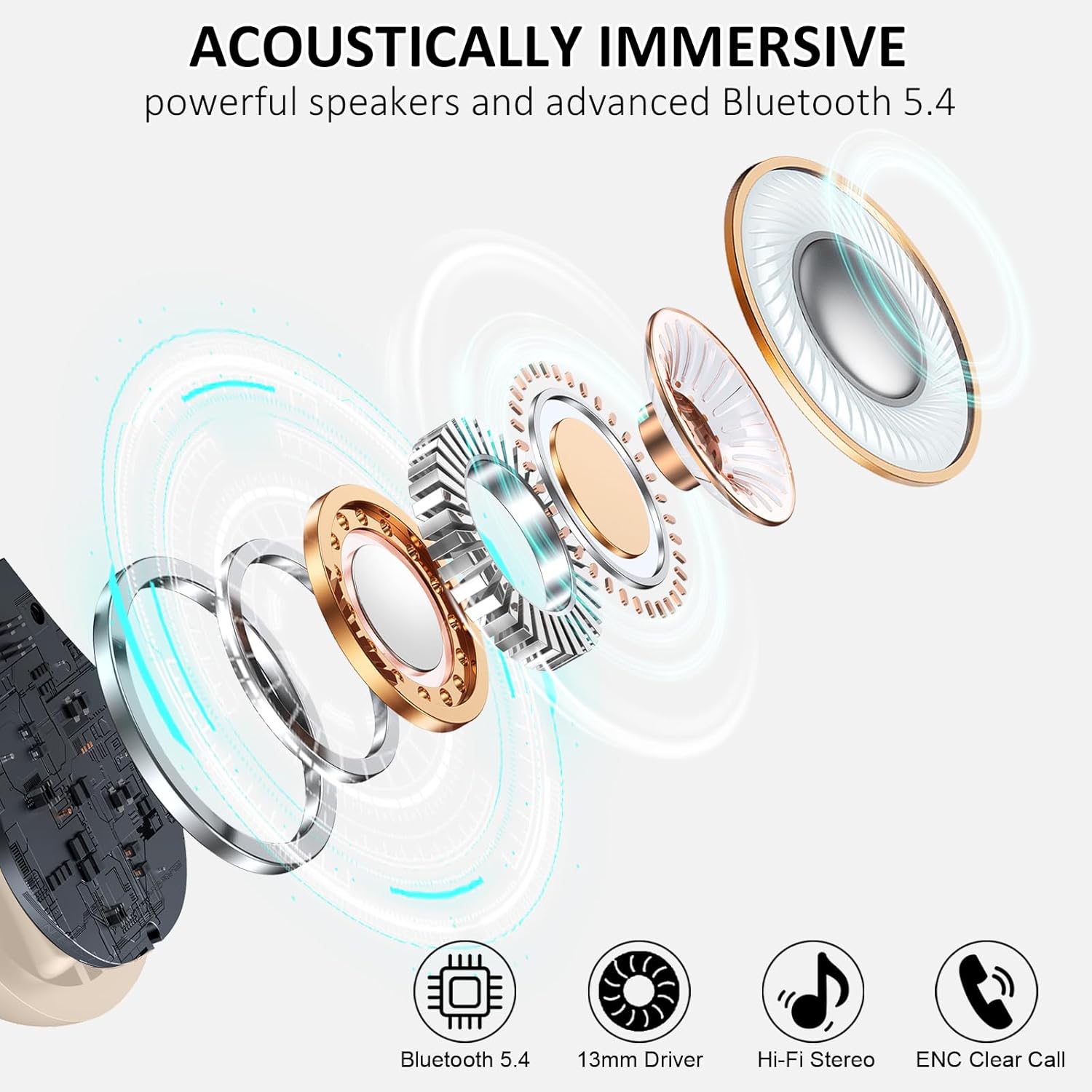
Image: An exploded view of the Matast C16 earbud's internal components, highlighting the Bluetooth 5.4 chip, 13mm driver, Hi-Fi Stereo capabilities, and ENC Clear Call technology.
8. Warranty and Support
Matast products are designed for reliability and performance. For warranty information, technical support, or customer service inquiries, please refer to the contact information provided with your purchase or visit the official Matast website.
Manufacturer: Matast
Related Documents - C16
 |
C16 True Wireless Stereo Earphones User Guide User guide for C16 True Wireless Stereo Earphones, covering specifications, setup, functions, charging, maintenance, and troubleshooting. |
 |
C16 True Wireless Stereo Earphones User Guide User guide for the C16 True Wireless Stereo Earphones, covering product specifications, pairing instructions, functions, charging, and troubleshooting. |
 |
Occiam C16 True Wireless Earbuds User Manual Comprehensive user manual for Occiam C16 True Wireless Earbuds, covering setup, Bluetooth connection, controls, charging, specifications, troubleshooting, and FCC compliance. |
 |
Smart Band C16 User Manual: Setup, Features, and Compliance Comprehensive user manual for the Smart Band C16, covering installation, Bluetooth connection, health monitoring features (heart rate, SpO2, sleep), app usage, and FCC compliance. Learn how to set up and use your Smart Band C16. |
 |
Onlincam C16 User Manual User manual for the Onlincam C16 action camera, covering product overview, getting started, modes, settings, playback, storage, battery, Wi-Fi app, remote controller, waterproof case, mounting, and safety warnings. |