
Introduction and Safety Information
Thank you for choosing the CREATE WIND CALM SLIM LIGHT Ceiling Fan with Light. This manual provides essential information for the safe installation, operation, and maintenance of your new ceiling fan. Please read these instructions carefully before installation and use, and retain them for future reference.
Important Safety Instructions:
- Always disconnect power at the main circuit breaker before installation, maintenance, or cleaning.
- Installation must be performed by a qualified electrician and in accordance with all local electrical codes.
- Ensure the mounting structure can support the fan's weight.
- Do not insert objects into the fan blades while the fan is operating.
- Keep children and pets away from the fan during operation.
- This fan is designed for indoor use only.
- The light intensity is not adjustable.
Setup and Installation
Carefully unpack all components and ensure all parts are present before beginning installation. Refer to the diagrams below for visual guidance.
Package Contents:
- Ceiling Fan Unit (Motor, Blades, Integrated Light)
- Mounting Bracket
- Remote Control
- Installation Hardware (screws, anchors)
Installation Steps:
- Power Disconnection: Turn off power at the main circuit breaker to prevent electrical shock.
- Mounting Bracket Installation: Secure the mounting bracket to the ceiling joist or a suitable electrical junction box. Ensure the bracket is firmly attached and can support the fan's weight.
Note: Some ceiling installations, particularly those with a DCL box or existing porthole-style light openings, may require additional modifications or drilling new holes in the mounting plate to ensure secure attachment. The provided mounting holes may not align with all existing ceiling setups. Consult a qualified electrician if you encounter difficulties.
- Wiring Connections: Connect the fan's electrical wires to the household wiring according to local electrical codes. Ensure all connections are secure.
- Fan Assembly: Attach the fan motor assembly to the mounting bracket. Follow the specific instructions provided in the detailed manual (if available) for blade attachment and securing the main unit.
- Light Installation: The LED light is integrated into the fan's body. Ensure it is properly seated and connected.
- Final Check: Verify all connections are secure and the fan is properly mounted before restoring power.
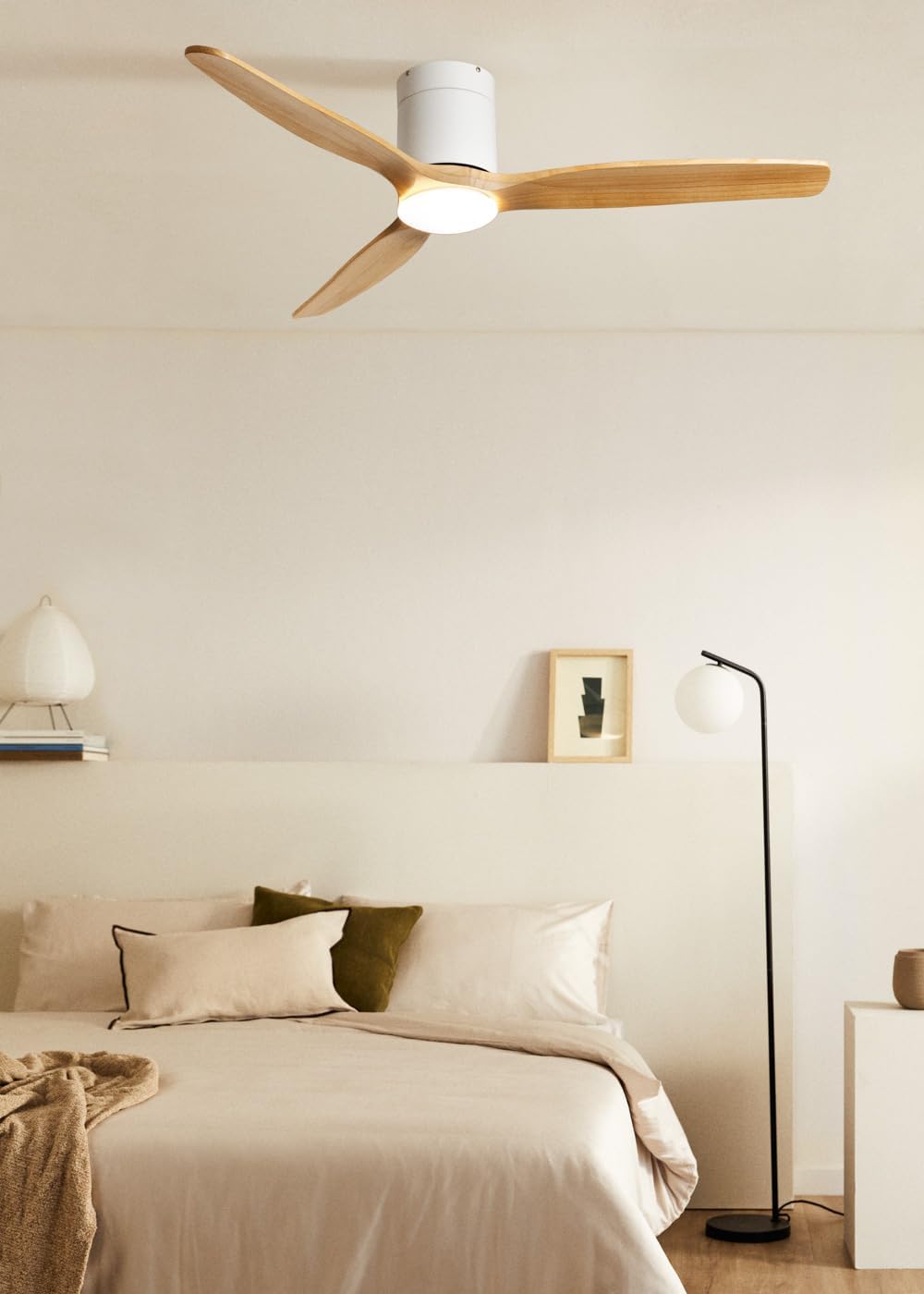
Image: The CREATE WIND CALM SLIM LIGHT ceiling fan with light wood blades and a white body, installed in a modern bedroom setting.

Image: Technical diagram illustrating the top-down dimensions of the fan, showing a total diameter of 132 cm.

Image: Technical diagram illustrating the side dimensions of the fan, showing a height of 27 cm from ceiling to blade tip.
Operating Instructions
Your CREATE WIND CALM SLIM LIGHT ceiling fan is controlled via the included remote control. Ensure the remote has working batteries.
Remote Control Functions:
- Power On/Off: Turns the fan and light on or off.
- Fan Speed Control: Adjusts the fan speed through 6 available settings.
- Light On/Off: Controls the integrated LED light independently.
- Light Temperature Adjustment: Cycles through 3 color temperatures: warm (2700K), neutral (3300K), and cool (4000K). Note: Light intensity is not adjustable.
- Timer Function: Sets the fan to automatically turn off after 1, 2, 3, or 4 hours.
- Summer/Winter Mode: Changes the direction of blade rotation.
Summer/Winter Function:
This feature optimizes air circulation for different seasons:
- Summer Mode (Counter-clockwise rotation): Creates a downward airflow, generating a cooling breeze.
- Winter Mode (Clockwise rotation): Creates an upward airflow, circulating warm air accumulated near the ceiling throughout the room, improving heating efficiency.

Image: Diagram illustrating the airflow patterns for Winter mode (upward circulation of warm air) and Summer mode (downward cooling breeze).
LED Light Features:
The integrated LED light offers three distinct color temperatures to suit your preference:
- Warm White (2700K): For a cozy and relaxing ambiance.
- Neutral White (3300K): For general illumination.
- Cool White (4000K): For bright, task-oriented lighting.

Image: A close-up view of the integrated LED light module at the center of the fan, emitting a bright white light.

Image: Diagram illustrating the three available LED light temperatures: warm (2700K), neutral (3300K), and cool (4000K).
Audible Feedback (Beep):
The fan emits an audible "beep" sound with each command from the remote control or when power is restored. This beep can be muted via the remote control settings. However, if the main power supply to the fan is cut (e.g., by a wall switch), the mute setting may reset, and the beep will return upon power restoration.
Maintenance
Regular maintenance ensures optimal performance and longevity of your ceiling fan.
- Cleaning: To clean the fan, wipe the blades and motor housing with a soft, damp cloth. Do not use abrasive cleaners or solvents, as these can damage the finish.
- Dust Removal: Periodically dust the fan blades and light fixture to prevent dust buildup, which can affect performance and light output.
- Blade Balance: If the fan wobbles, check that all blade screws are tight. Minor wobbling can sometimes be corrected using a blade balancing kit (not included).
- Power Disconnection: Always ensure the power is disconnected at the circuit breaker before performing any cleaning or maintenance.
Troubleshooting
| Problem | Possible Cause | Solution |
|---|---|---|
| Fan does not operate. | No power supply; Remote control batteries are dead; Incorrect wiring. | Check circuit breaker and wall switch. Replace remote control batteries. Verify wiring connections are secure (consult an electrician if unsure). |
| Light does not turn on. | No power supply; Light function not activated on remote; LED module fault. | Check power. Ensure light button on remote is pressed. If problem persists, contact support. |
| Fan wobbles excessively. | Loose mounting screws; Unbalanced blades; Improper installation. | Ensure mounting bracket and fan screws are tight. Check for bent blades. Use a blade balancing kit if necessary. Re-check installation steps. |
| Fan makes unusual noise. | Loose screws; Obstruction; Motor issue. | Check all screws. Ensure nothing is touching the blades or motor housing. If noise persists, contact support. |
| Remote control not responding. | Dead batteries; Remote not paired (unlikely for this model but general); Obstruction. | Replace batteries. Ensure clear line of sight to the fan's receiver. |
| Audible "beep" sound persists after muting. | Main power supply was cut. | The mute setting may reset if the fan's main power is disconnected. Re-apply the mute setting using the remote control. |
Technical Specifications
| Brand | CREATE |
| Model Name | WIND CALM SLIM LIGHT |
| Model Number | 198506_515822 |
| Color | Light Wood |
| Fan Design | Ceiling Fan |
| Power Source | Electric Cable |
| Style | Ceiling |
| Dimensions (Diameter x Height) | 132 cm x 29 cm |
| Special Functions | LED Light, Timer, Summer-Winter Function, Remote Control |
| Mounting Type | Ceiling Mount |
| Controller Type | Remote Control |
| Number of Speeds | 6 |
| Noise Level | 40 Decibels |
| Power | 40 Watts |
| Number of Blades | 3 |
| Airflow Capacity | 180 Cubic meters per minute |
| Voltage | 240 Volts |
| Usage Environment | Indoor |
| Motor Type | DC Motor with Brushes |
| Blade Material | Wood |
Warranty Information
Specific warranty details for the CREATE WIND CALM SLIM LIGHT Ceiling Fan are not provided in this manual. For information regarding warranty coverage, terms, and conditions, please refer to the documentation included with your purchase or contact CREATE customer support directly.
Customer Support
If you have any questions, require technical assistance, or need to report an issue with your CREATE WIND CALM SLIM LIGHT Ceiling Fan, please contact CREATE customer support. Contact information can typically be found on the manufacturer's website or on the product packaging.
Manufacturer: CREATE
