
Introduction
This manual provides comprehensive instructions for the safe and efficient operation of your FOHERE 30-inch Tower Fan. Please read this manual thoroughly before use and retain it for future reference. This tower fan is designed to provide customizable airflow with multiple modes and speeds, quiet operation, and wide-angle oscillation for effective air circulation in various indoor spaces.
Key Features
- 3-Mode Customization: Offers Normal, Nature, and Sleep modes with 3-speed adaptability for various cooling needs.
- Quiet & Powerful: Operates at a library-quiet 30dB while delivering robust airflow, suitable for sleeping and daytime use.
- Wide-Angle Oscillation: Features 70° oscillation for whole-room air circulation.
- Smart Controls: Easily operated via touch panel or included remote control for adjusting speed, oscillation, and timer.
- Space-Saving Design: Slim profile (30×10.2×10.2 inches) with an integrated handle for easy portability and placement in various rooms.
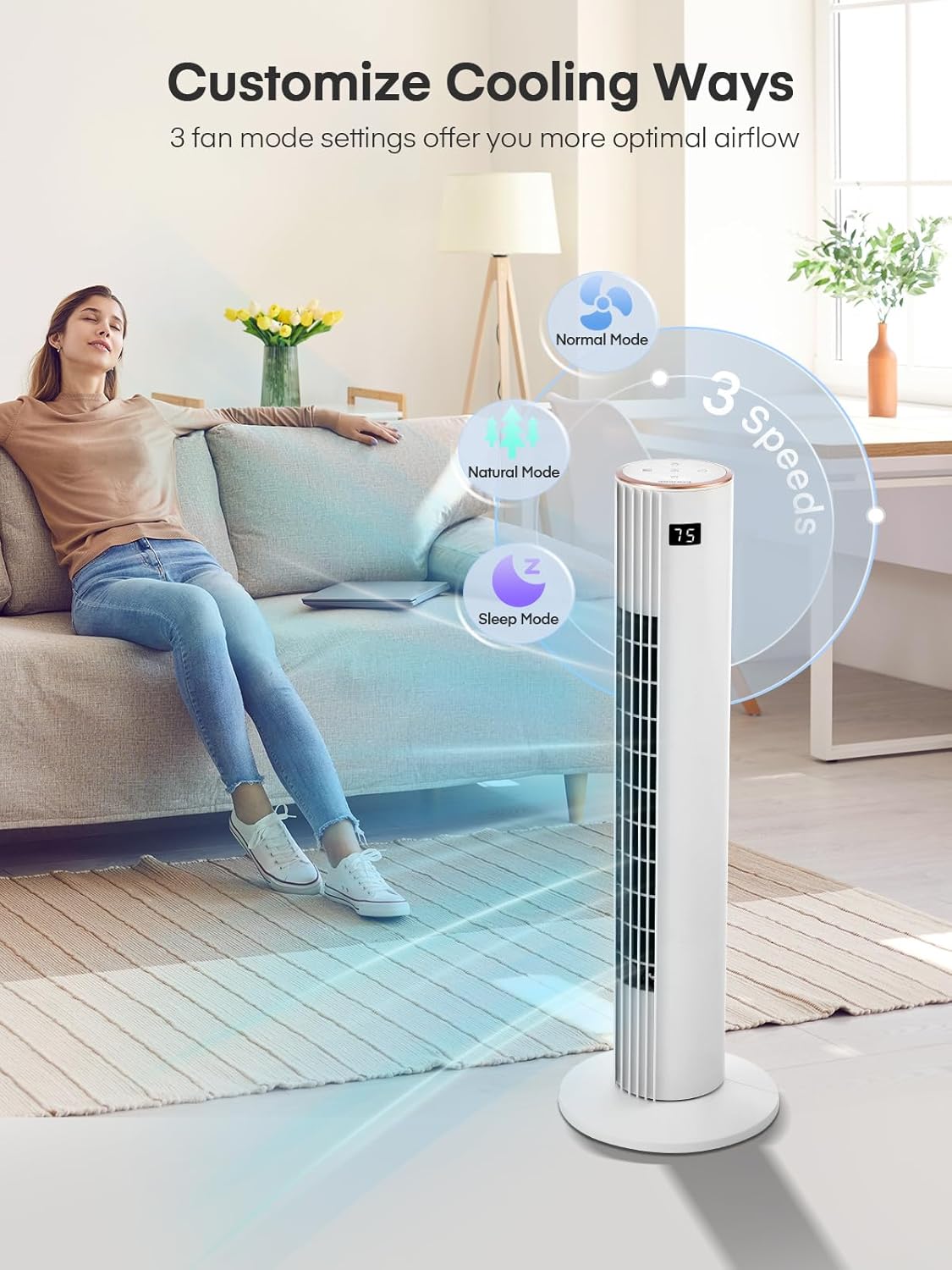
Figure 1: The FOHERE Tower Fan providing efficient cooling in a modern living space.
Setup Instructions
Follow these steps to assemble and set up your FOHERE Tower Fan:
- Unpack: Carefully remove all components from the packaging. Ensure all parts listed in the "Included Components" section are present.
- Assemble Base: Snap the two base pieces together.
- Attach Fan to Base: Align the footplate and the fuselage turntable.
- Secure Base: Tighten the large nut to secure the fan body to the base.
- Placement: Place the fan on a firm, level surface. Ensure there are no obstructions to airflow.
- Power Connection: Plug the power cord into a standard 120V AC electrical outlet.

Figure 2: Snapping the two base pieces together.
Figure 3: Aligning the fan body with the base.
Figure 4: Securing the fan to the base with the large nut.
Operating Instructions
Your FOHERE Tower Fan can be operated using the touch control panel on top of the unit or the included remote control.
Control Panel & Remote Functions

Figure 5: Top control panel and LED display.
- Power Button: Press to turn the fan ON or OFF.
- Speed Button: Cycles through 3 fan speeds (Low, Medium, High).
- Mode Button: Selects between Normal, Natural, and Sleep modes.
- Oscillation (OSC) Button: Activates or deactivates the 70° oscillation function.
- Timer Button: Sets the automatic shut-off timer for up to 12 hours.
- LED Display: Shows current settings and room temperature.
Modes Explained
- Normal Mode: Provides a constant airflow at the selected speed.
- Natural Mode: Simulates a natural breeze by varying fan speed intermittently.
- Sleep Mode: Operates at a lower, quieter speed with reduced LED display brightness for undisturbed sleep.

Figure 6: The fan's quiet operation in Sleep Mode, ideal for bedrooms.
Video Demonstrations
Video 1: Official FOHERE 30" Tower Fan demonstration, showcasing features and operation.
Maintenance and Care
Regular cleaning and maintenance will ensure the longevity and optimal performance of your fan.
- Cleaning: Always unplug the fan before cleaning. Use a soft, damp cloth to wipe the exterior surfaces. Do not use abrasive cleaners or allow water to drip into the interior.
- Dust Removal: Use a vacuum cleaner with a brush attachment to gently remove dust from the air intake and outlet grilles.
- Storage: If storing the fan for an extended period, clean it thoroughly and store it in its original packaging in a cool, dry place.
Troubleshooting
If you encounter any issues with your fan, please refer to the following common problems and solutions:
| Problem | Possible Cause | Solution |
|---|---|---|
| Fan does not turn on. | No power supply; Power cord not securely plugged in. | Ensure the fan is plugged into a working 120V AC outlet. Check the power button. |
| Weak airflow. | Fan speed set too low; Air intake/outlet blocked. | Increase fan speed. Clear any obstructions from the air grilles. |
| Fan makes unusual noise. | Loose parts; Obstruction inside the fan. | Turn off and unplug the fan. Check for any foreign objects. If noise persists, contact customer support. |
| Oscillation not working. | Oscillation function not activated. | Press the OSC button on the control panel or remote. |
Specifications
| Feature | Detail |
|---|---|
| Brand | FOHERE |
| Model Number | TF1923LR |
| Product Dimensions | 10.2"D x 10.2"W x 30"H |
| Material | Acrylonitrile Butadiene Styrene |
| Power Source | Corded Electric |
| Voltage | 120 Volts |
| Wattage | 45 watts |
| Number of Speeds | 3 |
| Noise Level | 30 Decibels |
| Controller Type | Remote Control, Touchpad Control |
| Special Features | Bladeless, Oscillating, Portable, Quiet Operation, Remote Controlled |
| Included Components | 1 x Tower Fan, 1 x User Manual, Remote |
Warranty and Customer Support
FOHERE products are designed for reliability and performance. For warranty information, please refer to the warranty card included with your product or visit the official FOHERE website.
If you have any questions, require technical assistance, or need to report an issue, please contact FOHERE customer support. Contact details can typically be found on the product packaging, the official website, or by searching for "FOHERE customer support" online.