Introduction
Thank you for choosing the BCHARYA Self-Cleaning Litter Box. This automatic litter box is designed to provide a clean and hygienic environment for your feline companions with minimal effort. It features advanced self-cleaning mechanisms, odor control, and smart app connectivity for convenient management. This manual provides essential information for setup, operation, maintenance, and troubleshooting to ensure optimal performance and safety.
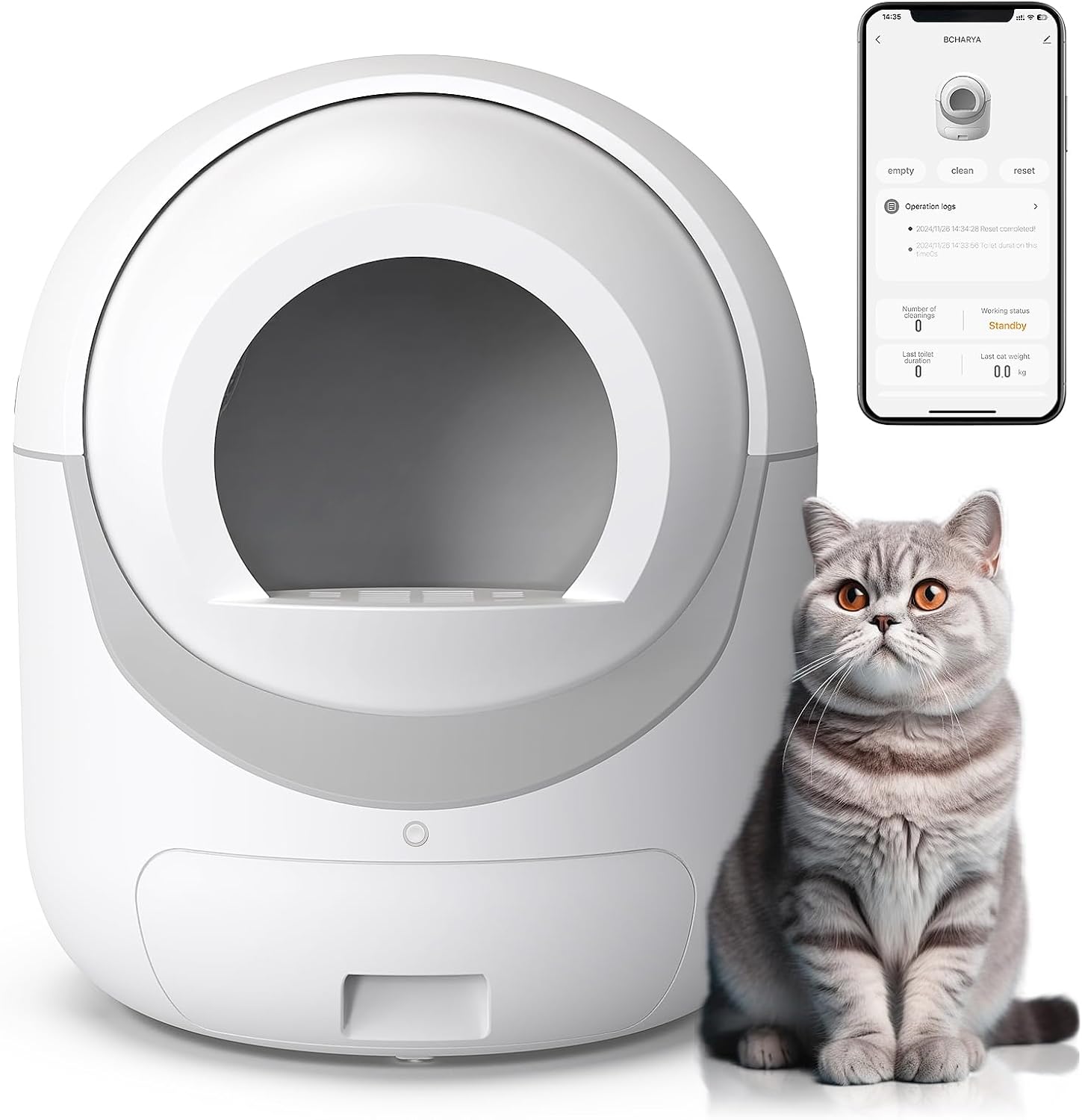
Image: The BCHARYA Self-Cleaning Litter Box in white, shown next to a cat, with a smartphone displaying the companion app's interface. This illustrates the product's design and smart features.
Product Features
- Effortless Cleaning: Advanced self-cleaning mechanism eliminates the need for manual scooping, ensuring a fresh litter box at all times.
- Advanced Odor Control: Equipped with a separate aromatherapy box to neutralize unpleasant smells, maintaining a fresh home environment.
- Eco-friendly and Cost-effective: Reduces litter waste and minimizes the frequency of litter changes, contributing to savings and environmental benefits.
- Quiet and Discreet Operation: Designed to operate quietly, minimizing disturbance in your home.
- Safety Protection: Features sensors to detect cat presence and a delay mechanism to prevent cleaning cycles while a cat is inside.
- Easy Set-Up and Maintenance: Simple assembly and intuitive design with removable components for easy cleaning.
- APP Control: Manage and monitor the litter box remotely via a dedicated smartphone application.
- Extra-large Capacity: Suitable for multiple cats ranging from 3.3 lbs to 28 lbs.
- Compatibility: Works with various types of cat litter, including Bentonite, Mixed, Plant, and Sodium-based litters.

Image: The BCHARYA Self-Cleaning Litter Box displayed in a living room setting with dimensions (22.24 inches width/depth, 25.98 inches height) highlighted, emphasizing its extra-large capacity suitable for multiple cats.

Image: The BCHARYA Self-Cleaning Litter Box shown with four types of cat litter: Bentonite, Mixed, Plant, and Sodium-based, illustrating its compatibility with various litter materials.
Setup Guide
- Unpacking: Carefully remove all components from the packaging. Ensure all parts listed in the packing list are present.
- Placement: Place the litter box on a flat, stable surface in a well-ventilated area. Ensure it is near a power outlet. Avoid placing it in direct sunlight or high humidity areas.
- Assembly:
- Connect the main body to the base unit. Ensure it clicks securely into place.
- Insert the waste drawer into the designated slot at the bottom front of the unit.
- Add cat litter: Pour a suitable amount of clumping cat litter into the drum. Do not exceed the maximum fill line indicated inside the drum.
- Power Connection: Plug the power adapter into the litter box and then into a wall outlet. The unit will perform an initial calibration cycle.
- App Connection (Optional):
- Download the BCHARYA app from your smartphone's app store.
- Follow the in-app instructions to connect your litter box to your home's 2.4GHz Wi-Fi network. (Note: Only 2.4GHz Wi-Fi is supported).
Operating Instructions
Automatic Operation
The BCHARYA Self-Cleaning Litter Box is designed to automatically clean after your cat uses it. Sensors detect when your cat has exited the unit, and after a preset delay (to allow litter to clump), the cleaning cycle will begin. The drum will rotate, sifting the clean litter and depositing waste into the sealed waste drawer below.
Manual Operation via App
The companion app provides remote control and monitoring capabilities.
- Empty: Initiates a full emptying cycle of the litter.
- Clean: Initiates a standard cleaning cycle to sift waste.
- Reset: Resets the unit's sensors and internal settings.
- Deodorize: Activates the aromatherapy function.
- Clearance: Long press for 7 seconds to turn the drum left, clearing all cat litter for full replacement.
- Clean (Specific): Long press for 3 seconds to turn the drum right, clearing only cat waste.
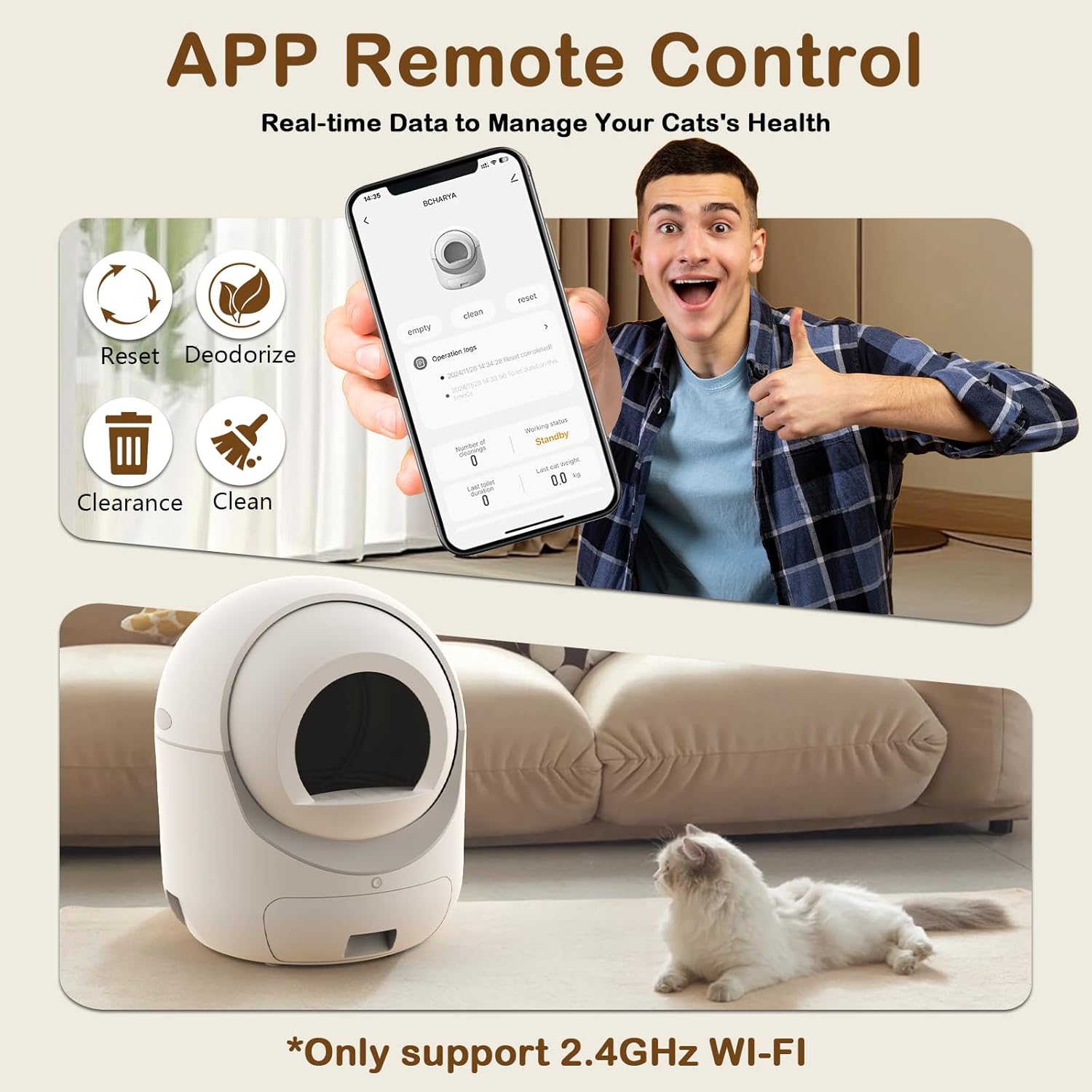
Image: A smartphone screen displaying the BCHARYA app interface, showing options like 'empty', 'clean', 'reset', 'deodorize', 'clearance', and 'clean', indicating remote control capabilities. A person is shown giving a thumbs-up, suggesting ease of use.

Image: Two diagrams illustrating the drum's rotation for different cleaning functions. The left diagram shows a full left rotation for "Clearance all cat litter" (long press 7 seconds), and the right diagram shows a right rotation for "Clean cat poop only" (long press 3 seconds).
Maintenance
Regular maintenance ensures the longevity and hygienic operation of your BCHARYA Self-Cleaning Litter Box.
- Waste Drawer Emptying: Empty the waste drawer regularly, typically every few days depending on the number of cats. Replace the trash bag as needed.
- Litter Refill: Monitor the litter level and refill as necessary to maintain the recommended fill line.
- Deep Cleaning (Detachable and Washable):
- Unplug the unit from the power outlet.
- Detach the main drum from the base unit. This can be done in a few simple steps.
- The drum and other removable components can be directly washed with water. Use mild soap if necessary.
- Ensure all parts are completely dry before reassembling the unit.
- Sensor Cleaning: Periodically wipe down the sensors with a soft, dry cloth to ensure accurate detection.
- Aromatherapy Box: Replace the aromatherapy cartridge as needed to maintain effective odor control.

Image: A four-panel image demonstrating the process of detaching the top section of the litter box from its base and washing the components with water, highlighting its detachable and washable design for easy cleaning.
Safety Information
Your BCHARYA Self-Cleaning Litter Box is equipped with multiple safety features to protect your pets and ensure safe operation.
- Induction Motor Device Protection: Ensures safe operation of the motor.
- Physical Separation Anti-Clip Device: Designed to prevent accidental pinching or injury.
- Gravity Sensing Device: Automatically detects the presence of a cat and stops the cleaning cycle immediately if a cat enters the unit.
- Keep children and pets away from the unit during cleaning cycles.
- Do not attempt to disassemble or repair the unit yourself. Contact customer support for assistance.
- Use only the provided power adapter.
- Ensure the unit is unplugged before performing any maintenance or cleaning.

Image: A diagram showcasing three key safety features: "Safe induction motor device protection," "Physical separation anti-clip device," and "Gravity sensing device tap and stop," with an illustration of a child and cat near the unit, emphasizing safety.
Troubleshooting
| Problem | Possible Cause | Solution |
|---|---|---|
| Unit not powering on. | Power cable not connected; power outlet issue. | Ensure power cable is securely plugged in. Test the outlet with another device. |
| Cleaning cycle not starting automatically. | Sensors obstructed; cat still inside; litter level too high/low. | Clean sensors. Ensure cat has exited. Adjust litter level. |
| Odor persists. | Waste drawer full; aromatherapy cartridge depleted. | Empty waste drawer. Replace aromatherapy cartridge. |
| App connection issues. | Incorrect Wi-Fi band; weak signal; app not updated. | Ensure 2.4GHz Wi-Fi. Move unit closer to router. Update app. Re-pair device. |
| Litter not sifting properly. | Litter type incompatible; litter too wet/sticky; drum dirty. | Use recommended clumping litter. Ensure litter is dry. Clean the drum thoroughly. |
Specifications
- Model Number: WZZZ-001
- Brand: BCHARYA
- Color: White
- Material: Acrylonitrile Butadiene Styrene (ABS)
- Size: 1 count (Pack of 1)
- Dimensions: Approximately 22.24 inches (Width) x 22.24 inches (Depth) x 25.98 inches (Height)
- Included Components: Self Cleaning Litter Box
- Manufacturer: Hangzhou Huanyu Technology Co., Ltd
- Connectivity: 2.4GHz Wi-Fi for APP Control
- Suitable for: Cats from 3.3 lbs to 28 lbs
Warranty and Support
The BCHARYA Self-Cleaning Litter Box is covered by a return policy allowing for refund or replacement within 30 days of purchase. For any product inquiries, technical support, or warranty claims, please contact your retailer or the manufacturer directly.
Manufacturer: Hangzhou Huanyu Technology Co., Ltd
Please retain your proof of purchase for warranty purposes.