
RUXINGX G62
Contents
RUXINGX Smart Watch User Manual
Model: G62
Brand: RUXINGX
Introduction
Welcome to the RUXINGX Smart Watch G62 user manual. This guide provides comprehensive instructions for setting up, operating, maintaining, and troubleshooting your new smartwatch. Designed for both iPhone and Android users, the RUXINGX Smart Watch G62 offers extended battery life, health monitoring, fitness tracking, and smart communication features to enhance your daily life.

Figure 1: RUXINGX Smart Watch G62
The RUXINGX Smart Watch G62 features a sleek black design with a clear display, showing the current time and date. It is equipped with a comfortable black strap, suitable for everyday wear.
Setup Guide
1. Package Contents
Before you begin, please verify that all items are present in your package:
- Smartwatch (1 unit)
- Silicone Strap (1 unit)
- Charging Cable (1 unit)
- User Manual (this document)

Figure 2: What's in the Box and Watch Dimensions
This image illustrates the components included in the RUXINGX Smart Watch G62 package, along with detailed dimensions of the watch face (40mm x 22mm) and strap length (215mm), indicating minimum and maximum wrist circumference (105mm to 195mm).
2. Charging the Smart Watch
For optimal performance, fully charge your smartwatch before first use. The watch features a 1000mAh battery and can be fully charged in approximately 2.5 hours.
- Connect the magnetic charging cable to the charging contacts on the back of the watch.
- Plug the USB end of the cable into a standard USB power adapter (5V/1A recommended) or a computer USB port.
- The watch screen will display a charging indicator.

Figure 3: Extended Battery Life
This graphic highlights the impressive battery performance of the RUXINGX Smart Watch G62, boasting over 100 days of standby time and more than 30 days of typical usage on a single charge, with a fast charging time of 2.5 hours.
3. App Installation and Pairing
To unlock the full potential of your RUXINGX Smart Watch G62, download and install the companion application on your smartphone. The watch is compatible with iOS 9.0+ and Android 6.0+ devices.
- Scan the QR code provided in the quick start guide or search for the official RUXINGX app in your smartphone's app store (Apple App Store for iOS, Google Play Store for Android).
- Install the application.
- Open the app and follow the on-screen instructions to create an account or log in.
- Enable Bluetooth on your smartphone.
- In the app, navigate to the device pairing section and select your RUXINGX Smart Watch G62 from the list of available devices.
- Confirm the pairing request on both your watch and smartphone.
4. Initial Customization
Personalize your watch face to match your style. The RUXINGX Smart Watch G62 offers over 300 customizable dials.
- Access watch face settings through the companion app.
- Browse the extensive library of watch faces.
- You can also upload your own photos to create a unique watch face.

Figure 4: Customization and Durability Features
This image highlights the RUXINGX Smart Watch G62's versatility, showcasing over 300 customizable watch faces, its 5ATM waterproof rating suitable for swimming, and the clear 1.85-inch HD touchscreen display.
Operating Instructions
1. Basic Navigation
The RUXINGX Smart Watch G62 features an intuitive 1.85" HD touchscreen and a side button for navigation.
- Swipe Up/Down: Scroll through menus and notifications.
- Swipe Left/Right: Access quick widgets or different data screens.
- Tap: Select an item or open an application.
- Side Button: Press to return to the home screen or wake the device. Long press for power options.
2. Making and Receiving Calls
With Bluetooth calling functionality, you can manage calls directly from your wrist.
- To Make a Call: Access the dial pad or contacts through the watch interface and initiate a call.
- To Receive a Call: When a call comes in, the watch will display the caller ID. Tap the green icon to answer or the red icon to decline.

Figure 5: Communication Features
This visual demonstrates the RUXINGX Smart Watch G62's ability to handle calls directly from the wrist and receive notifications from popular social media applications, ensuring you stay connected.
3. Health Monitoring
The RUXINGX Smart Watch G62 provides 24/7 health monitoring capabilities.
- Heart Rate Monitoring: Tracks your heart rate continuously throughout the day.
- SpO2 Monitoring: Measures your blood oxygen saturation levels.
- Sleep Monitoring: Analyzes your sleep stages (deep, light, REM) and provides a sleep quality score. Note: Sleep data is recorded between 9:30 PM and 12:00 PM; irregular sleep times may affect accuracy.
- Blood Pressure Monitoring: Provides estimates of your blood pressure.
- Stress Level Monitoring: Helps you understand and manage your stress.
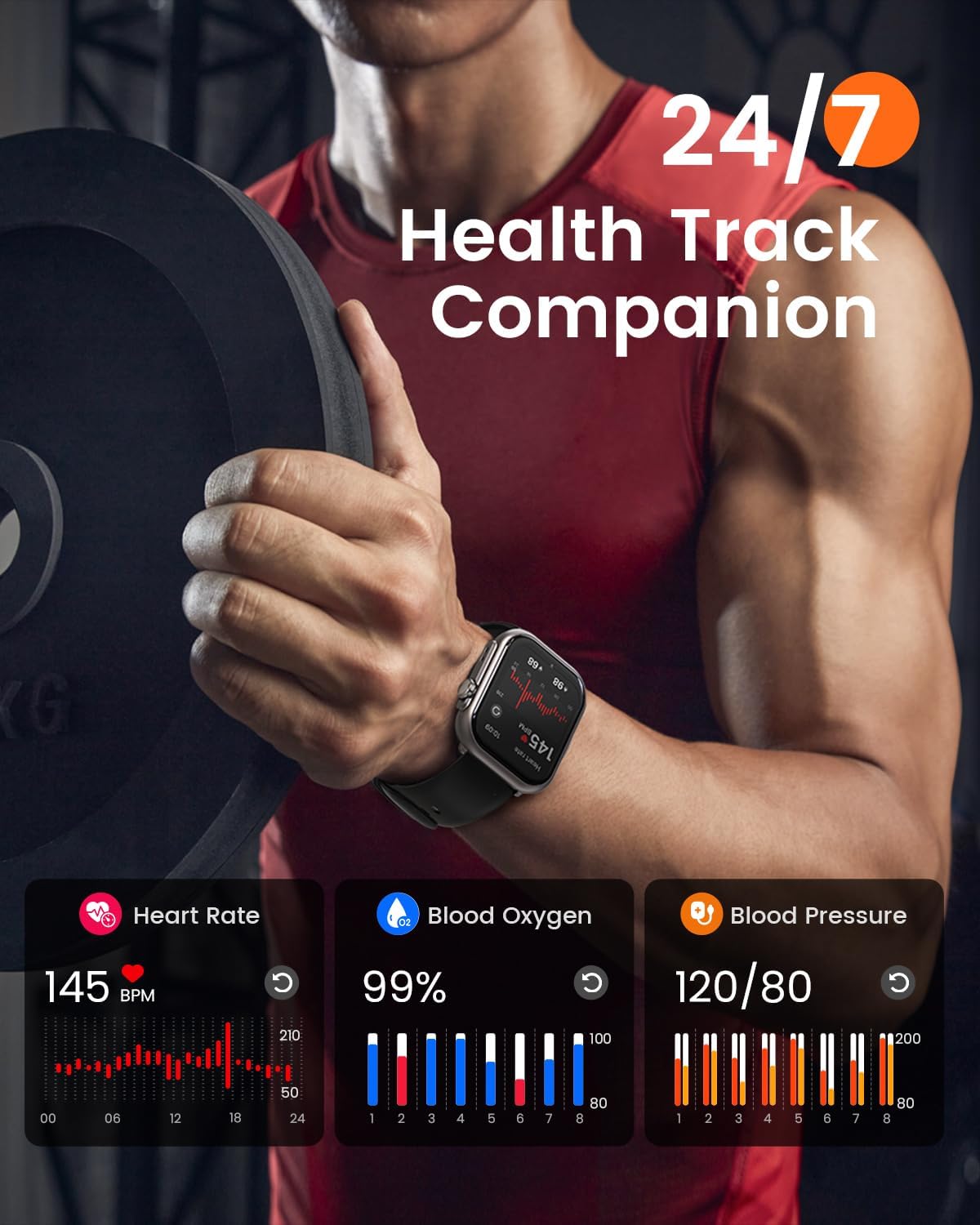
Figure 6: 24/7 Health Tracking
This visual demonstrates the RUXINGX Smart Watch G62's continuous health tracking features, including real-time monitoring of heart rate, blood oxygen levels, and blood pressure, providing a comprehensive overview of your well-being.

Figure 7: Smart Sleep Monitoring
This image illustrates the RUXINGX Smart Watch G62's advanced sleep monitoring capabilities, providing a detailed breakdown of sleep duration, quality score, and time spent in light, deep, awake, and REM sleep stages.
4. Sports Modes and Fitness Tracking
The watch supports over 120 sports modes to accurately track your workouts.
- Activity Tracking: Measures steps, calories burned, distance covered, and duration for various activities.
- GPS Tracking: Utilizes your phone's GPS for accurate route mapping during outdoor activities.
- Supported Activities: Includes running, swimming, yoga, hiking, cycling, and many more.

Figure 8: 120+ Sports Modes
This graphic showcases the RUXINGX Smart Watch G62's extensive fitness tracking capabilities, supporting over 120 sports modes and displaying real-time data such as distance, calories burned, and steps taken during physical activity.
5. Smart Assistant Features
Your RUXINGX Smart Watch G62 simplifies your daily routine with various smart features:
- Music Control: Control playback on your smartphone directly from the watch.
- Remote Camera Control: Take photos on your phone remotely by tapping your watch.
- Reminders: Set alarms, sedentary alerts, and other custom reminders.
- Weather Forecast: Get real-time weather updates.
- Menstrual Cycle Tracking: For female users, track and predict menstrual cycles.
Maintenance
1. Water Resistance
The RUXINGX Smart Watch G62 has a 5ATM waterproof rating, meaning it can withstand pressures equivalent to a depth of 50 meters. This makes it suitable for swimming, showering, and daily activities involving water exposure.
- Do not use the watch in hot water, saunas, or steam rooms, as steam can penetrate the seals.
- Avoid pressing buttons underwater.
- Rinse the watch with fresh water after exposure to saltwater or chlorinated water.
2. Cleaning Your Smart Watch
To maintain the appearance and functionality of your watch:
- Wipe the screen and body with a soft, lint-free cloth.
- For stubborn stains, dampen the cloth slightly with water.
- Clean the charging contacts regularly to ensure proper charging.
- Avoid using harsh chemicals or abrasive materials.
3. Battery Life Optimization
While the RUXINGX Smart Watch G62 boasts an impressive battery life of over 30 days (100 days in standby), you can further optimize it:
- Adjust screen brightness to a lower setting.
- Disable unnecessary notifications.
- Limit continuous heart rate monitoring if not required.
- Ensure the watch is fully charged before extended periods of non-charging.
Troubleshooting
If you encounter issues with your RUXINGX Smart Watch G62, please refer to the following common solutions:
| Problem | Possible Solution |
|---|---|
| Watch not turning on | Ensure the watch is fully charged. Connect to the charger and wait a few minutes. |
| Unable to pair with smartphone |
|
| Inaccurate health data |
|
| Notifications not appearing |
|
| Short battery life | Refer to the "Battery Life Optimization" section in Maintenance. Reduce screen brightness, disable continuous monitoring, and limit frequent notifications. |
If the problem persists, please contact customer support for further assistance.
Specifications
| Feature | Detail |
|---|---|
| Model Name | G62 |
| Brand | RUXINGX |
| Screen Size | 1.85 inches |
| Battery Capacity | 1000 mAh |
| Battery Life (Typical Use) | 30+ Days |
| Battery Life (Standby) | 100+ Days |
| Charging Time | Approx. 2.5 hours |
| Waterproof Rating | 5ATM |
| Connectivity | Bluetooth |
| Operating System Compatibility | iOS 9.0+ and Android 6.0+ |
| Memory Storage Capacity | 128 MB |
| Item Weight | 4 ounces |
| Country of Origin | China |
Warranty and Support
RUXINGX is committed to providing high-quality products and excellent customer service.
- Warranty: Your RUXINGX Smart Watch G62 comes with a 2-year warranty for free replacement due to manufacturing defects.
- Lifetime Software Updates: Benefit from lifetime software updates to keep your watch's features current and optimized.
- Return Policy: We offer a 30-day no-reason return policy from the date of purchase.
- Customer Support: For any questions, technical assistance, or warranty claims, please contact our 24/7 customer support team. Refer to the product packaging or the official RUXINGX website for contact details.
Ask a question about this manual
Ask about setup, troubleshooting, compatibility, parts, safety, or missing instructions. Manuals+ will review the question and use this page’s manual context to help answer it.