
1. Introduction
This manual provides detailed instructions for the KIBFLE DR03 Smart Watch. Please read this manual thoroughly before using the device to ensure proper operation and to maximize its features. Keep this manual for future reference.
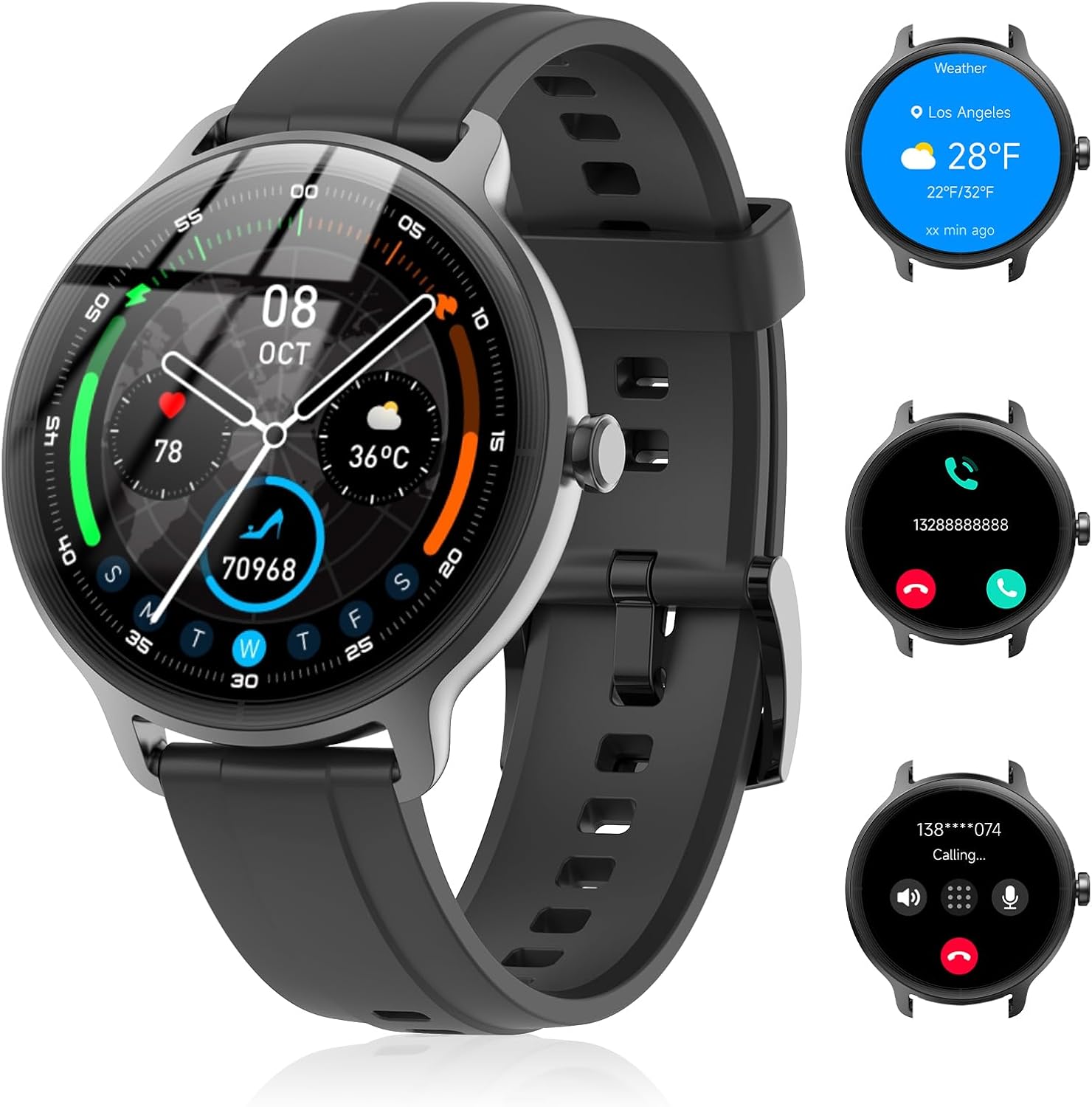
Image 1.1: KIBFLE DR03 Smart Watch main view with various display elements.
2. What's in the Box
- KIBFLE DR03 Smart Watch x1
- Charging Cable x1
- English User Manual x1
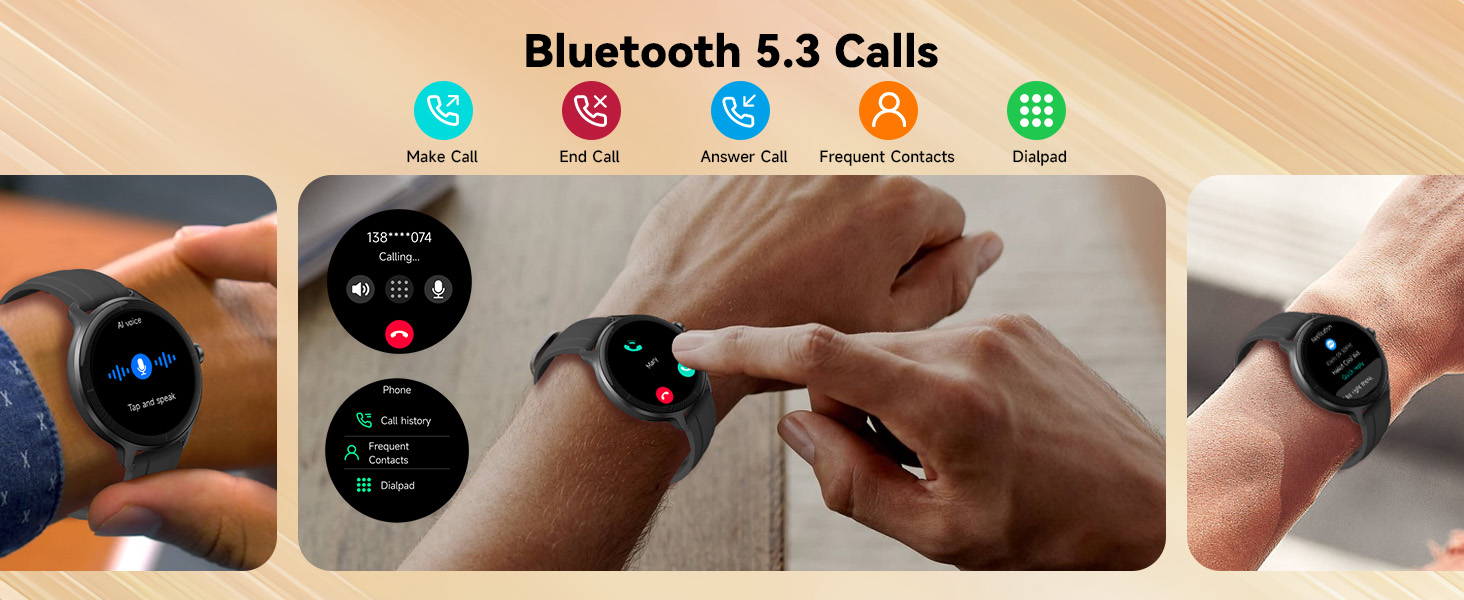
Image 2.1: Illustration of the KIBFLE DR03 Smart Watch and its included accessories.
3. Setup
3.1 Charging the Device
Before initial use, fully charge your KIBFLE DR03 Smart Watch. Connect the magnetic charging cable to the charging contacts on the back of the watch and plug the USB end into a power adapter (not included) or a computer USB port.
- Charging Time: Approximately 2.5 hours for a full charge.
- Battery Life: Up to 7 days of active use, 30 days standby time.

Image 3.1: The KIBFLE DR03 Smart Watch connected to its charging cable.
3.2 App Installation and Pairing
To unlock the full functionality of your smart watch, download and install the 'VeryFit' app on your smartphone.
- Enable Bluetooth: Ensure Bluetooth is enabled on your smartphone.
- Download App: Search for 'VeryFit' in the Google Play Store (for Android) or Apple App Store (for iOS) and install it.
- Pair Device: Open the VeryFit app. Follow the in-app instructions to scan for your DR03 watch. Select 'DR03' from the list of available devices to pair.
- Confirm Pairing: A pairing request will appear on your watch and phone. Confirm the connection and grant necessary permissions (e.g., contact access) for full functionality.
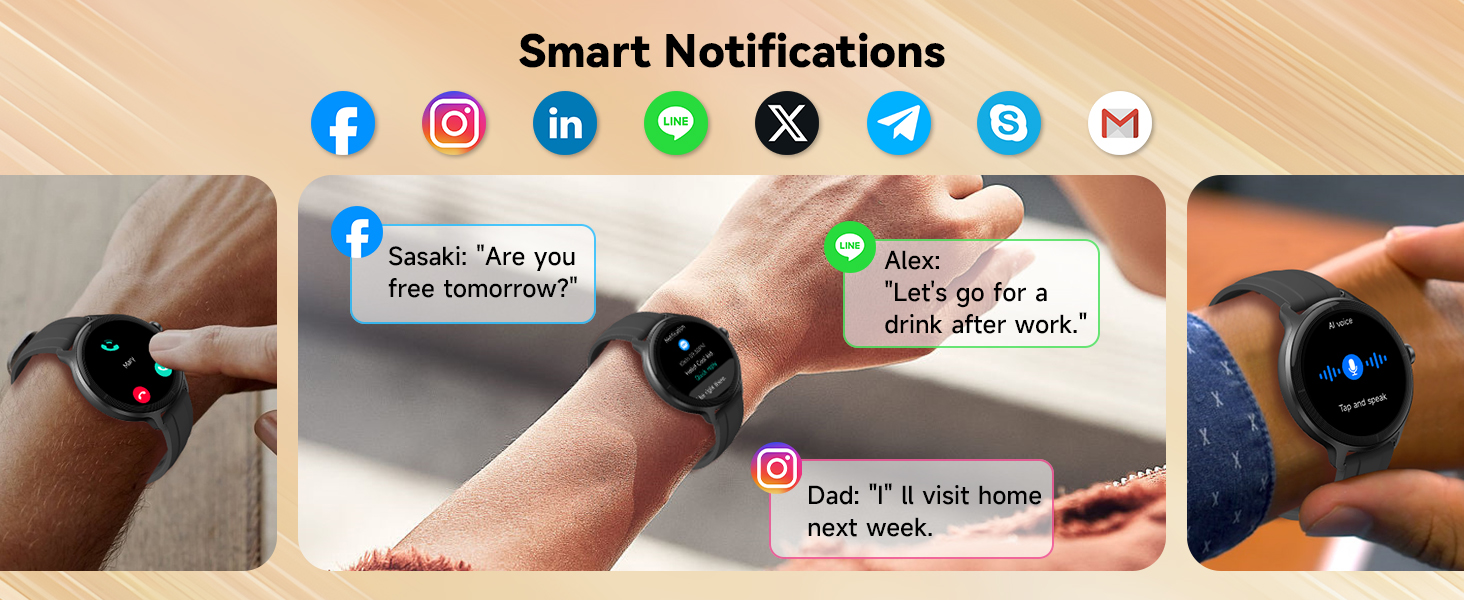
Image 3.2: Visual guide for VeryFit app download and Bluetooth pairing process.
4. Operating the Smart Watch
4.1 Basic Navigation
The KIBFLE DR03 Smart Watch features a 1.27" HD circular touchscreen display. Swipe across the screen to navigate through menus and functions. Use the physical button on the side for power on/off and returning to the home screen.
4.2 Bluetooth Calls & AI Voice Assistant
Once paired with your smartphone, the watch supports Bluetooth 5.3 for direct call management and AI voice commands.
- Make/Answer Calls: Answer incoming calls or dial directly from your watch. Store up to 20 frequent contacts and review call history.
- AI Voice Assistant: Activate the built-in AI voice assistant (compatible with Siri/Google Assistant) to perform tasks hands-free, such as making calls, controlling music, or checking weather.
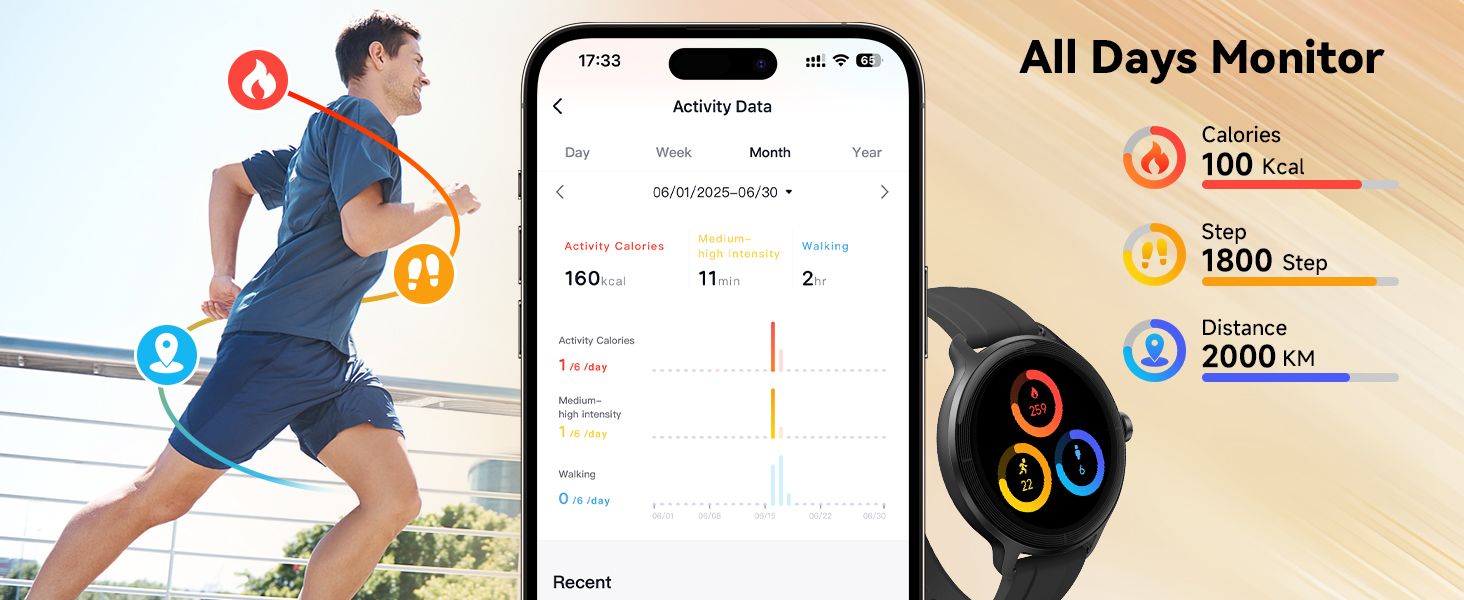
Image 4.1: Bluetooth call interface and AI voice assistant interaction on the watch.
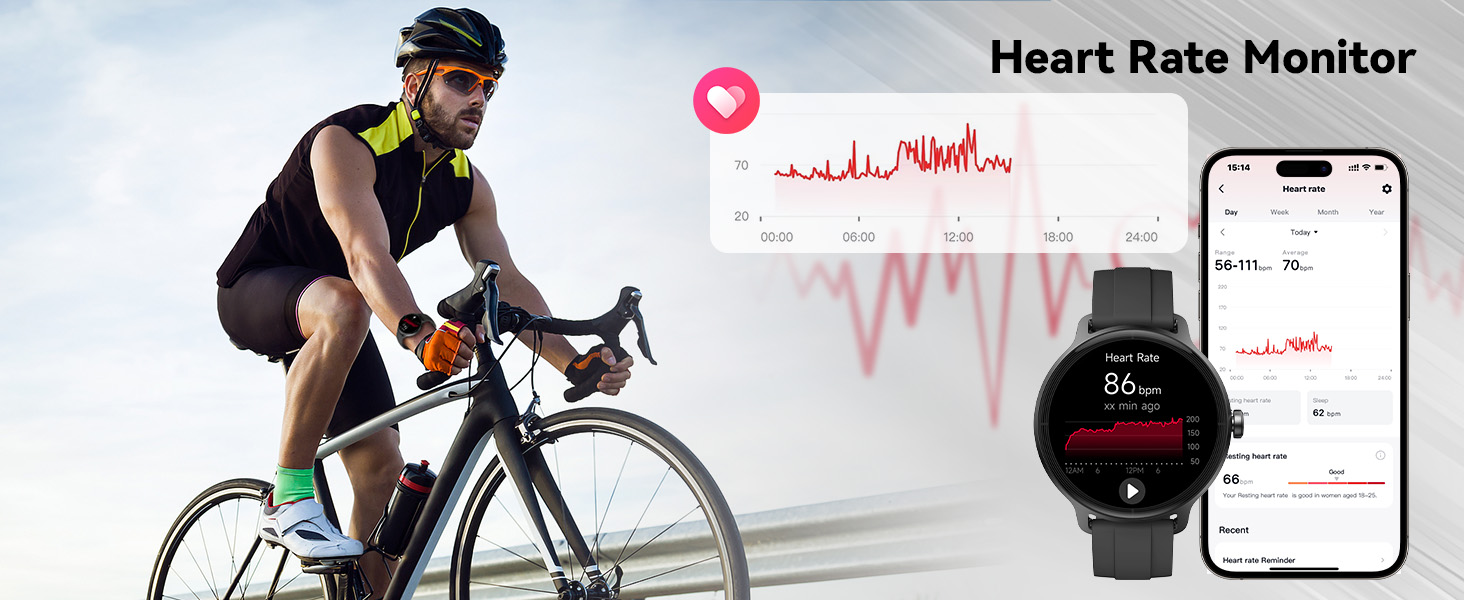
Image 4.2: Examples of AI voice assistant functionality for music and weather.
4.3 Smart Notifications & Reminders
Receive alerts from various applications directly on your wrist. The watch will vibrate gently to notify you of incoming messages or calls.
- App Notifications: Syncs alerts from WhatsApp, SMS, Instagram, Facebook, Snapchat, Twitter, Gmail, and more. (Note: Reply function is not available).
- Health Reminders: Customizable sedentary reminders prompt movement, and drink water alerts help maintain hydration.
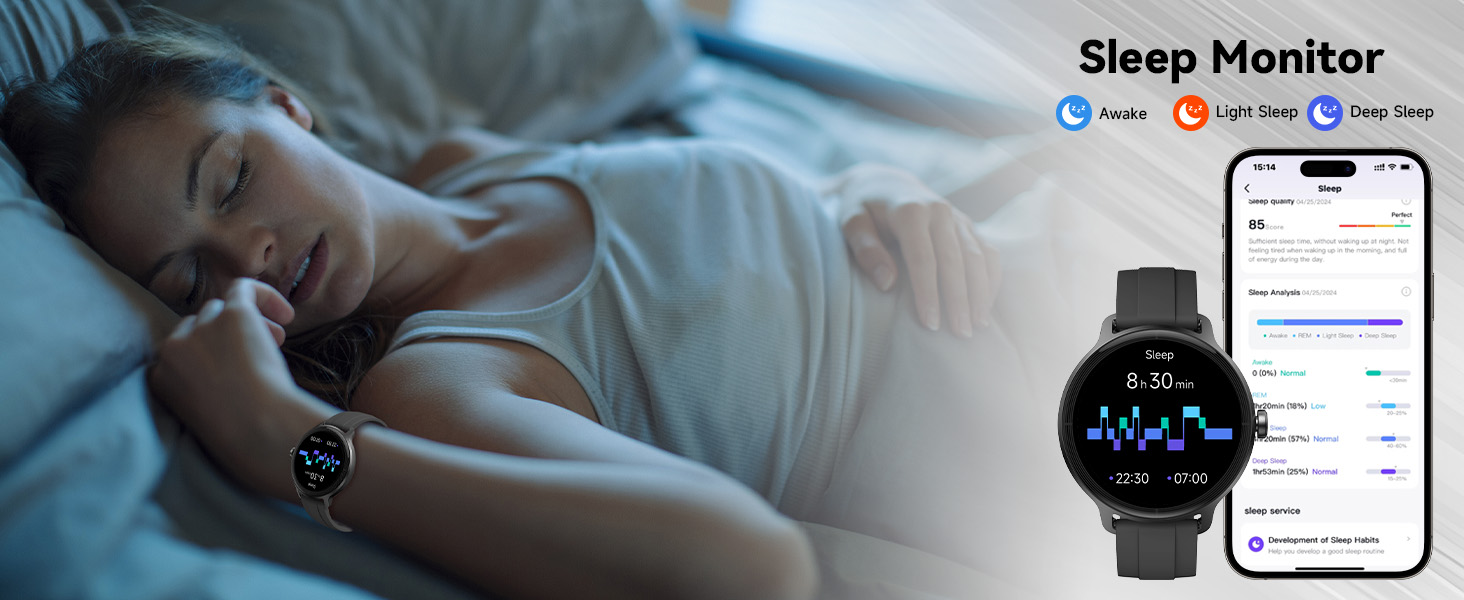
Image 4.3: Smart notifications from social media and messaging apps.
4.4 Health Tracking
The KIBFLE DR03 Smart Watch provides comprehensive health monitoring features.
- Heart Rate Monitoring: Automatically tracks heart rate every 5 minutes, providing 24/7 data.
- SpO2 Monitoring: Measures blood oxygen levels periodically.
- Sleep Monitoring: Analyzes sleep stages (deep, light, REM) and provides insights into sleep quality.
- Stress Monitoring: Tracks stress levels throughout the day.
- Women's Health: Offers tracking for menstrual periods, ovulation, and fertile windows.
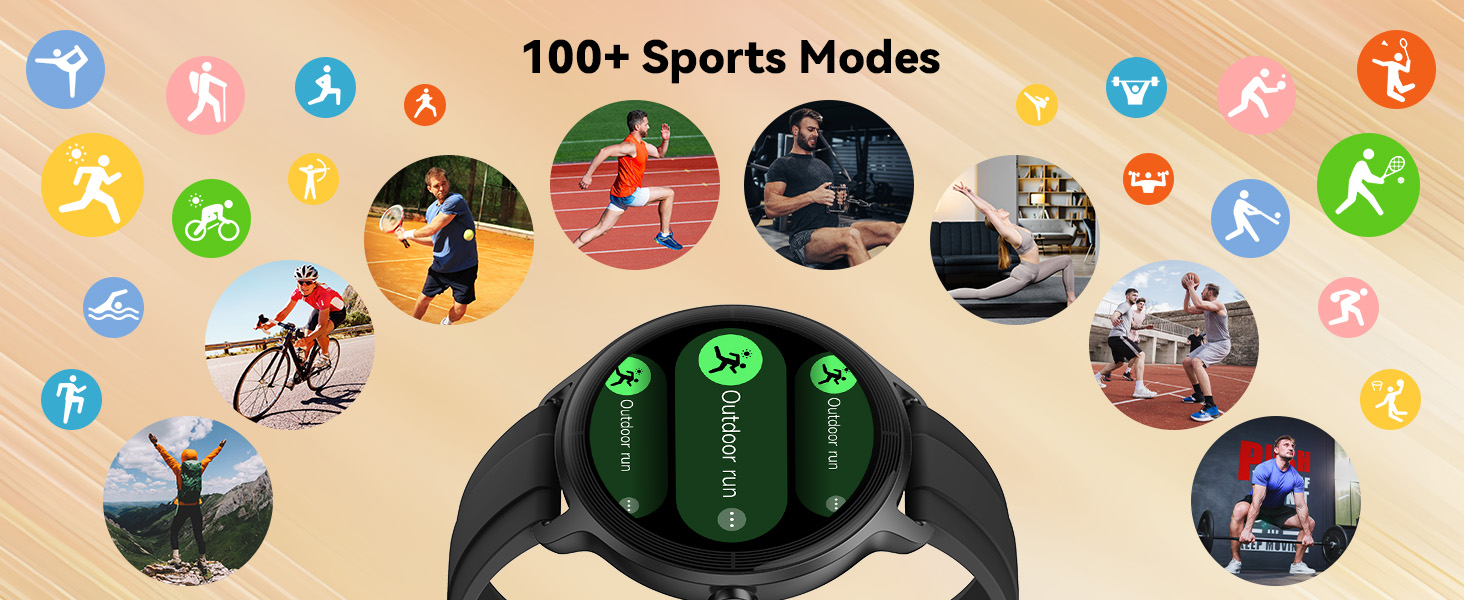
Image 4.4: Heart Rate Monitor interface and data visualization.
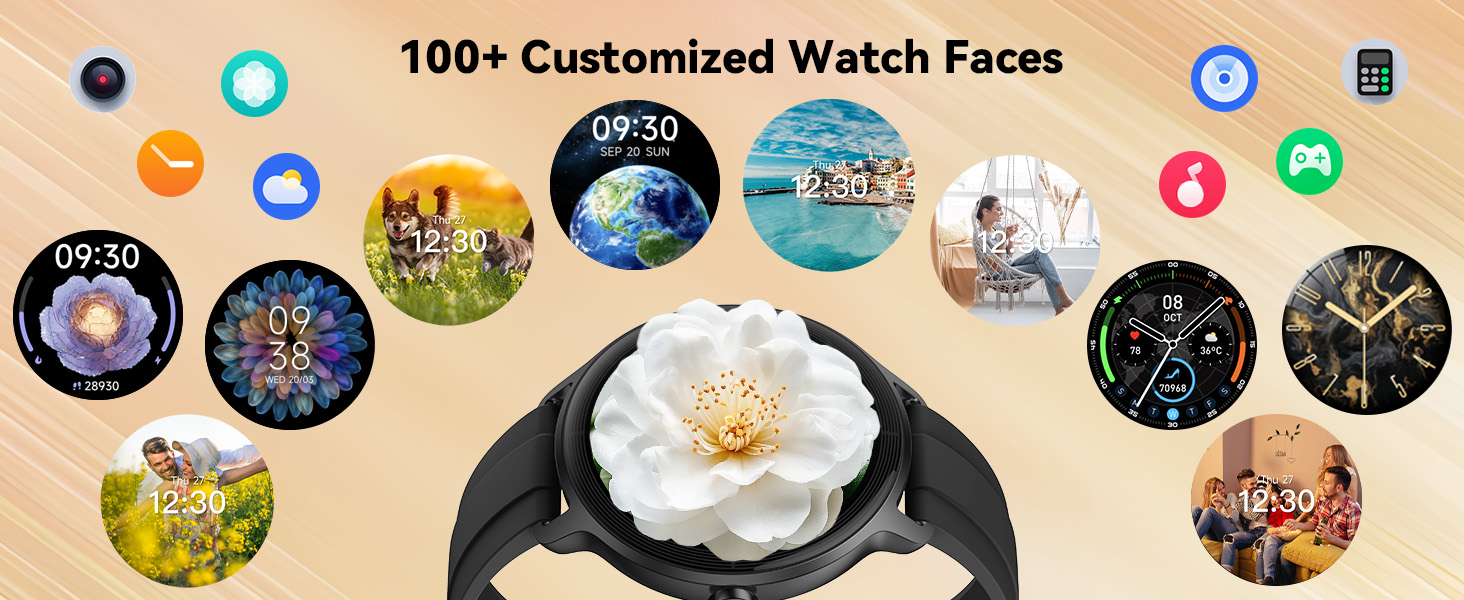
Image 4.5: SpO2 Monitor interface and data visualization.

Image 4.6: Sleep Monitor interface and detailed sleep analysis.
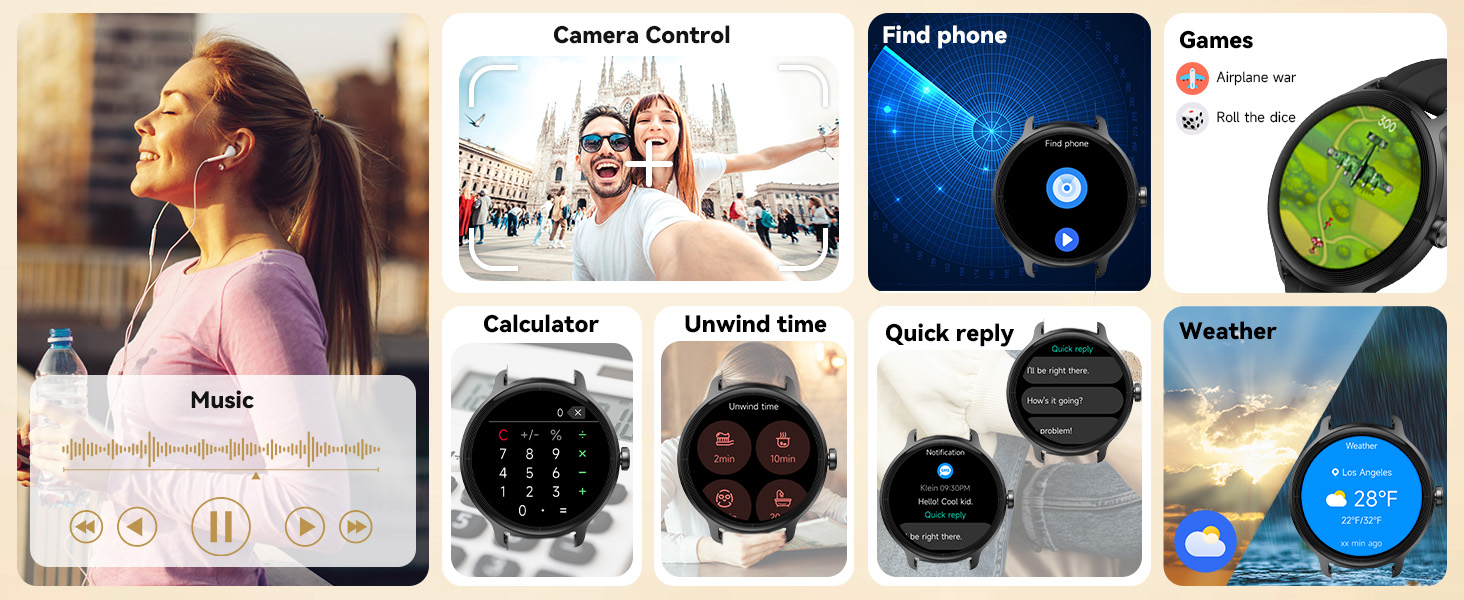
Image 4.7: Women's Health Monitor interface for cycle tracking.
4.5 Fitness Tracking & Sports Modes
The watch records various fitness metrics and supports over 100 sports modes.
- Activity Tracking: Records steps, calories burned, and distance. GPS route mapping is available when connected to your smartphone.
- 100+ Sports Modes: Select from a wide range of activities including running, swimming, yoga, cycling, and more to track specific workout data.
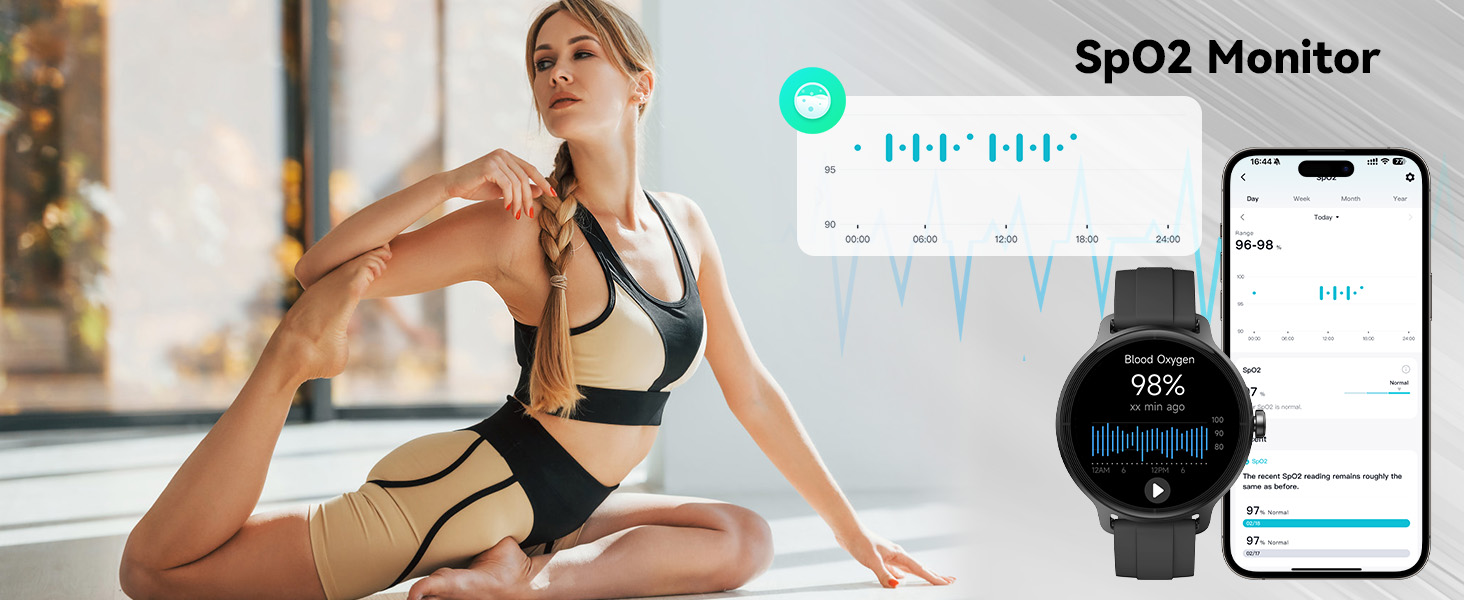
Image 4.8: All-day activity monitoring and data synchronization with the app.
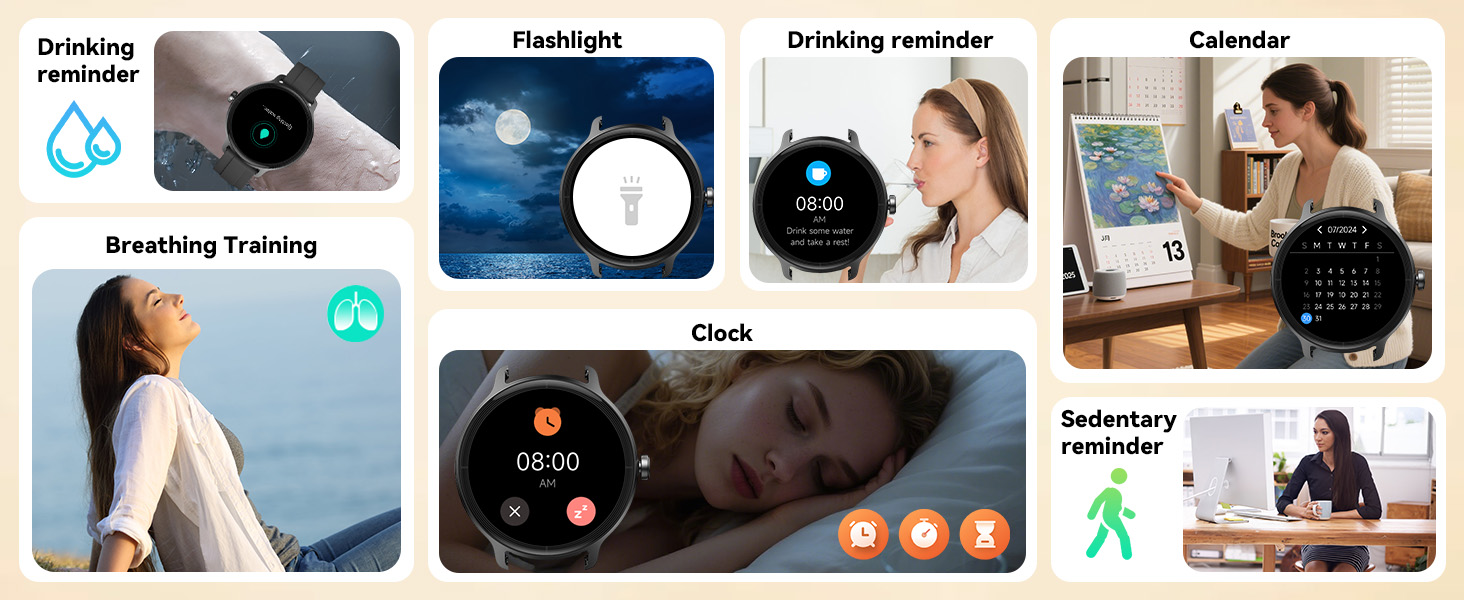
Image 4.9: Overview of the 100+ sports modes for diverse activities.
4.6 Customizable Dials & Smart Tools
Personalize your watch face and utilize various built-in tools.
- Watch Faces: Choose from over 100 cloud dials or upload your own photos via the VeryFit app.
- Brightness Adjustment: Adjust screen brightness across 5 levels.
- Practical Tools: Includes games, stopwatch, timer, weather forecasts, music control, calculator, alarms, camera control, find phone, breathing training, unwind time, flashlight, drinking reminder, calendar, and clock.

Image 4.10: Examples of customizable watch faces and photo upload feature.
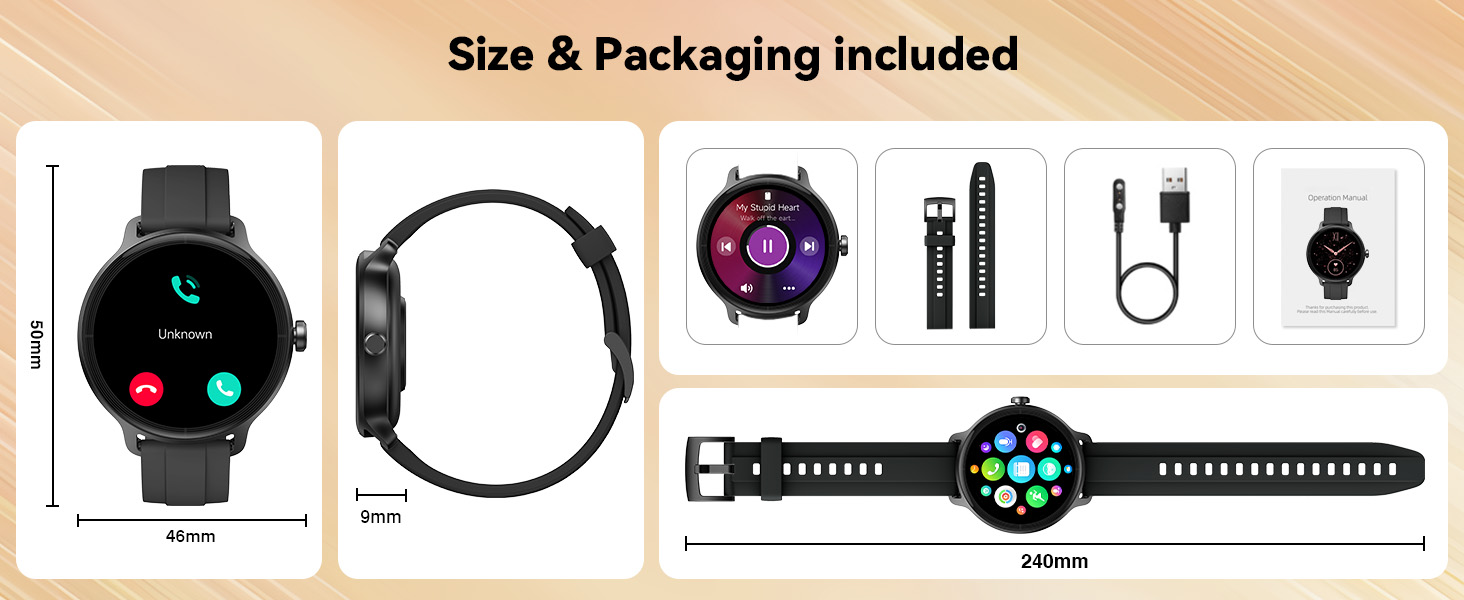
Image 4.11: Overview of multifunctional smart tools.
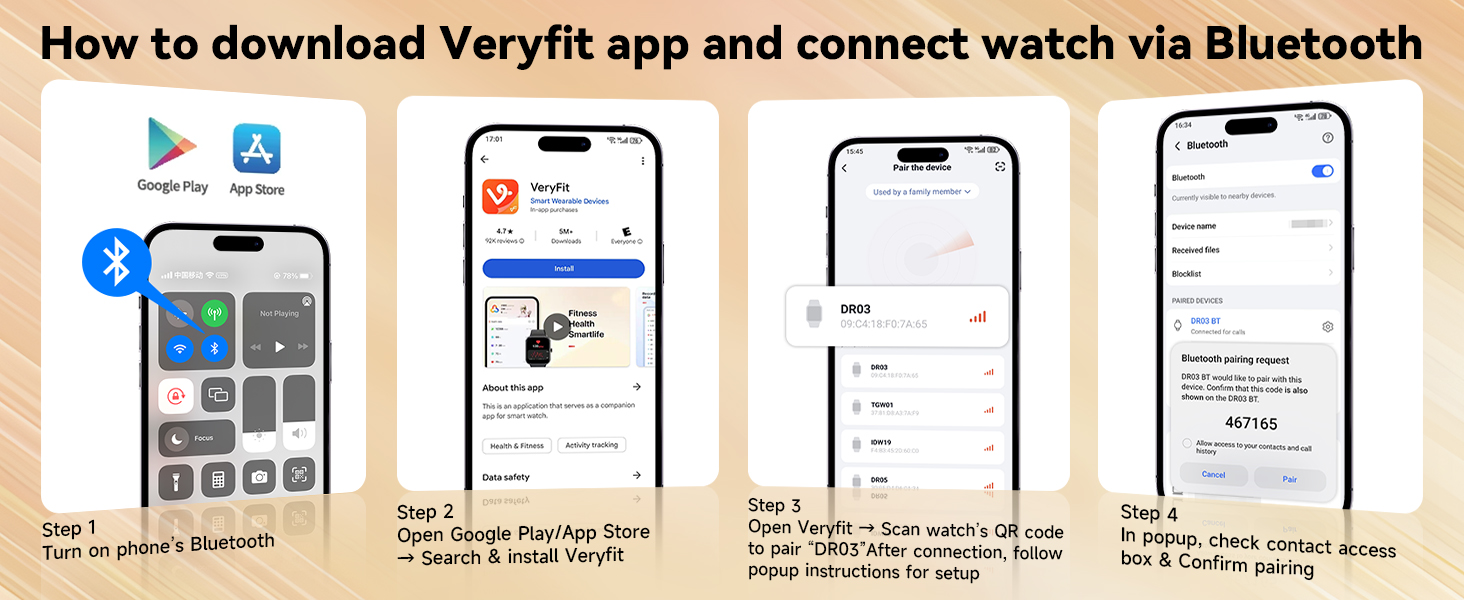
Image 4.12: Additional smart tools for daily convenience and health.
5. Maintenance
5.1 Water Resistance
The KIBFLE DR03 Smart Watch is IP68 rated waterproof. This means it is resistant to dust and can withstand immersion in water up to 1.5 meters for 30 minutes. It is suitable for daily activities such as hand washing, face washing, and sweating.
Important Note:
- Do not use the watch for baths, saunas, hot springs, or diving, as steam and hot water can compromise the waterproof seals.
- Avoid exposing the watch to high-velocity water or sudden temperature changes.
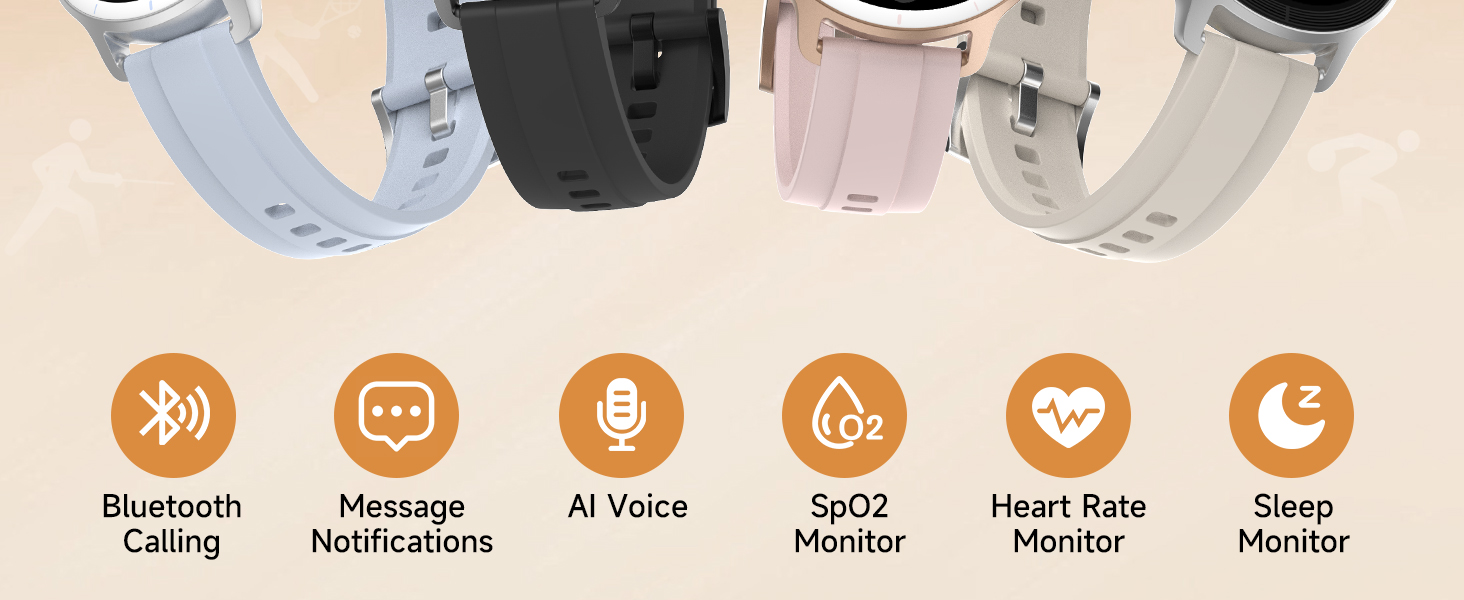
Image 5.1: IP68 Waterproof capabilities for daily use.
5.2 Cleaning and Care
- Wipe the watch and strap regularly with a soft, damp cloth.
- Ensure the charging contacts are clean and dry before charging to prevent corrosion.
- Avoid using harsh chemicals or abrasive materials for cleaning.
5.3 Battery Care
- Avoid fully discharging the battery frequently.
- If storing the watch for an extended period, charge it to approximately 50% to prolong battery life.
- Store in a cool, dry place.
6. Troubleshooting
If you encounter issues with your KIBFLE DR03 Smart Watch, refer to the following common solutions:
| Problem | Possible Solution |
|---|---|
| Watch does not turn on | Ensure the watch is fully charged. Press and hold the side button for several seconds. |
| Cannot pair with smartphone | Ensure Bluetooth is enabled on your phone. Restart both the watch and phone. Make sure the VeryFit app is updated. Check if the watch is already paired with another device. |
| Inaccurate health data | Ensure the watch is worn snugly on your wrist, about one finger's width from the wrist bone. Clean the sensor on the back of the watch. Avoid excessive movement during measurements. |
| Notifications not received | Check app permissions in your phone settings and within the VeryFit app. Ensure the watch is connected via Bluetooth. Disable 'Do Not Disturb' mode on both the watch and phone. |
| Short battery life | Reduce screen brightness. Limit frequent use of power-intensive features like continuous heart rate monitoring or GPS. Ensure background app usage is optimized on your phone. |
If the issue persists, please contact customer support for further assistance.
7. Specifications

Image 7.1: Product dimensions and key specifications of the KIBFLE DR03 Smart Watch.
| Feature | Detail |
|---|---|
| Model Number | DR03 |
| Display Screen Size | 1.27 Inches |
| Shape | Round |
| Battery Capacity | 290 mAh Lithium Polymer |
| Waterproof Rating | IP68 |
| Connectivity Technology | Bluetooth 5.3 |
| Operating System Compatibility | Android 6.0 and iOS 9.0+ |
| Memory Storage Capacity | 1 GB |
| Item Weight | 2.82 ounces |
| Package Dimensions | 5.59 x 3.54 x 0.28 inches |
| Special Features | Activity Tracker, Bluetooth Call, Lightweight, Notifications, Sedentary Reminder, AI Voice Assistant, Heart Rate/Sleep/SpO2 Monitor, 100+ Sports Modes |
8. Warranty and Support
8.1 Warranty Information
Your KIBFLE DR03 Smart Watch comes with a 365-day (one-year) replacement warranty from the date of purchase, covering manufacturing defects.
8.2 Return Policy
A 30-day no-reason return policy is available from the date of purchase. Please refer to the retailer's return guidelines for specific instructions.
8.3 Customer Support
For any inquiries, technical assistance, or warranty claims, KIBFLE offers 24/7 online support via email. Please refer to the contact information provided with your product packaging or on the official KIBFLE website.

Image 8.1: KIBFLE customer support and warranty details.


