
MuliVid LX20250312-60M
MuliVid 200Ft Permanent Outdoor Lights User Manual
Model: LX20250312-60M | Brand: MuliVid
1. Introduction
This manual provides essential instructions for the safe and effective installation, operation, and maintenance of your MuliVid 200Ft Permanent Outdoor Lights. These lights are designed for year-round outdoor use, offering versatile lighting options for various occasions.
2. Package Contents
Verify that all components are present in your package:
- 200ft Permanent Outdoor Lights (4 x 50ft strips)
- 1 Power Adapter (3.28ft cord)
- 4.92ft Extension Cable
- 1 Control Box
- 1 Remote Control
- 1 Screw Mounting Kit
- 1 User Manual (this document)

Image: All components included in the MuliVid Permanent Lights package, laid out for inspection.
3. Installation Guide
Follow these steps for proper installation:
- Pre-Installation Test: Before mounting, connect all light strips to the power adapter and control box. Test the lights to ensure they function correctly. If any issues arise, contact customer support.
- Surface Preparation: Clean the installation surface thoroughly. For optimal adhesion, especially in humid environments, clean the area with rubbing alcohol.
- Dual Fixing Method: The lights are designed for dual fixing using both adhesive and screws for long-term durability. Relying solely on adhesive may lead to failure, particularly in challenging weather conditions.
- Mounting: Secure the light strips along the desired eaves or other outdoor structures using the provided screws and adhesive. The distance between individual lights is 2ft.
- Power Connection: Ensure the total length from the power source to the control box (power adapter + extension cable = 8.2ft) is sufficient for your installation location to avoid connection problems.

Image: Step-by-step guide for connecting the lights to the power source and setting up the app.

Image: Illustration of securing the light strips to the eaves using the provided clips and screws.
Video: Official MuliVid installation and feature overview. This video demonstrates the installation process and various lighting effects.
4. Operating Instructions
4.1 Smart Dual Control (App & Remote)
Your MuliVid Permanent Outdoor Lights can be controlled via a smartphone application or the included remote control.
- Smartphone App: Download the dedicated app (refer to the QR code in the user manual or on the control box, or search in your app store). The app allows for customization of colors (16 million combinations), brightness, modes, and scheduling.
- Remote Control: The remote provides instant, one-touch access to various functions. Ensure the insulation tab is removed before first use. The remote requires a direct line of sight to the control box and operates within a 3-meter range.

Image: Depicts the smartphone app interface and the physical remote control for managing the lights.
Image: Instructions for using the remote control, including removing the insulation tab and range limitations.
4.2 Lighting Modes and Customization
The lights offer 16 million color combinations, including a white light option, allowing you to create diverse atmospheres for holidays, parties, or daily use. Explore the app for advanced scene settings and timer functions.
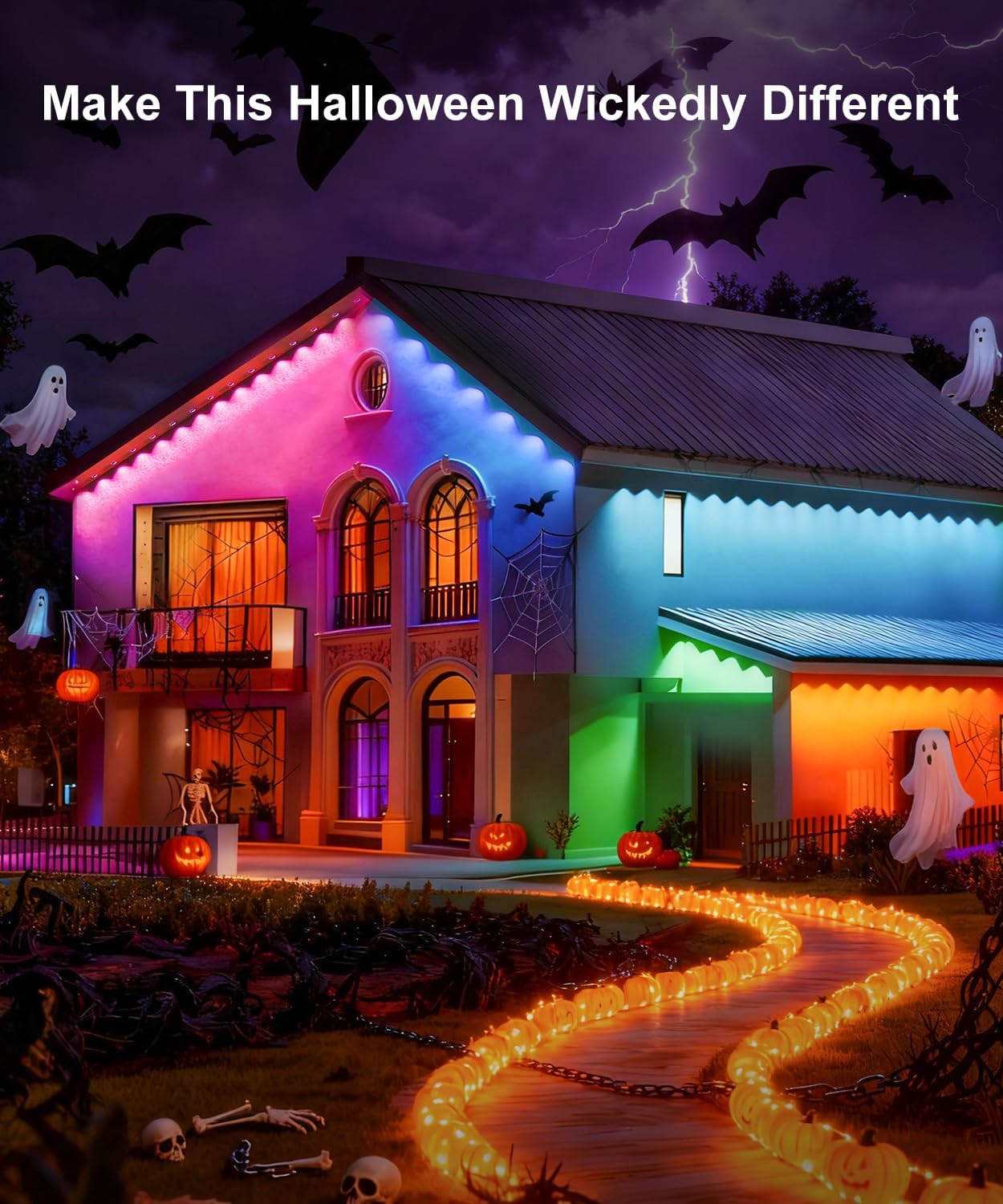
Image: Examples of the lights set to Christmas and Halloween themes, showcasing color versatility.

Image: Demonstrates the lights in both warm white for daily use and vibrant RGB for Christmas.
5. Maintenance
The MuliVid Permanent Outdoor Lights are designed for durability and minimal maintenance. They feature an IP67 waterproof rating, making them resistant to heavy rain and snow. The internal waterproof sealing strip provides additional protection against moisture. The lights are built to withstand temperatures from -40°C to 60°C and have a lifespan of 50,000 hours.
- Cleaning: Periodically clean the light surfaces with a soft, damp cloth to remove dirt and debris. Avoid abrasive cleaners.
- Inspection: Regularly inspect the wiring and connections for any signs of wear or damage. Ensure all mounting screws remain secure.

Image: Visual representation of the lights' IP67 waterproof design, showing resistance to water exposure.
6. Troubleshooting
If you encounter issues with your MuliVid Permanent Outdoor Lights, refer to the following common problems and solutions:
| Problem | Possible Cause | Solution |
|---|---|---|
| Lights do not turn on. | No power, loose connection, faulty adapter/control box. |
|
| Remote control not working. | Insulation tab not removed, battery drained, no direct line of sight. |
|
| App control not connecting or unresponsive. | Incorrect app setup, Bluetooth/Wi-Fi issues, app malfunction. |
|
| Lights falling or adhesive failing. | Improper surface preparation, adhesive-only installation in humid conditions. |
|
7. Product Specifications
| Feature | Detail |
|---|---|
| Model Number | LX20250312-60M |
| Brand | MuliVid |
| Total Length | 200ft (4 x 50ft strips) |
| Light Source Type | LED |
| Light Color | Multicolor (RGB) |
| Special Features | Adjustable, Color Changing, Remote Controlled |
| Indoor/Outdoor Usage | Outdoor |
| Waterproof Rating | IP67 |
| Power Source | AC |
| Operating Temperature | -40°C to 60°C |
| Lifespan | 50,000 hours |
| Item Weight | 4.58 pounds (2.08 Kilograms) |
| UPC | 767119732825 |
8. Warranty and Support
For any product inquiries, technical assistance, or warranty claims, please refer to the contact information provided in your product packaging or visit the official MuliVid support website.
Online Manuals and Support: https://www.lxillumi.com/manuals/download.html
Ask a question about this manual
Ask about setup, troubleshooting, compatibility, parts, safety, or missing instructions. Manuals+ will review the question and use this page’s manual context to help answer it.