
Introduction
Thank you for choosing the WOPET Automatic Pet Feeder. This device is designed to simplify your pet's feeding routine, providing timely meals and maintaining food freshness. It is suitable for a variety of small pets, including cats, dogs, puppies, kittens, rabbits, and hamsters.
The feeder features a 48-hour programmable timer, allowing you to schedule meals in advance. Its unique design includes a compartment for an ice gel pack, ensuring wet food, yogurt, or canned meals remain fresh for extended periods. The durable and easy-to-clean construction makes it a convenient solution for busy pet owners.
Setup
Package Contents
- 1 x Automatic Pet Feeder Unit
- 2 x Food Containers (bowls)
- 1 x Lid (main cover)
- 1 x Ice Gel Pack
Assembly and Initial Preparation
Unpack Components: Carefully remove all parts from the packaging.
Install Batteries: Locate the battery compartment on the underside of the feeder. Insert the required batteries (not included) according to the polarity indicators. Ensure the compartment cover is securely closed.
Prepare Ice Pack (for wet food): If feeding wet food, place the included ice gel pack in a freezer for several hours until completely frozen. Once frozen, place the ice pack into the designated compartment beneath the food tray. This helps keep wet food fresh for hours.
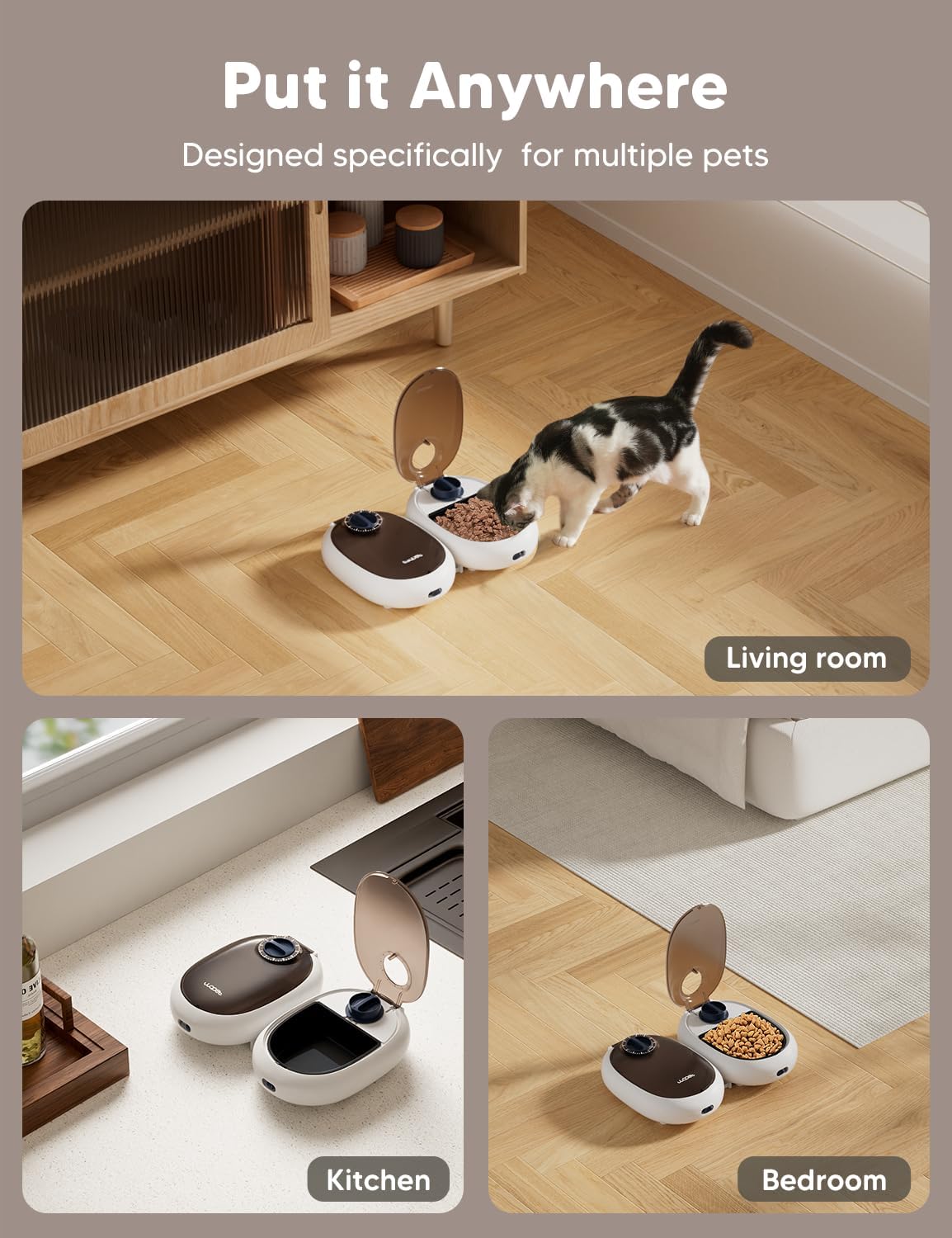
Image: The WOPET Automatic Pet Feeder shown with wet food in one compartment and the ice gel pack placed in its designated area beneath the other compartment, highlighting its freshness feature.
Fill Food Containers: Place the food containers into their respective slots within the feeder. Fill each container with your pet's desired amount of dry kibble, wet food, canned food, or treats. The feeder has a 600g food capacity (300g per bowl).

Image: The WOPET Automatic Pet Feeder with one lid open, revealing wet food in a bowl, and the other feeder unit closed. Several blue ice gel packs are visible next to the feeder, illustrating the components and how food is placed.
Secure the Lid: Close the main lid of the feeder securely over the food containers.
Placement: Place the feeder in a suitable location in your home, such as the living room, kitchen, or bedroom. The compact design allows for flexible placement.
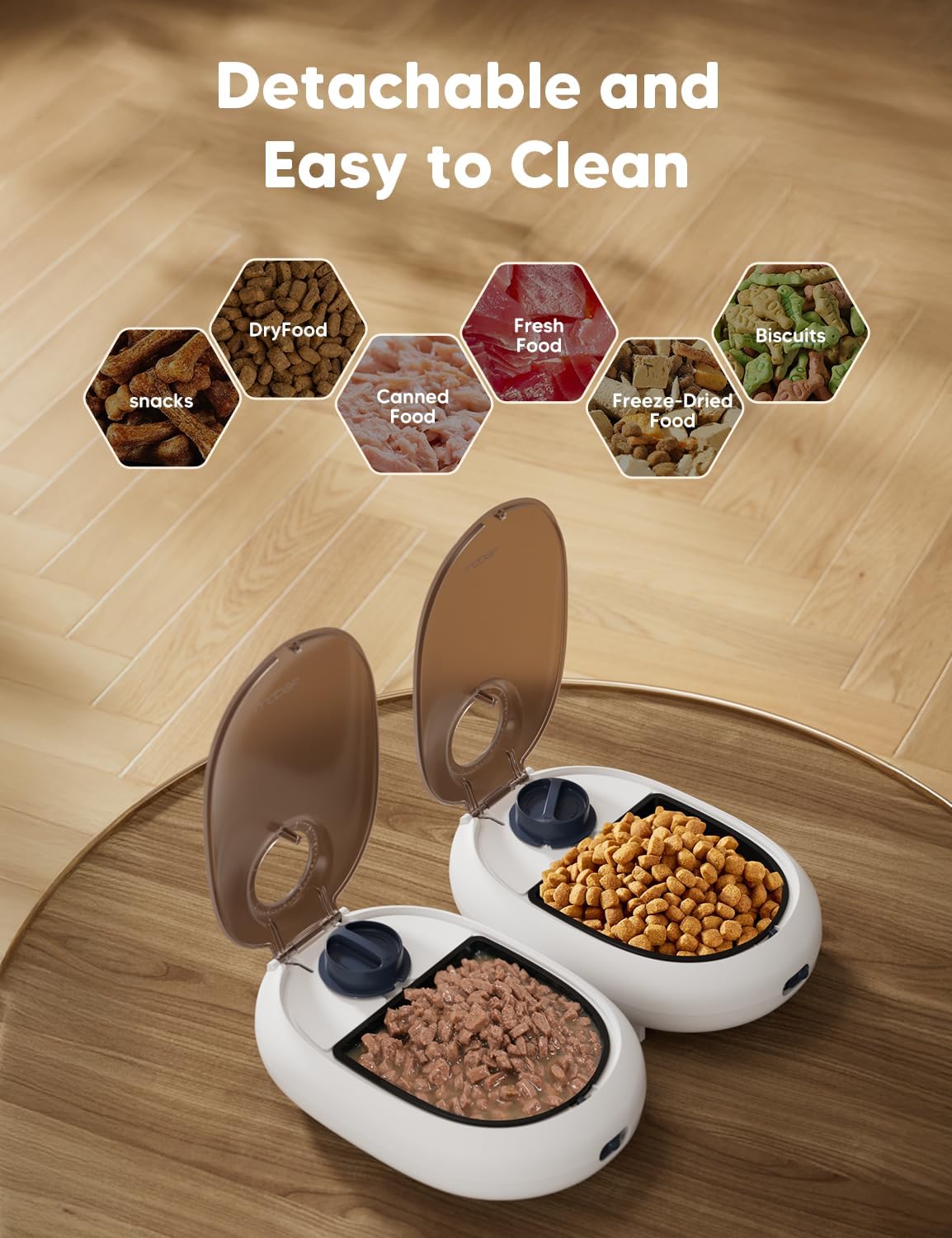
Image: A collage showing the WOPET Automatic Pet Feeder placed in different home environments, including a living room with a cat, a kitchen counter, and a bedroom, demonstrating its versatility in placement.
Operating Instructions
Setting the Timer
The WOPET Automatic Pet Feeder uses a simple countdown timer, not a real-time clock. You set the number of hours until the feeder should open.
Determine Desired Feeding Time: Decide when you want the feeder to open (e.g., 7:00 AM).
Calculate Countdown Hours: Calculate the number of hours from the current time until your desired feeding time. For example, if the current time is 5:00 AM and you want the feeder to open at 7:00 AM, you would set the timer for 2 hours.
Set the Timer Dial: Rotate the timer dial on the top of the feeder to align the arrow with the calculated number of hours (e.g., '2' for 2 hours). The timer can be set for up to 48 hours.

Image: A close-up view of the WOPET Automatic Pet Feeder's timer dial, showing the numerical markings for setting the countdown hours until the feeder opens.
Unlock the Feeder: After setting the time, locate the small lock switch on the front of the feeder. Turn this switch to the left until it is in the 'Planned Open' (unlocked) position. A small sticker on the machine provides this reminder.
Automatic Opening: Once the set countdown time has elapsed, the lid will automatically spring open, allowing your pet access to the food.

Image: A cat is shown happily eating from the WOPET Automatic Pet Feeder, demonstrating the feeder in active use during a mealtime.
Maintenance
Cleaning the Feeder
Regular cleaning is essential to maintain hygiene and ensure the longevity of your WOPET Automatic Pet Feeder. The food containers and lid are made from high-quality, safe, and environmentally friendly ABS material, which is dishwasher safe for easy cleaning.
Disassemble: Open the lid and remove the food containers from the main unit. The main unit containing the timer mechanism should not be submerged in water.
Wash Components: Wash the food containers and the lid with warm soapy water, or place them on the top rack of your dishwasher. Ensure all food residue is removed.

Image: The WOPET Automatic Pet Feeder is shown disassembled, with one food bowl being washed in a sink, illustrating the ease of cleaning its detachable components.
Dry Thoroughly: Allow all washed components to air dry completely before reassembling. Ensure no moisture remains, especially if using the ice pack.
Wipe Main Unit: Use a damp cloth to wipe down the exterior of the main feeder unit. Do not submerge the main unit in water.
Reassemble: Once all parts are dry, reassemble the feeder by placing the food containers back into the main unit and securing the lid.
Troubleshooting
| Problem | Possible Cause | Solution |
|---|---|---|
| Feeder does not open at the set time. |
|
|
| Food is not staying fresh. |
|
|
| Pet is able to open the lid prematurely. |
|
|
Specifications
| Feature | Detail |
|---|---|
| Brand | WOPET |
| Model Number | B0FC658KLH |
| Color | White |
| Material | Acrylonitrile Butadiene Styrene (ABS) |
| Item Dimensions (LxWxH) | 6 x 9 x 6 inches |
| Item Weight | 2.5 pounds (1.14 Kilograms) |
| Food Capacity | 600g (300g per bowl) |
| Timer | Up to 48-hour programmable countdown |
| Included Components | Automatic Pet Feeder, 2 Food Containers, 1 Lid, 1 Ice Gel Pack |
| Recommended Uses | Dry Food, Wet Food, Indoor, Multiple Pets |
| Target Species | Small dogs and cats (including puppies, kittens, rabbits, hamsters) |
Warranty and Support
Specific warranty information for the WOPET Automatic Pet Feeder is not provided in this manual. For details regarding warranty coverage, returns, or technical support, please refer to the product packaging, the seller's website, or contact WOPET customer service directly.
No official product videos were available in the provided data for inclusion in this manual.