
Elitech LDM-50S
Elitech LDM-50S Laser Distance Meter User Manual
1. Introduction
The Elitech LDM-50S is a digital laser distance meter designed for accurate and efficient measurement of distances, areas, and volumes. This device is suitable for various applications including home renovation, construction, and DIY projects. It offers a range of up to 165 feet (50 meters) with high precision.
Key Features:
- Fast & Highly Accurate: Measures distances up to 165ft (50m) with ±2mm precision, providing results in approximately 0.5 seconds.
- Versatile Functions: Supports single/continuous measuring, area, volume, and Pythagoras modes for indirect height or diagonal measurements.
- Easy to Read & Operate: Features a backlit screen for clear readings in dim conditions and a simple button layout for one-hand operation.
- Smart Memory & Calibration: Stores up to 99 measurements and includes a self-calibration function to maintain accuracy.
- Portable & Ready: Compact, lightweight design, supplied with batteries, a wrist strap, and a quick-start guide.

Image: Elitech LDM-50S Laser Distance Meter, showing its display and control buttons.
2. Safety Information
Please read and understand all safety instructions before using the Elitech LDM-50S Laser Distance Meter. Failure to follow these instructions may result in laser radiation exposure, electric shock, fire, or serious injury.
Laser Safety:
- The Elitech LDM-50S uses a Class 2 laser product (630-670nm, <1mW).
- Do not stare directly into the laser beam.
- Avoid directing the laser beam at people or animals.
- Do not use optical instruments (e.g., binoculars, telescopes) to view the laser beam.
- Ensure the device is used in a manner consistent with its intended purpose to prevent unintended exposure.
General Safety:
- Keep the device out of reach of children.
- Do not attempt to modify or disassemble the device.
- Use only specified batteries (2x AAA alkaline batteries).
- Avoid exposing the device to extreme temperatures, moisture, or direct sunlight.
3. Package Contents
Upon unpacking your Elitech LDM-50S Laser Distance Meter, please ensure all the following items are present:
- Elitech LDM-50S Laser Distance Meter
- 1.5V AAA Batteries (2 pcs)
- User Manual (this document)
- Storage Box
- Hand Strap

Image: Elitech LDM-50S package contents, including the meter, batteries, user manual, box, and hand strap.
4. Getting Started
4.1 Battery Installation
- Locate the battery compartment cover on the back of the device.
- Slide the cover open.
- Insert two 1.5V AAA alkaline batteries, ensuring correct polarity (+/-).
- Close the battery compartment cover securely.
4.2 Power On/Off
- To Power On: Press the READ button. The display will illuminate.
- To Power Off: Press and hold the OFF/CLEAR button for a few seconds until the display turns off. The device also features an auto shut-off function to conserve battery power after a period of inactivity.
5. Operation
5.1 Basic Distance Measurement
- Power on the device by pressing the READ button.
- Press the READ button again to activate the laser beam. A red laser dot will appear.
- Aim the laser dot at the target point from which you want to measure the distance.
- Press the READ button once more. The measured distance will be displayed on the screen.
5.2 Measurement Modes
The LDM-50S offers several measurement modes. Press the FUNC button (often labeled with a square/triangle icon) to cycle through the available modes:
- Single Measurement: Measures the distance between two points.
- Continuous Measurement (Tracking): Provides real-time distance updates as you move the device.
- Area Measurement: Measures length and width to calculate the area of a surface.
- Volume Measurement: Measures length, width, and height to calculate the volume of a space.
- Pythagoras Mode: Calculates indirect measurements (e.g., height or diagonal) using the Pythagorean theorem. Follow the on-screen prompts to take the required measurements.

Image: Elitech LDM-50S illustrating various measurement modes including distance, area, volume, and Pythagorean calculations.
5.3 Setting the Measurement Reference Point
The device can measure from its front edge or its rear edge. Press the REF button (often labeled with an arrow icon) to switch between these reference points. An icon on the display will indicate the currently selected reference point.
5.4 Unit Switching
To change the measurement units (e.g., meters, feet, inches), press the UNIT button (often labeled 'U'). Continue pressing to cycle through available units: meters (m), centimeters (cm), feet (ft), inches (in), decimal inches, and fractional inches.
5.5 Data Storage
The LDM-50S can store up to 99 measurement records. To view stored data, press the MEM button (often labeled with a document icon). Use the arrow buttons (if available) to navigate through the records.
5.6 Calibration
The device features a self-calibration function to ensure accuracy over time. Refer to the on-screen menu or specific button combinations (usually involving holding a button during power-on) for calibration instructions if you suspect accuracy issues. Always calibrate against a known, precise distance.
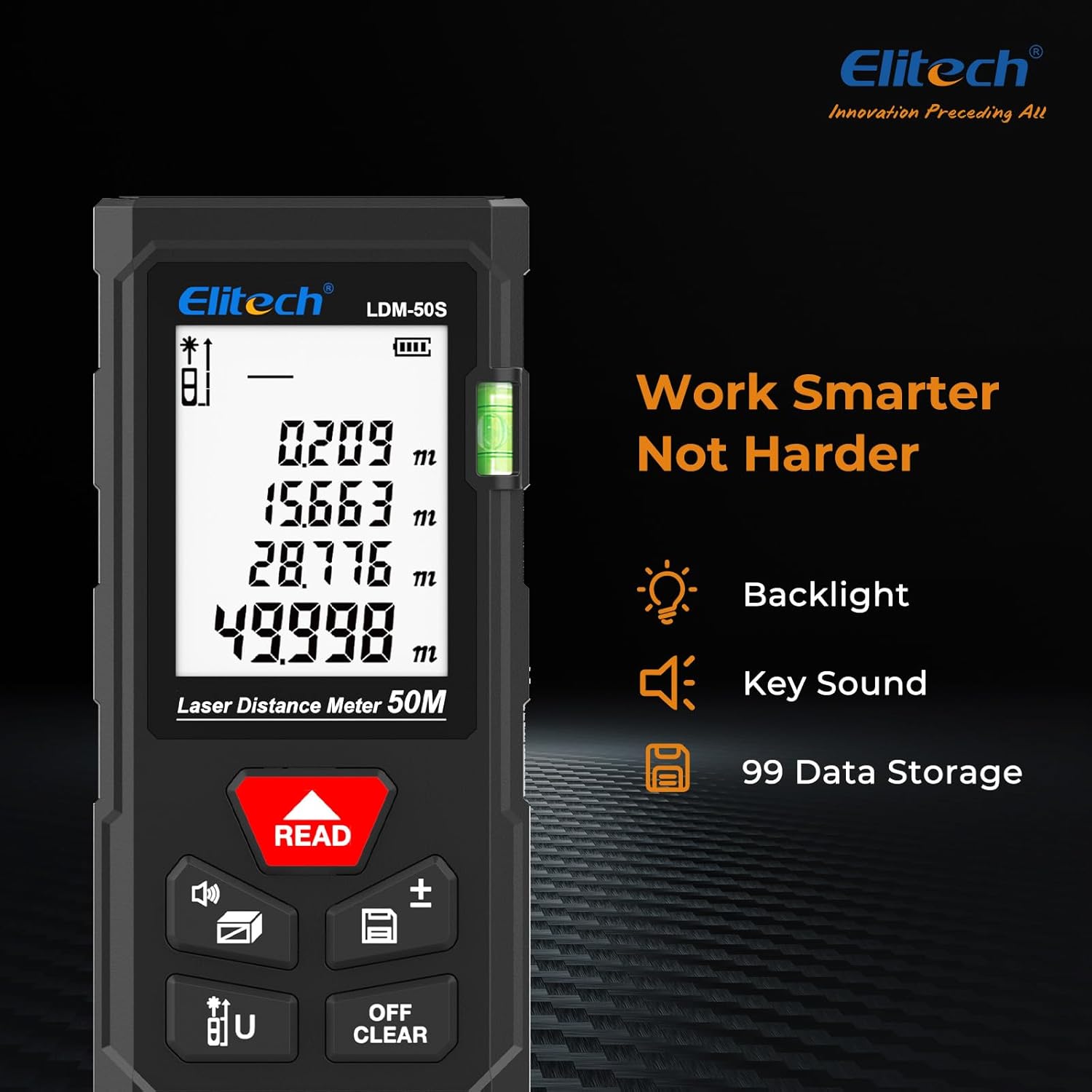
Image: Elitech LDM-50S display, showing backlight, key sound indicator, and data storage icon.
6. Maintenance
6.1 Cleaning
- Wipe the device with a soft, damp cloth. Do not use abrasive cleaners or solvents.
- Clean the laser lens carefully with a soft, lint-free cloth to ensure accurate measurements.
6.2 Storage
- Store the device in its original box or a protective case when not in use.
- Remove batteries if the device will not be used for an extended period to prevent leakage.
- Store in a dry place, away from direct sunlight and extreme temperatures.
7. Troubleshooting
If you encounter issues with your Elitech LDM-50S, refer to the table below for common problems and solutions:
| Problem | Possible Cause | Solution |
|---|---|---|
| Device does not power on | Low or dead batteries; Incorrect battery installation | Replace batteries with new AAA alkaline batteries; Ensure correct polarity. |
| Inaccurate measurements | Laser lens dirty; Incorrect reference point; Device needs calibration | Clean laser lens; Verify the correct measurement reference point is selected; Perform self-calibration. |
| Laser beam not visible | Device not powered on; Bright ambient light | Press READ button to activate laser; Use in lower light conditions or use a target plate. |
| Display is dim or unreadable | Low batteries; Extreme temperatures | Replace batteries; Operate within specified temperature range. |
| Error message on display | Measurement out of range; Obstruction; Internal error | Ensure target is within 165ft (50m); Clear any obstructions; Power cycle the device. If error persists, contact support. |
8. Specifications
| Feature | Detail |
|---|---|
| Model | LDM-50S |
| Measurement Range | 0.05m to 50m (0.16ft to 165ft) |
| Measurement Accuracy | ±2mm (±1/16 inch) |
| Measurement Time | Approx. 0.5 seconds |
| Laser Type | Class 2, 630-670nm, <1mW |
| Units of Measurement | m, cm, ft, in, ft+in (decimal and fractional) |
| Data Storage | Up to 99 records |
| Automatic Shut-off | Yes (to conserve battery) |
| Battery Type | 2 x 1.5V AAA Alkaline batteries |
| Material | ABS Engineering Plastic |
| Dust/Water Resistance | IP54 |
| Drop-Proof | 1m (3.3ft) |
| Item Weight | Approx. 5.3 ounces (150g) |
| Package Dimensions | Approx. 6.3 x 3.54 x 1.46 inches |

Image: Elitech LDM-50S displaying its precision (±2mm), range (50m), and laser type (Class 2).

Image: Elitech LDM-50S highlighting its robust construction with ABS engineering plastic, IP54 dust/water resistance, and 1m drop-proof capability.
9. Warranty Information
The Elitech LDM-50S Laser Distance Meter comes with a 1-Year Warranty from the date of purchase. This warranty covers defects in materials and workmanship under normal use. It does not cover damage caused by misuse, accidents, unauthorized modifications, or improper maintenance.
Please retain your proof of purchase for warranty claims.
10. Customer Support
For technical assistance, warranty claims, or any questions regarding your Elitech LDM-50S Laser Distance Meter, please contact Elitech customer support.
- Website: Visit the official Elitech website for FAQs, product information, and support resources.
- Email/Phone: Refer to the contact information provided on the Elitech website or in your product packaging for direct support.
Elitech is headquartered in the USA and is committed to providing high-quality products and customer service.
Ask a question about this manual
Ask about setup, troubleshooting, compatibility, parts, safety, or missing instructions. Manuals+ will review the question and use this page’s manual context to help answer it.