Introduction
Thank you for choosing the sdlogal L93-Y-202 Dynamic Wireless Microphone System. This manual provides essential information for the proper setup, operation, and maintenance of your new microphone system. Please read it thoroughly before use to ensure optimal performance and longevity of the product.
What's Included
- 2 x Handheld Microphones
- 1 x Receiver Unit
- 1 x 6.35mm Audio Cable
- 1 x Power Cable
- 1 x User Manual
Key Features
- Clear and Pristine Sound Quality: Professional cardioid dynamic capsule for excellent, clear, pure, and full sound, effectively eliminating background noise and howling.
- Enhanced Signal Stability: Dual antenna design for long-distance transmission and 360-degree signal coverage, significantly improving outdoor reception up to 50-100m.
- Easy to Use: Plug and play functionality with automatic pairing between microphones and receiver.
- Rechargeable Microphones: Equipped with rechargeable 18650 batteries (included) for convenience.
- Multi-Device Compatibility: Connects to various audio devices with 6.35mm (1/4") or XLR ports.
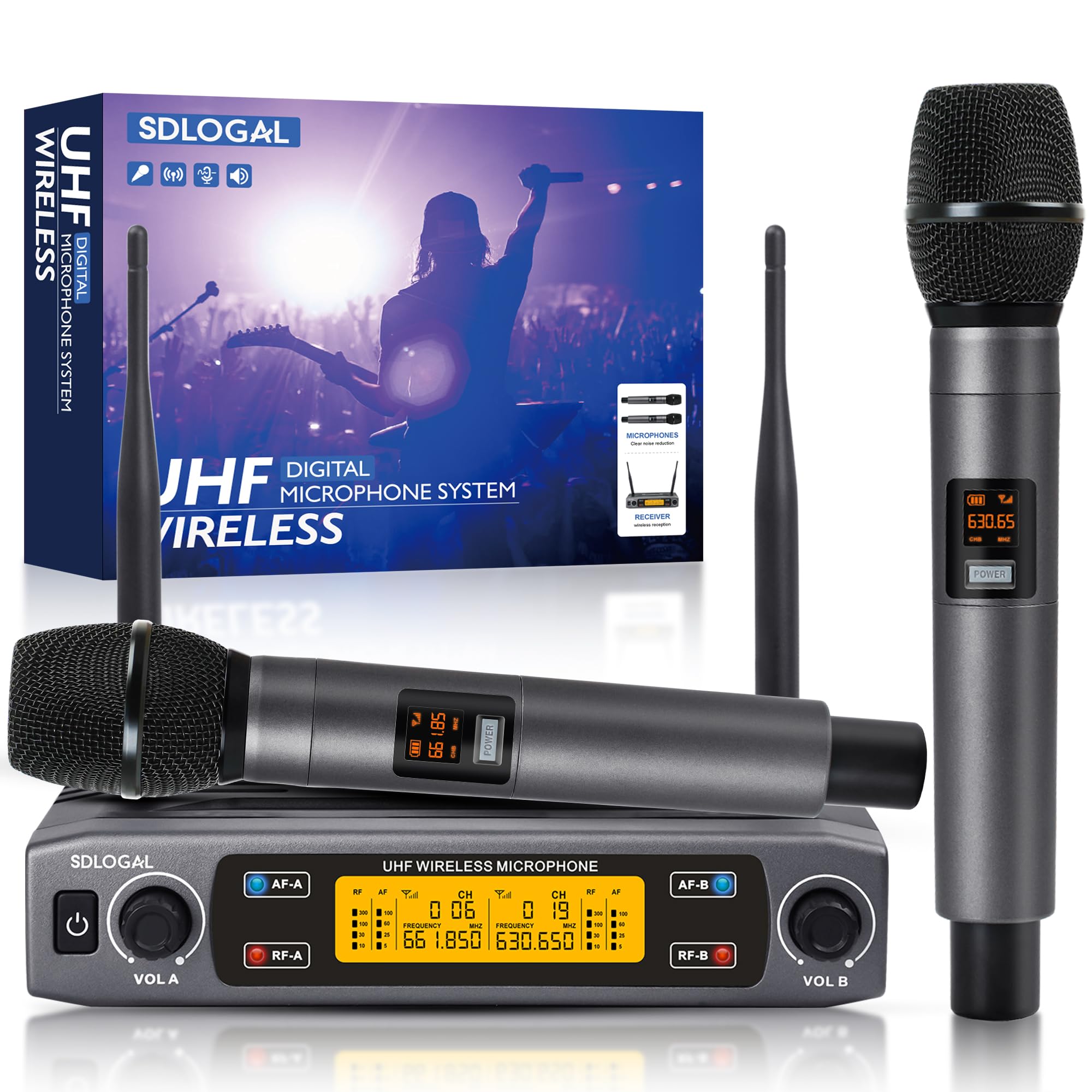
Image: The sdlogal L93-Y-202 Dynamic Wireless Microphone System, showing two handheld microphones and the receiver unit.
Video: A general overview of the sdlogal L93-Y-202 microphone system and its features.
Setup
1. Microphone Charging
The microphones are equipped with rechargeable batteries. Before first use, ensure the microphones are fully charged. Connect the Type-C charging cable (not included, requires a 5V2A charger) to the charging port at the bottom of each microphone.
- Battery Capacity: 800mAh
- Charging Time: 2-3 hours
- Working Time: 4-5 hours

Image: Illustration of the microphone's Type-C charging port and battery specifications.
2. Receiver Connection
Connect the receiver to your audio system (e.g., mixer, amplifier, powered speaker) using the provided 6.35mm audio cable or an XLR cable (not included).
- Power Connection: Connect the power cable to the receiver's power input.
- Audio Output: Use the 6.35mm Jack or XLR outputs on the rear of the receiver to connect to your audio device.
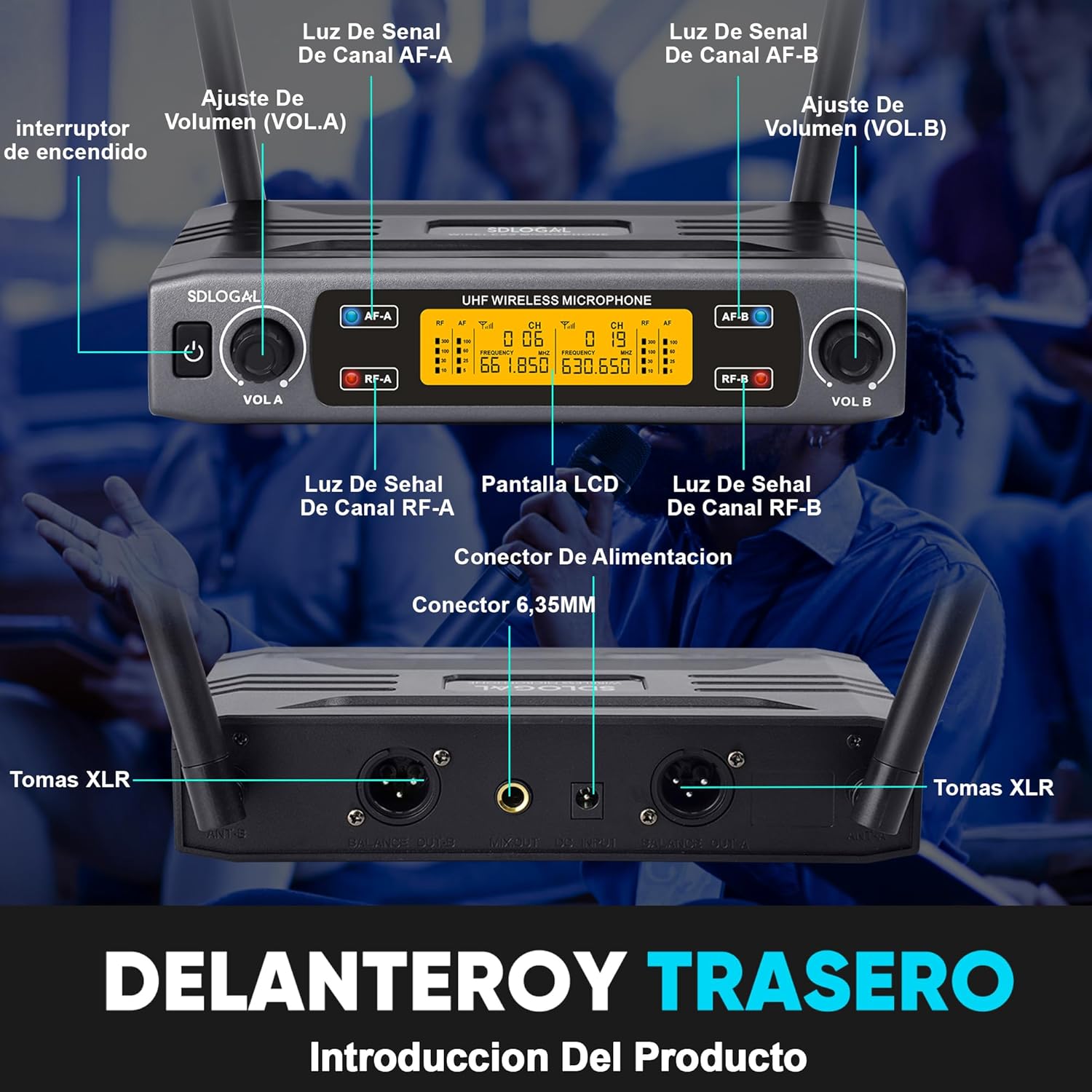
Image: Detailed view of the receiver's front panel with controls and rear panel with input/output ports.

Image: Diagram illustrating various connection options for the receiver with different audio devices.
3. Initial Pairing
The microphones and receiver are designed for automatic pairing. Simply power on the receiver and then power on each microphone. They should connect automatically. If pairing issues occur, refer to the troubleshooting section.

Image: Visual representation of the system's compatibility with various devices like sound cards, power amplifiers, and mixing consoles.
Operating Instructions
1. Power On/Off Sequence
- Optimal Start-up Order: Audio Mixer > Audio Amplifier > Speaker > Receiver > Microphone
- Optimal Shut-down Order: Microphone > Receiver > Speaker > Audio Amplifier > Audio Mixer
2. Microphone Controls
Each microphone features an LCD display and control buttons:
- Power Button: Long press to turn on/off.
- SET Button: Adjusts microphone frequency.
- VOL+ Button: Increases microphone volume.
- VOL- Button: Decreases microphone volume.
- LCD Display: Shows battery level, signal indicator, and channel.

Image: Detailed diagram of the microphone's display and control buttons.
3. Receiver Controls
The receiver unit provides overall control for the microphone system:
- Power Switch: Turns the receiver on/off.
- VOL A / VOL B: Adjusts the volume for Microphone A and Microphone B independently.
- LCD Display: Shows channel information, signal strength (AF-A, AF-B, RF-A, RF-B).
- Signal Lights (AF-A, AF-B, RF-A, RF-B): Indicate audio frequency and radio frequency signal presence for each channel.
4. Sound Pickup Pattern
The microphones feature a cardioid polar pattern, designed to pick up sound primarily from the front, reducing noise from the sides and rear. This is ideal for vocal performances and presentations.

Image: Diagram illustrating the 360-degree sound capture and cardioid pickup pattern of the microphone.
5. Usage Scenarios
This microphone system is versatile and suitable for various applications:
- Karaoke Parties
- Conferences and Presentations
- Weddings and Events
- Live Performances and Shows
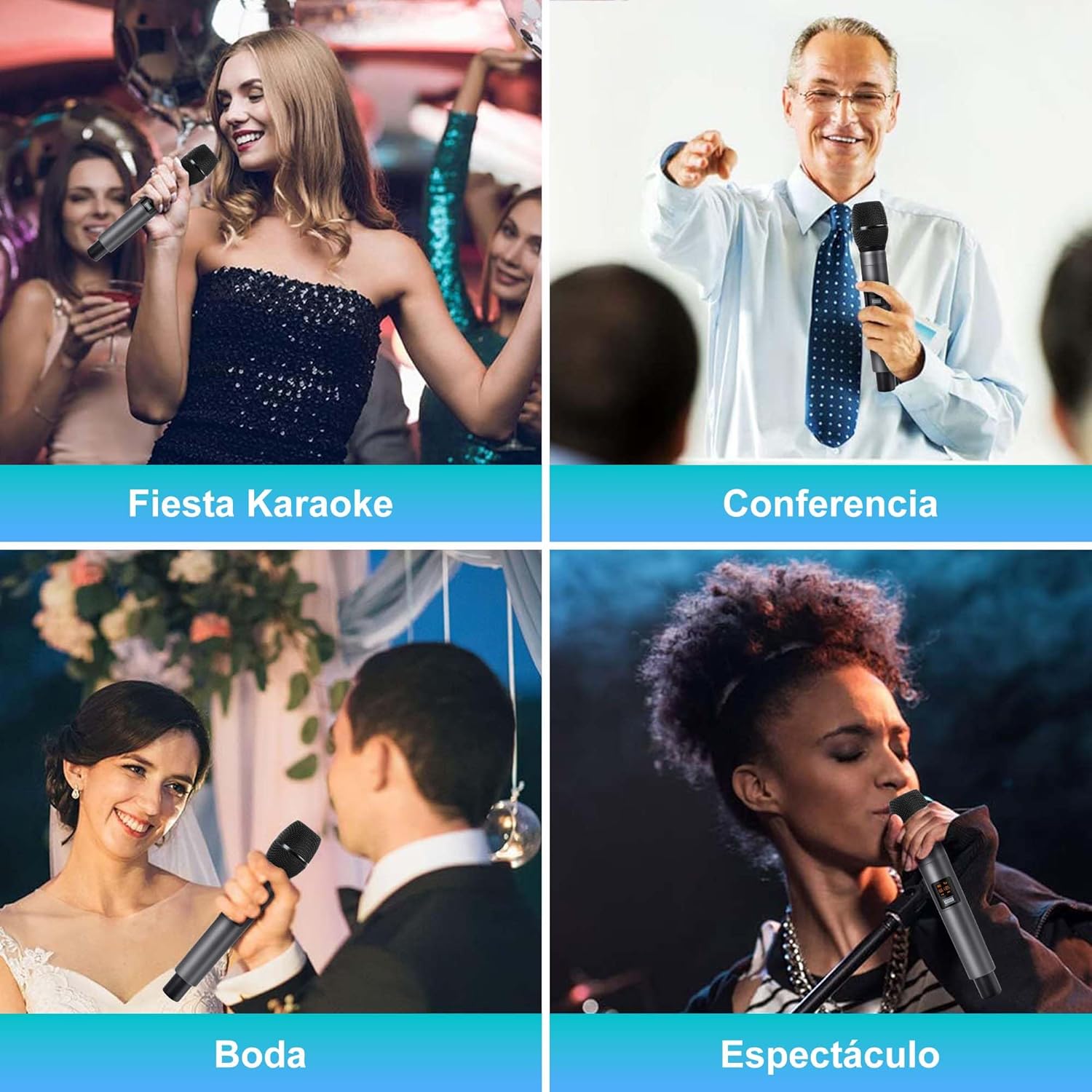
Image: Collage showing the microphones being used in various settings such as karaoke, conferences, weddings, and live shows.
Video: Demonstration of the microphone's sound quality and ease of use in a performance setting.
Maintenance
1. Cleaning
Regularly clean the microphones and receiver with a soft, dry cloth. For stubborn dirt, a slightly damp cloth can be used, ensuring no moisture enters the device openings. Do not use harsh chemicals or abrasive cleaners.
2. Battery Care
To prolong battery life, avoid fully discharging the microphones frequently. If storing for an extended period, charge the batteries to about 50% and recharge every few months.
3. Storage
Store the microphone system in a cool, dry place away from direct sunlight, extreme temperatures, and high humidity. Keep it in its original packaging or a protective case when not in use to prevent damage.
Troubleshooting
If you encounter issues with your sdlogal L93-Y-202 microphone system, please refer to the following common problems and solutions:
| Problem | Possible Cause | Solution |
|---|---|---|
| No sound from microphone | Microphone off, low battery, receiver off, incorrect connection, volume too low. | Ensure microphone and receiver are powered on. Charge microphone batteries. Check all cable connections. Increase microphone and receiver volume. |
| Interference or static noise | Other wireless devices, too far from receiver, obstacles, low battery. | Move away from other wireless devices. Ensure clear line of sight to receiver. Charge microphone batteries. Try adjusting microphone frequency using the SET button. |
| Microphone not pairing | Receiver or microphone not in pairing mode, interference. | Power cycle both microphone and receiver. Ensure they are close to each other during power-on. Check for strong interference sources. |
| Short battery life | Old battery, frequent full discharge, continuous use. | Ensure full charge before use. Replace battery if significantly degraded. Reduce usage time or have spare charged microphones. |
Specifications
| Feature | Specification |
|---|---|
| Microphone Type | Dynamic, Handheld |
| Polar Pattern | Cardioid |
| Connectivity Technology | Wireless (UHF) |
| Frequency Response | 100Hz - 20KHz |
| Transmission Distance | 50-100 meters (outdoor) |
| Microphone Battery | 18650 Rechargeable Lithium Ion (included) |
| Microphone Charging Time | 2-3 hours |
| Microphone Working Time | 4-5 hours |
| Number of Channels | 2 |
| Connector Type | 6.35mm Jack, XLR |
| Compatible Devices | Karaoke machine, Mixers, Amplifiers, Powered Speakers |
| Product Dimensions | 35.9 x 35.1 x 6.9 cm; 1.07 kg (Package) |
Warranty and Support
This product comes with a standard manufacturer's warranty. Please refer to your purchase documentation for specific warranty terms and conditions. For technical support, troubleshooting assistance, or warranty claims, please contact your retailer or the sdlogal customer service department.
Keep your purchase receipt as proof of purchase for any warranty-related inquiries.


