
Introduction
This manual provides essential information for the setup, operation, and maintenance of your Westinghouse 24-inch HD Xumo Smart TV. Please read these instructions thoroughly before using your television to ensure proper function and safety.
What's Included
Verify that all items are present in the packaging:
- Westinghouse 24 inch XUMO Smart TV
- Voice Remote with Batteries (2 AAA batteries included)
- Stand with Screws
- User Manual (this document)
- Quick Start Guide

Image Description: A visual representation of the Westinghouse 24-inch Xumo Smart TV, detailing its physical dimensions (21.6"W x 14.5"H with stand, 21.6"W x 12.9"H without stand, 6.1"D with stand, 2.6"D without stand). Alongside the TV, a list of included components is displayed: Westinghouse Xumo Series TV, Voice Remote with (2) AAA Batteries, Stand with Screws, Quick Start Guide, and Owner's Manual. The image also highlights compatibility with Apple AirPlay and Apple Home.
Setup
1. Attaching the TV Stand
- Carefully place the TV screen-down on a soft, clean surface to prevent scratches.
- Align the stand bases with the screw holes on the bottom of the TV.
- Secure the stands using the provided screws. Ensure they are tightened firmly.
2. Power Connection
- Connect the power cord to the TV's power input and then to a wall outlet.
3. Initial Setup and Network Connection
- Turn on the TV using the power button on the remote control.
- Follow the on-screen instructions to select your language, country, and connect to your Wi-Fi network.
- The Xumo TV platform will guide you through the remaining setup steps, including signing into your streaming accounts.
4. Voice Remote Pairing
- Insert the included AAA batteries into the voice remote.
- The remote should automatically pair with your TV. If not, follow the on-screen prompts or refer to the Quick Start Guide for manual pairing instructions.
Operating Your TV
Xumo TV Interface
Your Westinghouse Xumo Smart TV provides a user-friendly interface for accessing a wide range of entertainment. The home screen offers instant access to popular streaming apps and personalized recommendations.
Image Description: A family is shown comfortably seated on a couch, engaged in watching the Westinghouse Xumo TV. The TV screen prominently displays the Xumo TV home interface, featuring a selection of popular streaming applications such as Netflix, Prime Video, Disney+, Apple TV+, Hulu, HBO Max, ESPN+, and YouTube TV. The Xumo Play app logo is also visible, emphasizing the wide range of available content.
Streaming Apps and Xumo Play
- Access top apps like Netflix, Prime Video, Disney+, Apple TV+, Hulu, HBO Max, ESPN+, and YouTube TV directly from the home screen.
- The Xumo Play app offers over 350 free live channels and more than 70,000 on-demand movies and shows across various genres without requiring subscriptions or downloads.
Universal and Voice Search
- Use the included voice remote to quickly find content across all your streaming apps. Speak into the remote to search by title, genre, actor, or keyword.
- The universal search feature eliminates the need to switch between apps to find what you want to watch.
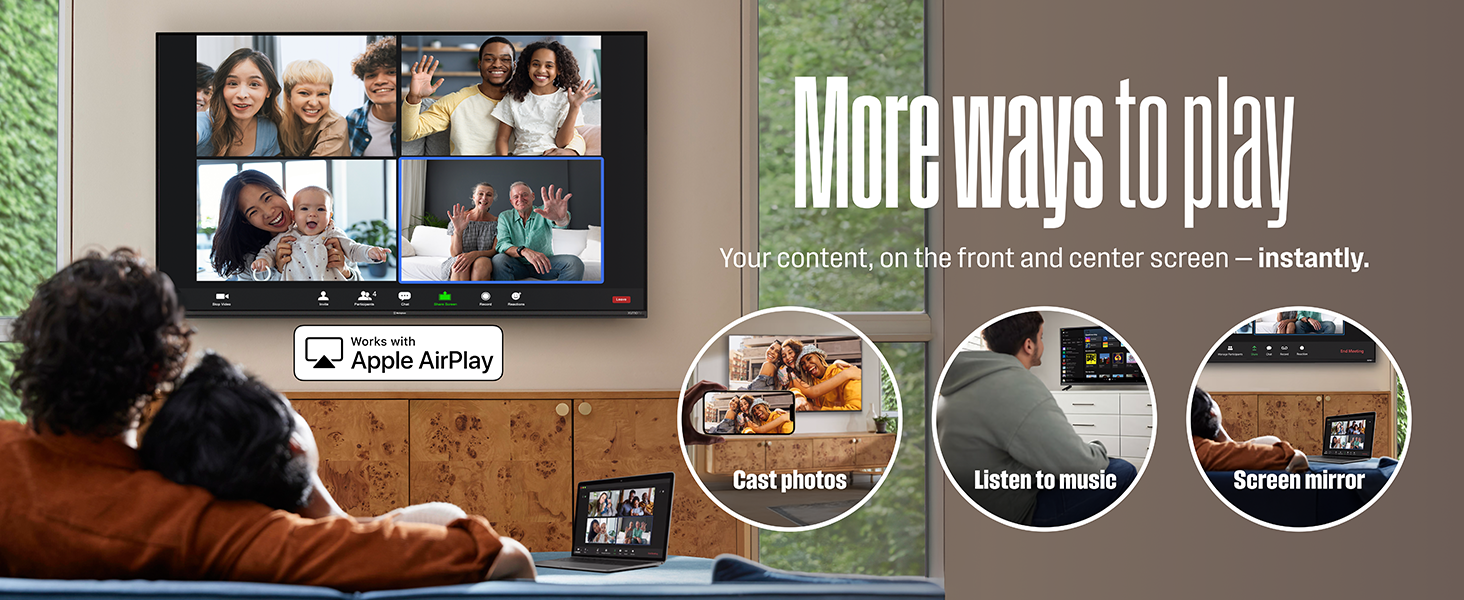
Image Description: A couple is depicted on a living room couch, with one person holding the voice remote and speaking into it. The Westinghouse Xumo TV screen is visible in the background, illustrating the voice search functionality. Text overlays emphasize the 'Say the word' feature for quickly finding content across apps.
Apple AirPlay and Bluetooth Connectivity
- Apple AirPlay: Stream or mirror content directly from your iPhone, iPad, or Mac to the TV. Enjoy music, view photos, or browse the web on the larger screen.
- Bluetooth: Wirelessly pair soundbars, headphones, or speakers for immersive, high-quality audio without the need for cables.

Image Description: A child is shown from behind, wearing headphones and watching the Westinghouse Xumo TV. The screen displays vibrant content. Overlays highlight the Bluetooth and Apple AirPlay logos, indicating the TV's wireless connectivity features for audio and content mirroring.

Image Description: A family is shown in a living room setting, utilizing the Apple AirPlay feature on their Westinghouse Xumo TV. The TV screen displays a video call, while smaller inset images show a laptop screen mirroring, a person listening to music, and another casting photos to the TV. Text highlights 'More ways to play' and the functionalities of screen mirroring, listening to music, and casting photos.
Connectivity
Your TV is equipped with multiple ports for connecting various external devices:
- 3 x HDMI Inputs: Connect cable boxes, game consoles, streaming sticks, or DVD/Blu-ray players. One HDMI port supports ARC (Audio Return Channel).
- 1 x USB Input: For connecting USB drives to view media files.
- 1 x Composite Video Input (AV): For older devices that use RCA connectors (yellow, white, red).
- 1 x Optical Digital Audio Output: For connecting to soundbars or home theater systems for high-quality audio.
- 1 x Headphone Output: For private listening with wired headphones.
- LAN (Ethernet) Port: For a wired internet connection.
- RF In (Antenna) Port: For connecting a digital antenna to receive local channels.

Image Description: A detailed diagram of the rear panel of the Westinghouse Xumo TV, clearly labeling all available input and output ports. These include three HDMI ports (one with ARC), one USB 2.0 port, an Optical Audio output, a Headphone Output, a LAN port, Composite Audio & Video (CVBS) inputs, and an Antenna (RF In) port. The image emphasizes the TV's comprehensive connectivity options for various entertainment devices.
Official Product Videos
Westinghouse Smart Xumo TVs: Streaming Made Simple
Video Description: This official video from Westinghouse Electronics highlights the ease and simplicity of streaming with Westinghouse Smart Xumo TVs. It showcases the user-friendly interface, quick access to various streaming apps, and the integrated Xumo Play experience, demonstrating how the TV simplifies content discovery and viewing.
Maintenance
Cleaning the TV
- Always unplug the TV before cleaning.
- Use a soft, dry cloth to wipe the screen and cabinet. For stubborn marks, lightly dampen the cloth with water or a specialized screen cleaner.
- Avoid using abrasive cleaners, waxes, or solvents as they can damage the TV's finish.
General Care
- Do not block ventilation openings on the back of the TV.
- Keep the TV away from direct sunlight, heat sources, and excessive moisture.
- Avoid placing heavy objects on top of the TV.
Troubleshooting
If you encounter issues with your TV, try the following solutions:
| Problem | Solution |
|---|---|
| No power | Ensure the power cord is securely plugged into the TV and a working electrical outlet. Try a different outlet. |
| No picture/sound | Check all cable connections (HDMI, AV, etc.). Ensure the correct input source is selected on the TV. |
| Remote control not working | Check and replace batteries. Ensure there are no obstructions between the remote and the TV. Re-pair the remote if necessary. |
| Cannot connect to Wi-Fi | Verify your Wi-Fi password. Restart your router and modem. Ensure the TV is within range of your Wi-Fi signal. |
| Poor picture quality | Check cable connections. Adjust picture settings (brightness, contrast, sharpness). Ensure the content source is high quality. |
For further assistance, please refer to the full user manual or contact Westinghouse customer support.
Specifications
| Feature | Detail |
|---|---|
| Brand Name | Westinghouse |
| Model | WX24HX2800 |
| Screen Size | 24 Inches |
| Display Technology | LED |
| Resolution | 720p (HD) |
| Refresh Rate | 60 Hz |
| Product Dimensions (with stand) | 6.1"D x 21.6"W x 14.5"H |
| Item Weight | 4.8 Pounds |
| Connectivity Technology | Bluetooth, HDMI, Wi-Fi |
| Special Features | Airplay 2, Bluetooth, Dolby Atmos, Dynamic Contrast Control, Voice Remote/ Universal Search |
| Output Wattage | 6 Watts |
| Batteries (for remote) | 2 AAA batteries required (included) |
| Aspect Ratio | 16:9 |

Image Description: An Energy Guide label for the Westinghouse Television Model WX24HX2800. It indicates an estimated yearly energy cost of $8, based on 16 cents per kWh and 5 hours use per day, with an estimated yearly electricity use of 50 kWh. The cost range for similar models (24"-29") is shown between $5 and $15.
Warranty and Support
Your Westinghouse 24-inch HD Xumo Smart TV comes with a manufacturer's warranty. For detailed warranty information, including terms and conditions, please refer to the warranty card included in your product packaging or visit the official Westinghouse website.
For technical support, troubleshooting assistance, or service inquiries, please contact Westinghouse customer support. Contact information can typically be found in your Quick Start Guide or on the Westinghouse support website.


