
Introduction
Thank you for choosing the ECHTPower Carrying Case for your Nintendo Switch 2 (2025) console. This manual provides essential information for the proper setup, operation, and maintenance of your new carrying case. Designed for durability and convenience, this case offers robust protection and organized storage for your console and accessories.
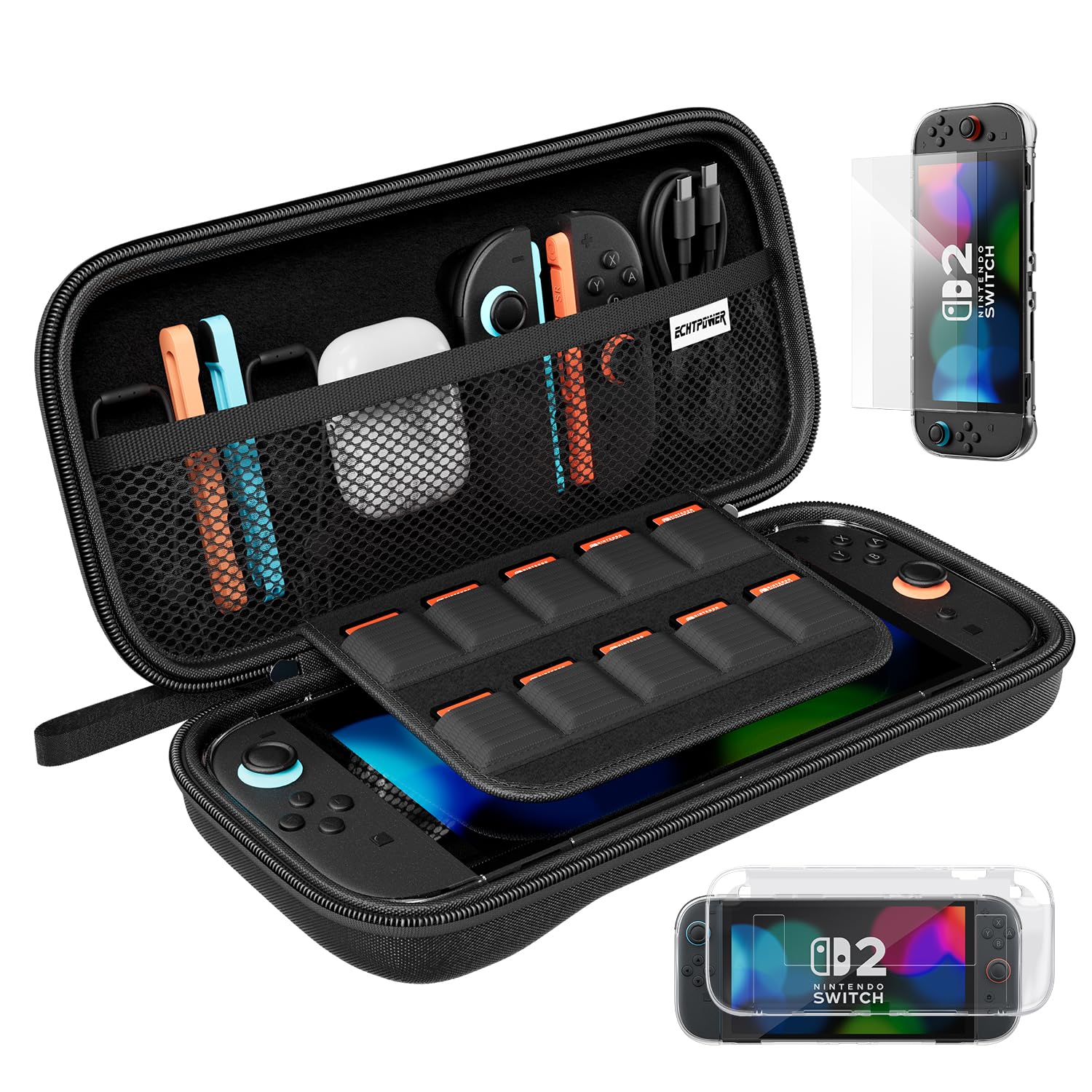
Image: The ECHTPower Carrying Case, shown open with a Nintendo Switch 2 console, Joy-Cons, charger, and game cartridges neatly stored inside. The case features a mesh pocket for smaller accessories and dedicated slots for game cards.
Setup
Before using your carrying case, ensure all packaging materials are removed. The case is designed for a custom fit, providing secure storage for your Nintendo Switch 2 console and its essential accessories.
- Console Placement: Gently place your Nintendo Switch 2 console into the main compartment of the case. Ensure it sits snugly within the molded section to prevent movement during transport.
- Accessory Storage: Utilize the mesh pocket for larger accessories such as the power adapter, charging cable, or extra Joy-Cons. The elastic straps can help secure items in place.
- Game Card Storage: Insert your game cartridges into the dedicated elastic slots located on the flap. These slots are designed to hold multiple game cards securely.
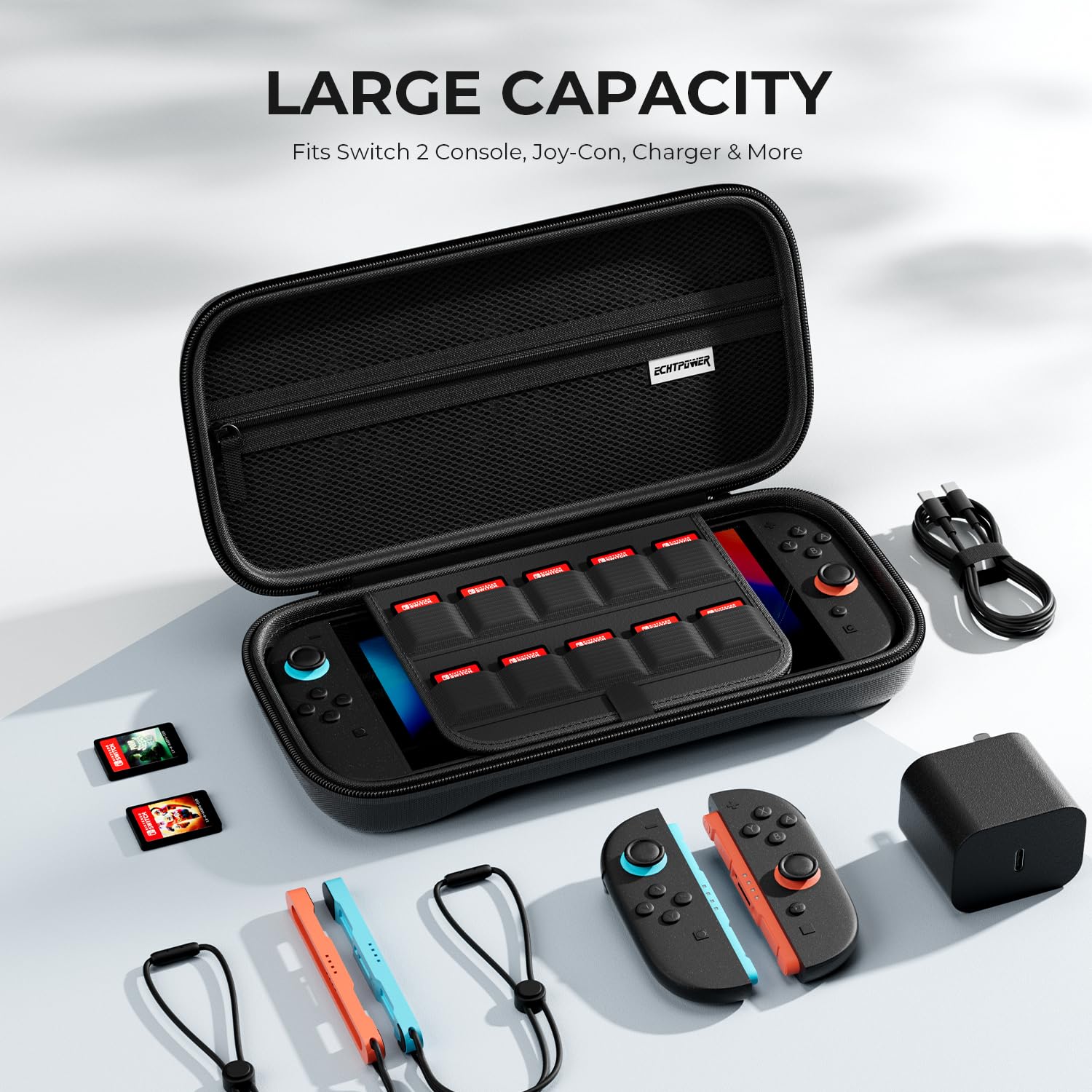
Image: An overhead view of the ECHTPower Carrying Case, demonstrating its large capacity. It comfortably holds the Switch 2 console, multiple Joy-Cons, a charger, and game cartridges, with additional space in the mesh pocket.
Operating Instructions
The ECHTPower Carrying Case is designed for ease of use and maximum protection.
- Opening and Closing: The case features a double zipper design for smooth operation. To open, pull both zipper tabs simultaneously. To close, ensure the console and accessories are properly seated, then pull the zipper tabs together until the case is fully sealed.
- Carrying the Case: Use the integrated portable handle for easy and comfortable transportation. The handle is designed for durability and a secure grip.
- Screen Protection: The interior flap, which holds game cards, also serves as a soft barrier to protect the console's screen from scratches when the case is closed.

Image: Detailed view highlighting the design features of the ECHTPower Carrying Case. It shows the custom-fit interior for the Switch 2, the robust double zipper for smooth use, and the comfortable, portable handle.

Image: The interior of the ECHTPower Carrying Case, emphasizing the scratch-resistant, ultra-soft plush fabric lining designed to keep the console's screen safe from damage.
Maintenance
Proper care will extend the life and effectiveness of your ECHTPower Carrying Case.
- Cleaning the Exterior: Wipe the exterior surface with a soft, damp cloth. For stubborn dirt, a mild soap solution can be used, followed by wiping with a clean, damp cloth. Allow to air dry completely. Do not use harsh chemicals or abrasive cleaners.
- Cleaning the Interior: Use a soft, dry cloth or a lint roller to remove dust or debris from the plush interior lining. Avoid excessive moisture.
- Storage: When not in use, store the case in a cool, dry place away from direct sunlight and extreme temperatures.
- Protection Features: The case is designed to be shockproof, splashproof, and scratch-resistant. While it offers significant protection, it is not fully waterproof. Avoid submerging the case in water.

Image: A composite image illustrating the protective qualities of the ECHTPower Carrying Case. It shows water beading off the surface (splashproof), the case withstanding impact (shockproof), and resisting scratches from a key.
Troubleshooting
If you encounter any issues with your carrying case, please refer to the following common solutions:
- Zipper Sticking: If the zipper becomes difficult to move, apply a small amount of zipper lubricant or a graphite pencil lead along the teeth. Avoid forcing the zipper.
- Case Not Closing Properly: Ensure all items inside the case are correctly positioned and not overfilling the compartments. The console and accessories should sit flush within their designated areas.
- Odor: A new product may have a slight manufacturing odor. This will typically dissipate after airing out the case in a well-ventilated area for a few days.
Specifications
| Product Name | ECHTPower Carrying Case |
| Compatibility | Nintendo Switch 2 (2025) |
| Material | Durable EVA exterior, ultra-soft plush interior lining |
| Protection Features | Shockproof, Splashproof, Scratch-Resistant |
| Storage Capacity | 1x Nintendo Switch 2 console, Joy-Cons, charger, multiple game cards, other small accessories |
| Closure Type | Double Zipper |
Warranty and Support
ECHTPower is committed to providing high-quality products. If you experience any issues or have questions regarding your carrying case, please contact our customer support team. Refer to your purchase documentation for specific warranty details and contact information.
For further assistance, please visit the official ECHTPower website or contact your retailer.