
REDTIGER GolfVue Series 3
REDTIGER Mini Golf Range Finder
Model: GolfVue Series 3
User Manual
Introduction
Thank you for choosing the REDTIGER Mini Golf Range Finder. This compact and powerful device is designed to enhance your golf game by providing accurate distance measurements with advanced features like slope compensation, flag pole lock with vibration, and IP65 waterproofing. This manual will guide you through the setup, operation, and maintenance of your new range finder to ensure optimal performance.
Package Contents

The REDTIGER Mini Golf Range Finder package includes the following items:
- Packing Box
- Portable Soft Case
- User Manual
- Mountaineering Buckle
- Magnetic Belt Clip
- Laser Rangefinder
- USB-C Charge Cable
- Lens Cloth
- Hand Rope
Product Overview
Familiarize yourself with the key components of your REDTIGER Mini Golf Range Finder.

This image displays the overall design of the range finder, highlighting its compact size and ergonomic shape.
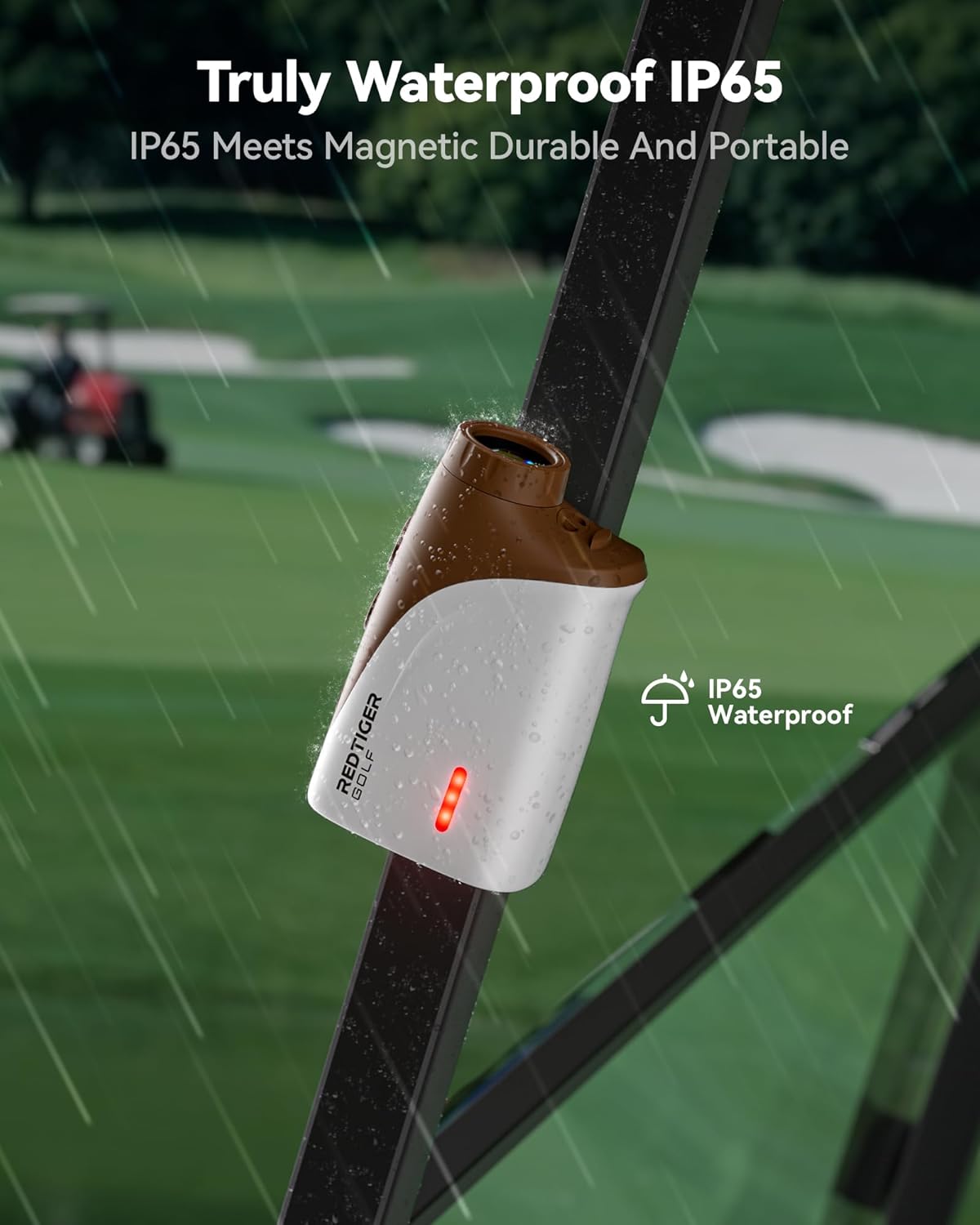
The device features a durable, IP65 waterproof casing, making it suitable for use in various weather conditions. The magnetic side allows for convenient attachment to metal surfaces like a golf cart frame.
Setup
Charging the Device
Before first use, fully charge your range finder. The device is equipped with an 800mAh battery, providing up to 14 hours of continuous operation on a single charge.
- Locate the USB-C charging port, typically covered by a protective flap.
- Connect the provided USB-C cable to the range finder and a compatible USB power source (e.g., computer, wall adapter).
- The charging indicator light will illuminate. Once fully charged, the light may change color or turn off.

The image shows the USB-C charging port and the charging process, indicating the device's long battery life.
Adjusting Focus
For a clear view through the eyepiece, adjust the focus ring until the display and target appear sharp.

This image demonstrates how to rotate the eyepiece to achieve optimal focus for your vision.
Operating Instructions
Basic Distance Measurement
To measure the distance to a target:
- Look through the eyepiece and aim the crosshairs at your desired target.
- Press the measurement button (usually the power button) once. The distance will be displayed on the high-transparency LCD screen.

The range finder offers a precision range from 5 to 1200 yards with an accuracy of ±0.5 yards and 7X magnification for clear target identification.
Slope Compensation Technology
The range finder features advanced slope-switch technology, which calculates the adjusted distance based on the incline or decline to the target. This provides a more accurate 'play as' distance for improved shot selection.
- To activate or deactivate the slope function, use the dedicated slope switch button.
- When the slope function is active, the compensated distance will be displayed alongside the actual distance.
- The slope switch makes the device tournament legal when the slope function is turned off.

This diagram visually explains how the slope compensation feature adjusts the measured distance based on elevation changes.
Flag Pole Lock with Vibration
The Flag Pole Lock feature helps you easily acquire the flagstick, even with background objects. Once locked, the device provides a vibration alert to confirm the measurement.
- Aim at the flagstick and slowly scan across it. The range finder will lock onto the closest object (the flag).
- A short vibration will confirm that the flag has been successfully locked, and the distance will be displayed.

The image illustrates the visual feedback on the display when the flag is successfully locked, accompanied by a vibration.
Magnetic Mounting
The built-in magnetic feature allows you to conveniently attach the range finder to metal surfaces, such as a golf cart frame, for easy access during play.

This image shows the range finder's magnetic capability, allowing it to be securely attached to a belt clip or other magnetic surfaces.
Maintenance
Cleaning
To maintain optimal performance and clarity:
- Use the provided lens cloth to gently wipe the optical lenses. Avoid using abrasive materials or harsh chemicals.
- For the body of the device, use a soft, damp cloth to wipe away dirt or debris.
Storage
When not in use, store the range finder in its portable soft case to protect it from dust, scratches, and impacts. Store in a cool, dry place away from direct sunlight and extreme temperatures.
Waterproofing
The device is IP65 waterproof, meaning it is protected against dust ingress and low-pressure water jets from any direction. While it can withstand rain, avoid submerging the device in water.
Troubleshooting
If you encounter issues with your REDTIGER Mini Golf Range Finder, refer to the following common problems and solutions:
- Device not turning on: Ensure the battery is fully charged. Press and hold the power button for a few seconds.
- Inaccurate readings: Ensure the lens is clean and free from obstructions. Make sure you are aiming at a clear target. Adjust the focus if the display is blurry.
- Battery not charging: Verify that the USB-C cable is securely connected to both the device and the power source. Try a different USB-C cable or power adapter.
- Flag lock not vibrating: Ensure the flag lock feature is enabled. Try scanning the flagstick slowly to allow the device to acquire the target.
- Display is dim or unclear: Check the battery level. Ensure the high-transparency LCD screen is clean. Adjust the focus.
If the problem persists after attempting these solutions, please contact REDTIGER customer support for further assistance.
Specifications
| Feature | Specification |
|---|---|
| Brand | REDTIGER |
| Model Name | GolfVue Series 3 |
| Color | Chocolate |
| Material | Polycarbonate (PC) |
| Sport | Golf |
| Item Weight | 133 Grams (0.29 lb) |
| Product Dimensions (LxWxH) | 0.29" x 0.12" x 0.18" |
| Range | 5 to 1200 Yards |
| Accuracy | ±0.5 Yards |
| Magnification | 7X |
| Battery Capacity | 800mAh |
| Waterproofing | IP65 |
| Included Components | High Transmission LCD |
Warranty and Support
REDTIGER offers a 2-year unconditional warranty for your GolfVue Series 3 Mini Golf Range Finder. Additionally, lifetime technical support is available to assist you with any questions or issues you may encounter.
For warranty claims or technical assistance, please contact REDTIGER customer service through the official channels provided with your product or visit the REDTIGER website.
Ask a question about this manual
Ask about setup, troubleshooting, compatibility, parts, safety, or missing instructions. Manuals+ will review the question and use this page’s manual context to help answer it.