1. Product Overview
The CONVOW D6S-GREY-6068S is an advanced 3D Biometric Security Face Camera Smart Door Lock designed to provide comprehensive home security. It integrates multiple unlocking methods and smart features for convenient and reliable access control.
Key Features:
- Multi-dimensional Security Protection: Utilizes advanced 3D biometric technology for accurate facial recognition, effectively resisting photo and video attacks. Features financial-grade encryption chips for robust defense.
- Multiple Unlocking Methods: Supports facial recognition, fingerprint, digital password, IC card, APP, and mechanical key unlocking, catering to diverse user needs.
- Convenient and Intelligent Interconnection: Remote access via a dedicated APP allows viewing unlock records, temporary password authorization, and real-time abnormal alarm notifications.
- Humanized Design: Includes a low battery reminder, emergency USB charging interface, and silent unlocking design for user comfort and convenience.
- Durable Material: Constructed from high-strength alloy material, offering anti-pry and anti-violent opening capabilities. Features an IP65 waterproof and dustproof rating for various environments.
2. Package Contents
Please ensure all components are present before installation:
- Front Panel Assembly
- Rear Panel Assembly
- Mortise Lock Body (6068 type)
- Mounting Hardware (screws, spindles)
- IC Cards
- Mechanical Keys
- User Manual
- Drilling Template
3. Installation and Setup
This section provides general guidelines for installation. Professional installation is recommended. Ensure your door meets the specified thickness and mortise compatibility.
3.1 Door Preparation
Verify your door thickness is between 40-90mm. The lock is designed for 6068 type mortise sockets. Refer to the provided drilling template for precise hole placement.

Image: Dimensions of the CONVOW Smart Door Lock and the compatible 6068 mortise. This image illustrates the measurements for the lock body and the mortise, crucial for proper installation.
3.2 Mortise Installation
- Insert the mortise lock body into the prepared mortise pocket on the door edge.
- Secure the mortise with screws.
3.3 Front and Rear Panel Installation
- Connect the cables from the front panel to the rear panel.
- Align the spindle with the mortise and secure both panels to the door using the provided mounting screws.
- Ensure the handle direction is reversible and set correctly for your door's opening direction.
3.4 Initial Setup and APP Connection
- Install batteries (if applicable, or ensure built-in battery is charged).
- Download the "wishome" APP from your mobile app store.
- Follow the in-app instructions to register an account and add your smart door lock. The lock has a built-in router for direct Wi-Fi connection, eliminating the need for an extra gateway.
- Configure initial administrator settings, including setting up the first facial recognition, fingerprint, and password.

Image: Powerful Functions and Wi-Fi Connectivity. This image illustrates how the smart lock connects directly to Wi-Fi for remote control and access to unlock records through the "wishome" application, without requiring an additional gateway.
4. Operating Instructions
4.1 Unlocking Methods
- Facial Recognition: Approach the lock, and the 3D biometric camera will automatically wake up and recognize your face for quick, touch-free unlocking.
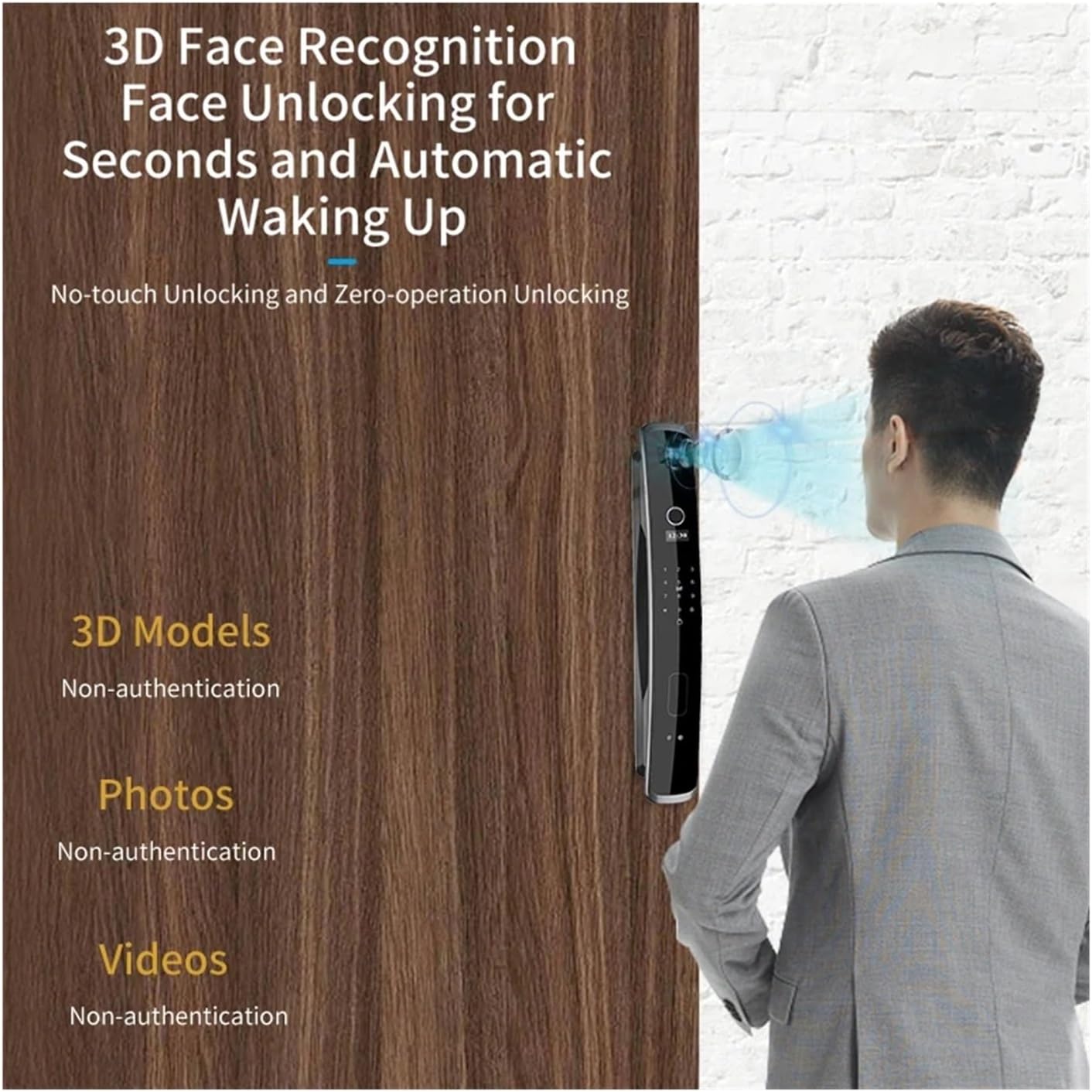
Image: 3D Face Recognition for Fast Unlocking. This image demonstrates the lock's ability to recognize faces in seconds, automatically waking up for no-touch, zero-operation unlocking, and highlighting its resistance to 3D models, photos, and videos.
- Fingerprint: Place your registered finger on the fingerprint sensor for instant unlocking. The AI fingerprint algorithm ensures a high success rate and fast recognition (under 0.5 seconds).

Image: AI Fingerprint Algorithm for Quick Access. This image highlights the lock's AI fingerprint algorithm, boasting a 99.9% success rate, wear resistance exceeding 1 million times, and fast recognition in less than 0.5 seconds.
- Digital Password: Enter your registered password on the touchscreen keypad.
- IC Card: Tap your registered IC card on the designated area of the lock.
- APP Unlock: Use the "wishome" APP to remotely unlock the door.
- Mechanical Key: In case of emergency or power failure, use the mechanical key to unlock the door.
4.2 APP Features (wishome)
- Remote Unlock: Unlock your door from anywhere using the APP.
- Temporary Password Authorization: Generate and send temporary passwords to guests or service providers.
- User Management: Add, modify, or delete user access (fingerprints, faces, passwords, cards).
- Record Query: View a history of unlock events, including method and time.
- Real-time Alarms: Receive notifications for abnormal activities or low battery.
4.3 Built-in Camera and Screen
The lock features a wide-angle cat's eye lens and a high-definition large screen, allowing you to view outdoor situations through the camera when the door is closed. It also includes intelligent light filling for clear visibility even at night.

Image: Wide Angle Cat's Eye Lens with Intelligent Light Filling. This image highlights the lock's binocular recognition and intelligent light filling capabilities, ensuring clear visuals from the peephole even in low light conditions.

Image: High-definition Large Screen and Security Monitoring. This image depicts the smart lock's large screen, which allows users inside to see the outdoor situation through the camera and cat's eye lens when the door is closed, enhancing security monitoring.
5. Maintenance
- Cleaning: Use a soft, dry cloth to clean the lock's surface. Avoid abrasive cleaners or solvents that could damage the finish or electronic components.
- Battery Management: The lock features a low battery reminder. When prompted, charge the built-in battery via the emergency USB charging interface. Regular charging ensures uninterrupted operation.
- Sensor Care: Keep the facial recognition camera lens and fingerprint sensor clean and free of dust or smudges for optimal performance.
- Mechanical Key: Store the mechanical keys in a safe place outside your home for emergency access.
6. Troubleshooting
| Problem | Possible Cause | Solution |
|---|---|---|
| Lock does not respond. | Low battery or completely drained. | Connect a power bank to the emergency USB charging interface to temporarily power the lock. Charge the built-in battery fully. |
| Facial/Fingerprint recognition failure. | Sensor/lens dirty, unregistered user, or improper placement. | Clean the sensor/lens. Ensure your face/finger is correctly positioned. Re-register if necessary. Try another unlocking method. |
| Cannot connect to Wi-Fi/APP. | Incorrect Wi-Fi password, weak signal, or APP issue. | Verify Wi-Fi password. Ensure lock is within Wi-Fi range. Restart the lock and your router. Reinstall the APP if problems persist. |
| Lock makes unusual noises. | Mechanical obstruction or internal issue. | Check for any obstructions around the latch or bolt. If the issue persists, contact customer support. |
7. Specifications
| Feature | Detail |
|---|---|
| Brand | CONVOW |
| Model | D6s-grey-6068s |
| Power Supply | Built-in rechargeable battery |
| Protection Level | IP65 Waterproof and Dustproof Rating |
| Suitable for Socket | 6068 |
| Installation Door Thickness | 40-90mm |
| Applicable Door Types | Steel door, wooden door, brass door, stainless steel door, other |
| Special Features | Built-in doorbell, built-in camera, zoom in at Peephole, zoom in at screen |
| Surface Treatment | Polishing |
| Door Handle Function | Biometric recognition, key and keyboard |
| Connection | WIFI |
| Unlocking Methods | Facial recognition, application, mechanical key, card, Password, fingerprint |
| Material | Aluminum alloy |
| Handle Direction | Reversible direction |
| Item Weight | 1.76 ounces (50 Grams) |
| Package Dimensions | 0.39 x 0.39 x 0.39 inches |
8. Warranty and Support
For warranty information and technical support, please contact CONVOW customer service directly. Refer to the product packaging or the official CONVOW website for contact details.
Please retain your purchase receipt as proof of purchase for any warranty claims.


