
iScooter iK2
Contents
iScooter iK2 Electric Scooter User Manual
Model: iK2 | Brand: iScooter
1. Introduction
Welcome to the iScooter iK2 Electric Scooter user manual. This guide provides essential information for the safe assembly, operation, maintenance, and troubleshooting of your new electric scooter. Designed for children aged 3-8, the iK2 features Bluetooth music playback, a thumb accelerator, colorful LED lights, and adjustable height settings for a fun and adaptable riding experience.
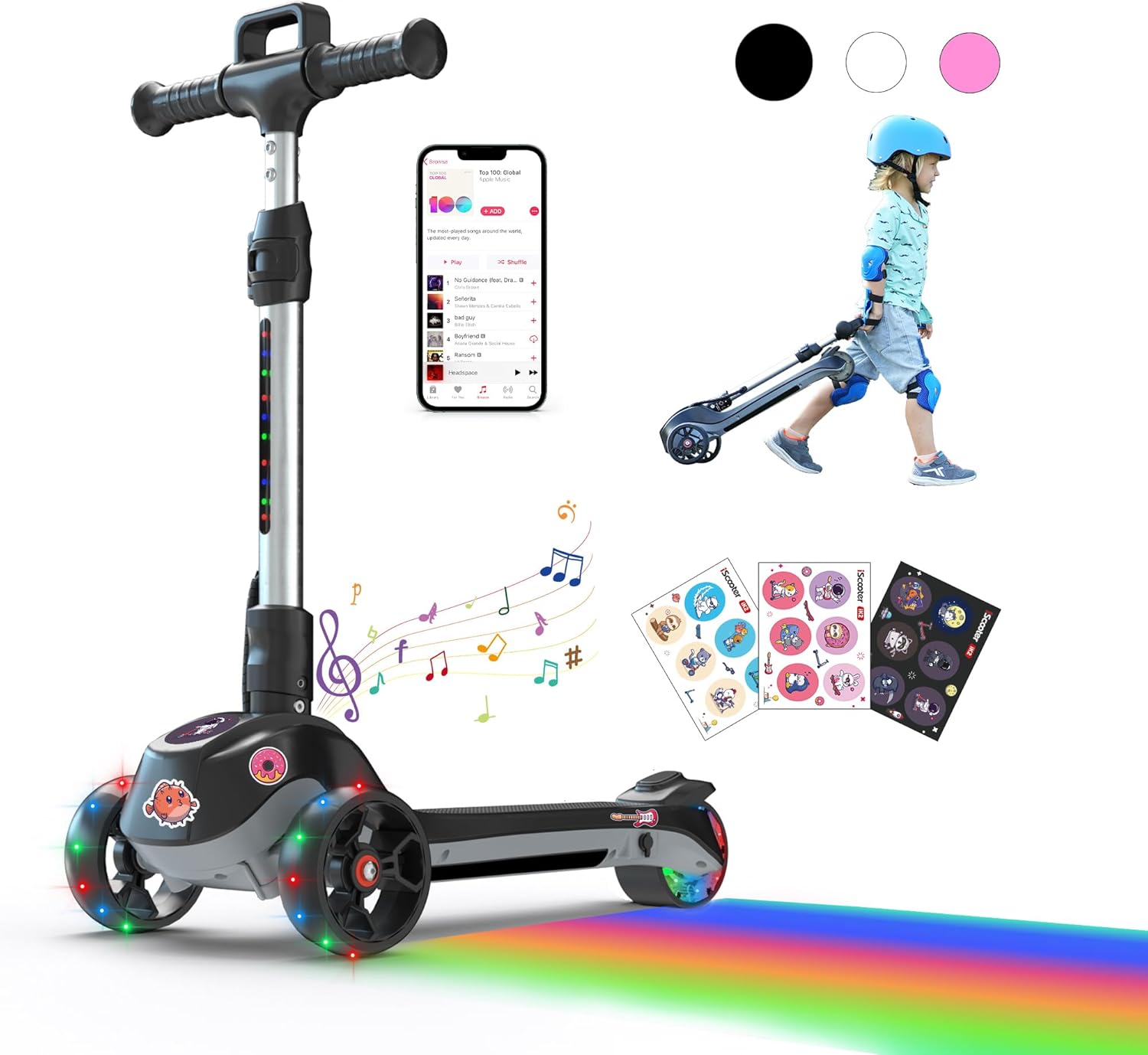
The iScooter iK2 Electric Scooter, showcasing its design, LED lights, Bluetooth connectivity, portability, and customization options.
2. Safety Information
Always prioritize safety when operating the iScooter iK2. Adult supervision is required at all times.
- Age and Weight Limit: This scooter is designed for children aged 3-8 years old with a maximum weight limit of 110 pounds (50 kg). Do not exceed this limit.
- Protective Gear: Always wear appropriate safety gear, including a helmet, knee pads, and elbow pads, before riding.
- Riding Environment: Ride on smooth, flat, and dry surfaces away from traffic, pedestrians, and obstacles. Avoid riding on uneven terrain, inclines, or wet surfaces.
- Foot Placement: Keep both feet on the scooter deck while riding.
- Braking: Use the rear brake for controlled stopping. Practice braking in a safe area before riding at higher speeds.
- Charging Safety: Only use the original charger provided with the scooter. Do not use damaged chargers or attempt to charge with non-compatible devices.
- UL 2272 Certified: The iK2 electric scooter is UL 2272 certified, ensuring electrical safety standards are met.
3. Package Contents
Upon opening the box, please ensure all the following components are present:
- iScooter iK2 Electric Scooter (main body with stem and deck)
- Handlebar
- Charger
- DIY Stickers
- User Manual (this document)
4. Setup and Assembly
Follow these steps to assemble your iScooter iK2 Electric Scooter. It is recommended to fully charge the scooter before its first use.
- Remove Protective Covers: Carefully remove any plastic protective covers from the scooter components.
- Install Front Wheels: Attach the front wheels securely to the designated axles. Ensure they are firmly in place.
- Unfold/Fold the Stem: Locate the folding mechanism on the stem. Unfold the stem until it locks into the upright position. To fold, release the mechanism and gently lower the stem.
- Install the Handlebar: Insert the handlebar into the top of the stem. Ensure it clicks into place or is secured by the locking pin/mechanism.

Visual guide for the assembly process of the iK2 electric scooter.
5. Operating Instructions
5.1. Starting the Scooter
To activate the motor and begin riding:
- Hold Down the Throttle: Press and hold the red thumb throttle button located on the handlebar. Do not release it.
- Kick Off: With one foot on the scooter deck and the other on the ground, give a gentle kick to gain initial momentum. The scooter will then power on and begin to move.

Startup tips: Press the throttle and kick off to engage the motor.
5.2. Riding and Steering
- Speed Control: The thumb throttle allows for easy speed control, maintaining a steady speed up to 4.9 mph.
- Lean-to-Steer: The iK2 uses a lean-to-steer mechanism. To turn, gently lean your body in the desired direction (left or right). The handlebars will respond to your lean, providing a safe and intuitive turning experience.

The iK2 utilizes a lean-to-steer system for safe and easy turning.

The thumb throttle provides effortless speed control.
5.3. Braking
The iK2 features a rear braking system. To slow down or stop, apply pressure to the rear fender brake with your foot.
6. Features
- Bluetooth Music Playback: Connect your smartphone or other Bluetooth-enabled device to the scooter to play music through its built-in speaker. This feature enhances the riding experience with audio entertainment.

Enjoy your favorite music while riding by connecting via Bluetooth.
- 3-Level Height Adjustment: The handlebar height can be adjusted to three different levels (24.8 to 33.8 inches) to accommodate children of various ages and heights, ensuring comfortable and safe riding as they grow.

The iK2 offers three adjustable height settings to grow with your child.
- Foldable & Handle-Pull Design: The scooter features a convenient folding mechanism for easy storage and transportation. Once folded, it can be effortlessly pulled by the handle, making it ideal for family outings.

The foldable design and handle-pull feature make the iK2 highly portable.
- LED Lights: The wheels are equipped with vibrant LED lights that illuminate during motion, enhancing visibility and adding a fun, distinctive style, especially during evening rides.
- DIY Stickers: Included DIY stickers allow children to personalize their scooter, expressing their unique personality and creativity.

Customize your iK2 with the included DIY stickers.
7. Maintenance
- Charging: Always use the original charger provided with your iK2 scooter. Fully charge the scooter before its first use and after each ride to ensure optimal performance and battery longevity. Charging time is approximately 4 hours.

Use only the original charger for your iK2 electric scooter.
- Cleaning: Wipe the scooter with a damp cloth to remove dirt and dust. Do not use harsh chemicals or abrasive cleaners. Avoid direct water spray or submersion.
- Storage: Store the scooter in a cool, dry place away from direct sunlight and extreme temperatures. If storing for an extended period, ensure the battery is partially charged (around 50%) and recharge it every few months to prevent deep discharge.
- Regular Checks: Periodically check all screws and fasteners to ensure they are tight. Inspect the wheels and brakes for any signs of wear or damage.
8. Troubleshooting
| Problem | Possible Cause | Solution |
|---|---|---|
| Scooter does not turn on. | Low battery; loose connection; power button issue. | Charge the battery fully. Check all visible cable connections. Ensure the power button is pressed correctly. |
| Scooter does not move when throttle is pressed. | Not kicked off to activate motor; low battery; motor issue. | Ensure you kick off to gain initial momentum while holding the throttle. Charge the battery. If problem persists, contact customer support. |
| Bluetooth not connecting. | Scooter not in pairing mode; device too far; interference. | Ensure scooter is on. Check your device's Bluetooth settings. Move closer to the scooter. Restart both devices. |
| LED lights not working. | Low battery; wiring issue. | Charge the battery. If lights still do not work, contact customer support. |
| Unusual noises during operation. | Loose parts; debris in wheels. | Inspect the scooter for any loose components and tighten them. Check wheels for any lodged debris and remove it. |
9. Specifications
| Feature | Specification |
|---|---|
| Model Name | iK2 |
| Age Range (Description) | 3-8 Years |
| Weight Limit | 110 Pounds (50 kg) |
| Number of Wheels | 3 |
| Maximum Speed | 4.9 mph (approx.) |
| Maximum Distance Range | 5 Miles (approx.) |
| Motor Power | 70W |
| Charging Time | 4 Hours |
| Handlebar Type | Adjustable (3 levels) |
| Wheel Material | Rubber |
| Wheel Type | LED Flash Wheel |
| Frame Material | Aluminum |
| Brake Style | Rear Braking |
| Special Feature | Bluetooth Music Speaker |

Internal view of the 70W powerful motor.

Illustration of the built-in lithium battery.
10. Warranty and Support
iScooter prioritizes quality and technical excellence. The iK2 electric scooter comes with a warranty:
- Warranty Period: We offer a 360-day or 180-day warranty on different parts. Please refer to your purchase documentation for specific details regarding your product's warranty coverage.
- Customer Service: For fast and professional service, or if you encounter any issues not covered in this manual, please contact iScooter customer support. Your satisfaction is our priority.
You can visit the official iScooter store for more information and support: iScooter Store on Amazon
Ask a question about this manual
Ask about setup, troubleshooting, compatibility, parts, safety, or missing instructions. Manuals+ will review the question and use this page’s manual context to help answer it.