
1. Product Overview
The Recmoment R34-B1 is a state-of-the-art 2K QHD wireless outdoor security camera designed to provide comprehensive surveillance for your home. Featuring advanced AI motion detection, full-color night vision, and two-way audio, this battery-powered camera offers reliable and flexible security. Its IP65 waterproof rating ensures durability in various weather conditions, making it an ideal choice for both indoor and outdoor monitoring.
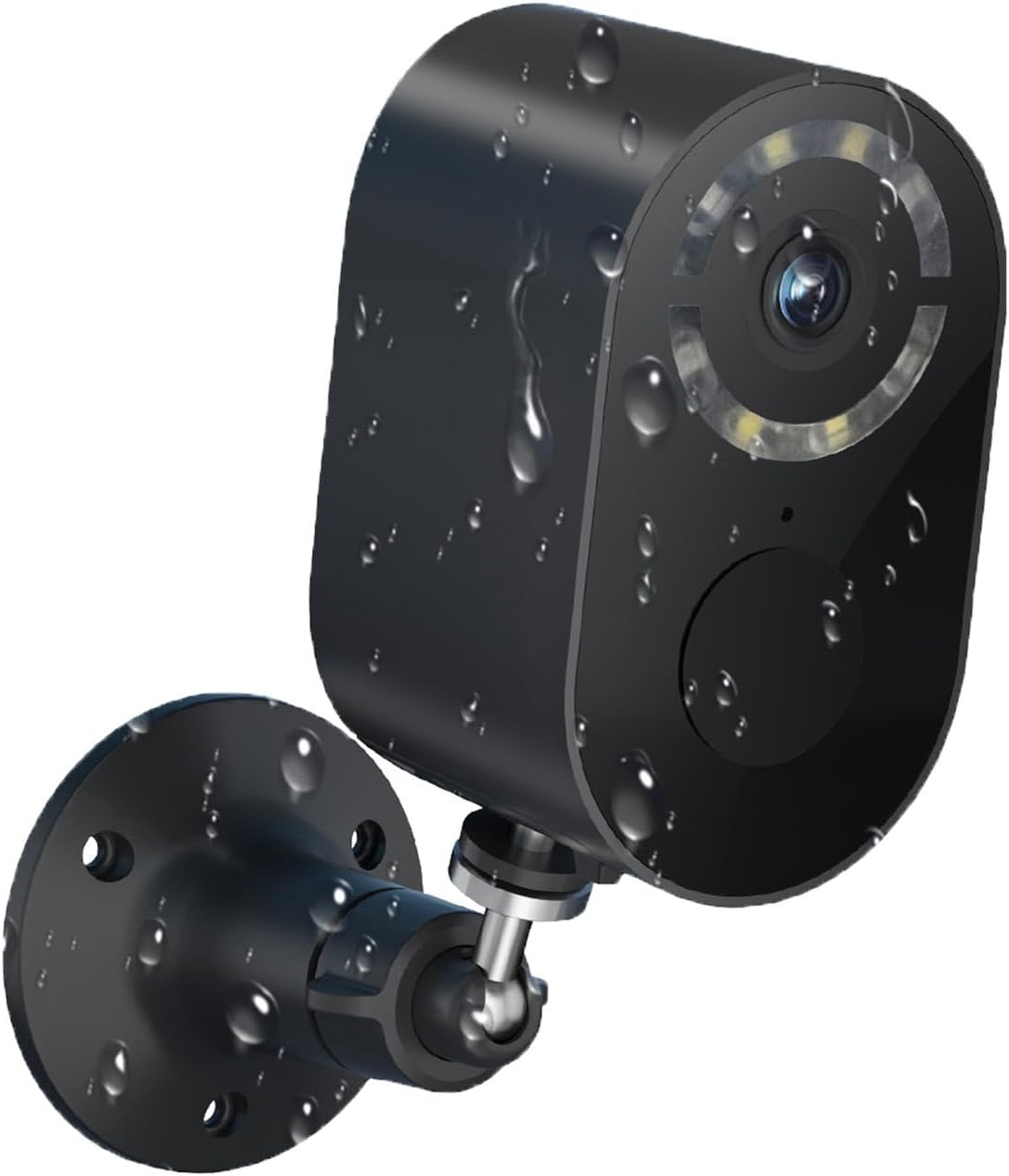
A detailed view of the Recmoment R34-B1 wireless security camera, showcasing its compact design and weatherproof construction, ideal for outdoor installation.
Key Features:
- 2K QHD Resolution & Full-Color Night Vision: Captures ultra-high-definition 2560x1440 video with dual night vision modes (full-color and infrared) for clear images up to 33 feet.
- Large Capacity Rechargeable Battery & Wire-Free: Enjoy 1 to 5 months of security on a single charge with a 100% wire-free design and IP65 waterproof rating.
- PIR Alarm & Smart AI Motion Detection: Accurately distinguishes between people, vehicles, pets, and packages, sending instant alerts to your smartphone.
- Two-Way Talk & Emergency Siren: Communicate in real-time with visitors or deter intruders using the built-in mic and speaker, or trigger a loud alarm.
- Multi-user Sharing & Cloud/TF Storage: Share camera access with family and store recordings on a TF card (up to 128GB, not included) or via cloud storage. Integrates with Amazon Alexa.
2. What's in the Box
Please check the package contents carefully upon unboxing:
- Operation Instructions Manual
Note: Other typical components such as the camera unit, mounting bracket, charging cable, and screws/anchors are usually included but not explicitly listed in the provided 'whats_in_the_box' information.
3. Setup Guide
The Recmoment R34-B1 camera is designed for easy DIY installation, allowing you to set it up anywhere in minutes.
3.1 Charging the Camera
Before initial use, fully charge the camera's built-in 5200mAh rechargeable lithium battery. A full charge can provide 1 to 5 months of operation depending on usage.
3.2 App Installation and Account Setup
- Download the designated mobile application (e.g., EseeCloud as mentioned in product details) from your smartphone's app store.
- Create a new user account and log in.
3.3 Connecting to Wi-Fi
- Follow the in-app instructions to add your new camera.
- Ensure your smartphone is connected to a 2.4GHz Wi-Fi network. The camera supports 2.4GHz Wi-Fi only.
- Scan the QR code displayed on your phone with the camera, or follow alternative pairing methods provided by the app.
3.4 Mounting the Camera
The camera is 100% wire-free and can be easily installed indoors or outdoors. Choose a location with good Wi-Fi signal and a clear view of the area you wish to monitor.

This image highlights the ease of DIY installation, showing a user effortlessly mounting the camera on an outdoor wall, emphasizing its user-friendly setup process.
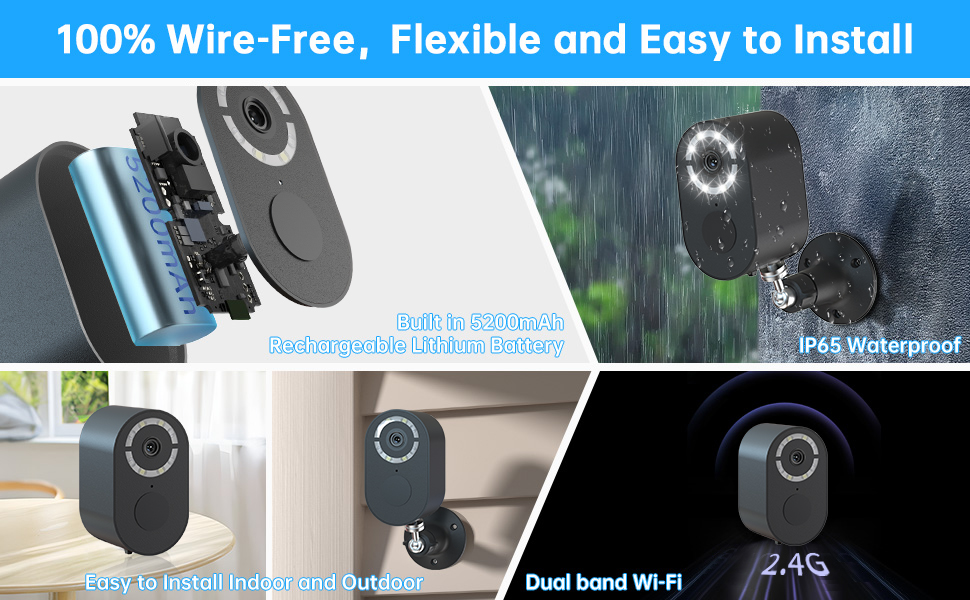
Highlights the camera's design for easy installation, featuring a built-in 5200mAh rechargeable lithium battery, IP65 waterproof rating for versatile placement, and reliable 2.4GHz Wi-Fi connectivity.
4. Operating Instructions
Once set up, you can control and monitor your Recmoment R34-B1 camera through the dedicated mobile application.
4.1 Live View and Playback
- Open the app to view live footage from your camera.
- Access recorded videos from the cloud or TF card storage for playback.
4.2 Two-Way Audio
Use the built-in microphone and speaker to communicate with people near the camera.

Shows the practical application of the two-way audio feature, allowing users to communicate with visitors or delivery personnel directly through the camera from their smartphone.
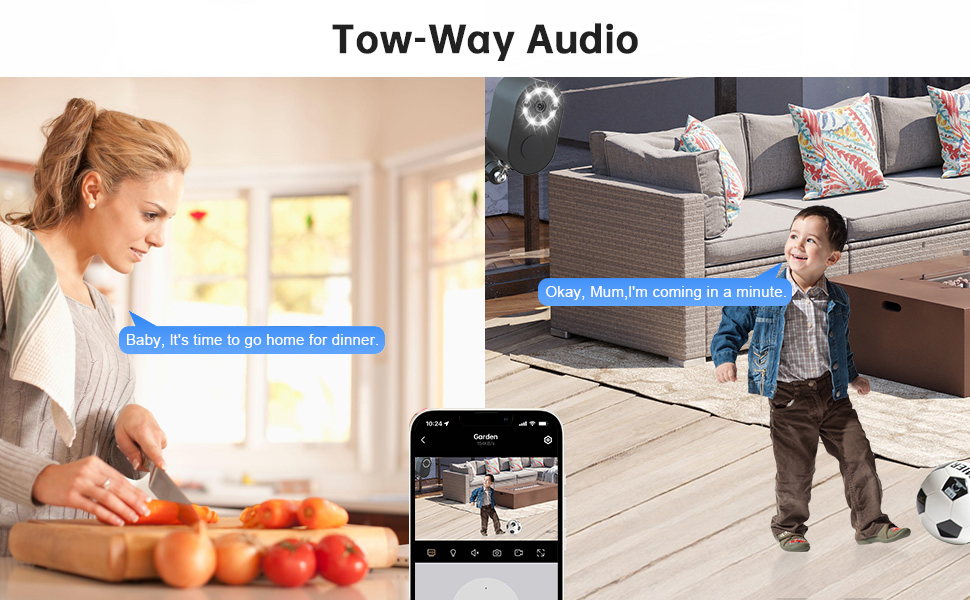
This image demonstrates the seamless two-way audio communication, allowing users to interact with individuals near the camera, whether they are inside or outside the home.
4.3 Motion Detection and Alerts
The camera utilizes advanced PIR sensors and AI analysis to detect motion and identify specific objects.
- Configure motion detection sensitivity and customize motion zones within the app.
- Receive instant push notifications on your phone when motion is detected.
- The AI can distinguish between people, vehicles, pets, and packages, reducing false alarms.

Illustrates the camera's advanced PIR sensor and AI motion detection capabilities, which can accurately distinguish between humans, vehicles, pets, and packages, significantly reducing false alarms.
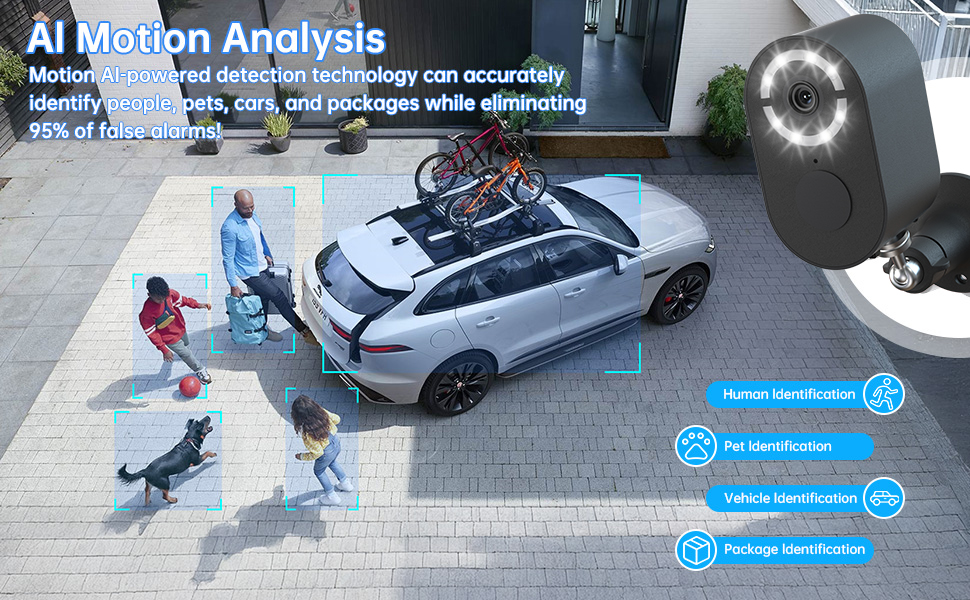
This visual explains the camera's AI-powered motion analysis, capable of accurately identifying and categorizing different objects (humans, pets, cars, packages) to minimize false alarms and provide precise alerts.
4.4 Night Vision Modes
The camera supports both full-color and infrared night vision.
- Full-Color Night Vision: Provides vibrant, detailed images even in low-light conditions.
- Infrared Night Vision: Offers clear black-and-white footage in complete darkness.
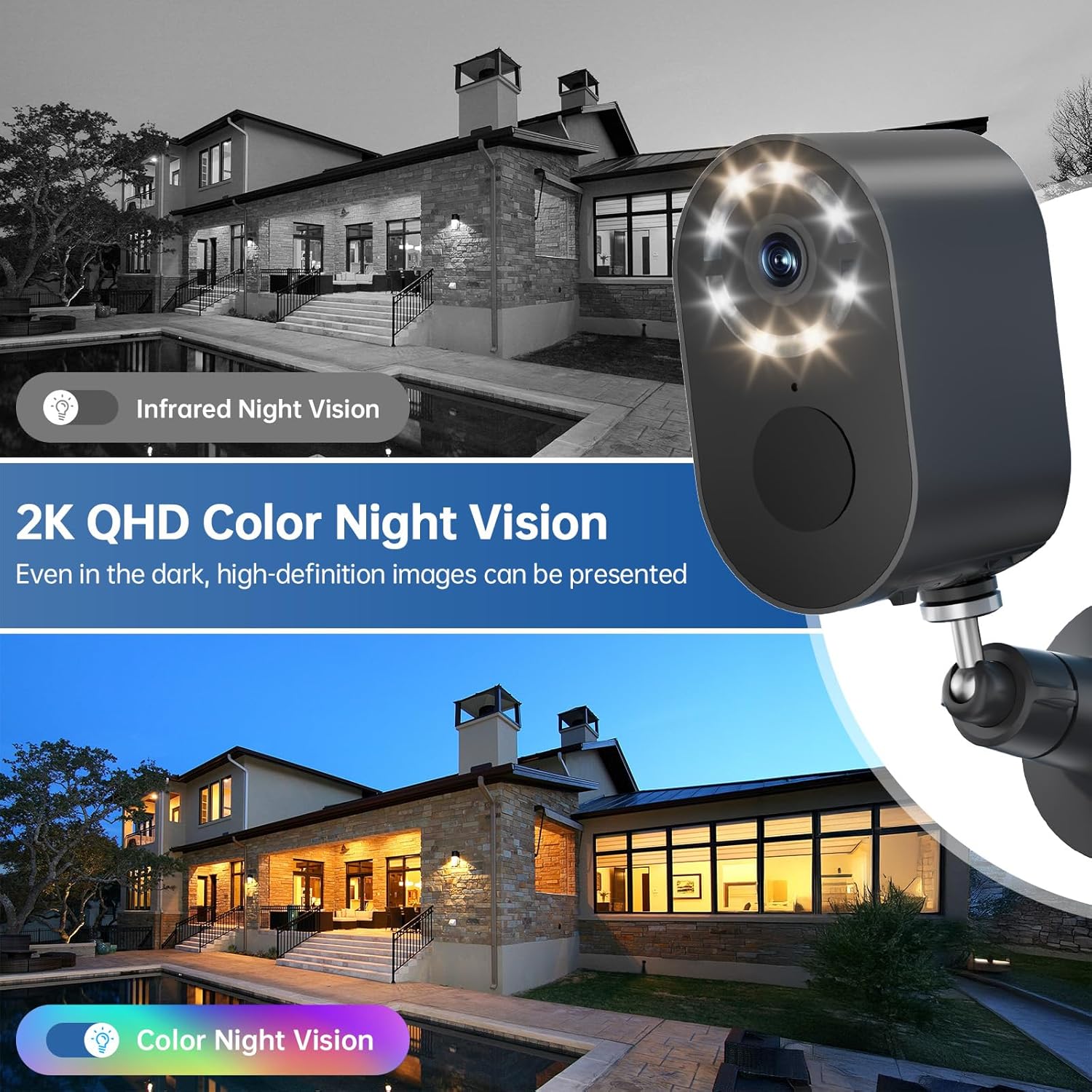
A close-up view of the camera's front, illustrating its dual night vision modes: traditional infrared for clear black-and-white images and advanced full-color night vision for detailed, vibrant footage even in complete darkness.
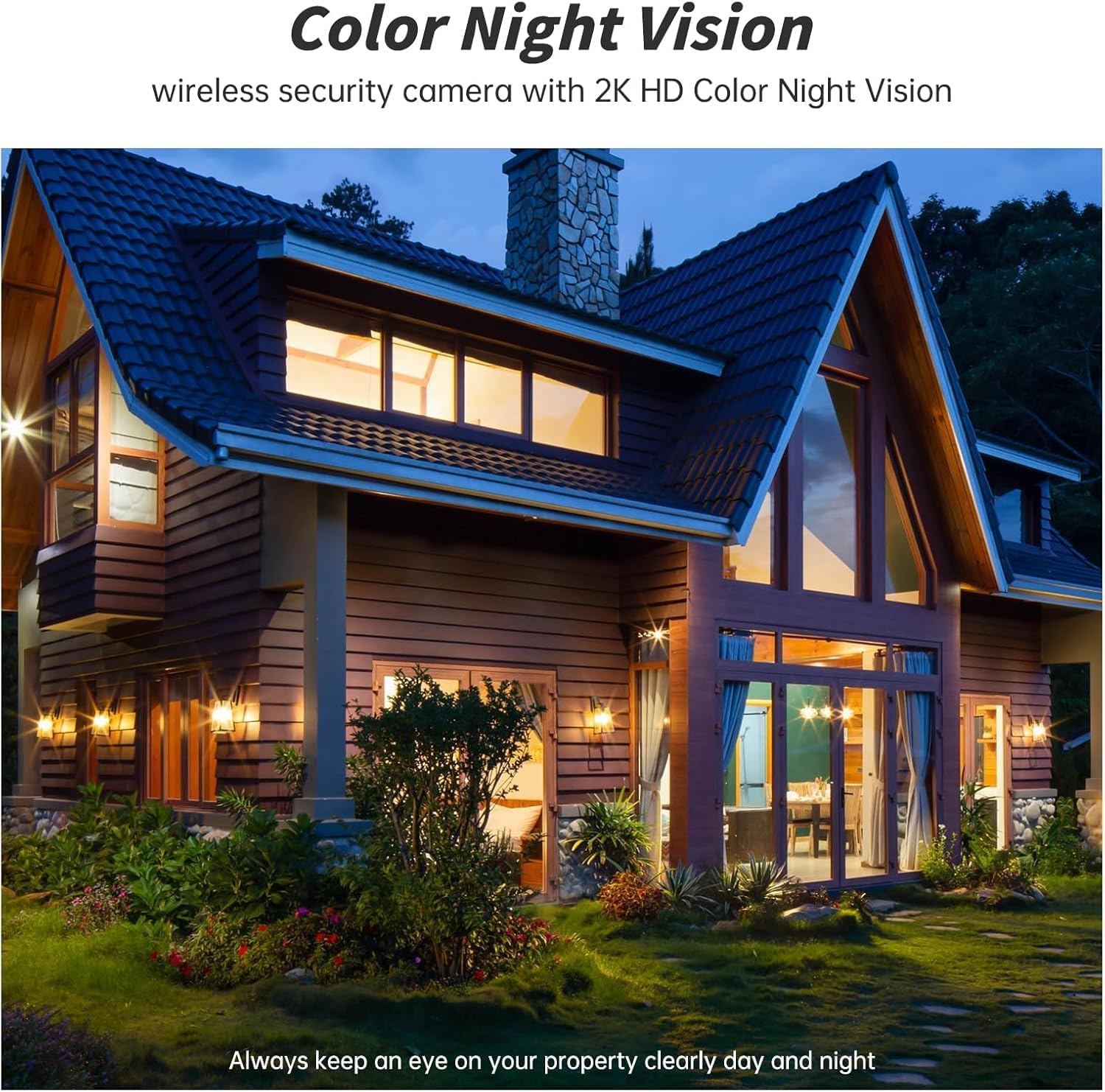
Demonstrates the camera's full-color night vision capability, providing clear and vibrant images of your property even in low-light conditions, ensuring comprehensive nighttime surveillance.
4.5 Storage Options
The camera supports both local and cloud storage for your recordings.
- TF Card Storage: Insert a Micro SD card (up to 128GB, not included) into the camera for local storage.
- Cloud Storage: Utilize cloud storage services (subscription may be required) for secure off-site backup of your footage.

Illustrates the flexible storage options available for recorded footage, including secure cloud storage and local storage via a Micro SD card (up to 128GB, not included).

Explains the camera's support for both local (SD card) and cloud storage, along with the convenient multi-user sharing feature, allowing multiple family members or authorized users to access and monitor live feeds and recordings.
4.6 Amazon Alexa Integration
The camera integrates effortlessly with Amazon Alexa for voice-controlled operation. Check live feeds, adjust angles, or toggle lights hands-free for ultimate smart home convenience.
5. Maintenance
Proper maintenance ensures the longevity and optimal performance of your Recmoment R34-B1 camera.
5.1 Battery Management
- Monitor the battery level through the mobile app.
- Recharge the camera promptly when the battery is low to ensure continuous operation.
5.2 Cleaning
- Periodically clean the camera lens and housing with a soft, damp cloth to remove dust and debris.
- Avoid using harsh chemicals or abrasive materials that could damage the camera's surface or lens.
5.3 Weather Protection
The camera has an IP65 waterproof design, capable of withstanding rain, snow, and extreme temperatures. However, ensure it is securely mounted to prevent dislodgement during severe weather.

This image emphasizes the camera's IP65 waterproof rating, making it suitable for all weather conditions, and its 100% wire-free design for flexible placement in diverse environments like courtyards, garages, or even baby rooms.
6. Troubleshooting
If you encounter issues with your Recmoment R34-B1 camera, try the following troubleshooting steps:
- No Power/Camera Not Turning On: Ensure the battery is fully charged. Connect the camera to a power source and check if the charging indicator lights up.
- Cannot Connect to Wi-Fi:
- Verify that your Wi-Fi network is 2.4GHz. The camera does not support 5GHz Wi-Fi.
- Check your Wi-Fi signal strength at the camera's location. Move the camera closer to the router if necessary.
- Restart your Wi-Fi router and the camera.
- Ensure you are entering the correct Wi-Fi password.
- Poor Video Quality:
- Check your Wi-Fi connection stability and bandwidth.
- Clean the camera lens for any smudges or dirt.
- Ensure there are no obstructions blocking the camera's view.
- Motion Detection Not Working/Too Many False Alarms:
- Adjust the motion detection sensitivity settings in the app.
- Configure specific motion detection zones to focus on critical areas and exclude irrelevant ones.
- Ensure the camera's view is not obstructed by moving objects like tree branches in windy conditions.
- Two-Way Audio Issues:
- Check the volume settings on your smartphone and within the app.
- Ensure there is no physical obstruction covering the camera's microphone or speaker.
- Verify a stable internet connection for real-time audio transmission.
If these steps do not resolve the issue, please refer to the support section for further assistance.
7. Specifications
| Feature | Specification |
|---|---|
| Model Name | R34-B1 |
| Item Model Number | R34 |
| Brand | Recmoment |
| Indoor/Outdoor Usage | Outdoor |
| Power Source | Battery Powered |
| Connectivity Protocol | Wi-Fi (2.4GHz only) |
| Controller Type | App Control |
| Mounting Type | Wall Mount |
| Video Capture Resolution | 1296p (2K QHD, 2560 x 1440) |
| Effective Still Resolution | 3 MP |
| Color | Black |
| Night Vision Range | 26 Feet (approx. 33 feet mentioned in feature bullets) |
| Item Dimensions (L x W x H) | 2.24 x 2.17 x 3.7 inches |
| Item Weight | 10.5 ounces |
| Battery | 1 Nonstandard Battery (included), 5200mAh |
| Waterproof Rating | IP65 |
| Storage Options | TF Card (up to 128GB, not included), Cloud Storage |
| UPC | 607603074225 |
8. Warranty and Support
For warranty information and technical support, please contact Recmoment directly. Details regarding specific warranty periods and claims procedures are typically provided with your purchase or can be found on the manufacturer's official website.
Manufacturer: Recmoment
For the most up-to-date support resources, please visit the official Recmoment website or refer to the contact information provided in your purchase documentation.


