1. Introduction
Thank you for choosing the realme Buds Wireless 5 Lite Bluetooth Neckband. This manual provides essential information for the proper use, maintenance, and troubleshooting of your device. Please read it carefully before use to ensure optimal performance and longevity of your product.
2. Package Contents
Ensure all items are present in your package:
- realme Buds Wireless 5 Lite Bluetooth Neckband
- Eartips (various sizes)
- User Manual
3. Product Overview
The realme Buds Wireless 5 Lite features a comfortable neckband design with in-ear earbuds, equipped with a control panel for easy operation.

Image: realme Buds Wireless 5 Lite Neckband in Void Black, showcasing its design.
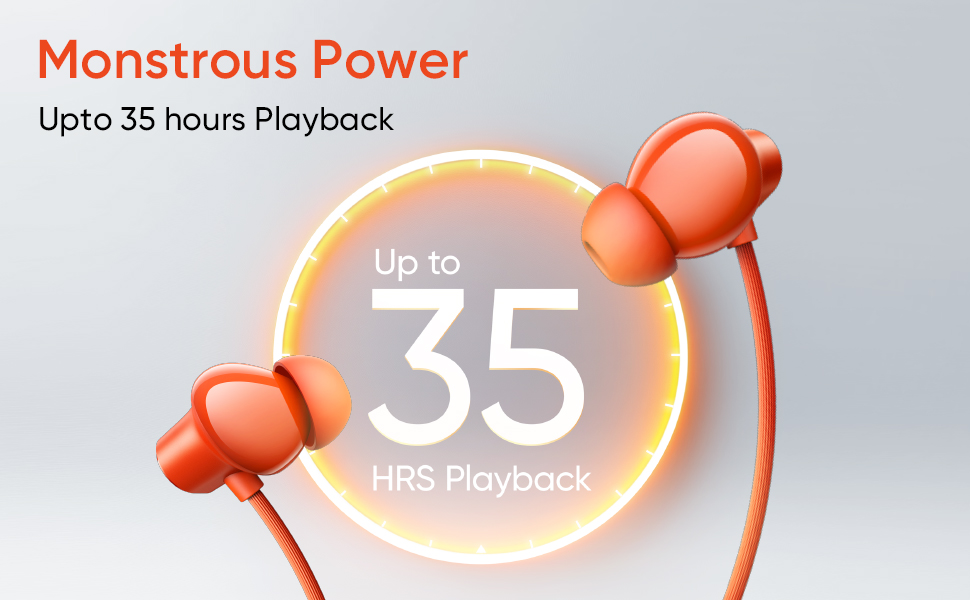
Image: Infographic highlighting key features such as Bluetooth 5.4, magnetic earbuds, 45ms ultra-low latency, and ENC.
4. Setup
4.1 Charging the Neckband
Before first use, fully charge the neckband. A full charge takes approximately 2.5 hours. Use a standard USB charger. The indicator light will show charging status.
4.2 Powering On/Off
- Power On: Separate the magnetic earbuds. The neckband will automatically power on.
- Power Off: Attach the magnetic earbuds together. The neckband will automatically power off.
4.3 Bluetooth Pairing
- Ensure the neckband is powered on (earbuds separated).
- On your device (smartphone, tablet, laptop), enable Bluetooth.
- Search for available devices and select "realme Buds Wireless 5 Lite".
- Once connected, a voice prompt will confirm successful pairing.
4.4 Wearing the Neckband
Place the neckband around your neck and insert the earbuds comfortably into your ears. Adjust the eartips for a secure fit and optimal sound quality.
5. Operating Instructions
5.1 Music Playback
- Play/Pause: Press the Multi-function button once.
- Next Track: Press and hold the Volume Up button.
- Previous Track: Press and hold the Volume Down button.
5.2 Call Management
The neckband supports Environmental Noise Cancellation (ENC) for clear calls.

Image: realme Buds Wireless 5 Lite in blue, illustrating ENC Call Noise Cancellation for clear voice communication.
- Answer/End Call: Press the Multi-function button once.
- Reject Call: Press and hold the Multi-function button for 2 seconds.
5.3 Volume Control
- Increase Volume: Press the Volume Up button.
- Decrease Volume: Press the Volume Down button.
5.4 Low Latency Mode
Activate 45ms ultra-low latency mode for gaming or video playback to ensure synchronized audio and video. Refer to your device's specific instructions for activation, usually a triple-press on the multi-function button or via the realme Link app.
5.5 Voice Assistant
Activate your device's voice assistant (e.g., Google Assistant) by pressing the Multi-function button twice.
5.6 Dual Device Connection
The neckband supports connecting to two devices simultaneously. After pairing with the first device, put the neckband into pairing mode again and connect to the second device. The neckband will intelligently switch between devices based on audio playback.
6. Maintenance
6.1 Cleaning
Wipe the neckband and earbuds with a soft, dry cloth. Do not use harsh chemicals or abrasive materials. Regularly clean the eartips and earbud mesh to prevent wax buildup.
6.2 Water and Dust Resistance (IP55)
The realme Buds Wireless 5 Lite is IP55 dust and water resistant, meaning it can withstand splashes of water and dust. It is not designed for submersion in water. Avoid exposing it to heavy rain or direct water jets.

Image: realme Buds Wireless 5 Lite in orange, demonstrating its IP55 dust and water resistance with water splashes.
6.3 Storage
Store the neckband in a cool, dry place away from direct sunlight and extreme temperatures. When not in use, attach the magnetic earbuds to prevent tangling and conserve battery.

Image: realme Buds Wireless 5 Lite in orange, highlighting its impressive battery life of up to 35 hours playback.
7. Troubleshooting
| Problem | Possible Solution |
|---|---|
| Cannot power on | Ensure earbuds are separated. Charge the neckband if the battery is low. |
| Cannot pair with device | Ensure Bluetooth is enabled on your device. Make sure the neckband is in pairing mode. Forget the device in your phone's Bluetooth settings and try pairing again. |
| No sound | Check volume levels on both the neckband and your connected device. Ensure the neckband is properly connected. |
| Poor call quality | Ensure the microphone is not obstructed. Move closer to your connected device. |
| Intermittent connection | Ensure no obstacles are between the neckband and your device. Avoid strong electromagnetic interference. |
8. Specifications

Image: Detailed view of the 12.4mm Dynamic Bass Driver within a realme Buds Wireless 5 Lite earbud.
| Feature | Detail |
|---|---|
| Model Name | Buds Wireless 5 Lite |
| Audio Driver Size | 12.4 mm Dynamic Bass Driver |
| Battery Life | Up to 35 Hours |
| Charging Time | 2.5 Hours |
| Bluetooth Version | 5.4 |
| Bluetooth Range | 10 Metres |
| Audio Latency | 45 Milliseconds |
| Water Resistance | IP55 Dust & Water Resistant |
| Noise Control | Environmental Noise Cancellation (ENC) |
| Control Method | Remote (Buttons) |
| Compatible Devices | Cellphones, Laptops, Tablets, Television |
| Item Weight | 27 Grams |
| Material | Acrylonitrile Butadiene Styrene (ABS) |
9. Warranty and Support
For warranty information and customer support, please refer to the warranty card included in your package or visit the official realme website. Keep your purchase receipt for warranty claims.


