
1. Introduction
The Hisecren 220W Portable Power Inverter is designed to convert 18V DC power from Milwaukee batteries into 110V-120V AC power, along with USB and Type-C outputs. This device provides a portable power source for various small electronic devices, making it suitable for outdoor activities, emergencies, and general use where grid power is unavailable. It also features an integrated 400LM LED work light with adjustable brightness and angle.

Image 1.1: The power inverter is suitable for diverse scenarios such as car repair, hiking, and camping, providing portable power and light.
2. Product Overview
This section details the main components and features of your Hisecren 220W Portable Power Inverter.
2.1 Components

Image 2.1: Key components of the inverter, including the cooling fan, 400LM LED work light, power button, light button, USB-A output, Type-C output, and AC output.
- Cooling Fan: Ensures efficient heat dissipation during operation.
- 400LM LED Work Light: Provides illumination with 3 adjustable brightness levels and a strobe function. The light angle is 90-degree adjustable.
- Power Button: Controls the inverter's power and output modes (White: off, Blue: USB-A & Type-C active, Blue-Green: USB-A, Type-C & AC active).
- Light Button: Activates and cycles through the LED light modes.
- USB-A Output (QC 18W): For charging compatible USB devices.
- Type-C Output (PD 30W): For charging compatible Type-C devices, supporting Power Delivery.
- AC Output (110V-120V): Standard AC outlet for small appliances.
2.2 Compatibility
The power inverter is compatible with Milwaukee 18V batteries, including models such as 48-11-1815, 48-11-1820, 48-11-1840, and 48-11-1850. (Battery not included).
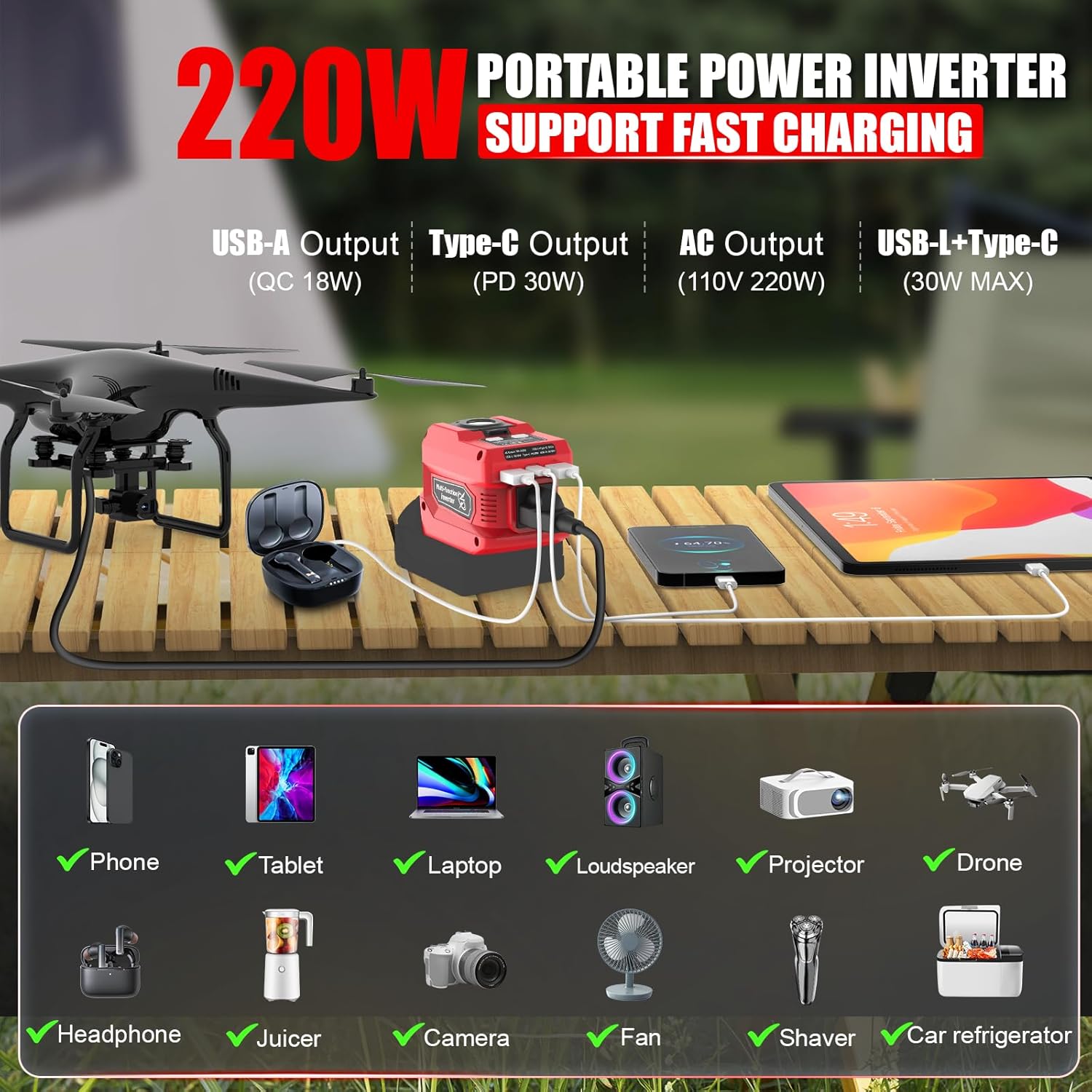
Image 2.2: The inverter can charge multiple devices simultaneously, including phones, tablets, laptops, and other small electronics.
3. Setup
To begin using your power inverter, follow these simple steps:
- Ensure the power inverter is turned off before attaching a battery.
- Align your compatible Milwaukee 18V battery with the battery slot on the inverter.
- Slide the battery firmly into place until it clicks, indicating a secure connection.
- The inverter is now ready for operation.
4. Operating Instructions
4.1 Powering On/Off and Output Modes
- Press the Power Button once to activate the USB-A and Type-C outputs. The indicator light will turn blue.
- Press the Power Button a second time to activate the AC output in addition to the USB-A and Type-C outputs. The indicator light will turn blue-green.
- Press the Power Button a third time to turn off all outputs. The indicator light will turn white (off).
4.2 Using the LED Work Light
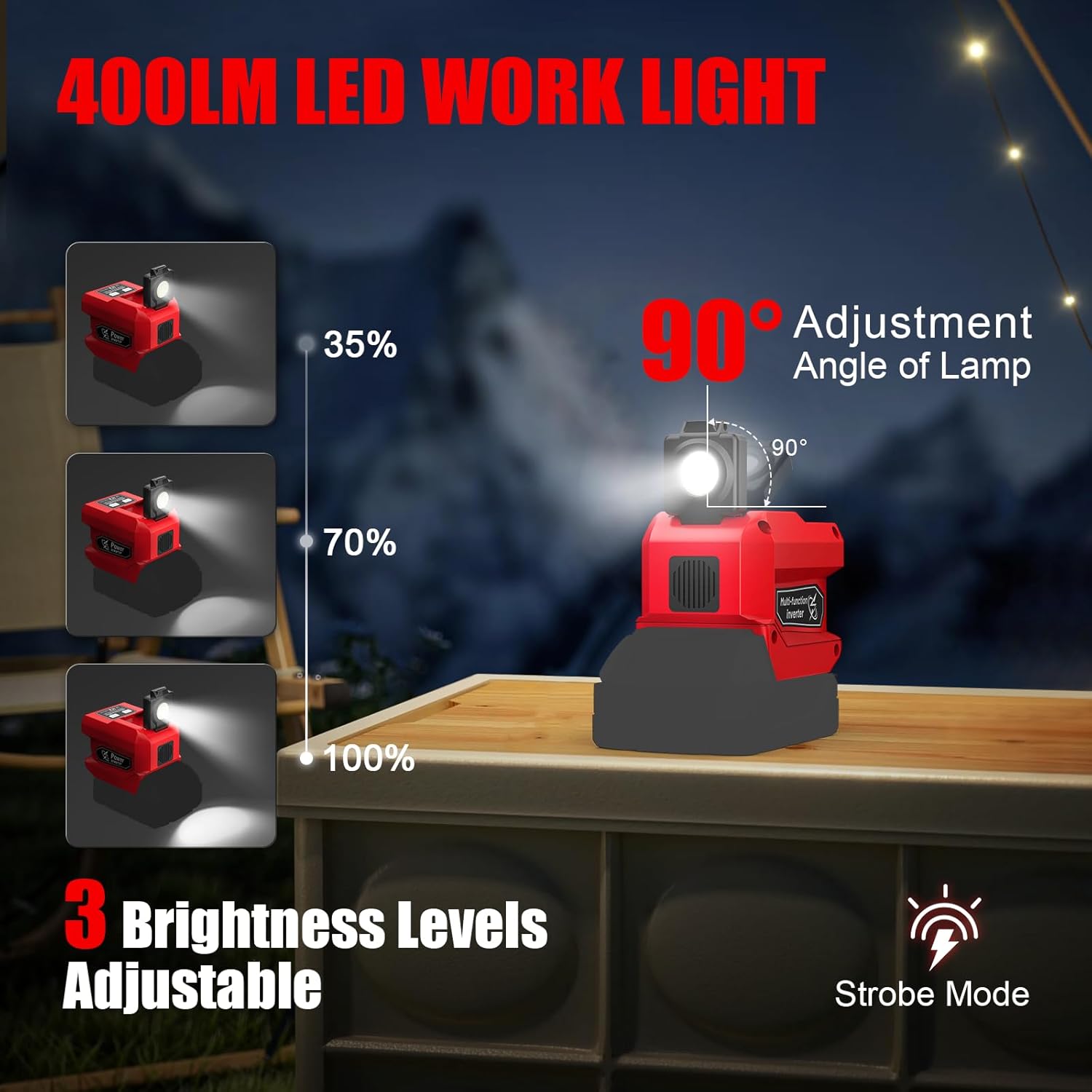
Image 4.1: The LED work light offers three brightness levels (35%, 70%, 100%) and a strobe mode, with a 90-degree adjustable angle.
- Press the Light Button once to turn on the LED light at 35% brightness.
- Press the Light Button a second time for 70% brightness.
- Press the Light Button a third time for 100% brightness.
- Press the Light Button a fourth time to activate the strobe mode.
- Press the Light Button a fifth time to turn off the LED light.
- Adjust the angle of the LED light by manually tilting it up to 90 degrees.
Video 4.1: Demonstration of the Hisecren 220W Power Inverter, showcasing its features and operation with a Milwaukee 18V battery. This video illustrates the various lighting modes and charging capabilities for multiple devices.
5. Safety Information
To ensure safe operation and prevent damage to the inverter or connected devices, please observe the following safety guidelines:
- Do not exceed the maximum output power of 220W. Overloading the inverter can cause damage and pose a fire hazard.
- Ensure proper ventilation. The built-in cooling fan requires unobstructed airflow to prevent overheating.
- This inverter is equipped with multiple protection functions: short circuit protection, over-current protection, low voltage protection, overheat protection, over-discharge protection, and overload protection.
- Do not expose the inverter to water, rain, or excessive moisture.
- Keep out of reach of children.
- Use only with compatible Milwaukee 18V batteries.
- If the inverter indicates a fault (e.g., flashing red or yellow lights), disconnect the battery and connected devices immediately. Refer to the troubleshooting section.

Image 5.1: The inverter features a multi-protection system including safeguards against over-temperature, over-discharge, overload, over-current, low-voltage, and short-circuit conditions, along with a built-in cooling fan for heat dissipation.
6. Maintenance
To ensure the longevity and optimal performance of your Hisecren Power Inverter, follow these maintenance guidelines:
- Cleaning: Regularly wipe the exterior of the inverter with a dry, soft cloth. Do not use harsh chemicals or abrasive cleaners. Ensure the cooling fan vents are free from dust and debris.
- Storage: When not in use for extended periods, store the inverter in a cool, dry place away from direct sunlight and extreme temperatures. Remove the battery before storage.
- Battery Care: Always use fully charged batteries for optimal performance. Avoid completely draining batteries, as this can reduce their lifespan.
7. Troubleshooting
If you encounter issues with your power inverter, refer to the following common problems and solutions:
| Problem | Possible Cause | Solution |
|---|---|---|
| No power output | Battery not connected securely or low charge; Inverter not turned on; Overload protection activated. | Ensure battery is fully charged and securely attached. Press the power button to turn on. Reduce load on the inverter. |
| LED light not working | Light button not pressed; Faulty LED. | Press the light button to cycle through modes. If issue persists, contact support. |
| Inverter shuts off unexpectedly | Overload, overheat, or low voltage protection activated. | Reduce connected load. Ensure proper ventilation. Check battery charge level. |
| Device not charging via USB/Type-C | Inverter not in correct mode; Cable issue; Device incompatibility. | Ensure inverter is in blue or blue-green mode. Try a different cable or device. |
If these solutions do not resolve the issue, please contact Hisecren customer support.
8. Specifications
Detailed technical specifications for the Hisecren 220W Portable Power Inverter:

Image 8.1: A detailed table outlining the product specifications, including output volts, input volts, frequency, port power, and protection features.
| Feature | Specification |
|---|---|
| Brand | Hisecren |
| Model Name | MI Inverter |
| Wattage | 220 watts |
| Input Voltage | 18 volts DC |
| Output Voltage | 110-120 volts AC |
| Peak Output Power | 220 watts |
| Electrical Output Waveform | Modified Sine Wave |
| USB-A Output | QC 18W |
| Type-C Output | PD 30W |
| LED Lamp | 400LM max |
| Item Dimensions (L x W x H) | 4.33" x 2.75" x 3.15" |
| Weight | Approximately 0.68 LB |
| Protection Features | Short circuit, over-current, low voltage, overheat, over-discharge, overload |
8.1 Battery Usage Time Reference

Image 8.2: This table provides estimated battery usage times for the LED light and various charging ports with 2AH, 4AH, and 5AH batteries. Actual usage time may vary.
9. Warranty and Support
The Hisecren 220W Portable Power Inverter comes with a 3-month warranty from the date of purchase. This warranty covers manufacturing defects and malfunctions under normal use.
For warranty claims, technical support, or any questions regarding your product, please contact Hisecren customer service. You can find more information and contact details on the Hisecren Store on Amazon.


