
Introduction
Thank you for choosing the Hama Freedom Buddy II True Wireless Earbuds. This manual provides essential information for the safe and efficient operation of your device. Please read it carefully before use and keep it for future reference.
The Hama Freedom Buddy II earbuds offer a true wireless audio experience with Environmental Noise Cancellation (ENC) for clear calls, intuitive touch controls, and a portable charging case providing up to 20 hours of total playback time.
Package Contents
- 1 pair of Hama Freedom Buddy II Bluetooth Earbuds
- 1 Charging Case
- 3 pairs of Silicone Ear Pads (sizes S/M/L)
- 1 Quick Start Guide
- 1 Warning and Safety Instructions
Product Overview

Image: The Hama Freedom Buddy II True Wireless Earbuds, shown with their compact charging case. The earbuds are light pink, and the case is a matching light pink with the 'hama' logo embossed on the lid.
The Hama Freedom Buddy II consists of two true wireless earbuds and a portable charging case. Each earbud features a touch-sensitive surface for control and an integrated microphone for calls. The charging case protects the earbuds and recharges them on the go.
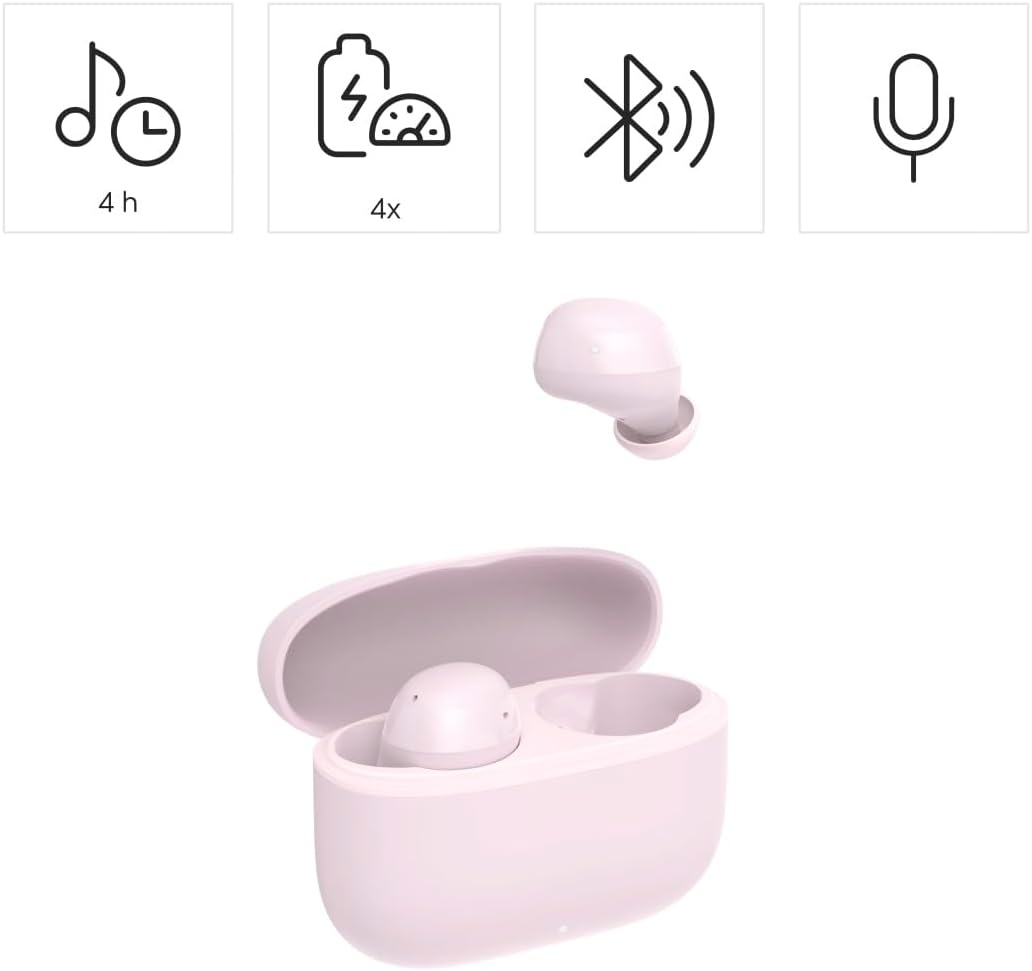
Image: The Hama Freedom Buddy II earbud displayed alongside icons representing key features: 4 hours of playback, 4 additional charges from the case (total 20 hours), Bluetooth connectivity, and a microphone for calls.

Image: A close-up view of the two Hama Freedom Buddy II earbuds, highlighting their ergonomic design and the small charging contacts at the bottom of each earbud.
Setup
1. Charging the Earbuds and Charging Case
Before first use, ensure both the earbuds and the charging case are fully charged.
- Place the earbuds into the charging case. Ensure they are correctly seated; magnetic contacts will hold them in place.
- Connect a USB-C charging cable (not included) to the charging port on the case and to a suitable USB power source (e.g., USB wall adapter, computer USB port).
- The LED indicator on the charging case will show the charging status. A full charge typically takes approximately 2 hours for the case.
- The earbuds will charge automatically when placed in the powered case. Earbuds have an average battery life of 4 hours on a single charge. The charging case provides approximately 4 full charges for the earbuds, extending total playback time to 20 hours.
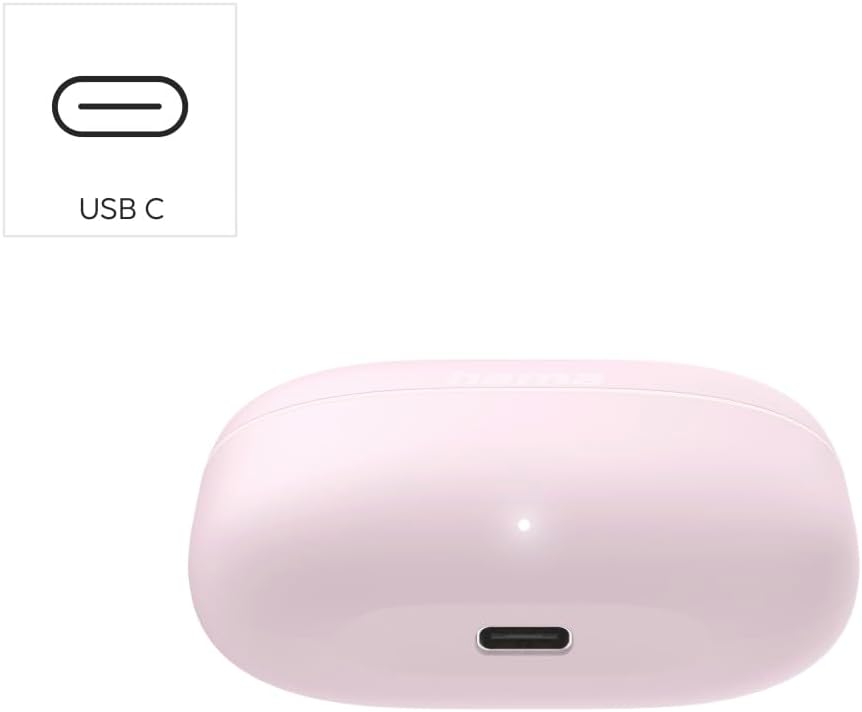
Image: A close-up of the Hama Freedom Buddy II charging case, showing the USB-C charging port located at the bottom front. An indicator light is visible above the port.
2. Pairing with a Bluetooth Device
- Initial Pairing: Open the charging case. The earbuds will automatically enter pairing mode. The LED indicators on the earbuds will flash, indicating they are ready to pair.
- On your Bluetooth-enabled device (smartphone, tablet, laptop), go to the Bluetooth settings.
- Search for available devices and select "Hama Freedom Buddy II" from the list.
- Once connected, the earbud LEDs will stop flashing, and you will hear an audible confirmation.
- Reconnecting: After initial pairing, the earbuds will automatically connect to the last paired device when removed from the charging case and the device's Bluetooth is active.
Operating the Earbuds
Wearing the Earbuds
Choose the correct size of silicone ear pads for a comfortable and secure fit. Insert the earbuds into your ears and gently twist them until they feel snug. A proper fit is crucial for optimal sound quality and noise isolation.

Image: A woman wearing a Hama Freedom Buddy II earbud in her right ear, demonstrating how to interact with the touch-sensitive surface for control.
Touch Control Functions
The Hama Freedom Buddy II earbuds feature intuitive touch controls on each earbud.
| Action | Function |
|---|---|
| Single Tap (Left/Right Earbud) | Play/Pause music; Answer/End call |
| Double Tap (Right Earbud) | Next Track |
| Double Tap (Left Earbud) | Previous Track |
| Triple Tap (Left/Right Earbud) | Activate Voice Assistant (Siri, Google Assistant) |
| Long Press (Left/Right Earbud) | Reject Call |
Power On/Off
- Power On: The earbuds automatically power on when removed from the charging case.
- Power Off: The earbuds automatically power off when placed back into the charging case and the lid is closed.
- Manual Power Off: If not in the case, you can typically long-press the touch area for several seconds until an indicator light or voice prompt confirms power off.
Maintenance
- Cleaning: Use a soft, dry, lint-free cloth to clean the earbuds and charging case. Do not use harsh chemicals or abrasive materials.
- Ear Pads: Remove the silicone ear pads periodically and clean them with water and mild soap. Ensure they are completely dry before reattaching.
- Storage: When not in use, always store the earbuds in their charging case to protect them from dust and damage. Store in a cool, dry place.
- Water Resistance: The earbuds are moisture resistant. Avoid submerging them in water or exposing them to heavy rain. Dry them thoroughly if they get wet.
Troubleshooting
| Problem | Solution |
|---|---|
| Earbuds do not power on. | Ensure the earbuds and charging case are fully charged. Place earbuds in the case and close the lid, then reopen. |
| Earbuds do not pair with my device. |
|
| No sound or low volume. |
|
| One earbud is not working. |
|
Specifications
| Feature | Detail |
|---|---|
| Model Name | Freedom Buddy II |
| Model Number | 00221761 |
| Connectivity | Bluetooth |
| Earbud Battery Life | Approx. 4 hours |
| Total Playback Time (with case) | Approx. 20 hours |
| Charging Time (Case) | Approx. 2 hours |
| Charging Interface | USB Type C |
| Control Method | Touch |
| Noise Control | Environmental Noise Cancellation (ENC) |
| Impedance | 32 Ohms |
| Sensitivity | 96 dB |
| Frequency Response | 20 KHz |
| Water Resistance Level | Moisture Resistant |
| Item Weight | 65.14 Grams |
Warranty and Support
Hama products are covered by a limited warranty. For detailed warranty information, please refer to the separate "Warning and Safety Instructions" document included in your package or visit the official Hama website.
Should you encounter any issues or require technical assistance, please contact Hama customer support. Contact details can typically be found on the Hama website or in the included documentation.