
1. Important Safety Instructions
Please read all instructions carefully before assembly and use. Failure to follow these instructions may result in injury or damage to the product.
- Ensure all components are present and undamaged before beginning assembly.
- Keep children and pets away from the desk during operation to prevent accidents.
- Do not overload the desk. The maximum weight capacity is 160 kg (352 lbs).
- Ensure there are no obstructions in the desk's path when adjusting height.
- Only use the provided power adapter and components.
- Do not open or attempt to repair the motor or control unit yourself. Contact customer support for assistance.
- Disconnect power before cleaning or performing any maintenance.
2. Setup and Assembly
The Desktronic HomePro desk is designed for easy assembly. Tools and multilingual instructions are included in the package.
2.1 Unpacking
Carefully remove all components from the packaging. Verify that all parts listed in the included assembly guide are present and undamaged.
2.2 Assembly Steps
- Assemble the steel frame components (90 mm x 60 mm x 3 mm) and wide T-feet according to the detailed assembly instructions provided.
- Attach the dual motor system to the frame.
- Carefully place the solid oak wood tabletop (180 x 80 cm, 24 mm thickness) onto the assembled frame. The tabletop features child-friendly rounded corners.
- Secure the tabletop to the frame using the provided hardware. Pre-drilled holes facilitate this step.
- Connect the control panel and power supply to the motor unit.
- Route cables through the two integrated cable grommets for tidy cable management.
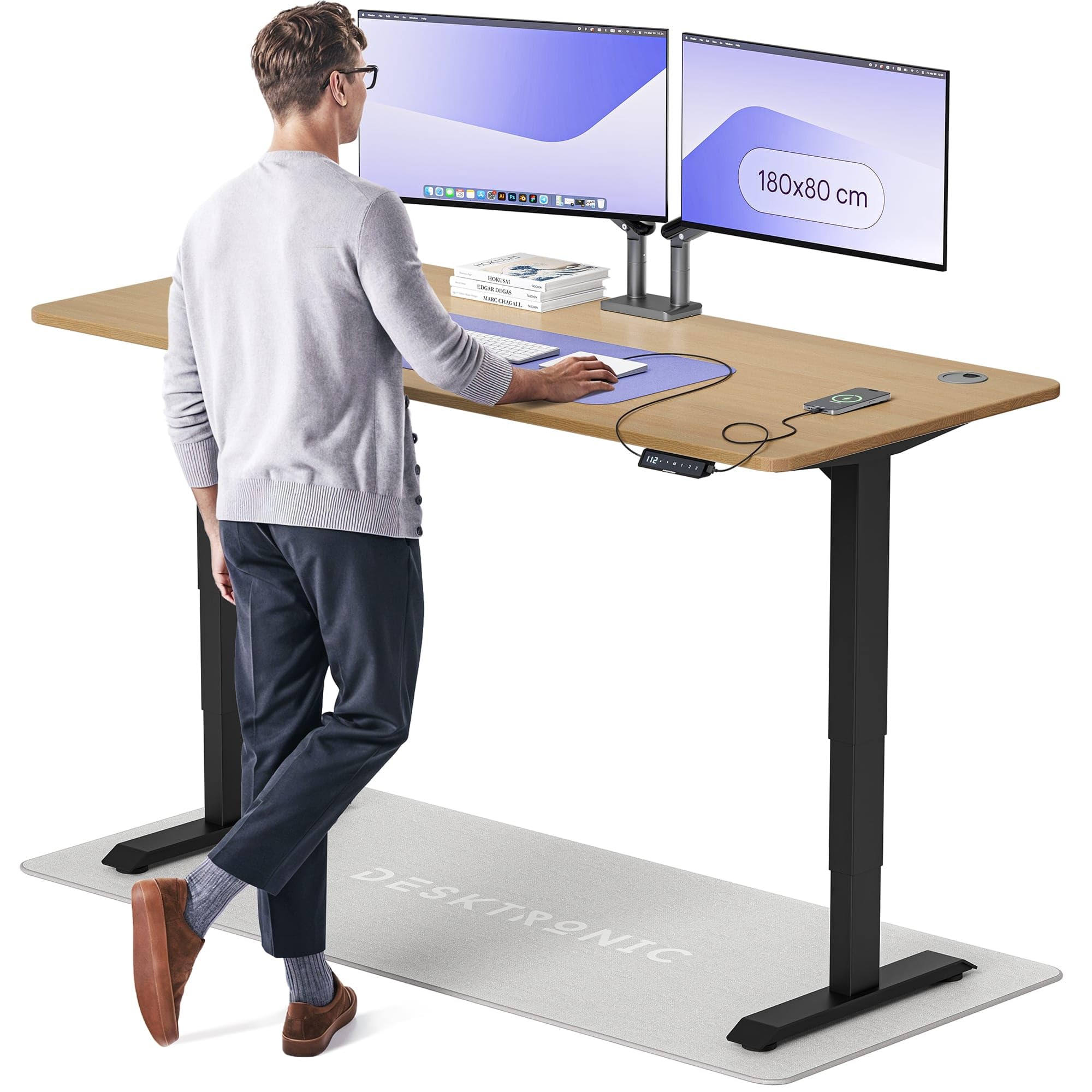
Image 1: Desktronic HomePro Electric Height-Adjustable Desk. This image shows the assembled desk with its solid oak wood tabletop and sturdy frame, highlighting its modern design and spacious work surface.
3. Operating Instructions
The Desktronic HomePro desk features an easy-touch control panel for seamless height adjustment.
3.1 Adjusting Desk Height
- Press and hold the Up or Down arrow on the touch screen controller to move the desk to your desired height.
- The whisper-quiet dual motor system allows for smooth and precise adjustment within 12 seconds, utilizing soft-start and soft-stop activation.
- The desk can be adjusted between a minimum height of 80 cm (31.5 inches) and a maximum height of 127 cm (50 inches).
3.2 Memory Settings
The control panel includes 3 adjustable memory settings to save your preferred sitting and standing heights.
- Adjust the desk to your desired height.
- Press the M button, then press one of the numbered memory buttons (1, 2, or 3) to save the current height.
- To recall a saved height, simply press the corresponding numbered memory button. The desk will automatically move to the stored position.
3.3 USB Charging Ports
The control panel features built-in USB and USB-C charging points for convenient device charging.
- Connect your compatible devices to the USB or USB-C ports on the control panel.
- Ensure the desk is powered on for charging functionality.
4. Maintenance
Proper care will ensure the longevity and optimal performance of your Desktronic HomePro desk.
- Cleaning: Wipe the desk surfaces with a dry cloth. Avoid abrasive cleaners or harsh chemicals that could damage the oak wood finish or electronic components.
- Inspection: Periodically check all screws and connections to ensure they are secure. Tighten if necessary.
- Cable Management: Regularly ensure cables are neatly routed through the grommets and are not pinched or tangled, which could affect desk operation or damage cables.
5. Troubleshooting
If you encounter any issues with your Desktronic HomePro desk, please refer to the following common solutions.
5.1 Desk Not Adjusting Height
- Check Power: Ensure the power cable is securely plugged into both the desk and a working wall outlet.
- Reset: Disconnect the power for 30 seconds, then reconnect. This may reset the control unit.
- Obstructions: Verify there are no objects blocking the desk's movement or interfering with the lifting columns.
5.2 USB Ports Not Functioning
- Power On: Ensure the desk is powered on. The USB ports require power from the desk's main supply.
- Cable Connection: Check the internal connection of the control panel to the main unit. If issues persist, contact customer support as a replacement central box may be required.
- Device Compatibility: Ensure your device is compatible with the charging output of the desk's USB ports.
5.3 Uneven Movement or Noise
- Load Distribution: Ensure the weight on the desk is evenly distributed and does not exceed the maximum capacity.
- Loose Connections: Check all assembly screws and tighten any that may have loosened over time.
- Obstructions: Look for any foreign objects or debris in the lifting mechanism.
If these steps do not resolve the issue, please contact Desktronic customer support for further assistance.
6. Specifications
| Brand | Desktronic |
| Model Number | HomePro |
| Desk Design | Computer Desk, Height-Adjustable |
| Shape | Rectangular |
| Tabletop Material | Solid Oak Wood |
| Tabletop Thickness | 24 Millimeters |
| Frame Material | Steel (90 x 60 x 3 mm) / Stainless Steel Base |
| Finish Type | Lacquered |
| Color | Black + Solid Oak Wood |
| Overall Dimensions (W x D) | 180 x 80 cm (70.87 x 31.5 inches) |
| Height Range | 80 cm (31.5 inches) to 127 cm (50 inches) |
| Item Weight | 60 Kilograms (132 lbs) |
| Maximum Weight Capacity | 160 Kilograms (352 lbs) |
| Motor Type | Whisper-Quiet Dual Motor |
| Control Panel | Easy-Touch Screen with 3 Memory Settings |
| Included Components | Built-in USB and USB-C Ports, 2 Cable Grommets |
| Assembly Required | Yes |
| Room Type | Office |
7. Warranty and Support
Desktronic is committed to providing high-quality products and excellent customer satisfaction.
7.1 Warranty Information
The Desktronic HomePro desk includes a 5-year EU Spare Part Availability Duration. This ensures that replacement parts will be available for a period of five years from the date of purchase.
7.2 Customer Support
If you have any questions, require assistance with assembly, or encounter any issues not covered in the troubleshooting section, please contact Desktronic customer support. Our team is dedicated to finding a solution and ensuring your satisfaction with your electric height-adjustable desk.
Please refer to your purchase documentation or the Desktronic official website for specific contact details.


