
Introduction
Welcome to the user manual for your Orayafid Outdoor Solar Weatherproof WiFi Repeater. This device is engineered to extend your existing Wi-Fi network coverage, providing a robust and reliable signal in outdoor environments. Powered by efficient solar energy and equipped with a high-capacity battery, it ensures continuous connectivity and eliminates Wi-Fi dead zones.

Image: The Orayafid Outdoor Solar Weatherproof WiFi Repeater, designed for extending wireless internet signals.
Key Features
- Global Relay Function: Extends Wi-Fi range with robust signal, offering speeds up to 300 Mbps at 2.4 GHz. Ideal for wireless security cameras, streaming, browsing, and other high-bandwidth activities.
- High Conversion Efficiency Solar Panel: Powered by a highly efficient 15W solar panel with a 24% conversion rate. The solar panel is protected by durable tempered glass, ensuring longevity and resistance to outdoor elements.
- High-Quality Lithium Battery: Equipped with a 20,000 mAh rechargeable lithium battery, guaranteeing prolonged operation even during continuous cloudy days. This battery has a lifespan of up to 500 recharge cycles and features an integrated protection circuit for enhanced safety.
- Waterproof Design (IP65): Certified with an IP65 rating, this outdoor Wi-Fi adapter can withstand extreme weather conditions, including heavy rain and snow. This ensures uninterrupted service and durability in any environment.
- Easy Installation: Features a 360-degree adjustable bracket, making installation quick and simple. This allows for optimal positioning of the outdoor Wi-Fi amplifier for best signal reception and transmission.
- Important Compatibility Note: This product is not compatible with Starlink.

Image: Overview of the Orayafid Solar WiFi Repeater highlighting its wireless capability, IP65 waterproof rating, security protection, 20,000 mAh battery, 150-meter range, and support for 8 devices.

Image: Detailed view of the solar power system, showing the tempered glass, monocrystalline silicon, and the 20,000 mAh lithium rechargeable battery, emphasizing quick charge, durability, and good light transmission.
Package Contents
Please verify that all items are present in your package:
- 1 x Orayafid Outdoor Solar Repeater
- 1 x Mounting Bracket
- 1 x Screw Bag (containing screws and wall plugs)
- 1 x User Manual (This document)

Image: The package includes the solar repeater unit (approx. 12.6 inches x 9.2 inches), a mounting bracket (approx. 7.4 inches tall), and a bag containing screws and wall plugs for installation.
Setup and Installation
Follow these steps to install your Orayafid Outdoor Solar WiFi Repeater:
- Choose an Optimal Location: Select a location for installation that ensures the solar panel receives maximum direct sunlight exposure throughout the day. The device's IP65 rating makes it suitable for various outdoor conditions.
- Mount the Bracket: Securely attach the mounting bracket to a wall or pole using the provided screws and wall plugs. Ensure the bracket is firmly fixed to support the repeater.
- Attach the Repeater: Carefully fix the solar repeater unit onto the mounting bracket.
- Adjust Angle: Utilize the 360-degree adjustable bracket to fine-tune the angle of the solar repeater. This adjustment is crucial for optimizing both solar charging efficiency and Wi-Fi signal reception/transmission.

Image: This diagram shows how to mount the bracket to a surface, attach the solar repeater to the bracket, and then adjust its angle for optimal performance.
Operating Instructions
Once properly installed and powered, the Orayafid WiFi Repeater will automatically begin extending your Wi-Fi signal.
Connecting to the Repeater
The repeater will broadcast an extended Wi-Fi network. Connect your devices (e.g., security cameras, tablets, smartphones, laptops) to this network just as you would to any standard Wi-Fi network. The repeater is designed to provide a stable 2.4GHz signal.
Signal Optimization
For best performance, ensure the solar panel remains clean and free from any obstructions. Periodically check the signal strength in the extended area to confirm optimal coverage. The device is designed to extend coverage up to 150 meters from your main router, effectively eliminating Wi-Fi dead zones.
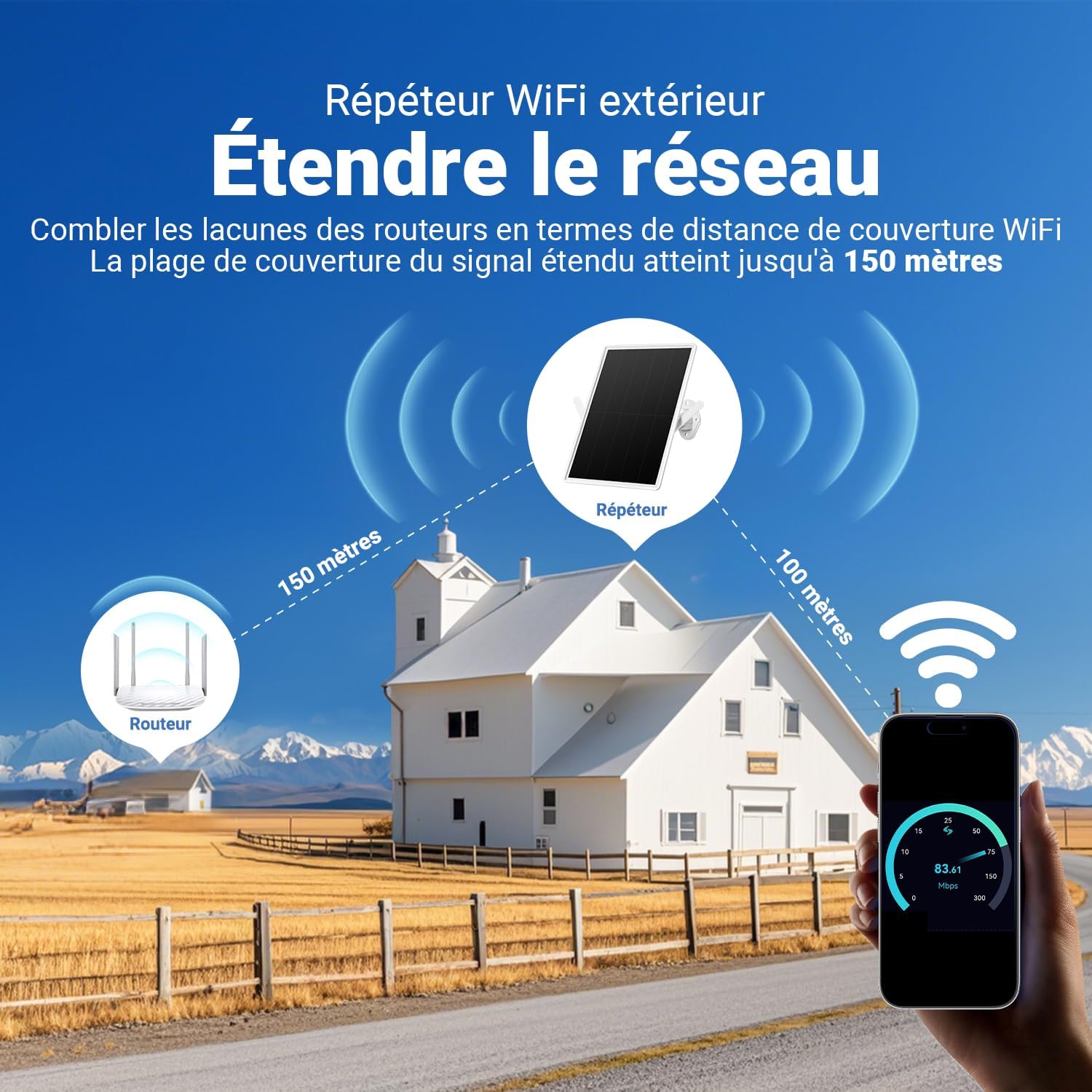
Image: This diagram illustrates how the solar repeater bridges the gap in Wi-Fi coverage, extending the signal range up to 150 meters from your main router, providing connectivity to remote outdoor areas.
Image: The repeater supports connection for up to 8 devices, including IP cameras, mobile phones, tablets, and laptops, providing a 2.4GHz Wi-Fi signal at speeds up to 300 Mbps.
Maintenance
To ensure the longevity and optimal performance of your Orayafid Outdoor Solar WiFi Repeater, follow these maintenance guidelines:
- Keep the Solar Panel Clean: Regularly wipe the solar panel with a soft, damp cloth to remove dust, dirt, or debris. This ensures maximum sunlight absorption and charging efficiency.
- Check Mounting: Periodically inspect the mounting bracket and screws to ensure the device remains securely attached, especially after strong winds or storms. Tighten any loose fasteners if necessary.
- Battery Care: The integrated lithium battery is designed for durability. Avoid exposing the device to extreme temperatures (both hot and cold) that could negatively affect battery performance and lifespan.
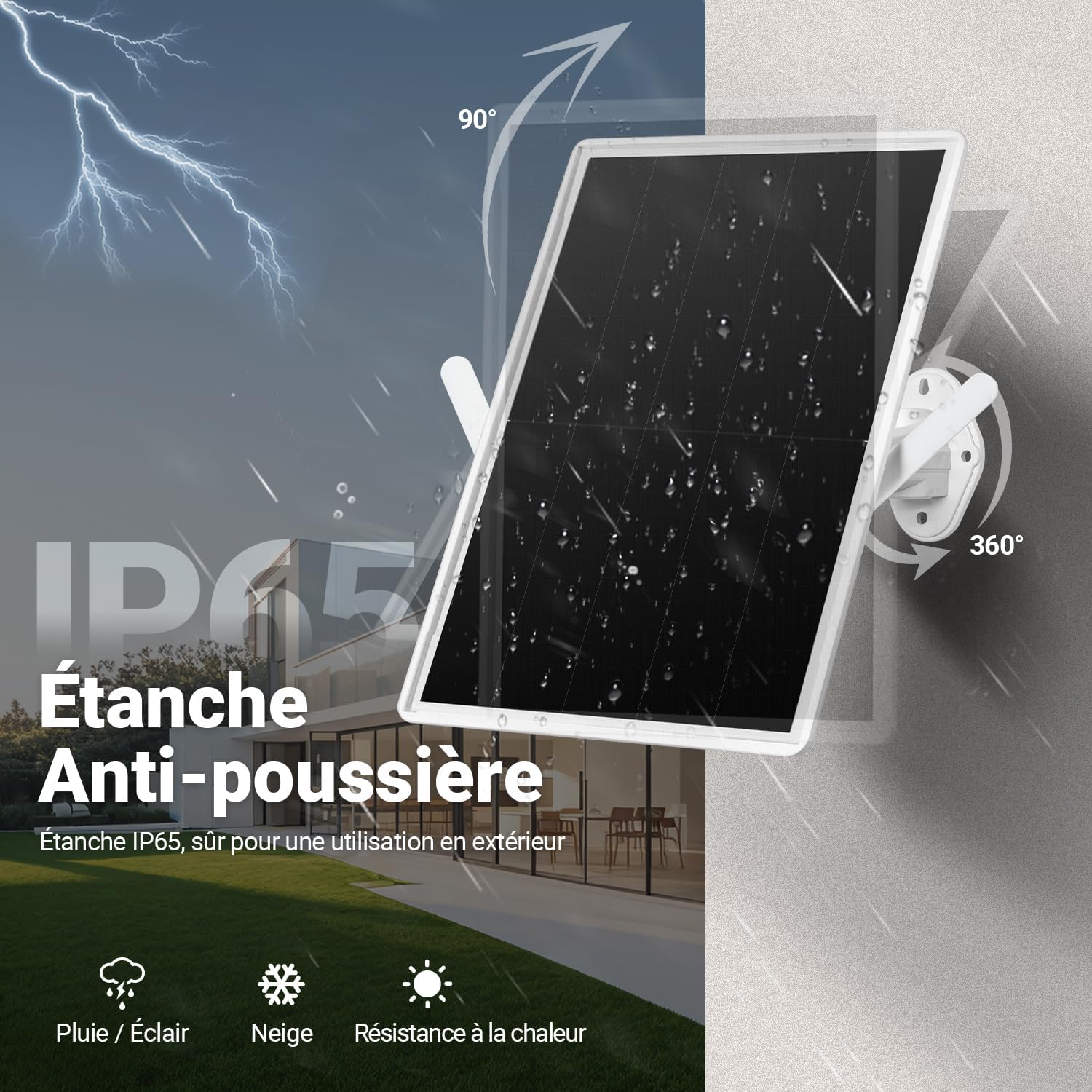
Image: The device is IP65 rated, meaning it is waterproof and dustproof, capable of withstanding rain, lightning, snow, and heat, making it suitable for all outdoor conditions.
Troubleshooting
If you encounter any issues with your Orayafid Outdoor Solar WiFi Repeater, please refer to the table below for common problems and their solutions:
| Issue | Possible Cause | Solution |
|---|---|---|
| No Wi-Fi signal from repeater | Insufficient power / Not connected to main router | Ensure solar panel receives adequate sunlight for charging. Verify the repeater is properly connected and configured with your main router. |
| Weak signal or intermittent connection | Improper placement / Physical obstructions | Adjust the repeater's angle and position for optimal signal reception and transmission. Remove any physical obstructions (e.g., thick walls, large trees) between the repeater and your devices. |
| Slow internet speed | Network congestion / Distance from main router | Reduce the number of devices connected to the repeater. Ensure the repeater is within optimal range of your main router to receive a strong input signal. |
| Repeater not charging | Dirty solar panel / Insufficient sunlight exposure | Clean the solar panel surface. Relocate the repeater to an area with more direct and prolonged sunlight exposure. |
| Not compatible with Starlink | Inherent design limitation | This product is not designed to work with Starlink. No solution is available for this specific incompatibility. |
For further assistance or issues not listed here, please contact Orayafid customer support.
Specifications
Detailed technical specifications for the Orayafid Outdoor Solar Weatherproof WiFi Repeater:
| Feature | Detail |
|---|---|
| Brand | Orayafid |
| Model Number | YY-R7 (EU-YY-R7-A4) |
| Color | White |
| Compatible Devices | IP Camera, Tablet, Smartphone, Laptop |
| Battery Composition | Lithium-ion |
| Rechargeable Battery | Yes |
| Battery Capacity | 20,000 mAh |
| Solar Panel Power | 15W |
| Wi-Fi Frequency | 2.4 GHz |
| Wi-Fi Speed | Up to 300 Mbps |
| Weather Resistance | IP65 (Waterproof, Dustproof) |
| Mounting | 360-degree adjustable bracket |
| Manufacturer | Al MATCH INTELLIGENT TECHNOLOGY CO., LTD |
| ASIN | B0FB93FG7L |
Warranty and Support
Warranty information for this product is not explicitly detailed within this user manual. For specific warranty terms, conditions, and duration, please refer to the product packaging or contact Orayafid customer service directly.
For technical support, product inquiries, or any other assistance, please visit the official Orayafid website or reach out to their dedicated customer service department. Contact details are typically available on the product packaging or the brand's official online presence.