Introduction
The DAREU EK60 HE is a 60% wired mechanical gaming keyboard featuring Hall Effect magnetic switches. Designed for competitive gaming, it offers adjustable actuation, rapid trigger mode, an 8000Hz polling rate, and customizable RGB backlighting. This manual provides detailed instructions for setting up, operating, maintaining, and troubleshooting your keyboard to ensure optimal performance.
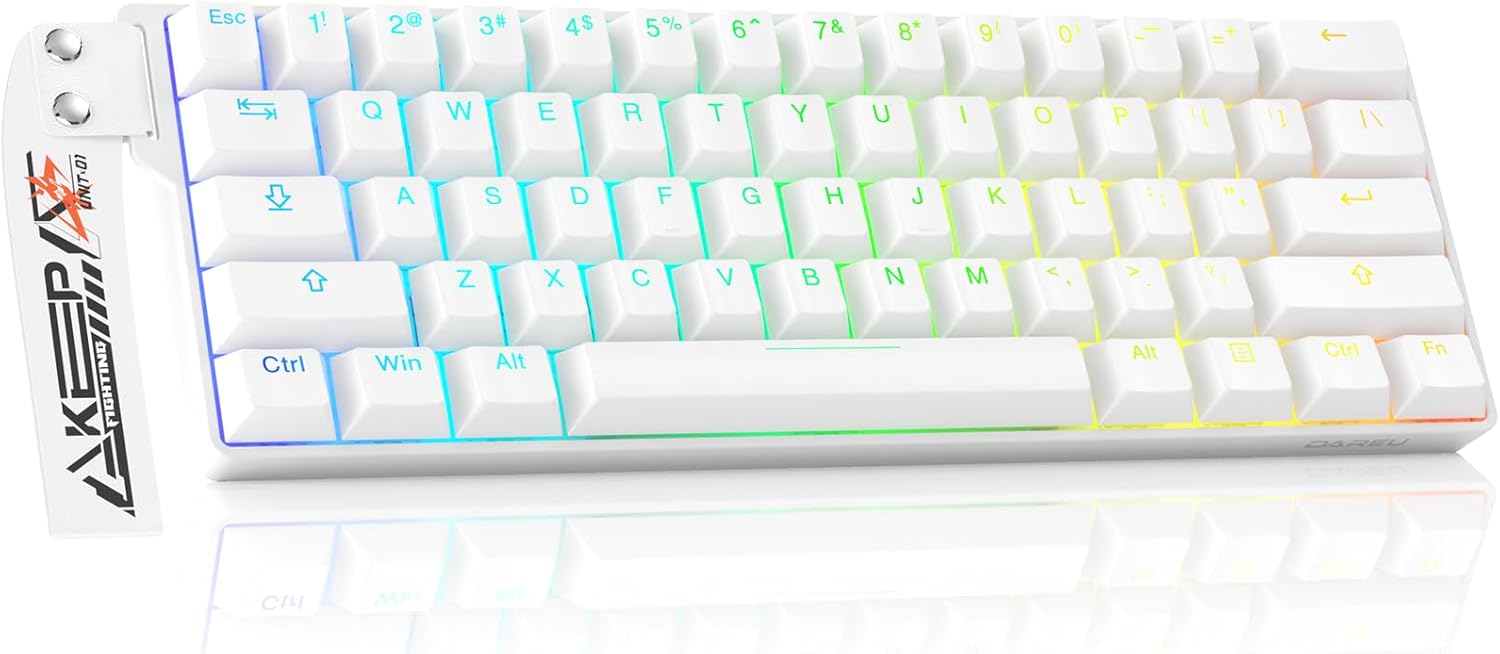
Image: The DAREU EK60 HE keyboard, showcasing its compact 60% layout and vibrant RGB backlighting. This image provides a general overview of the product's appearance.
Package Contents
Please verify that all items listed below are included in your package:
- Keyboard body (1)
- Connection cable (1)
- Keycap puller (1)
- Custom Ribbon (1)
- User manual (1)

Image: A visual representation of the DAREU EK60 HE keyboard and its included accessories, such as the USB-C cable, keycap puller, and custom ribbon.
Setup
Follow these steps to set up your DAREU EK60 HE keyboard:
- Connect the USB Cable: Insert the USB-C end of the provided cable into the port on the keyboard. Connect the USB-A end to an available USB port on your computer (PC, Mac, Laptop), gaming console (Xbox, PlayStation), or tablet.
- System Recognition: Your operating system should automatically detect and install the necessary drivers for the keyboard. This process may take a few moments.
- Initial Functionality Test: Once connected, test the keyboard by typing in a text editor or browser to ensure all keys are responsive.
- Software/Web Driver Access: For advanced customization, including actuation point adjustment, macro programming, and RGB lighting control, access the DAREU web driver. The web driver supports both Windows and macOS systems. Desktop software is available for Windows users. Refer to the 'Operating Instructions' section for more details on software usage.
- Switching Operating Systems: To switch between macOS and Windows modes, press Fn + Tab for 3 seconds.

Image: The DAREU EK60 HE keyboard connected to a desktop computer, illustrating its compatibility with PC, Mac, laptops, tablets, and gaming consoles like Xbox and PlayStation. The image also highlights the Fn + Tab shortcut for switching between macOS and Windows modes.
Operating Instructions
Hall Effect Magnetic Switches & Adjustable Actuation
The DAREU EK60 HE utilizes Hall Effect magnetic switches, which detect key presses based on magnetic fields rather than physical contact. This allows for highly precise and customizable actuation points. You can adjust the actuation distance for each key from 0.2mm to 3.5mm using the dedicated software or web driver. This flexibility enables you to fine-tune the keyboard's responsiveness to match your specific gaming or typing preferences.

Image: A detailed diagram illustrating the DAREU Fire Magnetic Switches, including their initial pressure (38±5 gf), bottom pressure (45±5 gf), actuation range (0.2-3.5 mm), and a force-travel diagram. This highlights the technical specifications of the magnetic switches.
Rapid Trigger Mode
Rapid Trigger mode allows for dynamic recognition of pressing and lifting actions at any position during the key's travel. This means a key can be re-activated the moment it begins to reset, without needing to return to its original position. This feature significantly reduces input lag, providing a competitive edge in fast-paced games by enabling quicker successive inputs.

Image: A visual comparison demonstrating the precision of 0.01mm Rapid Trigger technology versus a regular switch. It shows how Rapid Trigger allows for instant reset and re-activation, crucial for games like Valorant, CS2, and Osu!.
8000Hz Polling Rate
The keyboard boasts an 8000Hz polling rate, meaning it reports key presses to your computer 8000 times per second. This results in an ultra-low latency of approximately 0.125ms, significantly faster than standard 1000Hz keyboards. This high polling rate ensures that your commands are registered almost instantaneously, providing a seamless and responsive gaming experience.

Image: The DAREU EK60 HE keyboard with a prominent '8000Hz' graphic, illustrating its high polling rate capability. This feature provides a 0.125ms response time, making it up to 8 times faster than many competitor keyboards.
Dual Web/Software Driver System
The DAREU EK60 HE offers a versatile driver system accessible via both a web browser and a dedicated desktop software (Windows only). This allows for comprehensive customization of your keyboard's settings, including:
- Trigger Travel Set (Actuation Point Adjustment)
- DKS/MT/TGL/SOCD Customization
- RGB Backlight Settings
- Custom Shortcut Keys
- Macro Recording & Editing
- Magnetic Switch Performance Customization
To access the web driver, connect your keyboard and visit the official DAREU support website. For Windows users, the desktop software provides similar functionalities.

Image: Multiple screenshots showcasing the user interface of the DAREU web and desktop software drivers. These interfaces allow users to configure trigger travel, DKS/MT/TGL/SOCD settings, remap keys, program macros, and customize RGB lighting.
Dynamic RGB Lighting
The keyboard features south-facing LEDs with 16.8 million customizable colors and 15 preloaded lighting effects. You can adjust backlight modes, colors, and brightness directly on the keyboard using FN key combinations:
- FN + [ : Change backlight mode.
- FN + ] : Change backlight color.
- FN + + : Adjust backlight brightness (100%-off-25%-50%-75%).
Further customization, including music sync mode, is available through the web/software driver.

Image: The DAREU EK60 HE keyboard illuminated with dynamic RGB lighting, demonstrating the range of colors and effects available. The image also shows the FN key combinations for adjusting backlight mode, color, and brightness.
60% Compact Design
The 60% compact layout of the EK60 HE significantly reduces its footprint on your desk, freeing up space for optimal mouse movement. Despite its smaller size, essential functionalities are retained through intuitive FN key combinations, ensuring no compromise on performance or usability.
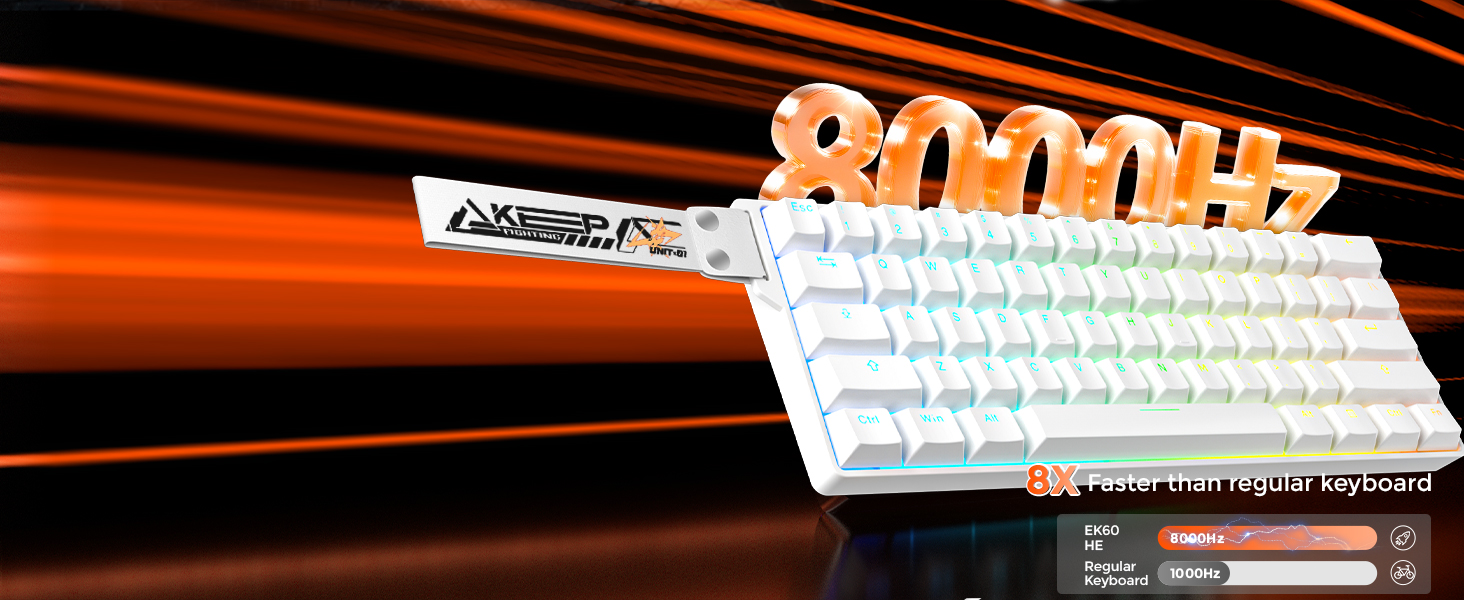
Image: The DAREU EK60 HE keyboard positioned on a desk alongside a gaming mouse, highlighting its compact 60% design. This layout maximizes desk space for mouse control and contributes to a cleaner setup.
Programmable Features (DKS, MT, TGL, SOCD)
The keyboard supports advanced programmable features for enhanced control:
- Dynamic Keying Path (DKS): A single key can achieve up to 4 functions, allowing for complex key bindings.
- Hold / Click (MT): A single key provides two functions: one for holding the key down, and another for clicking it.
- Toggle Switch (TGL): Click the key to continuously trigger an action; hold it down for normal triggering.
- Snap Tap (SOCD): Prioritizes the latest input between two selected keys without requiring the release of the previous one, improving performance in specific game operations.

Image: A textual explanation of the advanced programmable features: Dynamic Keying Path (DKS), Hold/Click (MT), Toggle Switch (TGL), and Snap Tap (SOCD). Each feature's functionality is described to help users understand their benefits in gaming.
Hot-Swappable Switches
The DAREU EK60 HE features hot-swappable switches, allowing users to easily remove and replace the magnetic switches without soldering. This provides flexibility for customization and maintenance, enabling you to experiment with different switch types or replace faulty ones.
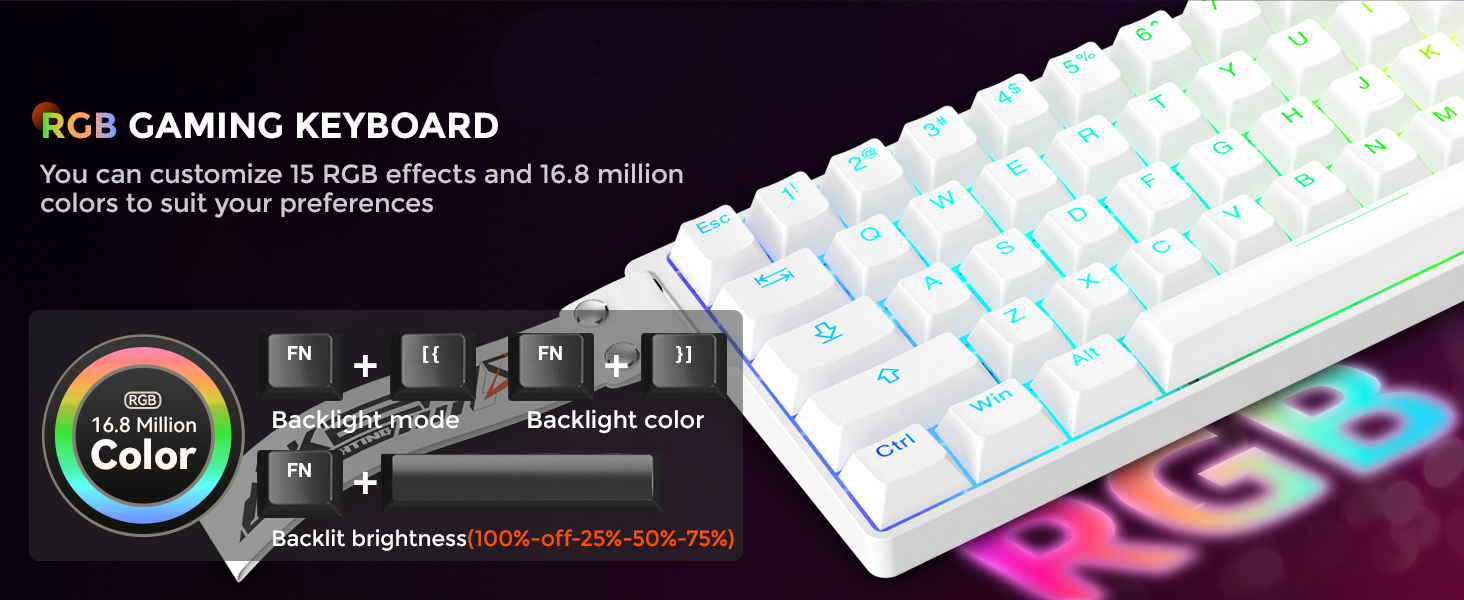
Image: A close-up view of the DAREU EK60 HE keyboard with a keycap and switch removed, demonstrating its hot-swappable capability. This feature allows for easy replacement or customization of the magnetic switches.
Maintenance
Proper maintenance ensures the longevity and optimal performance of your keyboard:
- Cleaning: Regularly clean the keyboard with a soft, dry cloth. For dust and debris between keycaps, use compressed air. For stubborn grime, slightly dampen a cloth with water or a mild cleaning solution (avoid harsh chemicals).
- Keycap Removal: Use the provided keycap puller to safely remove keycaps for deeper cleaning or switch replacement. Avoid pulling keycaps directly by hand to prevent damage.
- Cable Care: Avoid bending or crimping the USB cable excessively. Store it neatly when not in use to prevent damage.
- Storage: When not in use for extended periods, store the keyboard in a dry, dust-free environment.
Troubleshooting
If you encounter issues with your DAREU EK60 HE keyboard, refer to the following common troubleshooting steps:
| Problem | Possible Cause | Solution |
|---|---|---|
| Keyboard not responding | Loose USB connection; Faulty USB port; Driver issue. | Ensure USB cable is securely connected. Try a different USB port. Restart your computer. Check device manager for driver issues. |
| Keys not registering or double-typing | Incorrect actuation point setting; Debris under keycap/switch; Software glitch. | Adjust actuation point in the software/web driver. Clean under the keycap. Reinstall/update keyboard software. |
| RGB lighting not working or incorrect | Lighting settings incorrect; Software conflict. | Check RGB settings in the software/web driver. Use FN key combinations to cycle through effects. Ensure software is up to date. |
| Cannot access web driver/software | Internet connectivity issue; Browser compatibility; Software not installed (for desktop version). | Ensure stable internet connection. Try a different web browser. Download and install the latest software version from the official DAREU website (for Windows). |
If the issue persists after attempting these solutions, please contact DAREU customer support for further assistance.
Specifications
- Model: EK60 HE-WH
- Dimensions: 11.73 x 3.93 x 1.37 inches
- Weight: 15.2 ounces
- Switch Type: Hall Effect Magnetic Switches
- Actuation Range: 0.2 - 3.5 mm (Adjustable)
- Polling Rate: 8000Hz
- Connectivity: Wired USB-C
- Layout: 60% Compact
- Backlighting: RGB (16.8 million colors, 15 effects)
- Key Count: 61 keys
- Compatible Devices: PC, Laptop, Mac, Tablet, Gaming Console (Xbox, PlayStation)
- Special Features: Rapid Trigger, Dynamic Keying Path (DKS), Multiple Tap (MT), Toggle Switch (TGL), Snap Tap (SOCD), Hot-Swappable Switches
Warranty and Support
DAREU provides support for its products. For warranty information, technical assistance, or further inquiries, please visit the official DAREU website or contact their customer support directly. You can also find more information and products at the DAREU Store on Amazon.