
1. Product Overview
The Janome 1522RD sewing machine is a modern and robust tool designed for a wide range of sewing projects. It features a solid metal frame for durability, ensuring stable operation. This model is equipped with user-friendly features to enhance your sewing experience.
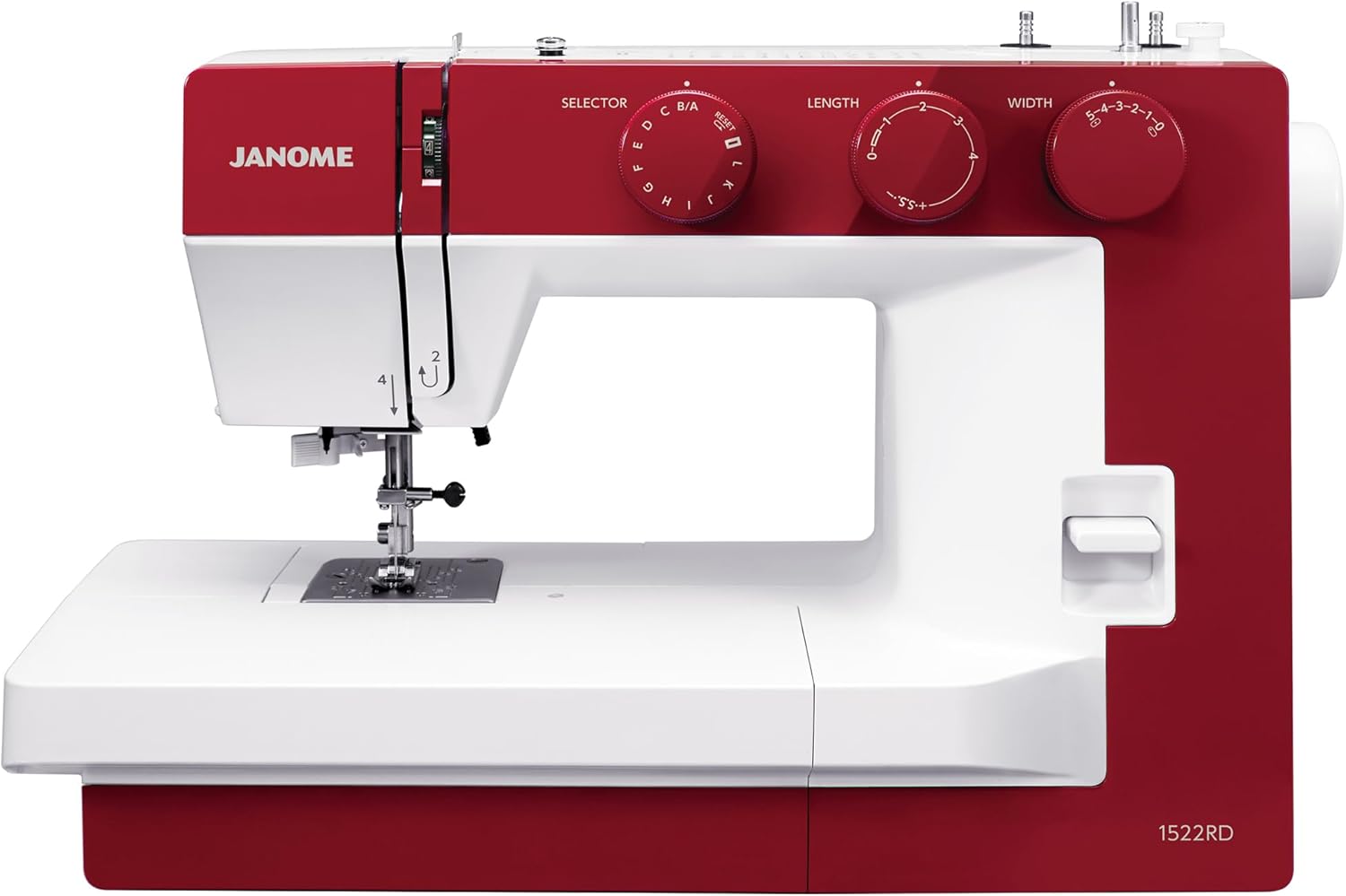
Figure 1.1: Front view of the Janome 1522RD Sewing Machine, showcasing its red and white design and control dials.
Key Features:
- Robust Construction: Built with a solid metal frame, ensuring durability and stability during use.
- Versatile Stitching: Offers 22 built-in stitches and a one-step buttonhole for varied sewing projects.
- Easy Threading: Equipped with a built-in needle threader for hassle-free threading.
- Adjustable Foot Pressure: Features a dial for easy adjustment, perfect for sewing through delicate fabrics.
- Generous Sewing Space: Boasts an extra-wide sewing bed and free arm for tackling large projects and sleeves with ease.

Figure 1.2: Side view of the Janome 1522RD Sewing Machine, highlighting its compact design.
2. Setup and Assembly
2.1 Unpacking the Machine
Carefully remove the sewing machine from its packaging. Retain all packing materials for future transport or storage. Ensure all included accessories are present.

Figure 2.1: Standard accessories included with the Janome 1522RD, such as bobbins, needles, and various presser feet.
2.2 Power Connection
Place the machine on a stable, flat surface. Connect the power cord to the machine's power input and then to a suitable electrical outlet. Ensure the machine's power switch is in the 'OFF' position before connecting.

Figure 2.2: Rear view of the sewing machine, indicating the location of the power input and foot controller port.
2.3 Winding the Bobbin
- Place a spool of thread on the spool pin.
- Guide the thread through the bobbin winding tension disc.
- Place an empty bobbin onto the bobbin winder spindle.
- Wrap the thread around the bobbin a few times, then push the bobbin winder spindle to the right.
- Press the foot controller or start/stop button to begin winding. Stop when the bobbin is full.
2.4 Inserting the Bobbin
Open the bobbin cover plate. Insert the wound bobbin into the bobbin case, ensuring the thread unwinds in the correct direction (usually counter-clockwise). Guide the thread through the tension spring and out the bobbin case opening. Close the bobbin cover.

Figure 2.3: The accessory storage compartment, which also provides access to the bobbin area.
2.5 Threading the Upper Thread
- Raise the presser foot lever.
- Place the thread spool on the spool pin.
- Follow the numbered threading path indicated on the machine, guiding the thread through the tension discs and take-up lever.
- Use the built-in needle threader to thread the needle, or thread it manually from front to back.
- Pull the bobbin thread up through the needle plate opening by turning the handwheel towards you to lower and raise the needle once.

Figure 2.4: Detailed view of the needle area, showing the built-in needle threader for simplified threading.
3. Operating Instructions
3.1 Stitch Selection
Turn the Stitch Selector dial to choose from the 22 built-in stitches. Refer to the stitch chart on the machine for visual guidance on each stitch type.
3.2 Adjusting Stitch Length and Width
Use the Length dial to adjust the stitch length and the Width dial to adjust the stitch width according to your fabric and project requirements. Shorter lengths create denser stitches, while longer lengths create looser stitches.
3.3 Adjusting Foot Pressure
The Janome 1522RD features a foot pressure adjustment dial. Turn this dial to increase or decrease the pressure the presser foot applies to the fabric. Higher pressure is suitable for thicker fabrics, while lower pressure is ideal for delicate or stretchy materials to prevent stretching or marking.

Figure 3.1: Close-up of the foot pressure adjustment dial, allowing precise control over fabric feeding.
3.4 Sewing a Buttonhole
Attach the automatic buttonhole foot. Select the one-step buttonhole stitch on the stitch selector. Place the button in the buttonhole foot's guide to automatically size the buttonhole. The machine will sew the buttonhole in one continuous operation.

Figure 3.2: The machine in operation, demonstrating the automatic buttonhole function with the specialized foot.
4. Maintenance
4.1 Cleaning the Machine
Regularly clean lint and dust from the bobbin area and feed dogs using a small brush. Turn off and unplug the machine before cleaning. Do not use liquid cleaners or solvents.
4.2 Oiling (If Applicable)
Refer to the full instruction manual for specific oiling points and frequency. Not all modern sewing machines require user oiling. If oiling is necessary, use only high-quality sewing machine oil.
4.3 Needle Replacement
Replace the needle frequently, especially when starting a new project or if the needle becomes bent or dull. Use the correct needle type and size for your fabric and thread.
5. Troubleshooting
This section addresses common issues you might encounter during operation.
| Problem | Possible Cause | Solution |
|---|---|---|
| Skipped Stitches | Incorrect needle, bent needle, improper threading, wrong needle size for fabric. | Replace needle, re-thread machine, ensure correct needle type/size. |
| Thread Breaking | Improper threading, tension too tight, burr on needle plate, poor quality thread. | Re-thread machine, adjust tension, check for burrs, use quality thread. |
| Uneven Stitches | Incorrect tension, improper foot pressure, pulling fabric. | Adjust upper and bobbin tension, adjust foot pressure, guide fabric gently. |
| Machine Not Starting | Power cord not connected, power switch off, bobbin winder engaged. | Check power connections, turn on switch, disengage bobbin winder. |
6. Specifications
| Feature | Detail |
|---|---|
| Model Number | 0011522-RD |
| Product Dimensions | 7.5 x 17.5 x 11 inches (D x W x H) |
| Item Weight | 14.3 pounds |
| Manufacturer | Janome |
| Power Source | Electric |
| Built-in Stitches | 22 |
| Buttonhole Type | One-step |
| Included Components | Zigzag foot, Zipper foot, Satin foot, Automatic buttonhole foot, Button sewing foot, Blind hem foot, Bobbins (5), Seam ripper, Needle set, Foot controller, Thread and stitch reference card, Semi-hard cover |
| UPC | 732212461408 |
7. Warranty and Support
7.1 Warranty Information
For detailed warranty information, please refer to the warranty card included with your product or visit the official Janome website. Warranty terms typically cover manufacturing defects for a specified period from the date of purchase.
7.2 Customer Support
If you require assistance with your Janome 1522RD Sewing Machine, encounter issues not covered in this manual, or need to inquire about repairs, please contact Janome customer support. Contact details can usually be found on the Janome website or in the product packaging.
For additional resources and product information, you may visit the official Janome Store on Amazon: Janome Store