
Introduction
Thank you for choosing the Dreo Space Heater. This manual provides important information regarding the safe operation, installation, maintenance, and troubleshooting of your new space heater. Please read this manual thoroughly before use and retain it for future reference.
Important Safety Information
WARNING: To reduce the risk of fire, electric shock, or injury, always follow basic safety precautions when using electrical appliances.
- Always plug heaters directly into a wall outlet/receptacle. Never use with an extension cord or relocatable power tap (outlet/power strip).
- This heater is hot when in use. To avoid burns, do not let bare skin touch hot surfaces.
- Keep combustible materials, such as furniture, pillows, bedding, papers, clothes, and curtains at least 3 feet (0.9 m) from the front of the heater and keep them away from the sides and rear.
- Extreme caution is necessary when any heater is used by or near children or invalids and whenever the heater is left operating and unattended.
- Do not operate any heater with a damaged cord or plug or after the heater malfunctions, has been dropped or damaged in any manner.
- Do not use outdoors.
- To disconnect heater, turn controls to OFF, then remove plug from outlet.
- Do not insert or allow foreign objects to enter any ventilation or exhaust opening as this may cause an electric shock or fire, or damage the heater.
- To prevent a possible fire, do not block air intakes or exhaust in any manner. Do not use on soft surfaces, like a bed, where openings may become blocked.
- The heater features advanced tip-over protection, V0 flame retardant materials, overheat protection, and a safety plug, all certified by ETL.
- Equipped with Child Lock function for added safety.
Product Features
- Fast Warm Air Delivery: Powered by 1500W Hyperamics technology, this space heater delivers warmth in just 2 seconds and produces 53.9% more heated air than traditional heaters.
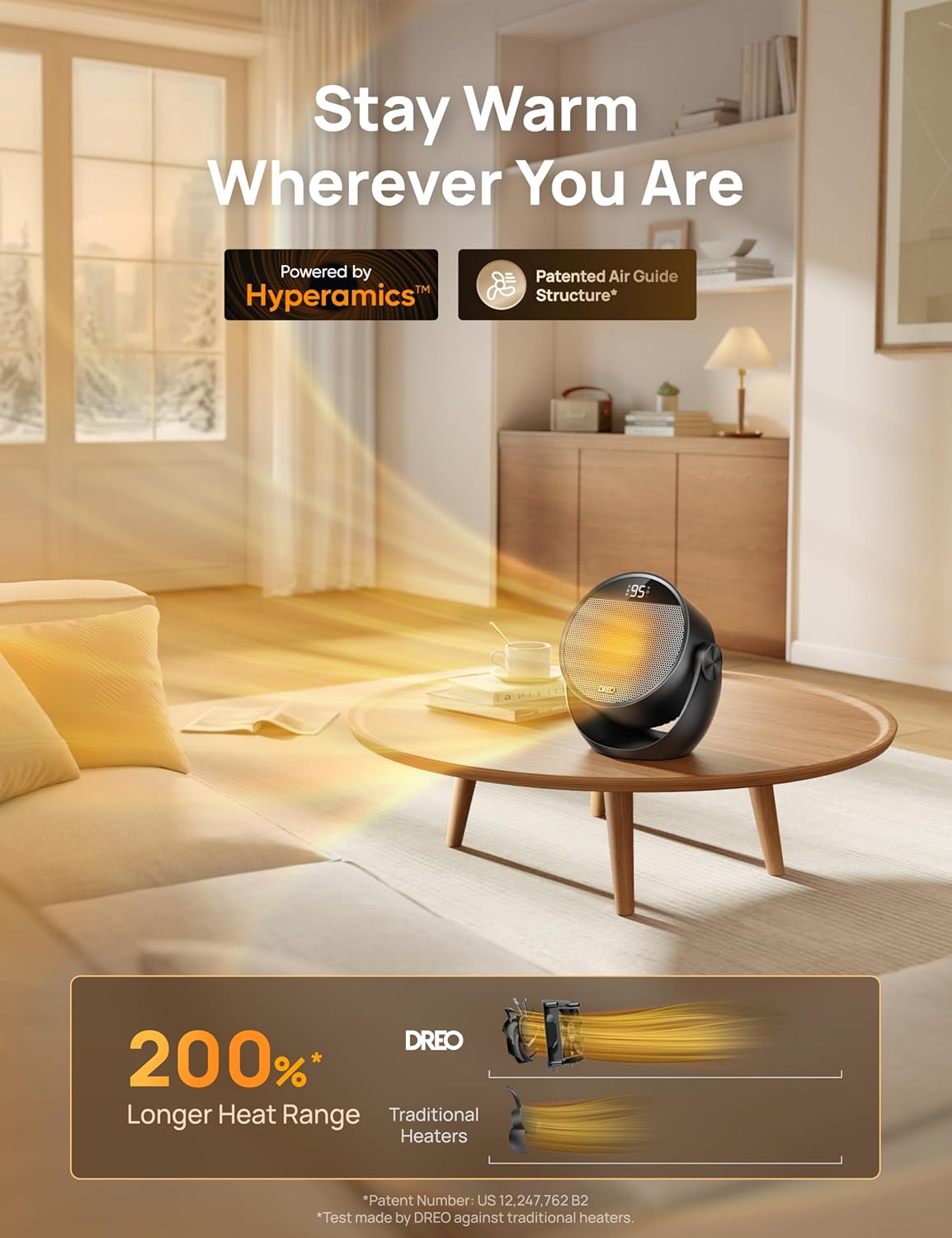
Image: Illustration of Dreo Hyperamics technology providing faster and longer heat range.
- Vertical Tilt for Full-Body Warmth: Manually tilt the portable heater from 0°-20°-40°-60°, allowing you to direct warmth from head to toe. Ideal for placement on a table or floor.
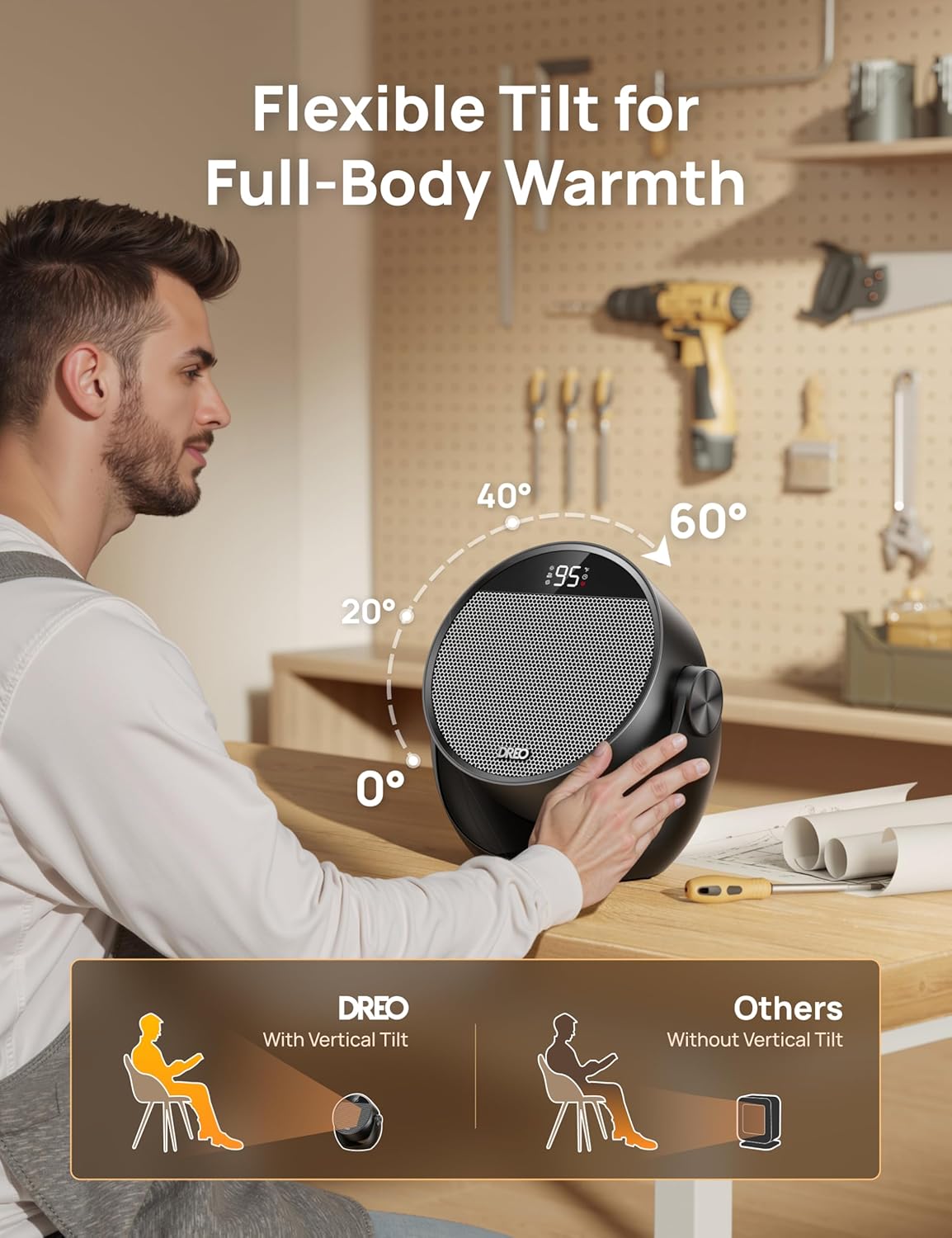
Image: A user adjusting the heater's tilt, demonstrating its flexibility.
- Unbreakable Safety: Enjoy peace of mind with advanced tip-over protection, V0 flame retardant materials, overheat protection, and a safety plug. All features are ETL certified.

Image: Visual representation of the heater's comprehensive safety features.
- Precise Temperature Control: The advanced NTC chipset allows you to set your desired temperature from 41℉ to 95℉ in precise 1℉ increments, ensuring smart, energy-saving comfort.

Image: The heater's display showing precise temperature control options.
- Enjoy Distraction-Free Warmth: DREO's desk heater uses a brushless DC motor and winglet fan design to reduce turbulence, operating as quietly as 34dB for peaceful comfort.

Image: The heater operating quietly in a bedroom, illustrating its low noise level.
- Multiple Modes & Controls: Features 3 heat levels, 3 fan levels, a 12-hour timer, intuitive touch panel, and a convenient remote control.
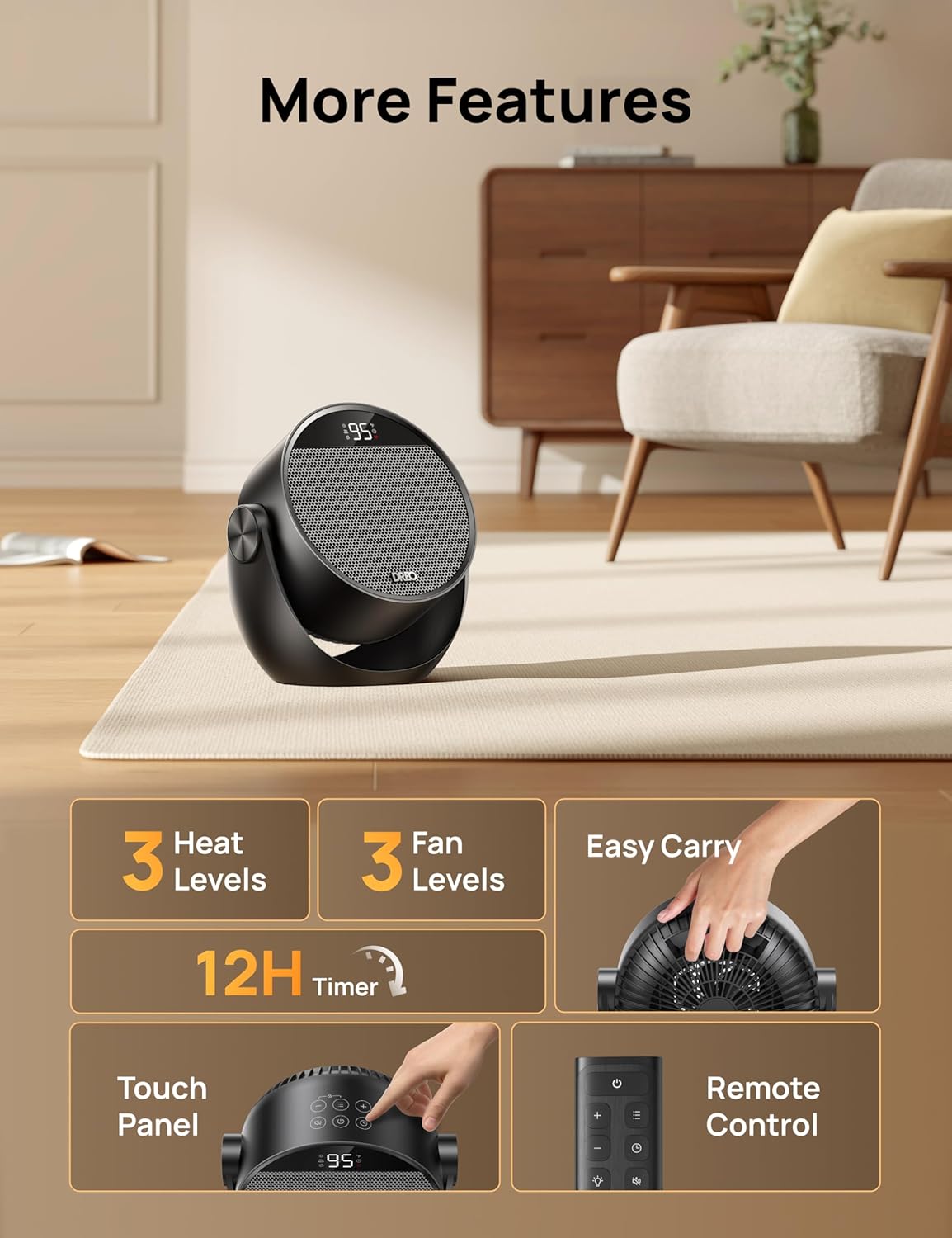
Image: Overview of the heater's control panel and remote control.
- Portable Design: Compact dimensions (9.65"D x 5.71"W x 10.12"H) and lightweight (3.54 pounds) with an easy-carry handle for convenient movement between rooms.
Setup
- Unpack the heater and all accessories from the box.
- Place the heater on a firm, level surface. Ensure it is at least 3 feet (0.9 m) away from walls, furniture, and other combustible materials.
- Ensure the power cord is not obstructed or pinched.
- Plug the heater directly into a 120V AC, 60Hz wall outlet. Do not use extension cords or power strips.

Image: The Dreo Space Heater and its remote control, ready for setup.
Operating Instructions
Control Panel & Remote Control
The heater can be operated using the touch control panel on the top of the unit or the included remote control. Both offer similar functionalities.
- Power Button (⏻): Press to turn the heater ON or OFF.
- Mode Button (☰): Cycle through heating modes (High, Medium, Low) and fan modes (High, Medium, Low). The display will show H1, H2, H3 for heat and F1, F2, F3 for fan.
- Temperature Adjustment (+ / -): Adjust the desired temperature setting from 41°F to 95°F.
- Timer Button (◷): Set the auto-off timer for up to 12 hours. Each press adds 1 hour.
- Mute Button (🔇): Mute or unmute the button press sounds.
- Child Lock Button (🔒): Press and hold for 3 seconds to activate/deactivate the child lock.
Adjusting Tilt Angle
Manually adjust the heater's tilt angle by gently pushing or pulling the top of the unit. The heater supports angles of 0°, 20°, 40°, and 60° to direct airflow precisely where needed.
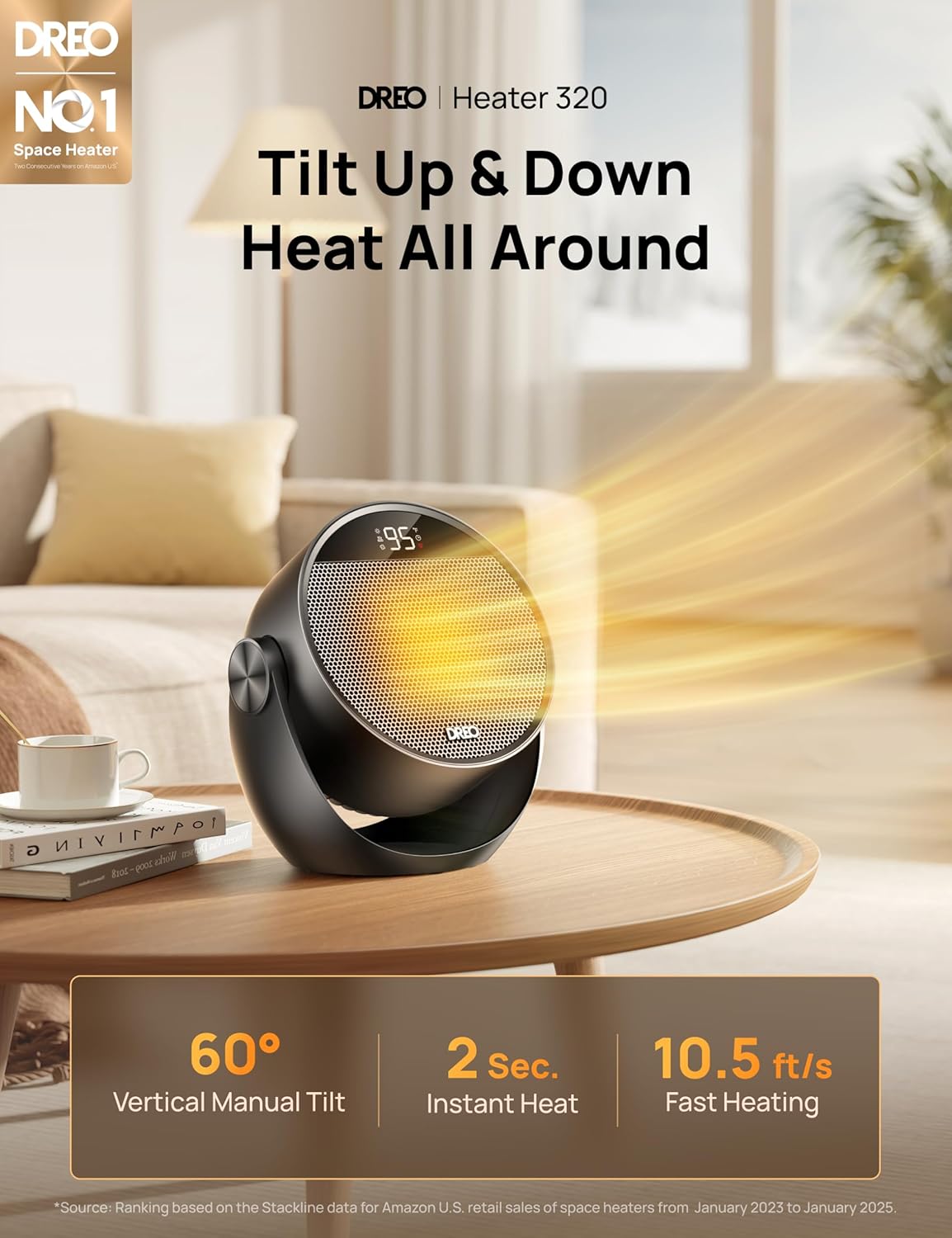
Image: The heater demonstrating its adjustable tilt feature.
Maintenance
Regular maintenance helps ensure the longevity and efficient operation of your heater.
- Cleaning: Always unplug the heater before cleaning. Use a soft, damp cloth to wipe the exterior surfaces. Do not use abrasive cleaners or solvents.
- Dust Removal: Use a vacuum cleaner with a brush attachment to remove dust from the air intake and exhaust grilles.
- Storage: If storing the heater for an extended period, unplug it and allow it to cool completely. Store it in a cool, dry place, preferably in its original packaging, away from direct sunlight and extreme temperatures.
Troubleshooting
| Problem | Possible Cause | Solution |
|---|---|---|
| Heater does not turn on. | Not plugged in; Power outlet malfunction; Tip-over switch activated; Overheat protection activated. | Ensure plug is fully inserted. Check circuit breaker. Place heater on a firm, level surface. Unplug and let cool for 30 minutes before restarting. |
| No heat output. | Heater is in Fan mode; Temperature setting is too low. | Press the Mode button to select a heating mode (H1, H2, or H3). Increase the temperature setting. |
| Heater makes unusual noise. | Dust or debris in fan; Unit not stable. | Unplug and clean the fan and grilles. Ensure heater is on a stable, flat surface. |
| Remote control not working. | Batteries are dead; Obstruction between remote and heater. | Replace the Lithium Metal battery (included). Ensure clear line of sight to the heater's sensor. |
Specifications
- Brand: Dreo
- Model: DR-HSH020 Black
- Power: 1500W
- Voltage: 120V~60Hz
- Product Dimensions: 9.65"D x 5.71"W x 10.12"H
- Item Weight: 3.54 pounds (1.61 Kilograms)
- Temperature Range: 41°F - 95°F
- Noise Level: As low as 34dB
- Safety Features: Tip-Over Protection, Overheat Protection, V0 Flame Retardant Materials, Safety Plug, Child Lock, ETL Certified
- Control: Touch Panel, Remote Control
- Timer: Up to 12 hours
- Tilt Angle: 0°, 20°, 40°, 60° Manual Tilt
Warranty and Support
Dreo products come with a standard warranty. Please refer to the warranty card included with your purchase or visit the official Dreo website for detailed warranty information and customer support contact details.
For technical assistance or service inquiries, please contact Dreo Customer Support.
Note: Warranty terms and conditions may vary. Keep your purchase receipt as proof of purchase.


