
Introduction
This manual provides detailed instructions for the proper setup, operation, and maintenance of your BAOFENG DM32 DMR Handheld Radio. Please read this manual thoroughly before using the device to ensure optimal performance and safety.
1. Setup
1.1 Included Components
Verify that all components are present in the package:
- BAOFENG DM32 Radio
- Antenna
- Battery
- Charger
- BAOFENG DM32 Radio Holster
- User Manual (this document)

Image: The BAOFENG DM32 radio with its antenna, battery, charger, and holster, illustrating the complete package contents.
1.2 Battery Installation and Charging
The BAOFENG DM32 radio uses a rechargeable Li-ion battery. Ensure the battery is fully charged before first use.
- Align the battery with the compartment on the back of the radio and slide it into place until it clicks securely.
- To charge, connect the Type-C charging cable to the radio's Type-C port or place the radio in the charging cradle.
- Connect the charger to a power source (wall adapter, power bank, computer USB port, or car charger).
- The charging indicator will show the charging status. A full charge typically takes several hours.

Image: The BAOFENG DM32 radio being charged via its Type-C port from various sources including a computer, wall plug, power bank, and car charger.
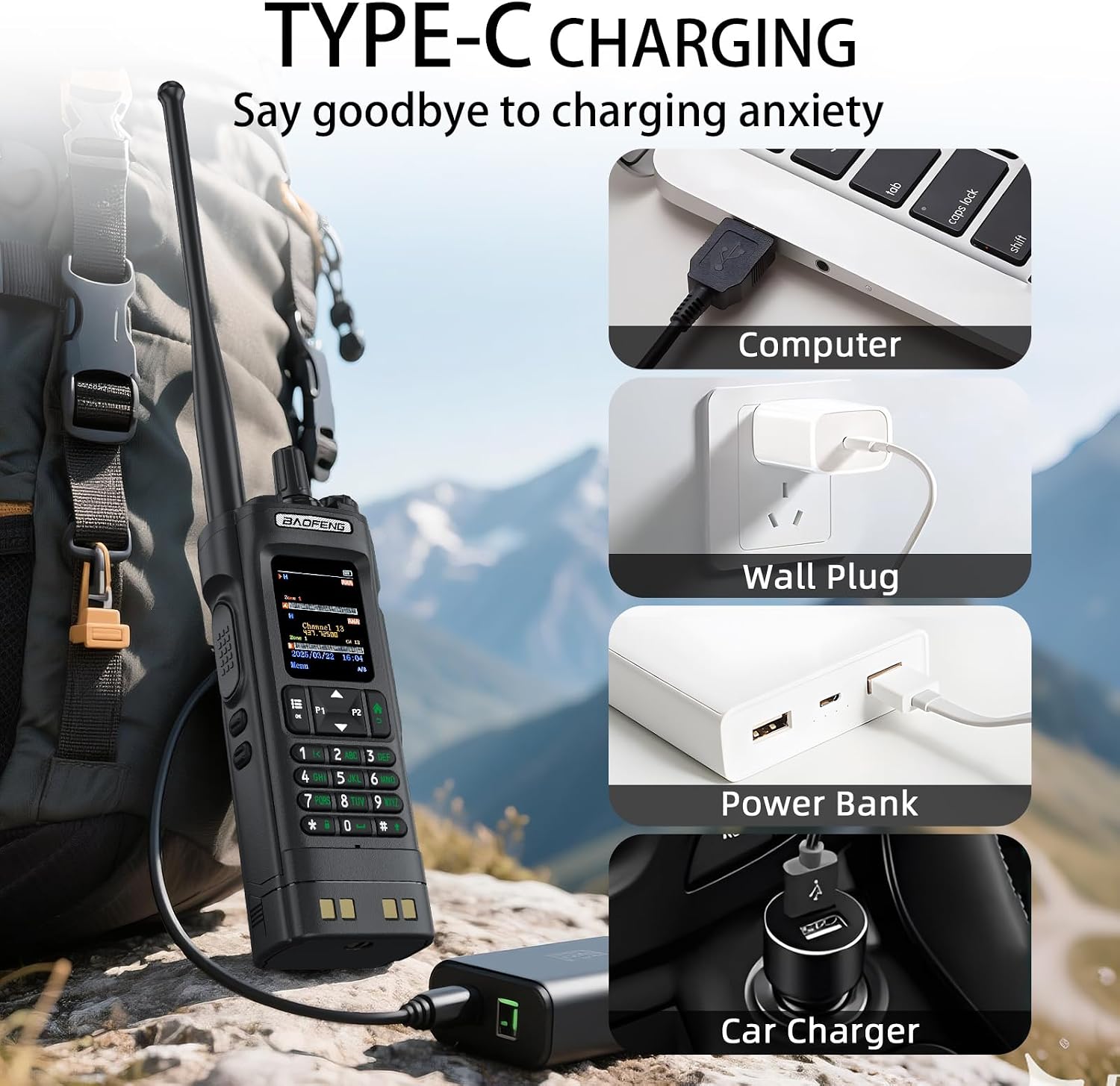
Image: Close-up of the BAOFENG DM32 radio highlighting the Type-C charging port and illustrating its compatibility with different charging methods.
1.3 Antenna Attachment
Screw the antenna clockwise onto the connector at the top of the radio until it is finger-tight. Do not overtighten.
1.4 Holster Attachment
The included holster with a back clip allows for convenient carrying. Attach the radio securely into the holster for transport.

Image: The BAOFENG DM32 radio shown in its holster, clipped to a backpack strap, demonstrating its portability.
2. Operating Instructions
2.1 Power On/Off and Volume Control
- To power on, rotate the top-right knob clockwise until you hear a click.
- To power off, rotate the same knob counter-clockwise until it clicks.
- Adjust the volume by rotating the power knob after the radio is on.

Image: A detailed view of the BAOFENG DM32's speaker, indicating its capability for clear and loud audio output.
2.2 Dual-Band and Dual-Channel Monitoring
The DM32 supports dual-band operation (VHF/UHF) and can monitor two channels simultaneously. This allows for flexible communication across different frequency ranges.
- VHF Frequencies: 144-148MHz
- UHF Frequencies: 430-440MHz
- The radio also supports AM aviation frequency band reception (108-136MHz) and FM radio reception (108MHz).

Image: The BAOFENG DM32 radio screen showing "U/V Dual Frequency" indicating its capability to operate on both UHF and VHF bands.

Image: The BAOFENG DM32 radio screen showing supported receive frequency ranges including FM, AM, VHF, and UHF.
2.3 Digital (DMR) and Analog Hybrid Mode
The DM32 can seamlessly switch between Digital Mobile Radio (DMR) and analog modes, ensuring compatibility with various radio systems.
- Access the menu to select the desired channel type: Analog or Digital.
- This feature allows for cross-platform compatibility, useful in environments with mixed radio equipment.

Image: The BAOFENG DM32 radio displaying its menu with options to select between Analog and Digital channel types.

Image: The BAOFENG DM32 radio screen showing support for both DMR and analog communication modes, with a menu for channel type selection.
2.4 Transmission Power Adjustment
The DM32 offers adjustable transmission power settings (1W, 5W, 10W) to optimize battery life and communication range based on your needs.
- Navigate through the radio's menu to find the "TX Power" setting.
- Select between High Power (10W), Middle Power (5W), or Low Power (1W).

Image: The BAOFENG DM32 radio screen showing options for adjusting transmission power to 10W (High), 5W (Low), or 1W (Middle).
2.5 GPS/BeiDou APRS Auto Positioning
The integrated GPS/BeiDou system enables Automatic Packet Reporting System (APRS) functionality, allowing for real-time location sharing. This is particularly useful for outdoor activities and emergency situations.
2.6 Smart SMS Function
The DM32 supports 128-character SMS messages, facilitating text-based communication, even across different radio brands. This can be beneficial for coordinating tasks without voice communication.
2.7 DMR AES256 Encryption
For secure communications, the DM32 features military-grade AES256 encryption in DMR mode, protecting sensitive information from unauthorized interception.
2.8 Programming
While basic functions can be programmed via the keypad, advanced DMR features and channel management often require PC programming. A CH340 program cable is typically needed for this purpose. Refer to specialized software instructions for detailed programming procedures.
3. Maintenance
3.1 Cleaning
Wipe the radio's exterior with a soft, damp cloth. Do not use harsh chemicals or abrasive cleaners. Ensure all ports are dry before charging or operating.
3.2 Battery Care
- Avoid fully discharging the battery frequently.
- Store the radio and battery in a cool, dry place when not in use for extended periods.
- Do not expose the battery to extreme temperatures.
4. Troubleshooting
4.1 Common Issues and Solutions
- Radio not powering on:
- Ensure the battery is correctly installed and charged.
- Check if the power/volume knob is rotated clockwise past the click.
- No signal or poor reception:
- Verify the antenna is securely attached.
- Check if you are on the correct frequency/channel.
- Ensure you are within range of the transmitting station or repeater.
- Adjust transmission power to a higher setting if necessary.
- Difficulty with DMR programming:
- DMR programming often requires a specific PC programming cable (e.g., CH340 chipset) and software. Ensure you have the correct cable and drivers installed.
- Consult online resources or community forums for specific programming guides for the DM32 model.
- Charging issues:
- Ensure the Type-C cable and charger are functioning correctly.
- Check for debris in the charging port.
5. Specifications
| Model Number | DM-32 |
| Brand | BAOFENG |
| Frequency Range | 144-148MHz (VHF) / 430-440MHz (UHF) |
| Output Power | 10W (High), 5W (Middle), 1W (Low) |
| Number of Channels | 4000 |
| Battery Type | 1 Nonstandard Battery (Li-ion, included) |
| Charging | Type-C Fast Charging |
| Special Features | DMR AES256 Encryption, GPS/BeiDou APRS, Dual-Band, Dual-Channel Monitoring, Smart SMS Function, Analog/DMR Hybrid Mode |
| Maximum Talking Range | 10 Kilometers (under optimal conditions) |
| Water Resistance Level | Not Water Resistant |
| Item Weight | 1.76 pounds |
| Package Dimensions | 10.63 x 8.46 x 2.36 inches |

Image: Diagram showing the height (6.26"), width (2.28"), depth (1.5"), and weight (13.58oz) of the BAOFENG DM32 radio.
6. Warranty Information
The BAOFENG DM32 DMR Handheld Radio comes with a 1-year warranty from the date of purchase. This warranty covers manufacturing defects and malfunctions under normal use. It does not cover damage caused by misuse, accidents, unauthorized modifications, or natural disasters. Please retain your proof of purchase for warranty claims.
7. Support
For further assistance, technical support, or inquiries regarding your BAOFENG DM32 radio, please visit the official BAOFENG store or contact their customer service. You can find more information at the BAOFENG Store on Amazon.