1. Introduction
This manual provides essential instructions for setting up, operating, and maintaining your ADHOMAX C69 Ultra 2 Smart Watch. Please read this guide thoroughly to ensure proper use and to maximize the features of your device. The ADHOMAX C69 Ultra 2 is designed to offer a blend of style and functionality, featuring a 49mm HD display, fitness tracking capabilities, Bluetooth calling, and wireless charging.
2. Package Contents
Upon unboxing your ADHOMAX C69 Ultra 2 Smart Watch, please verify that all the following items are included:
- ADHOMAX C69 Ultra 2 Smart Watch (Main Unit)
- Multiple Interchangeable Straps (e.g., Orange, Blue, Black, White)
- Wireless Charging Cable
- Protective Case
- User Manual (this document)

Image: The ADHOMAX C69 Ultra 2 Smart Watch package contents, including the watch, multiple straps, and charging accessories.
3. Product Overview
Familiarize yourself with the physical components of your ADHOMAX C69 Ultra 2 Smart Watch:
- 49mm HD Display: The primary interface for all interactions, offering crisp visuals and touch responsiveness.
- Rotary Crown: Located on the side, used for navigating menus, scrolling, and adjusting settings.
- Side Button: Typically used for power functions, returning to the home screen, or accessing specific features.
- Microphone: For voice commands and Bluetooth calls.
- Speaker: For audio output during calls and notifications.
- Heart Rate/SpO2 Sensors: Located on the back of the watch, these sensors monitor your vital signs.
- Wireless Charging Area: The back surface where the watch connects to the wireless charger.

Image: Front view of the ADHOMAX C69 Ultra 2 Smart Watch, highlighting the display and side controls.

Image: Back view of the ADHOMAX C69 Ultra 2 Smart Watch, illustrating the health sensors and wireless charging area.
4. Setup
4.1. Charging the Smart Watch
- Connect the wireless charging cable to a USB power adapter (not included) and plug it into a power source.
- Place the back of your ADHOMAX C69 Ultra 2 Smart Watch onto the wireless charging pad. Ensure the watch is correctly aligned for charging to begin.
- The watch display will indicate charging status. A full charge typically takes approximately 2-3 hours.
4.2. Powering On/Off
- Power On: Press and hold the side button until the ADHOMAX logo appears on the screen.
- Power Off: Press and hold the side button, then select the 'Power Off' option on the screen.
4.3. App Installation and Pairing
To unlock the full potential of your smart watch, you need to install the companion application on your smartphone (iOS or Android).
- Download the App: Scan the QR code provided in the watch's initial setup screen or search for the recommended app (e.g., 'WearFit Pro' or similar, check watch display for exact name) in your phone's app store (Apple App Store for iOS, Google Play Store for Android).
- Enable Bluetooth: Ensure Bluetooth is enabled on your smartphone.
- Open the App: Launch the installed app and follow the on-screen instructions to create an account or log in.
- Pair the Watch: Within the app, navigate to the 'Device' or 'Add Device' section. The app will search for available smart watches. Select 'ADHOMAX C69 Ultra 2' from the list.
- Confirm Pairing: A pairing request will appear on both your phone and watch. Confirm the pairing on both devices.
Once paired, the watch will synchronize data with your phone, and you can customize settings through the app.
5. Operating Instructions
5.1. Basic Navigation
- Touchscreen: Swipe left/right, up/down to navigate through menus and widgets. Tap to select an item.
- Rotary Crown: Rotate to scroll through lists or zoom in/out. Press to return to the home screen or access the app menu.
- Side Button: Press to quickly access a customizable function or return to the previous screen.
5.2. Bluetooth Calling
After successful pairing, you can make and receive calls directly from your watch.
- Making a Call: Access the dial pad or contacts list on your watch. Tap the numbers to dial or select a contact, then initiate the call.
- Receiving a Call: When a call comes in, the watch will display the caller ID. You can answer or reject the call directly from your wrist.
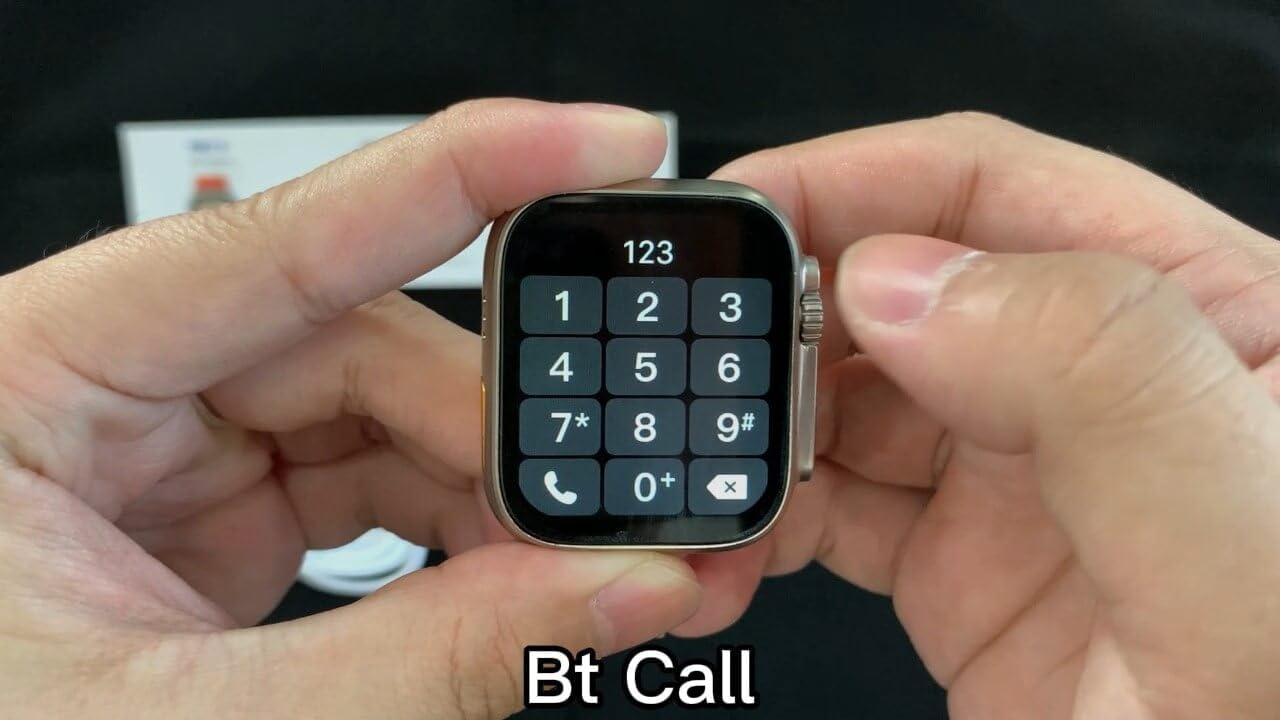
Image: The smart watch display showing a dial pad, indicating its Bluetooth calling capability.
5.3. Fitness and Health Tracking
The ADHOMAX C69 Ultra 2 monitors various health metrics:
- Heart Rate Monitoring: Access the heart rate app on your watch to measure your current heart rate. For continuous monitoring, enable it in the companion app settings.
- Blood Oxygen (SpO2): Measure your blood oxygen levels through the dedicated SpO2 app.
- Sleep Tracking: Wear the watch to bed to monitor your sleep patterns and quality. Data is viewable in the companion app.
- Step Counter & Calorie Burn: The watch automatically tracks your steps, distance, and estimated calories burned throughout the day.
- Sports Modes: Select from various sports modes (e.g., running, walking, cycling) to track specific workout data.
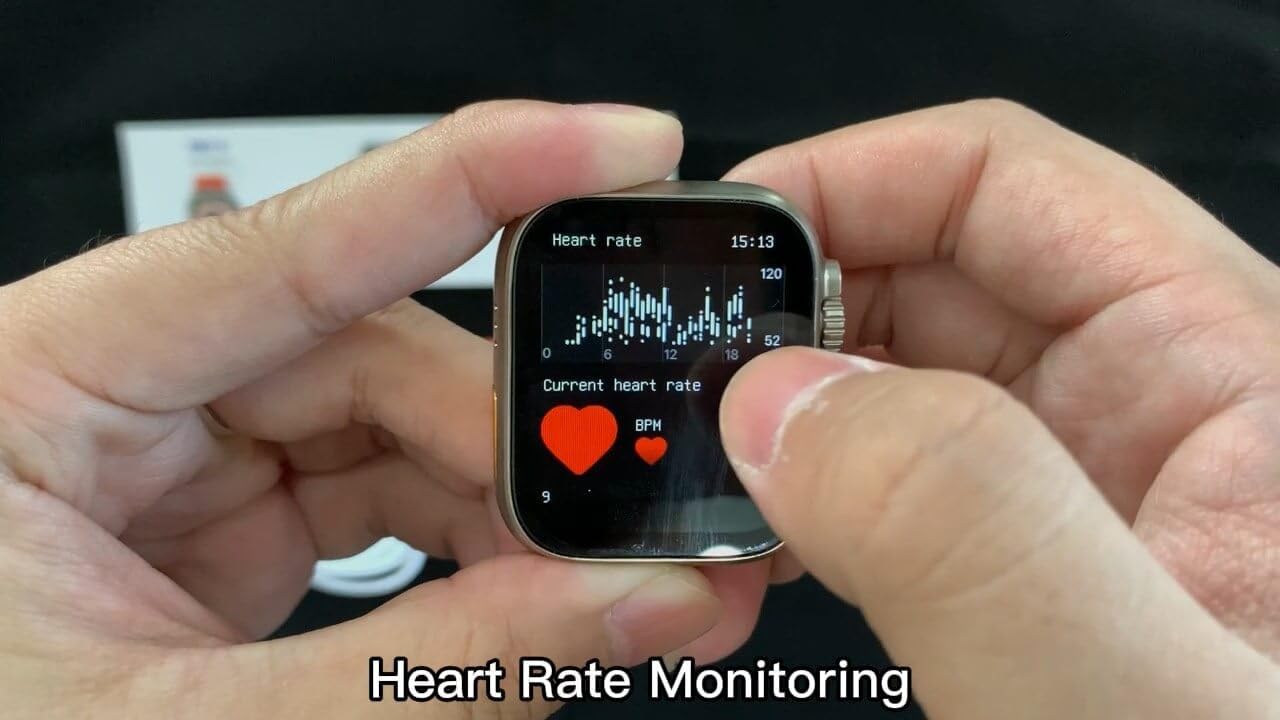
Image: The smart watch display showing a graph of heart rate monitoring, indicating health tracking features.
5.4. Smart Notifications
Receive alerts for calls, texts, and app notifications directly on your wrist. Ensure notification permissions are granted in your phone's settings and the companion app.
5.5. Wireless Charging
The watch supports convenient wireless charging. Simply place it on the provided wireless charging pad to power up.
6. Maintenance
6.1. Cleaning Your Smart Watch
- Wipe the watch screen and body with a soft, lint-free cloth.
- For stubborn smudges, slightly dampen the cloth with water. Avoid using harsh chemicals or abrasive materials.
- Clean the charging contacts and sensors on the back of the watch regularly to ensure optimal performance.
6.2. Water Resistance (IP68)
The ADHOMAX C69 Ultra 2 Smart Watch is IP68 rated, meaning it is resistant to dust and can withstand immersion in water up to 1.5 meters for 30 minutes. It is suitable for daily use, such as hand washing, rain, and splashes. However, it is not recommended for swimming, diving, or exposure to hot water/steam (e.g., showers, saunas) as this can compromise the seal.
7. Troubleshooting
If you encounter issues with your ADHOMAX C69 Ultra 2 Smart Watch, refer to the following common solutions:
- Watch not turning on: Ensure the watch is fully charged. Connect it to the wireless charger for at least 30 minutes.
- Cannot pair with phone:
- Ensure Bluetooth is enabled on your phone and the watch.
- Make sure the watch is within Bluetooth range of your phone.
- Restart both your phone and the watch.
- Clear previous Bluetooth connections on your phone.
- Inaccurate health data: Ensure the watch is worn snugly on your wrist, not too tight or too loose. Clean the sensors regularly.
- Notifications not appearing: Check notification permissions in your phone's settings for the companion app and ensure the app is running in the background.
- Short battery life: Reduce screen brightness, disable unnecessary features, and ensure background app refresh is managed.
If problems persist, consult the companion app's help section or contact customer support.
8. Specifications
| Feature | Detail |
|---|---|
| Model | C69 Ultra 2 |
| Screen Size | 49 Millimeters |
| Operating System | Watch OS 8 |
| Connectivity Technology | Bluetooth |
| Wireless Communication Standard | Bluetooth |
| Battery Capacity | 320 Milliamp Hours |
| Battery Cell Composition | Lithium Polymer |
| Memory Storage Capacity | 8 MB |
| Special Features | Activity Tracker, Always On Display, Notifications, Touchscreen, Wireless Charging |
| GPS | No GPS |
| Water Resistance | IP68 |
| Item Shape | Rectangular |
| Manufacturer | adhomax |
| Country of Origin | China |
9. Warranty and Support
ADHOMAX stands behind its products. If your ADHOMAX C69 Ultra 2 Smart Watch has any manufacturing defect or ceases to function as intended, please contact our customer service team. We are committed to assisting you with any issues you may encounter.
For support, please refer to the contact information provided with your purchase or visit the official ADHOMAX website.


