
1. Important Safety Instructions
Please read all instructions carefully before using this appliance and retain them for future reference. Failure to follow these instructions may result in electric shock, fire, or serious personal injury.
- Always unplug the fan from the power outlet before cleaning, servicing, or moving it.
- Do not insert fingers or foreign objects into any openings of the fan.
- Do not operate the fan with a damaged cord or plug. If the cord or plug is damaged, contact customer support for assistance.
- Ensure the fan is placed on a stable, level surface to prevent it from tipping over.
- Keep the fan away from water or moisture. Do not use it in bathrooms or other wet environments.
- This appliance is for household use only. Do not use it outdoors or for commercial purposes.
- Supervise children and pets when the fan is in operation due to its electrical nature. The bladeless design enhances safety but caution is still advised.
2. Product Overview
The VCK TF002022 Tower Fan is designed to provide efficient and quiet cooling for your indoor spaces. It features multiple speed settings, operating modes, oscillation, and a timer function, all controllable via a touchscreen panel or remote control.
Package Contents:
- VCK TF002022 Tower Fan Unit
- Remote Control (with CR2025 battery included)
- User Manual
Fan Components:
The fan consists of a main tower unit, a base, a top-mounted LED control panel, and a remote control. The power cord is integrated into the base.
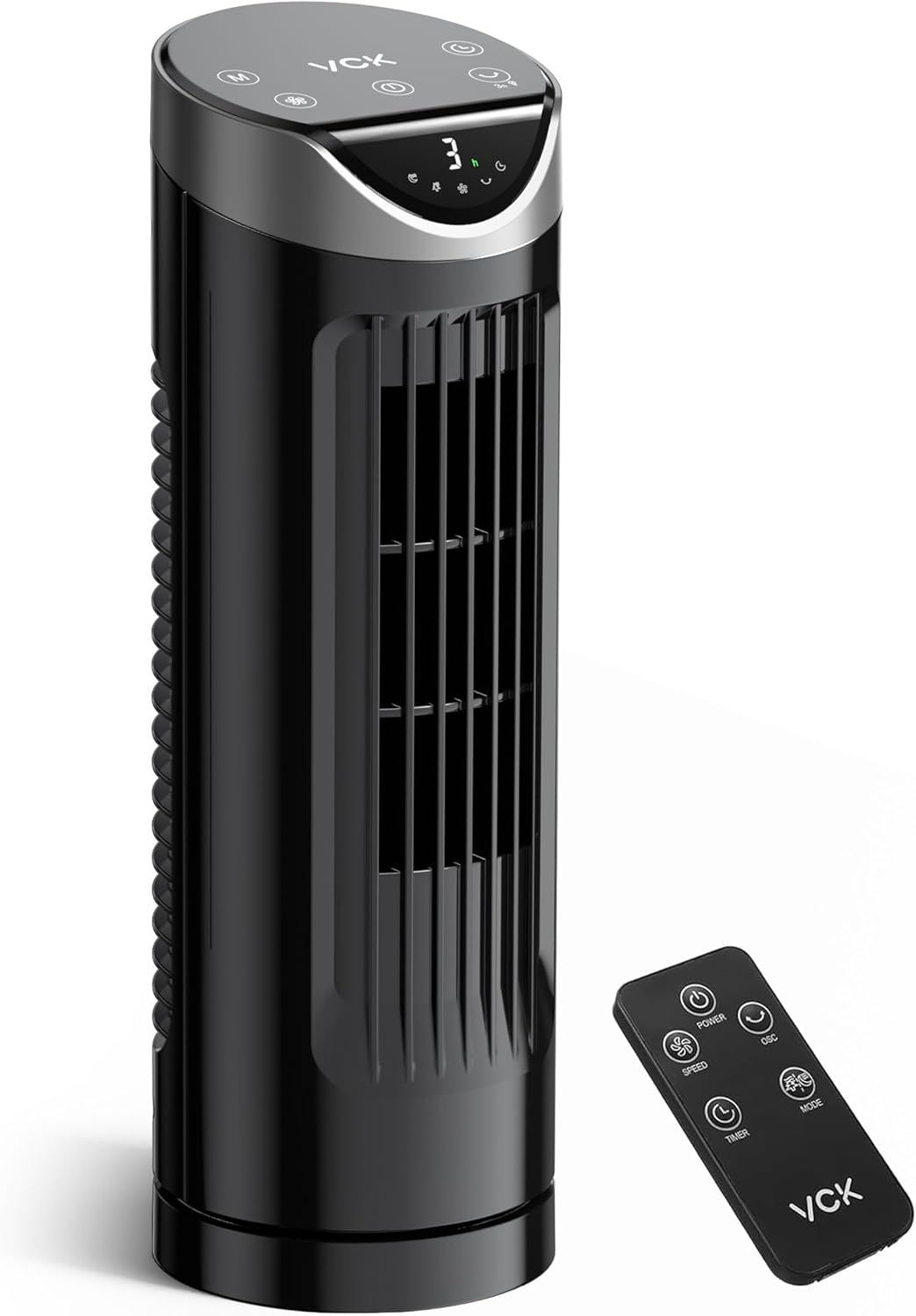
Figure 2.1: VCK TF002022 Tower Fan and Remote Control. This image displays the complete fan unit and its accompanying remote control, illustrating the sleek black design and compact form factor.

Figure 2.2: Touchscreen Control Panel and Remote. This image provides a detailed view of the intuitive LED touchscreen on the fan's top and the buttons on the remote control for easy operation.
3. Setup
Follow these steps to set up your VCK TF002022 Tower Fan:
- Base Assembly: The fan base consists of two semi-circular parts. Align these parts and snap them together to form a complete circular base.
- Attach Fan Unit: Carefully place the main tower fan unit onto the assembled base. Rotate the fan unit clockwise until it locks securely into place. No tools are required for this step.
- Placement: Position the fan on a firm, level surface. Ensure there is adequate space around the fan for optimal airflow and oscillation.
- Power Connection: Uncoil the power cord and plug it into a standard AC 120V, 60Hz electrical outlet.
4. Operating Instructions
Your VCK TF002022 Tower Fan can be operated using either the LED touchscreen control panel on top of the unit or the included remote control.
Control Panel and Remote Functions:
- Power Button (⏻): Press to turn the fan On or Off.
- Speed Button (+/- or SPEED): Adjusts the fan speed. There are 9 adjustable speed settings.
- Mode Button (M or MODE): Cycles through the three operating modes:
- Normal Mode: Provides a consistent airflow at the selected speed.
- Natural Mode: Simulates a gentle outdoor breeze by varying the fan speed.
- Sleep Mode: Gradually reduces fan speed and dims the LED display for a quiet, undisturbed rest. The fan will cycle from slowest to fastest speed in this mode. To turn off the LED display completely, press and hold the oscillation button for 3 seconds.
- Oscillation Button (⟳): Activates or deactivates the 90° oscillation feature, distributing air across a wider area. Press and hold for 3 seconds to turn off the LED display.
- Timer Button (TIMER): Sets the auto-off timer from 1 to 8 hours in 1-hour increments. The fan will automatically shut off after the set time.
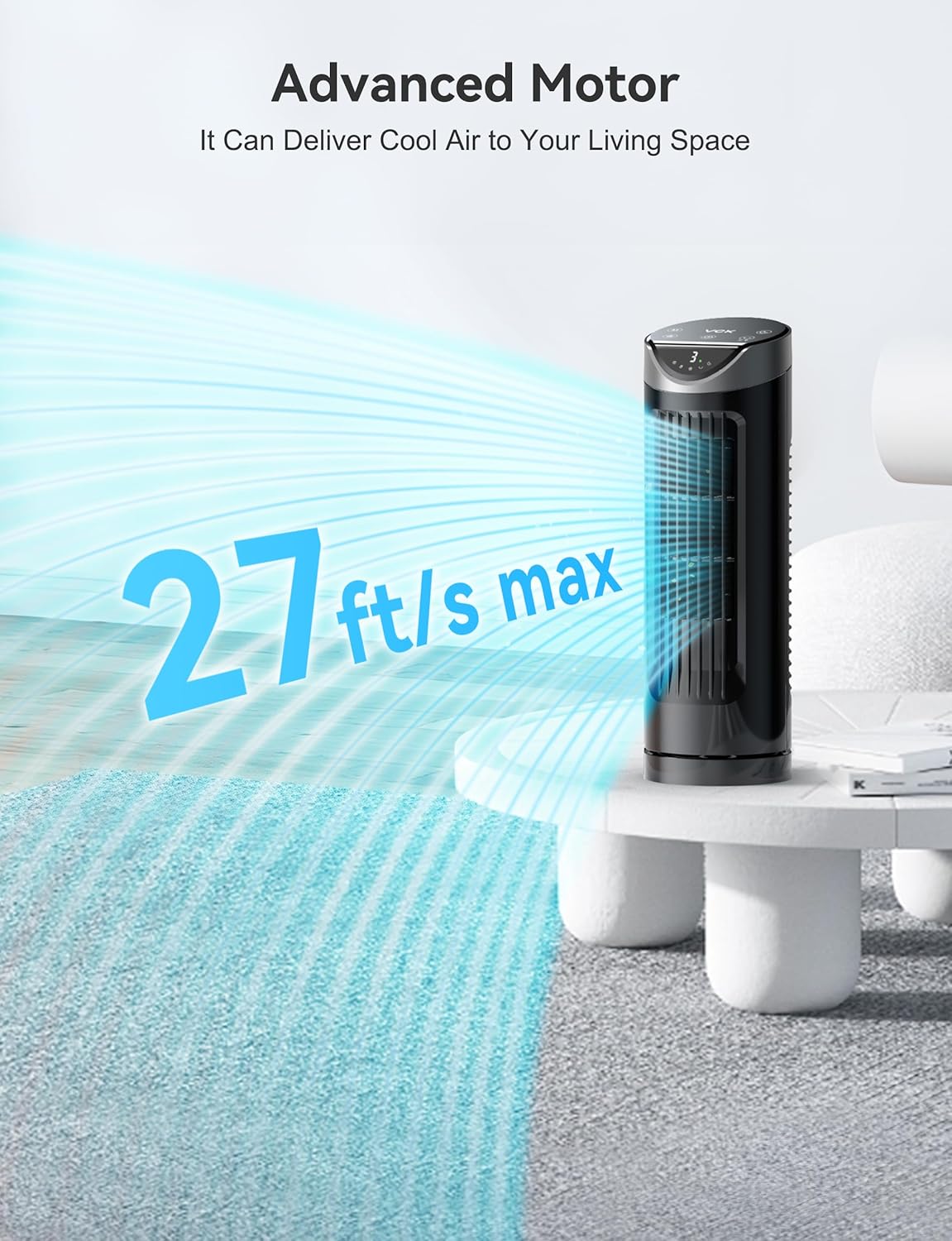
Figure 4.1: Powerful Airflow. This image demonstrates the fan's capability to deliver a strong, consistent stream of cool air across a room.

Figure 4.2: 90° Oscillation. The fan's oscillation feature ensures broad air distribution, effectively cooling larger areas.

Figure 4.3: Compact Design. This image illustrates the fan's small footprint, making it suitable for desks, nightstands, and other compact spaces.
5. Maintenance
Regular maintenance helps ensure the longevity and optimal performance of your fan.
- Cleaning: Always unplug the fan before cleaning. Use a soft, damp cloth to wipe the exterior surfaces of the fan. Do not use abrasive cleaners or solvents.
- Storage: When not in use for extended periods, store the fan in a cool, dry place, preferably in its original packaging.
- No Internal Cleaning: The bladeless design means there are no internal blades to clean. Do not attempt to disassemble the fan for internal cleaning.
6. Troubleshooting
If you encounter any issues with your VCK TF002022 Tower Fan, please refer to the following common problems and solutions:
| Problem | Possible Cause | Solution |
|---|---|---|
| Fan does not turn on. | No power supply. | Ensure the power cord is securely plugged into a working electrical outlet. Check the circuit breaker. |
| Remote control is not working. | Remote battery is dead or incorrectly inserted. | Replace the CR2025 battery in the remote control. Ensure the battery is inserted with the correct polarity. |
| Fan is unusually noisy. | Obstruction or unstable placement. | Check for any objects obstructing the air intake or output. Ensure the fan is on a stable, level surface. |
| LED display remains on in Sleep Mode. | LED display not manually turned off. | In Sleep Mode, press and hold the oscillation button for 3 seconds to turn off the LED display completely. |
7. Specifications
| Feature | Detail |
|---|---|
| Brand | VCK |
| Model Name | TF-2202EB |
| Color | Black |
| Electric Fan Design | Table Fan |
| Power Source | AC |
| Product Dimensions | 3.1"D x 3.2"W x 13"H |
| Item Weight | 3.25 pounds (1.48 Kilograms) |
| Special Feature | Oscillating, Bladeless Design, LED Display, Remote Control, Timer |
| Number of Speeds | 9 |
| Oscillation Angle | 90° |
| Timer | 1-8 Hours |
| Noise Level | 26 dB (on highest setting) |
| Remote Battery Type | CR2025 (1 required) |
8. Warranty and Customer Support
VCK is committed to providing high-quality products and excellent customer service. Your VCK TF002022 Tower Fan comes with a manufacturer's warranty. For specific warranty details, please refer to the documentation included with your purchase or contact VCK customer support.
If you have any questions, require technical assistance, or need to report an issue with your product, please contact our customer support team. Contact information can typically be found on the product packaging, our official website, or through your purchase platform.
Please have your model number (TF002022 or TF-2202EB) and purchase date ready when contacting support to ensure efficient service.

