
Introduction
This manual provides comprehensive instructions for the BN-LINK Digital Infinite Repeat Cycle Timer. This versatile 24-hour digital timer outlet offers 6 programmable modes, making it ideal for managing ON/OFF schedules and advanced automation in various indoor applications such as small greenhouses, grow lights, aquariums, and small irrigation systems. It is designed for energy saving and convenience, featuring a safe 3-prong grounded outlet.
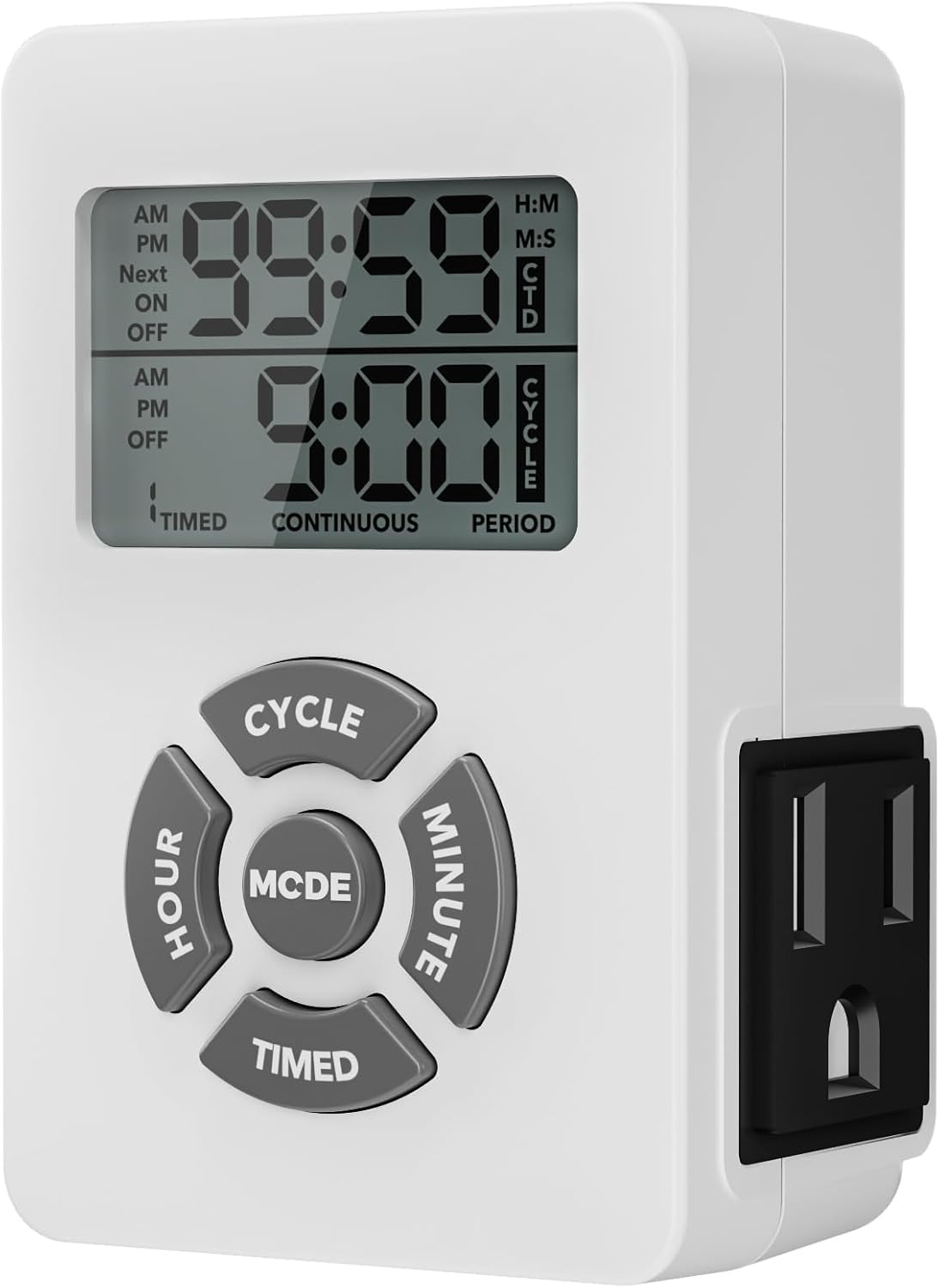
Image: Front view of the BN-LINK Digital Infinite Repeat Cycle Timer, showing its digital display and control buttons.
Product Features
- Versatile Digital Timer Outlet: Offers 6 programmable modes for managing ON/OFF schedules or advanced automation.
- Safe 3-Prong Outlet with Grounded Design: Features a grounded 3-prong (15A/1875W) design for stable power delivery and safety with high-wattage devices.
- Repeat Cycle Mode: Allows customizable ON/OFF intervals in hours/minutes or minutes/seconds, suitable for automating irrigation pumps, misting systems, or aquarium filters.
- 24-Hour Daily Timer Mode: Programs up to 3 daily ON/OFF schedules for various devices like lights, coffee makers, or holiday decorations.
- Timer + Cycle Function: Combines scheduled ON/OFF settings with repeat cycles to operate devices during specific hours, enhancing productivity.
- Countdown Off + Cycle Function: Provides a countdown period with repeating ON/OFF cycles, useful for precise air circulation or plant misting.
- Countdown On/Off Mode: Delays the start or stop of devices, ideal for safely managing heaters, charging electronics, or indoor fans without constant monitoring.
Setup Guide
Follow these steps to set up your BN-LINK Digital Infinite Repeat Cycle Timer:
- Initial Plug-in: Plug the timer into a standard 125V/15A/1875W electrical outlet. The display will illuminate.
- Clear Settings (Optional): To clear any previous settings, press the RESET button (if available, or refer to specific button for reset).
- Set Current Time:
- Press and hold the TIMED button until the time display flashes.
- Use the HOUR and MINUTE buttons to adjust the current time.
- Press TIMED again to save the current time.
- Connect Device: Plug the device you wish to control into the timer's 3-prong outlet.

Image: The digital timer plugged into a wall outlet in a kitchen, demonstrating its compact size and how it integrates into a home environment.
Operating Modes
The BN-LINK Digital Timer offers multiple operating modes to suit various automation needs. Use the MODE button to cycle through the different functions.
1. 24-Hour Daily Timer Mode
This mode allows you to set up to 3 daily ON/OFF schedules for consistent control of your devices.
- After setting the current time, press and hold TIMED.
- Set daily ON/OFF times using the HOUR and MINUTE buttons.
- Save by holding TIMED again.
- Repeat the process to set up to 3 daily ON/OFF schedules.
- Press MODE to activate TIMED MODE. The timer will then follow your set schedule.

Image: A visual representation of the 24-hour daily repeat function, showing three distinct ON/OFF programs for controlling grow lights for plants.
2. Repeat Cycle Mode (Continuous Cycle Mode)
This mode allows for continuous ON/OFF intervals with precision in hours/minutes or minutes/seconds.
- After setting the current time, long press CYCLE.
- Choose H:M (hours:minutes) or M:S (minutes:seconds) precision using the MODE button.
- Set the ON/OFF durations using the HOUR and MINUTE buttons.
- Press MODE to activate CYCLE CONTINUOUS. The timer will now automatically repeat the ON/OFF cycles.

Image: The digital timer plugged into an outlet next to an aquarium, illustrating its use in continuous cycle mode for automated hydration or filtration.
3. Timer + Cycle Function (Cycle in 24-Hour Timer)
This mode combines daily scheduling with repeat cycle functionality, allowing for cycles within specific timed periods.
- Set your desired ON/OFF schedule and cycle durations as described in the 24-Hour Daily Timer Mode and Repeat Cycle Mode sections.
- Press MODE to activate CYCLE TIMED mode. The timer will then execute the programmed cycles only during the scheduled ON periods.
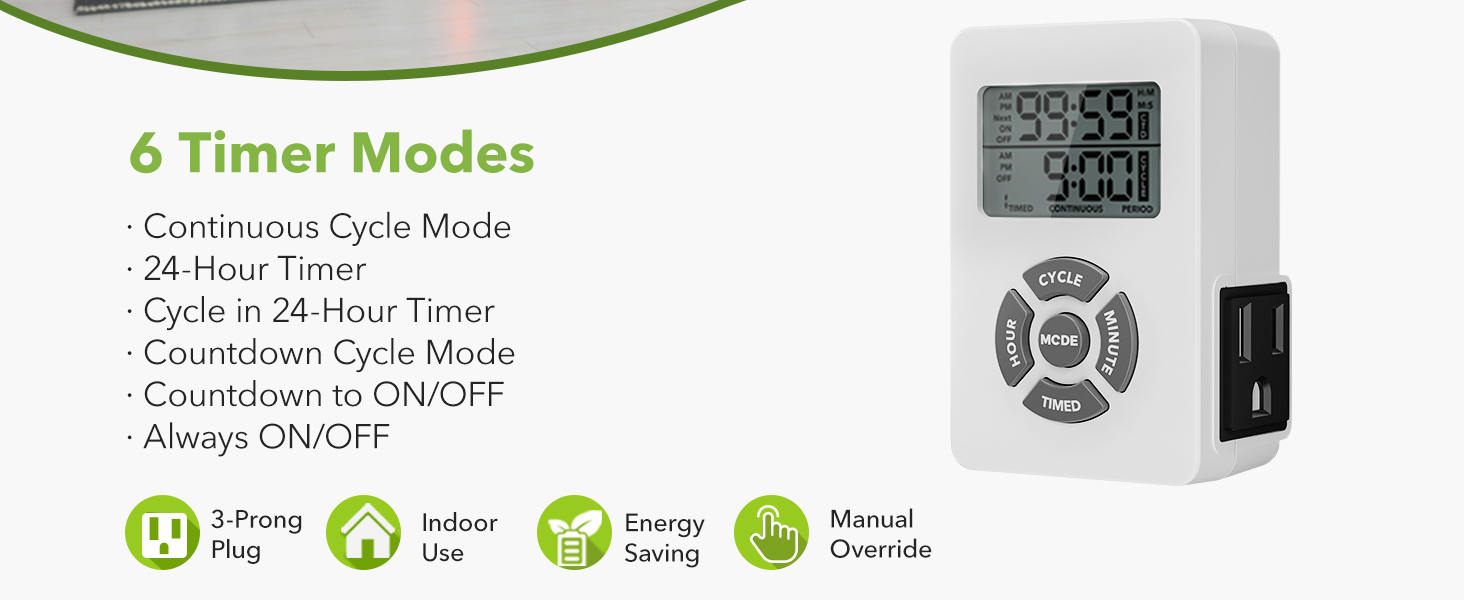
Image: The digital timer connected to grow lights above plants, demonstrating the "Cycle in 24-Hour Timer" mode for scheduled and cyclical plant illumination.
4. Countdown Off + Cycle Function (Period Cycle Mode)
Automate ON/OFF cycles within a specific countdown period.
- After setting the ON/OFF intervals for the cycle, press MODE to switch to CYCLE PERIOD mode.
- Set the total duration for which the cycles should run using the HOUR and MINUTE buttons.
- The timer will cycle ON and OFF as programmed for the set duration, then stop.

Image: The digital timer plugged into a wall outlet, controlling a standing fan, illustrating its use in "Period Cycle Mode" for timed operation.
5. Countdown On/Off Mode
This mode allows you to delay the start or stop of devices for a set period.
- Press TIMED to enter Countdown mode.
- Use the HOUR and MINUTE buttons to set the desired countdown duration.
- The timer will count down and then either turn the device ON or OFF, depending on its initial state.

Image: The digital timer plugged into an outlet near a Christmas tree, demonstrating its "Countdown ON/OFF" feature for controlling holiday lights.
6. Always ON/OFF (Manual Override)
This mode allows you to manually turn the connected device ON or OFF, overriding any programmed schedules.
- Press the MODE button repeatedly until the display shows "ON" or "OFF" continuously, indicating manual control.
- The device will remain in this state until the mode is changed.
Specifications
| Attribute | Value |
|---|---|
| Brand | BN-LINK |
| Model Number | 1 |
| Product Dimensions | 3.2"D x 2.1"W x 1.5"H |
| Item Weight | 4.6 ounces |
| Voltage | 125V |
| Amperage | 15A |
| Wattage | 1875W |
| Number of Settings | 10 |
| UPC | 810079589791 |
Troubleshooting
If you encounter issues with your BN-LINK Digital Infinite Repeat Cycle Timer, please refer to the following common troubleshooting steps:
- Timer Not Turning On/Off:
- Ensure the timer is securely plugged into a live electrical outlet.
- Verify that the connected device is properly plugged into the timer and is functional.
- Check if the timer is in the correct operating mode (e.g., TIMED MODE, CYCLE CONTINUOUS, etc.) and not in MANUAL OFF.
- Confirm that the ON/OFF times or cycle durations are correctly programmed.
- Display is Blank or Flickering:
- Unplug the timer for a few seconds and then plug it back in.
- Ensure the outlet is providing power. Test with another device.
- Difficulty Programming:
- Refer to the "Operating Modes" section and carefully follow the steps for the desired mode.
- Press the RESET button (if applicable) to clear all settings and start fresh.
- Ensure you are pressing and holding buttons for the correct duration as specified in the instructions.
- Timer Not Holding Settings:
- This timer typically has an internal battery backup for settings. If settings are lost after a power outage, the battery might be low or depleted. Contact customer support if this persists.
If these steps do not resolve your issue, please contact BN-LINK customer support for further assistance.
Maintenance
To ensure the longevity and optimal performance of your BN-LINK Digital Infinite Repeat Cycle Timer, follow these simple maintenance guidelines:
- Cleaning: Disconnect the timer from the power outlet before cleaning. Use a soft, dry cloth to wipe the exterior. Do not use abrasive cleaners, solvents, or immerse the timer in water.
- Storage: When not in use for extended periods, store the timer in a cool, dry place away from direct sunlight and extreme temperatures.
- Environment: This timer is designed for indoor use only. Avoid exposing it to moisture, high humidity, or corrosive environments.
- Overload Protection: Do not exceed the maximum load capacity of 15A/1875W. Overloading can damage the timer and connected devices, and poses a fire hazard.
Warranty and Support
BN-LINK products are designed for reliability and performance. For warranty information and customer support, please refer to the following:
- Warranty: Specific warranty details are typically included with your product packaging or can be found on the official BN-LINK website. Please retain your proof of purchase for warranty claims.
- Customer Support: For technical assistance, troubleshooting, or any questions regarding your BN-LINK Digital Infinite Repeat Cycle Timer, please visit the official BN-LINK website or contact their customer service department.
- Online Resources: You may find additional FAQs, video tutorials, and product information on the BN-LINK Amazon Store or their official website.