
1. Introduction
Thank you for choosing the LUOTWO W500 4G LTE Global Walkie Talkie. This device is designed for reliable and extended-range communication, leveraging 4G LTE networks for global connectivity. Please read this manual thoroughly to understand the features, setup, and operation of your new walkie talkie.
Package Contents
- LUOTWO W500 Host (2 units)
- Antenna (2 units)
- Battery Pack (2 units)
- Charger (2 units)
- Lanyard (2 units)
- User Manual (2 copies)
2. Product Overview
Familiarize yourself with the components of your LUOTWO W500 walkie talkie.

Figure 2.1: Front view of two LUOTWO W500 walkie talkies.
Key Features
- Global Communication: Utilizes 4G LTE networks for extensive coverage.
- SIM Card Support: Insert any compatible SIM card for instant LTE connectivity.
- Long-lasting Battery: Equipped with an 8000mAh battery, providing over 72 hours of operation on a single charge.
- Type-C Charging: Supports fast and convenient charging.
- Durable Design: Impact-resistant plastic casing, capable of withstanding 5-foot drops, mud, and storms. Operates in temperatures from 10°C to 55°C.
- Portable: Lightweight design with a one-touch Push-to-Talk (PTT) button for efficient communication.
- GPS Tracking: Enhances team security with location tracking capabilities.
- Weather Intelligence: Provides NOAA weather alerts to keep users informed of weather conditions.
- Waterproof: Designed to resist water ingress.
3. Setup
3.1 Battery Installation and Charging
- Ensure the walkie talkie is powered off.
- Locate the battery compartment cover on the back of the device.
- Open the cover and insert the 8000mAh battery pack, ensuring the contacts align correctly.
- Close the battery compartment cover securely.
- Connect the provided Type-C charger cable to the charging port on the device and plug the other end into a power source.
- Allow the device to charge fully before first use. The charging indicator will typically change color or turn off when charging is complete.
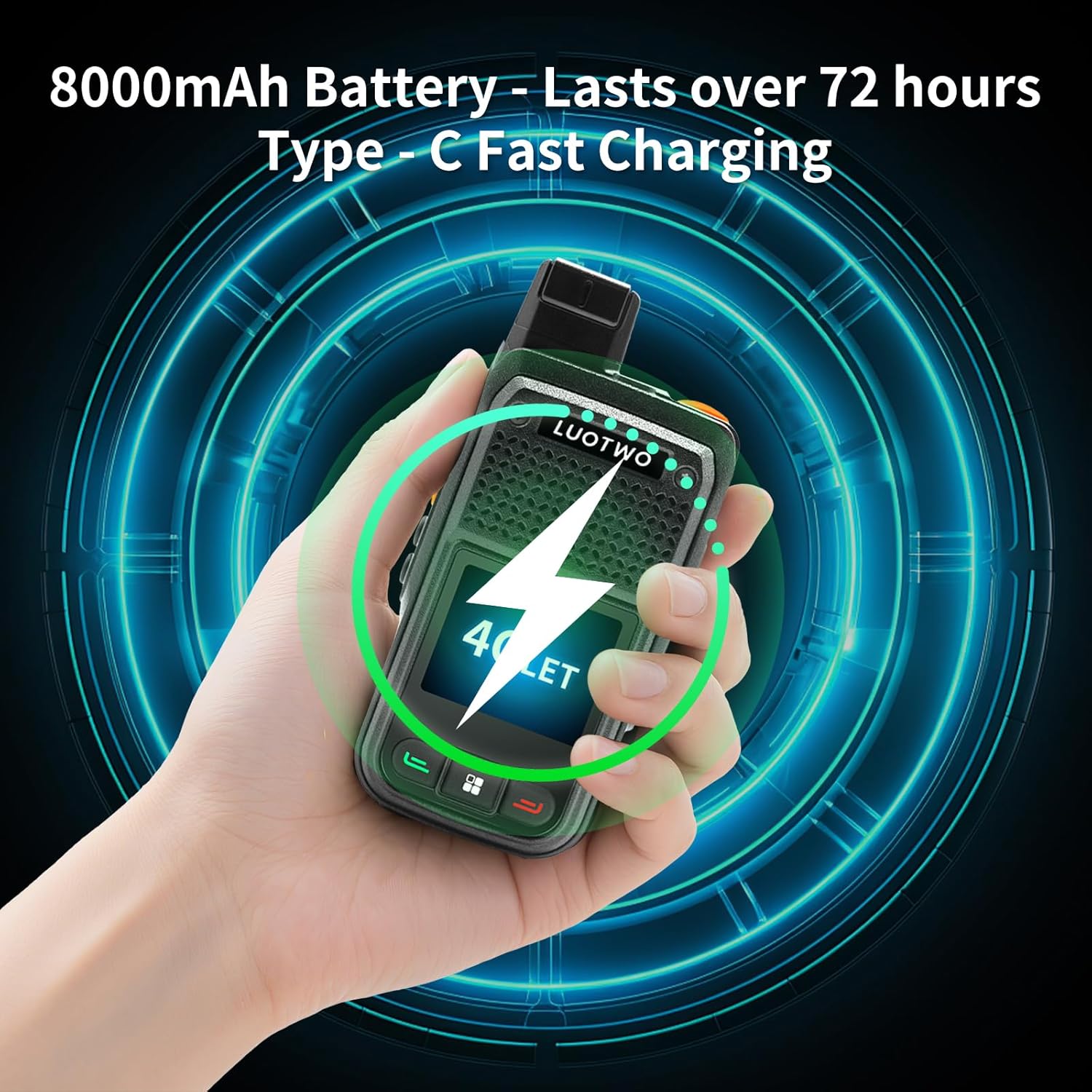
Figure 3.1: Charging the LUOTWO W500 walkie talkie via Type-C port.
3.2 SIM Card Installation
The LUOTWO W500 requires a SIM card for 4G LTE network connectivity. It features dual SIM slots for multi-carrier compatibility.
- Power off the device.
- Open the battery compartment cover and remove the battery.
- Locate the SIM card slots. The device supports standard SIM cards.
- Carefully insert your SIM card(s) into the designated slot(s) until it clicks into place. Ensure the SIM card is oriented correctly as indicated by the diagram near the slot.
- Reinstall the battery and close the compartment cover.

Figure 3.2: SIM card installation for global communication.
3.3 Antenna Attachment
- Locate the antenna port on the top of the walkie talkie.
- Screw the antenna clockwise into the port until it is finger-tight. Do not overtighten.
4. Operating Instructions
4.1 Power On/Off
- To Power On: Press and hold the Power button (usually located on the side or top) until the screen illuminates.
- To Power Off: Press and hold the Power button until the device prompts you to power off, then confirm.
4.2 Push-to-Talk (PTT) Function
The PTT button allows for instant communication.
- Ensure the device is powered on and connected to the network.
- To transmit, press and hold the PTT button (typically a large button on the side).
- Speak clearly into the microphone.
- Release the PTT button to listen for a response.
4.3 Volume Adjustment
Adjust the speaker volume using the dedicated volume buttons, usually located on the side of the device.
4.4 Global Communication via 4G LTE
The W500 utilizes 4G LTE networks for communication, enabling a wide operational range. Once a SIM card is installed and activated, the device will automatically connect to available 4G networks. Communication is managed through the device's internal software, allowing for group calls or private conversations depending on configuration.

Figure 4.1: Unlimited global communication capability.
4.5 GPS Tracking and Weather Alerts
The W500 includes integrated GPS for location tracking and provides NOAA weather alerts.
- GPS Tracking: The device can transmit its location, which can be useful for team coordination and safety. Specific setup for GPS tracking features may require configuration through a dedicated application or service, as detailed in supplementary documentation or by your service provider.
- NOAA Weather Alerts: The device is capable of receiving NOAA weather warnings. Ensure your device's location services are enabled and that it has network connectivity to receive these alerts.

Figure 4.2: GPS tracking and NOAA weather warning features.
5. Maintenance
5.1 Cleaning
- Wipe the device with a soft, damp cloth. Do not use harsh chemicals or abrasive cleaners.
- Ensure all ports are dry before charging or using the device in wet conditions.
5.2 Battery Care
- Charge the battery regularly, even if the device is not in frequent use, to maintain battery health.
- Avoid exposing the battery to extreme temperatures.
- If the battery is removable, ensure it is properly seated and the compartment is sealed to maintain water resistance.
5.3 Storage
- Store the walkie talkie in a cool, dry place away from direct sunlight.
- For long-term storage, ensure the battery is partially charged (around 50%) to prolong its lifespan.
6. Troubleshooting
| Problem | Possible Cause | Solution |
|---|---|---|
| Device does not power on. | Low or depleted battery; improperly installed battery. | Charge the battery fully. Ensure the battery is correctly installed. |
| No network signal. | No SIM card; improperly installed SIM card; out of 4G coverage area. | Install a compatible SIM card correctly. Move to an area with 4G LTE coverage. Contact your service provider. |
| Cannot transmit or receive. | Network issue; PTT button not pressed correctly; volume too low. | Check network connection. Ensure PTT button is held down during transmission. Adjust volume. |
| Poor audio quality. | Weak signal; microphone/speaker obstruction. | Move to an area with better signal. Clear any obstructions from the microphone and speaker. |
7. Specifications
| Feature | Detail |
|---|---|
| Brand | LUOTWO |
| Model | W500 |
| Connectivity | 4G LTE (PoC Radio) |
| Battery Capacity | 8000mAh |
| Battery Life | Over 72 hours (typical use) |
| Charging Port | Type-C |
| Talking Range Maximum | 5000 Kilometers (network dependent) |
| Number of Channels | 1 |
| Special Feature | Automatic Squelch, GPS Tracking, NOAA Weather Alerts |
| Water Resistance Level | Waterproof |
| Operating Temperature | 10°C to 55°C |
| Dimensions (H x W x D) | 4.17 x 2.2 x 1.25 inches (106 x 56 x 32 mm) |
| Item Weight | 10.6 ounces (300 grams) |
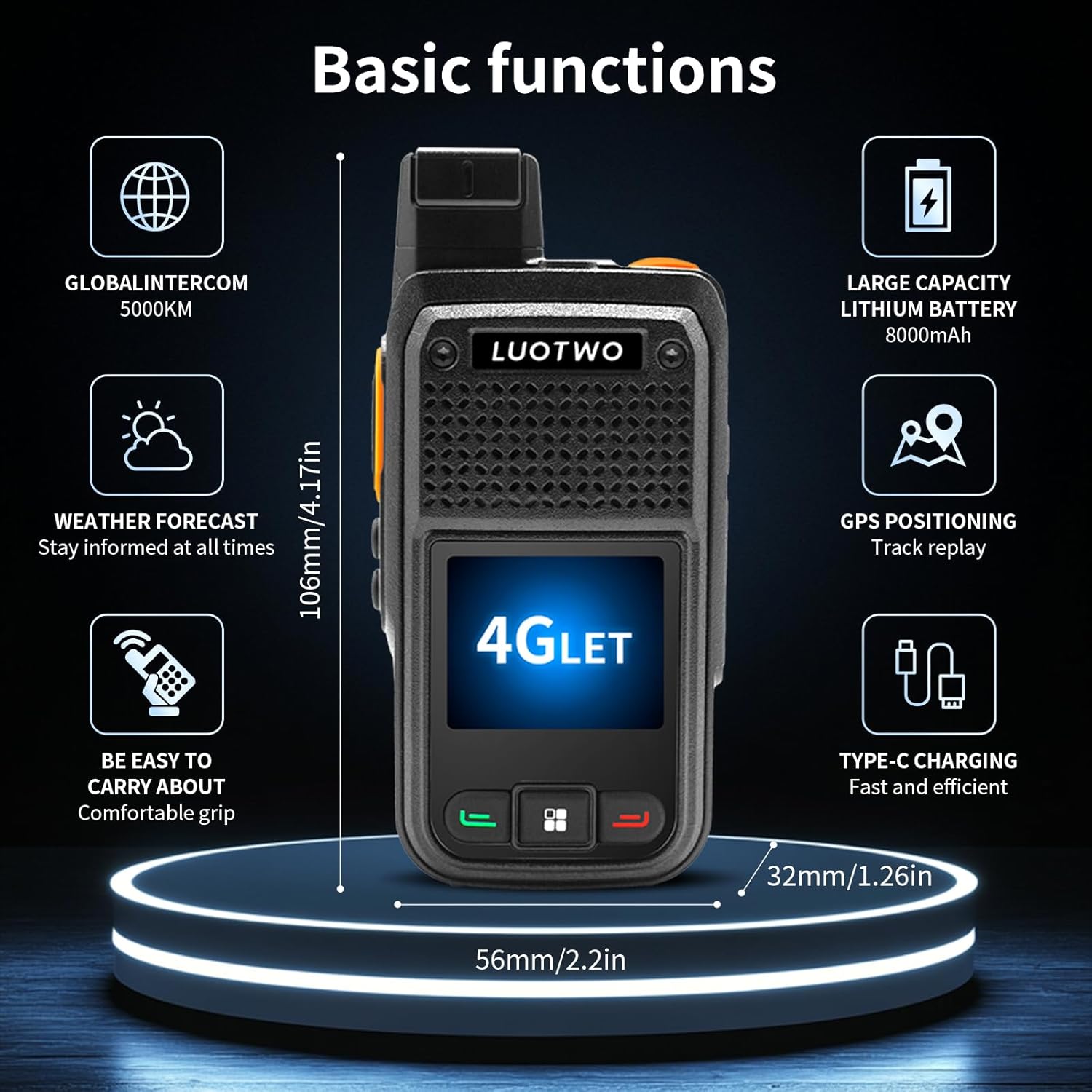
Figure 7.1: Overview of LUOTWO W500 basic functions and dimensions.
8. Warranty and Support
8.1 Warranty Information
The LUOTWO W500 walkie talkie comes with a 1-year manufacturer's warranty from the date of purchase. This warranty covers defects in materials and workmanship under normal use. It does not cover damage caused by misuse, accidents, unauthorized modifications, or normal wear and tear.
Please retain your proof of purchase for warranty claims.
8.2 Customer Support
For technical assistance, troubleshooting, or warranty inquiries, please contact LUOTWO customer support through the retailer where the product was purchased or visit the official LUOTWO store page on Amazon: