
1. Introduction
Thank you for choosing the Sudio F4 Bluetooth Wireless Speaker. This manual provides essential information for setting up, operating, and maintaining your speaker. Please read it thoroughly before use to ensure optimal performance and longevity of your device.
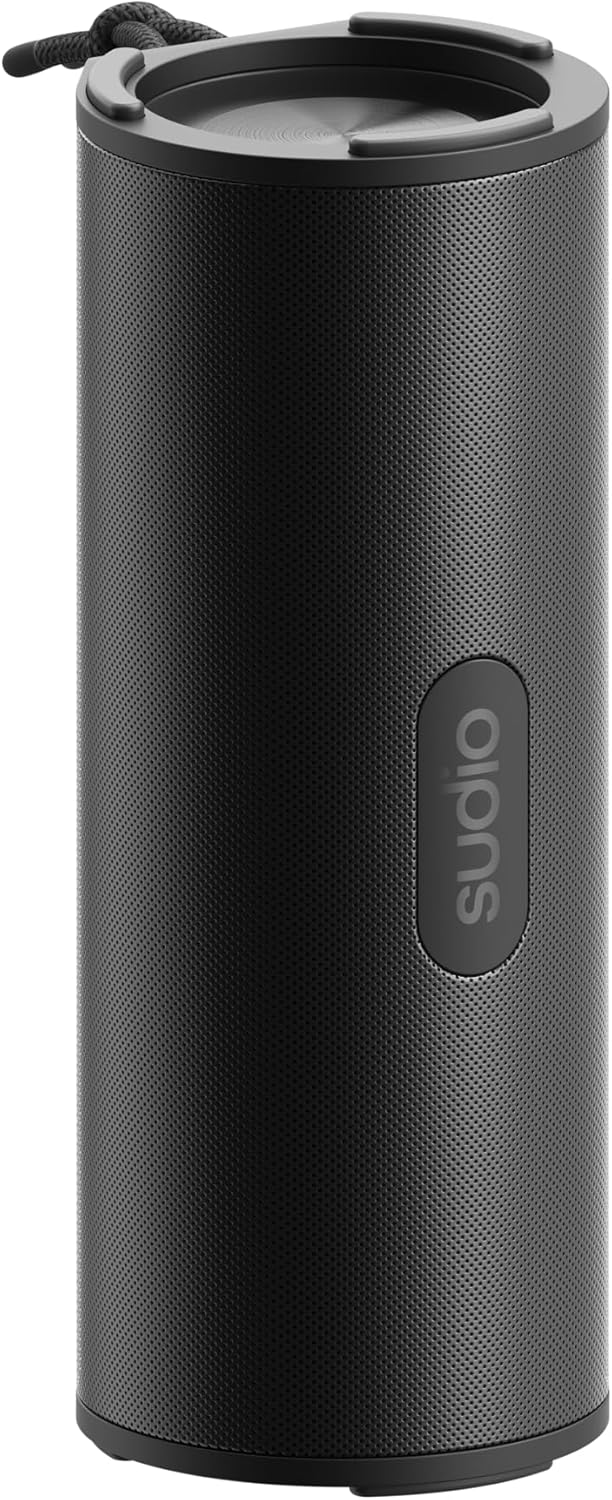
Figure 1: Sudio F4 Bluetooth Wireless Speaker
2. Safety Information
- Do not expose the speaker to extreme temperatures, direct sunlight, or open flames.
- Avoid dropping or subjecting the speaker to strong impacts.
- Do not attempt to disassemble, repair, or modify the speaker. This will void the warranty.
- Keep the speaker away from water and liquids, except for splashes as per its IPX4 rating. Do not submerge.
- Use only the provided or a certified USB-C charging cable.
- Dispose of the product and its battery responsibly according to local regulations.
3. Package Contents
Ensure all items are present in the package:
- Sudio F4 Bluetooth Wireless Speaker
- USB-C Charging Cable
- User Manual
4. Product Overview
Familiarize yourself with the Sudio F4 speaker's components and controls.

Figure 2: Side view with control buttons and USB-C port
- Power Button: Press and hold to power on/off. Short press for battery status.
- Volume Down / Previous Track Button: Short press to decrease volume. Long press to go to the previous track.
- Play / Pause / Call Button: Short press to play/pause music. Short press to answer/end calls. Long press to reject calls.
- Volume Up / Next Track Button: Short press to increase volume. Long press to go to the next track.
- Bluetooth Pairing Button: Short press to enter Bluetooth pairing mode.
- USB-C Charging Port: For charging the speaker.
- Microphone: For hands-free calls.
- Lanyard Attachment: For portability.

Figure 3: Top view with speaker grille and lanyard
5. Setup
5.1 Charging the Speaker
- Connect the USB-C charging cable to the speaker's USB-C port.
- Connect the other end of the cable to a USB power adapter (not included) or a computer's USB port.
- The charging indicator light will illuminate during charging and turn off when fully charged.
- A full charge provides up to 25 hours of playback.
5.2 Power On/Off
- To Power On: Press and hold the Power button for approximately 2 seconds until you hear an audible prompt.
- To Power Off: Press and hold the Power button for approximately 2 seconds until you hear an audible prompt.
5.3 Bluetooth Pairing
- Ensure the speaker is powered on and within 1 meter of your Bluetooth device.
- The speaker will automatically enter Bluetooth pairing mode when powered on for the first time, indicated by a flashing LED light. If already paired, short press the Bluetooth pairing button to enter pairing mode.
- Enable Bluetooth on your smartphone, tablet, or other audio device.
- In your device's Bluetooth settings, select "Sudio F4" from the list of available devices.
- Once successfully paired, the speaker will provide an audible confirmation, and the LED light will stop flashing.
6. Operating Instructions
6.1 Audio Playback
- Play/Pause: Short press the Play/Pause/Call button.
- Next Track: Long press the Volume Up button.
- Previous Track: Long press the Volume Down button.
6.2 Volume Control
- Increase Volume: Short press the Volume Up button.
- Decrease Volume: Short press the Volume Down button.
6.3 Call Management
The Sudio F4 includes a built-in microphone for hands-free calling.
- Answer/End Call: Short press the Play/Pause/Call button.
- Reject Call: Long press the Play/Pause/Call button.
6.4 IPX4 Water Resistance
The Sudio F4 speaker is rated IPX4, meaning it is resistant to splashing water from any direction. This makes it suitable for outdoor use where it might encounter light rain or splashes. It is not designed to be submerged in water.
7. Maintenance
- Cleaning: Wipe the speaker with a soft, dry, lint-free cloth. Do not use abrasive cleaners, alcohol, or chemical solvents.
- Storage: Store the speaker in a cool, dry place away from direct sunlight and extreme temperatures when not in use for extended periods.
- Battery Care: To preserve battery life, charge the speaker fully at least once every three months if not used regularly.
8. Troubleshooting
| Problem | Possible Solution |
|---|---|
| Speaker does not power on. | Ensure the speaker is charged. Connect it to a power source using the USB-C cable. |
| Cannot pair with Bluetooth device. |
|
| No sound or low volume. |
|
| Poor sound quality. |
|
9. Specifications
| Model | Sudio F4 |
| Bluetooth Version | 5.4 |
| Playback Time | Up to 25 hours |
| Charging Port | USB-C |
| Water Resistance | IPX4 (Splash-proof) |
| Speaker Output | 15W |
| Dimensions (L x W x H) | 8.9 x 8.7 x 20.6 cm |
| Weight | 300 g |
| Microphone | Yes |
10. Warranty and Support
For warranty information, technical support, or any inquiries regarding your Sudio F4 speaker, please visit the official Sudio website or contact their customer service directly. Keep your proof of purchase for warranty claims.
Official Sudio Website: www.sudio.com


